Close
0%
0%

Shenanigans with Directv and Dish Satelitte DVRs

This project is in an ongoing state, and it is also in a research state. The end goal Besides a FW Dump, is to load a custom OS
with desktop

Public Chat
Similar projects worth following
I have already run some file recovery software on the drives, in hopes of finding the firmware, and was met with nothing of extrodinary interest but M2ts files that are audio , flv files that are audio, a very large TIF file, and a few other interesting things.

08/5/2024 I have successfully created .img files of the partitions, and managed to extract some data from one. I found quite a bit of interesting sutff, between drivers, and standard linux stuff, to some custom scripts. Unfortunately, my capabilities are limited as I use windows as my daily driver, and linux is just something i use on occasions. But along the road, i have learned quite a bit about these boxes. They arent arm, or risc v, or power pc even. We're talking MIPS. With a 1 TB hard drive.

Note : this is for the directv Box.

I have a MEGA archive of some of the dish stuff, as well. nothing exciting there.

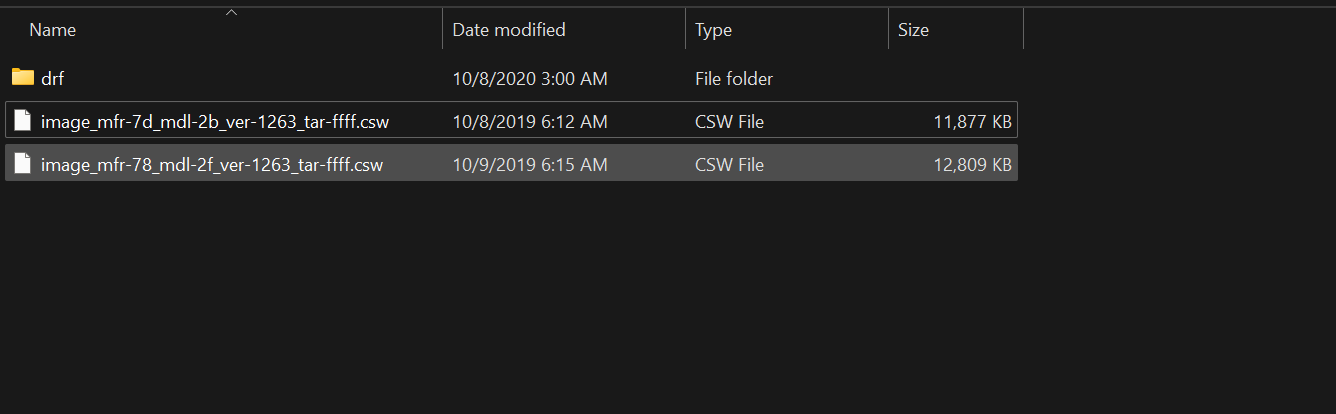
image_mfr-7d_mdl-35_ver-10d1_tar-ffff.csw

Original FW File pulled from a Samsung HR54-200

csw - 14.50 MB - 10/04/2024 at 02:57

Download

image_mfr-7d_mdl-35_ver-10d1_tar-ffff.zip

This is just a compressed version of our .CSW firmware file. The firmware file has all the goodies with symbolic links

x-zip-compressed - 14.87 MB - 10/04/2024 at 02:57

Download

image_mfr-55_mdl-2b_ver-10d1_tar-ffff.csw

Original FW File pulled from a Samsung HR54-200

csw - 13.11 MB - 10/04/2024 at 02:57

Download

4623_1.zip

Ads maybe? I cant remember what this is exactly

x-zip-compressed - 58.58 kB - 10/04/2024 at 02:56

Download

Disk Image of sdb1 (2024-08-05 2012) SWAP.txt

Text file of the .IMg of the swap Partition.

plain - 1.46 MB - 08/07/2024 at 17:50

Download

View all 6 files

  • 3 × Dish/Echostar/Bell Express ViP 722K DVR/Reciever
  • 2 × Dish/Echostar ViP 612 DVR/Reciever
  • 1 × DirecTV HR44-500 (Humax)
  • 1 × DirecTV HR44-200 (Samsung)
  • 1 × DirecTV HR54-500 (Humax)

View all 6 components

  • Update 12/8/25

    Julian R5 hours ago 0 comments

    Hi all, exciting news! After more research, digging, and tinkering, it’s become clear to me that these DVRs and receivers can run just about any OS you throw at them—well, sort of.

    For example, We recently got our hands on a Scientific Atlanta box running a TiVo‑skinned OS. I hooked it up to a Suddenlink cable CMTS and managed to get it running in Cisco’s SARAH environment. Before that, of course, we scanned the drive to see what we could uncover. Unfortunately, our host machines didn’t play nicely with the drive and kept crashing whenever the TiVo data from that Scientific Atlanta box was accessed.

    This was all done in coordination with my good friend Mixer, whom I’ve known for a couple of years. Together we’ve tackled many interesting projects—switching between our emulation project (currently shelved due to technical constraints that require further research to make it work as a JIT compiler) and reverse‑engineering ISP cable systems on the firmware side, using publicly available resources.

    Along the way, we’ve come across boxes running Flash Player, Opera browser, and other unexpected software. All very fascinating details! I can’t share too much just yet—I have to keep you on your toes—but I promise there’s more to come.

    As a teaser… here’s an image.


  • The Project is not Dead

    Julian R05/26/2025 at 17:40 0 comments

    So for any whom may be wondering, the project is not dead. Im currently working on attempting to build a program that translates the MIPS code into a x64 version, and vice versa. 
    It also aims to emulate the UVerse CMTS, and RDK CMTS. It is believed to be all docsis. I have no experience actually making a program to do this, so ive used some hand coding with some friends, AI, and some of my own code from other projects, and what little bit of C# I know from highschool. 
    Processor-Emulator/ at dev · julerobb1/Processor-Emulator
    julerobb1/Processor-Emulator: Win 32 To arm, mips, RIsc, PPC emulator


  • *bong* .. *bonng*

    Julian R10/04/2024 at 04:56 0 comments

    Ok, since the dumb post creator deleted what i had the first time, here's an update.

    1. We got the Menus from the firmware and the whole implementation is quite weird. They use .mpg for the menu and guide, and panel components.

    2. We have the firmware images

    3. The Viewer folder is a very Large folder as it houses the segments folder. The segments folder houses what i believe to be all the recordings for the DVR.

    now, all this is hosted on a single 15GB partition on the drive. But yet that segments folder amounts to 695 GB,

    4. We have the bong sound , yes. The directv "no" bong sound.
    5. the swdl folder contains our firmware, in a .CSW file format. You can view the contents by utilizing winrar or 7 zip and using the Open Archive > "# "  flag in the context menu,
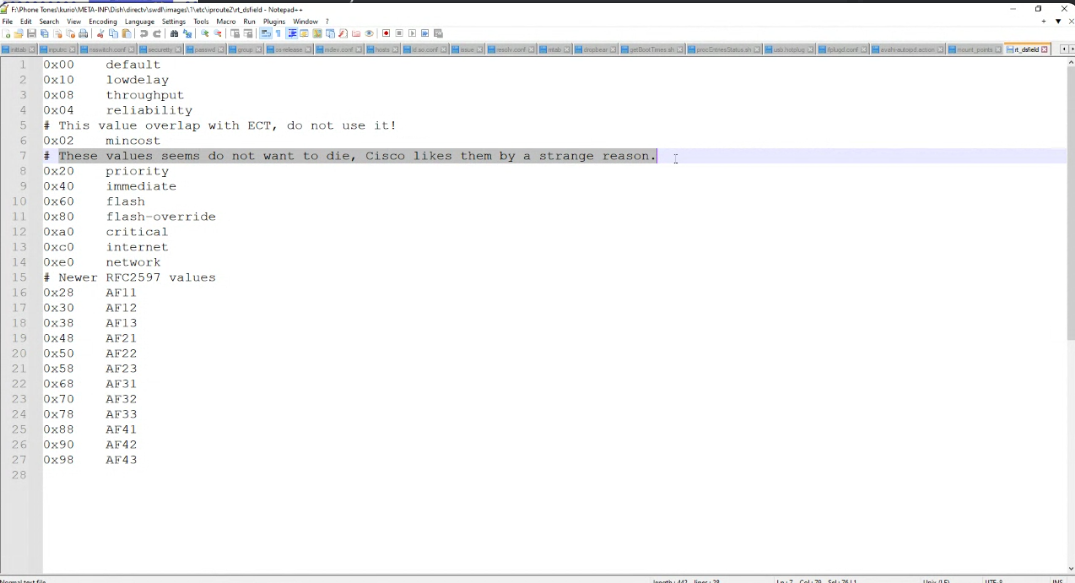
    6. In that .csw file the opt and etc folders are full of fun and fascinating goodies, between weird file names, .sh files, .pcm files, and so much more. I wont spoil the fun for you, after all you chose to take the time to join me in this adventure.
     7 -  A side note, dont go publishing this stuff all around the interweb posting that you 'hacked' something when really all you did was mount the partition of a hard drive, in your home, that you use - indirectly.

    8. I am not responsible for your actions, if you get yourself sued, well buddy, thats on you. Im only doing this because I wanted to know how these boxes work, and if i could turn them into something useful like say a pi Hole ad blocker, or a very janky home media server.  Forget using it for sattelite TV , use it for NAS instead!!
    9. the drive uses a JFFS 2 File system , and it cant be easily mounted in my experience.

     10. i am writing this at 12:15 am before my body says "no more" and i pass out from needing sleep>

    Just wanted to share this exciting update with you.

    Ill leave some images here for PoC , and I wont spoil the fun of letting you hunt through your own DVR


    *Disclaimer- I Cannot gurrantee every file will be exactly the same, due FW revision, OEM, drive size, etc. Every drive and box is unique, so some will be the same, some wont. Based on experience.

    DTV, and DISH, Xfinity, If you're seeing this, Please do not take legal action against me, I am simply doing this as I cannot get a job no matter where I apply. This is the only thing keeping me sane with my Job hunt. Besides, I am quite certain you would appreciate free pentesting on your IoT devices you give to consumers.


  • Insert silly simpsons quote here:

    Julian R10/02/2024 at 22:52 0 comments

    So I have an update.. a rarther interesting one. These boxes are running on Vxworks 5.52 Kernel version 2.11. Vx works is a OS made by wind River systems, and iirc, this was one of a handful of multiple versions that had some major vulns.

    They use PFFS Filesystem on the drives, PFFS is peer fusion file system.
    https://scholar.archive.org/work/yoaffxxrnzaopfz6c6xwmtab3a/access/wayback/http://veryoldwww.cs.pitt.edu/PARTS/p-rew/papers/p1498-park.pdf

    https://www.peerfusion.com/pffs.php

    Will update as we find more, this just got exciting.


  • Another Brick in the wall

    Julian R08/31/2024 at 16:26 0 comments

    At this point, without SPI or something sort of hardware, there's not much more I can do, at least at the software level. I have to get down to the hardware level and physically interrupt the boot process to even get a boot loader screen. If anyone would like to donate the hardware necessary for it, I would be more than grateful. Unfortunately, I do not have the monetary resources at this time to get JTAG and UART things, nor do I posses the knowledge Necessary for doing this. This Project has Public chat enabled, so feel free to engage there, and pursue this on your own!

    But, yes, I have hit a stone wall so to speak as I am unsure where to go from here.

  • This is interesting, very interesting indeed

    Julian R08/11/2024 at 04:09 1 comment

    So, Digging through another drive, i thought i saw a folder i hadnt seen before, Turns out, -I have seen it before, i just enver opened it.
    If we open this folder we a refrence to a bunch of  stuff related to Ucentric. Upon doing some research, it appears the company no longer exists, and I found a SEC document on the interwebs.

    http://www.sec.gov/Archives/edgar/data/1088825/000119312505077754/d10k.htm


    There's a link to it, for anyone who wants to laminate their eyes with this small print text and legal jargon.

    The only particularly interesting thing ive seen is that the ucentric contract ended and they went to NDS ...
    "Our current development agreement with DIRECTV expires in February 2007. Afterwards, while DIRECTV will have the option to continue to service the existing DIRECTV receivers with TiVo service without further payment to us, it will not be able to add new DIRECTV receivers with TiVo service unless DIRECTV elects either to purchase a royalty-bearing technology license from us or to renew or replace our current agreement.

    DIRECTV has recently announced that its core initiatives and new customer acquisition will focus on its new DVR from NDS. We expect that our DIRECTV subscription growth rate may decline in the future."

     
    I then on a forum found this gem of info :
    https://web.archive.org/web/20240811035349/https://www.dbstalk.com/threads/directv-nds.116372/

    NDS did the work on the R15/16

    DirecTV did the work on the HR20/21

    And They have just renewed thier contract with NDS as well. Well, I say Just renewed.. it was renewed back in 2011, and i have learned that they use a system called NDS VideoGuard, which is so "secure" it has never been fully hacked.
    https://web.archive.org/web/20221018233539/https://blog.solidsignal.com/tutorials/what-is-videoguard/


    I hate to burst their bubble, nothing is secure. Everything made by man will fail.

    I figure with enough research , we could possibly breakthrough this system, not to recover the video files, but to see what filesystems are used on these DVRs


  • What in the name of mike?

    Julian R08/10/2024 at 03:38 0 comments

    Ok, now im stumped. I plopped in one of the other drives, expecting it to be identical , because they run the same software at a basic level,  whatever the software that they run is.. it wasnt the same. at least not the exact same. They were for sure similar in terms of files and folder structure.

    But digging through both of the DirecTV hard drives i have mounted in windows using some special software, we see this file which is a cipher key if I did my research properly.Ive tried using imHex, notepad++ , and notepad to try and tell me what it might be for, but im not sure. Especially since it was in "shef\archivein ita_data\apps\4176_1
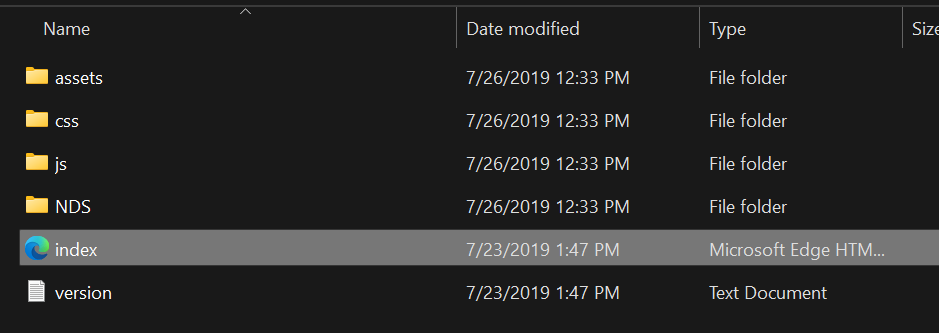
    we find the guide banners for ads
    and here is the JPGs  from the raven folder within the assets folder  * actually they were PNG , but hackaday doesnt like PNG for some reason.



  • Good News Everyone!

    Julian R08/09/2024 at 05:17 0 comments

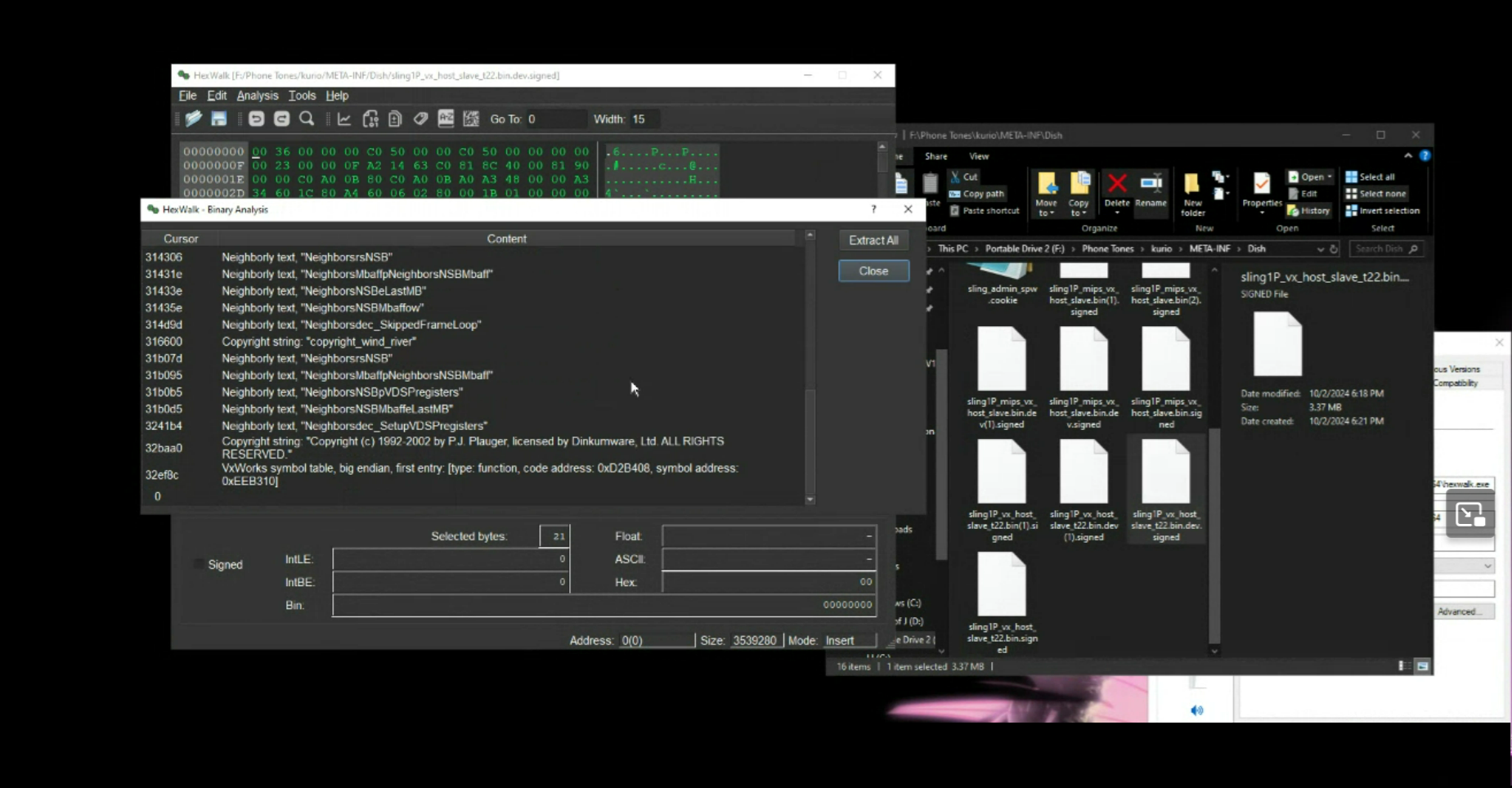
    We believe we have found the firmware. It appears to be cleverly disguised as something else. Bin walk confirms our suspicions. About to load it into a hex editor to see what secrets it holds. This likely is not the full install of the OS, very likely just the basic firmware for the board itself.

    Digging through these folders at the ungodly hour of 1224 AM, we find a interesting folder that holds diagnostic logs, these could be potentially useful, lets make note of the location and continue delving through this drive
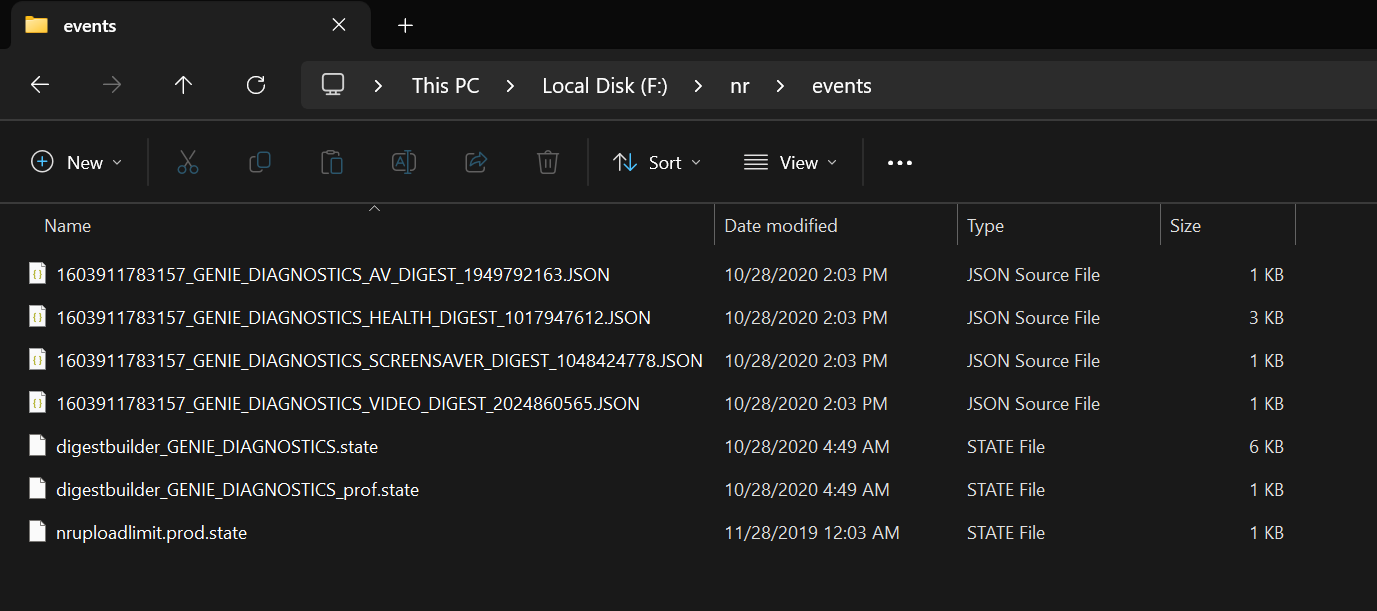
    Diagnostic files

  • OO VERY SCARY

    Julian R08/08/2024 at 05:05 0 comments

    You want to login properly right?

    well you have two options, use the hard coded Root password OR run john . You could also just UART and/or JTAG into the system, but that just gives you a busy box shell with no ability to interact with the system.

    WIll update this page when there is more information to be shared. If you've made it this far, congrats!

  • WooHoo!

    Julian R08/08/2024 at 01:53 5 comments

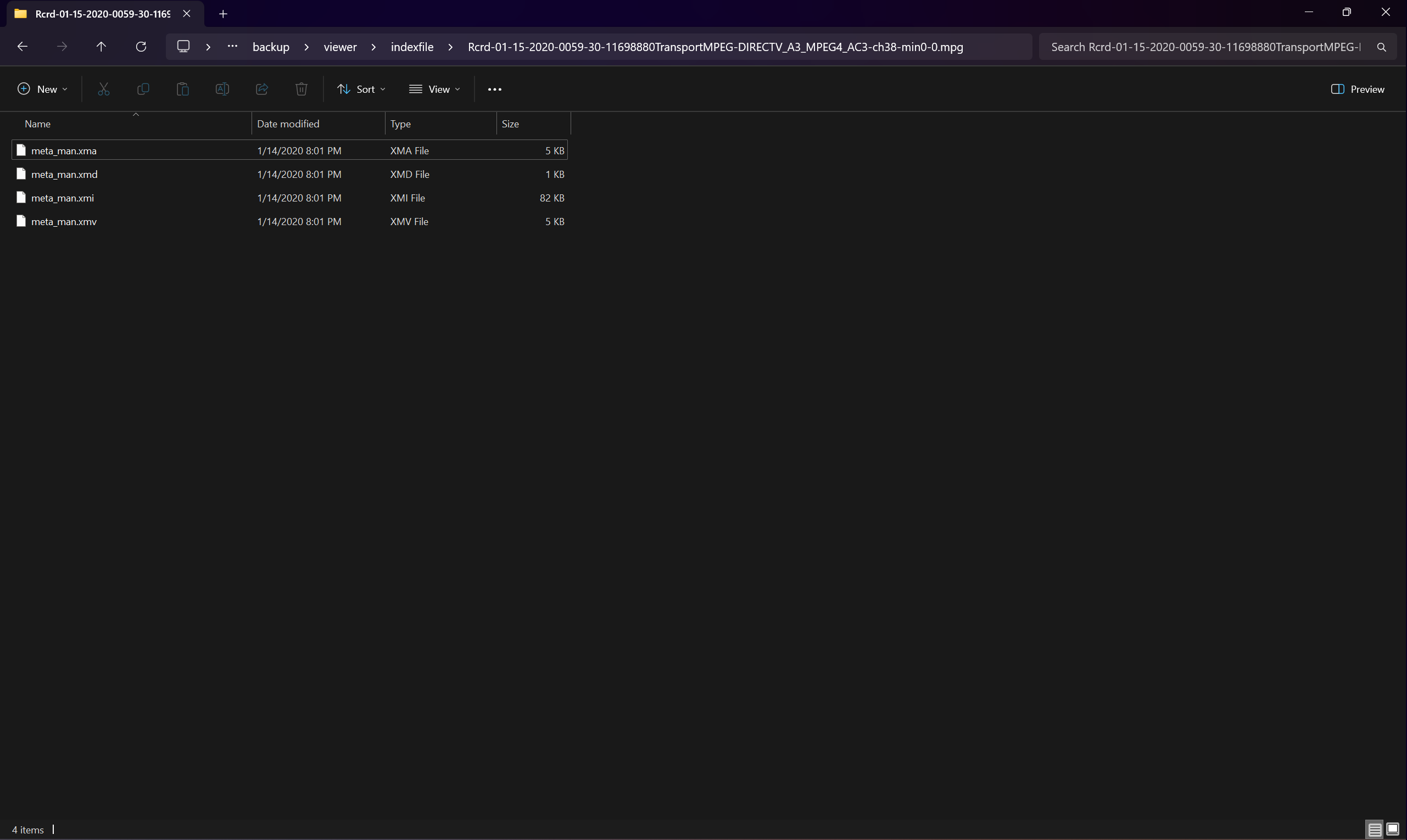
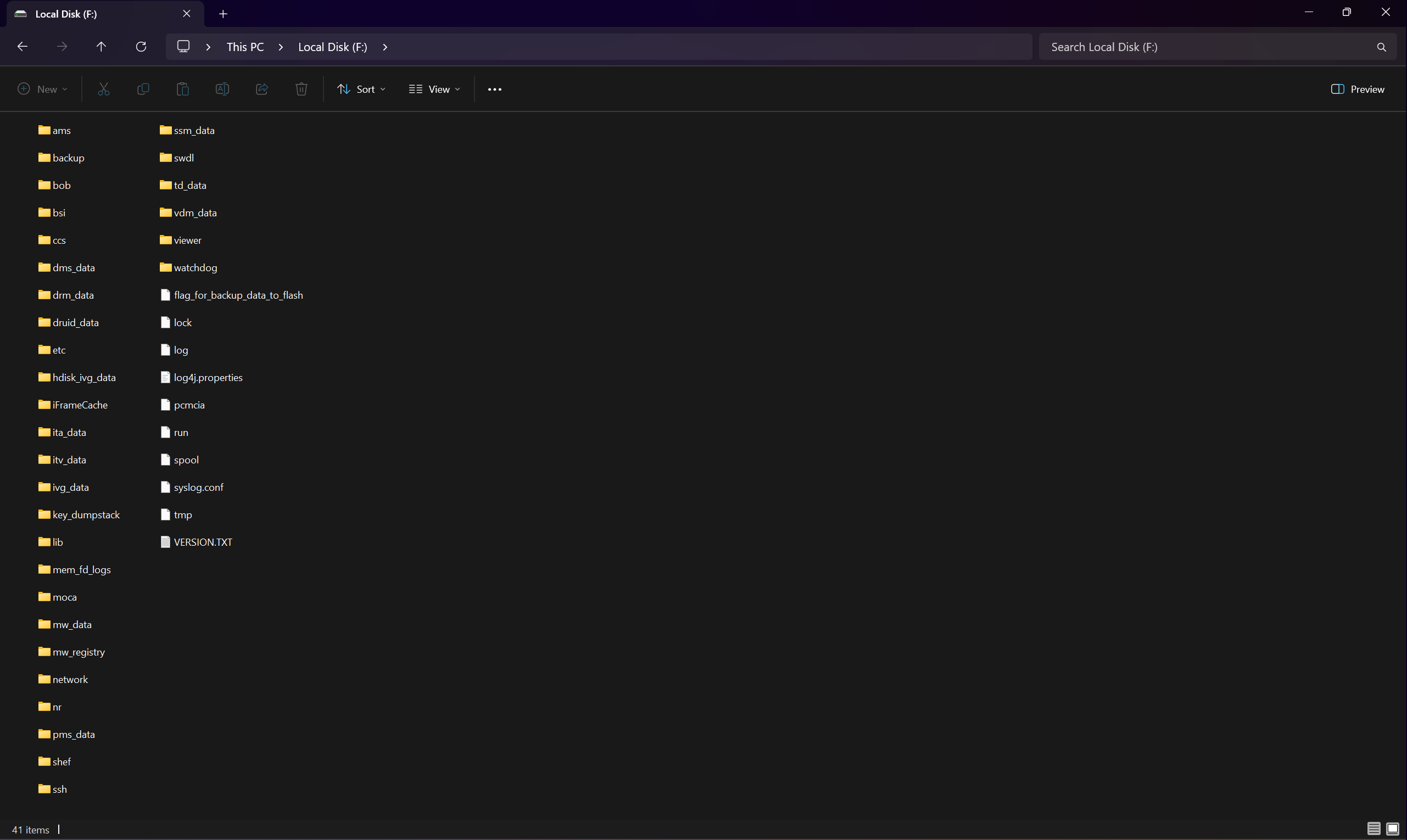
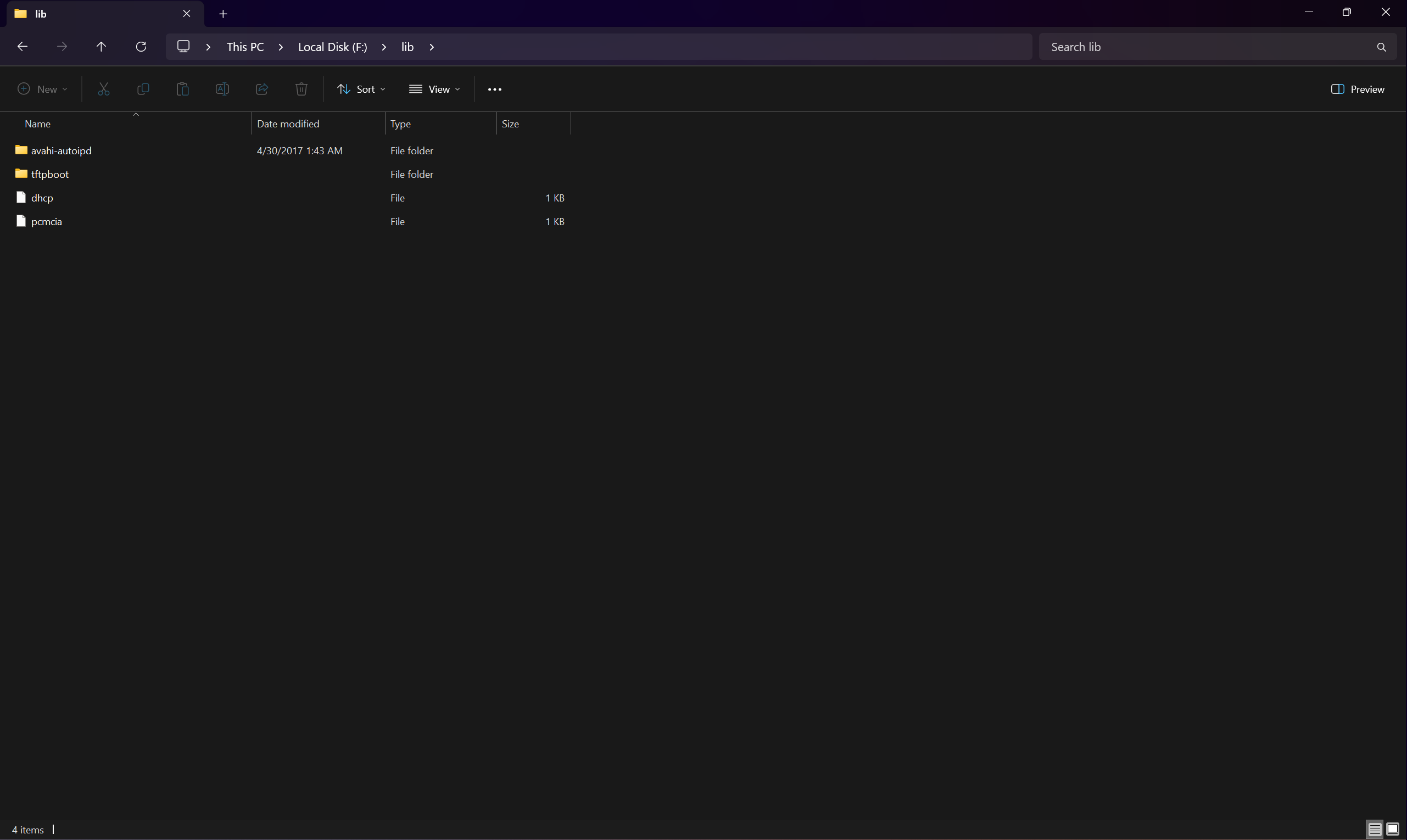
    Woohoo! finally managed to mount the elusive XFS partition on one of the many Directv hard drives I own. We managed to mount the following path :  
    Z:\backup\viewer\indexfile\Rcrd-01-15-2020-0059-30-11698880TransportMPEG-DIRECTV_A3_MPEG4_AC3-ch38-min0-0.mpg

    Upon doing some more digging in the drive, we find all sorts of potentially exciting things. however, we havent figured out what that Main filesystem is , or what the very last partition on the disk  file system is.

    There's a couple other folks ive reached out too and they're attempting to restring together the M2TS files from a drive, just for the sheer sake of it. Due to DMCA, we obviously wont post those files, as we again dont want layers coming after us, not that we have anything against lawyers.. The lawyers just deserve to deal with better more exciting things rather than something as petty as copyright issues. patents, DMCA, royalties, is just a bunch of bahumbug .. its pointless.
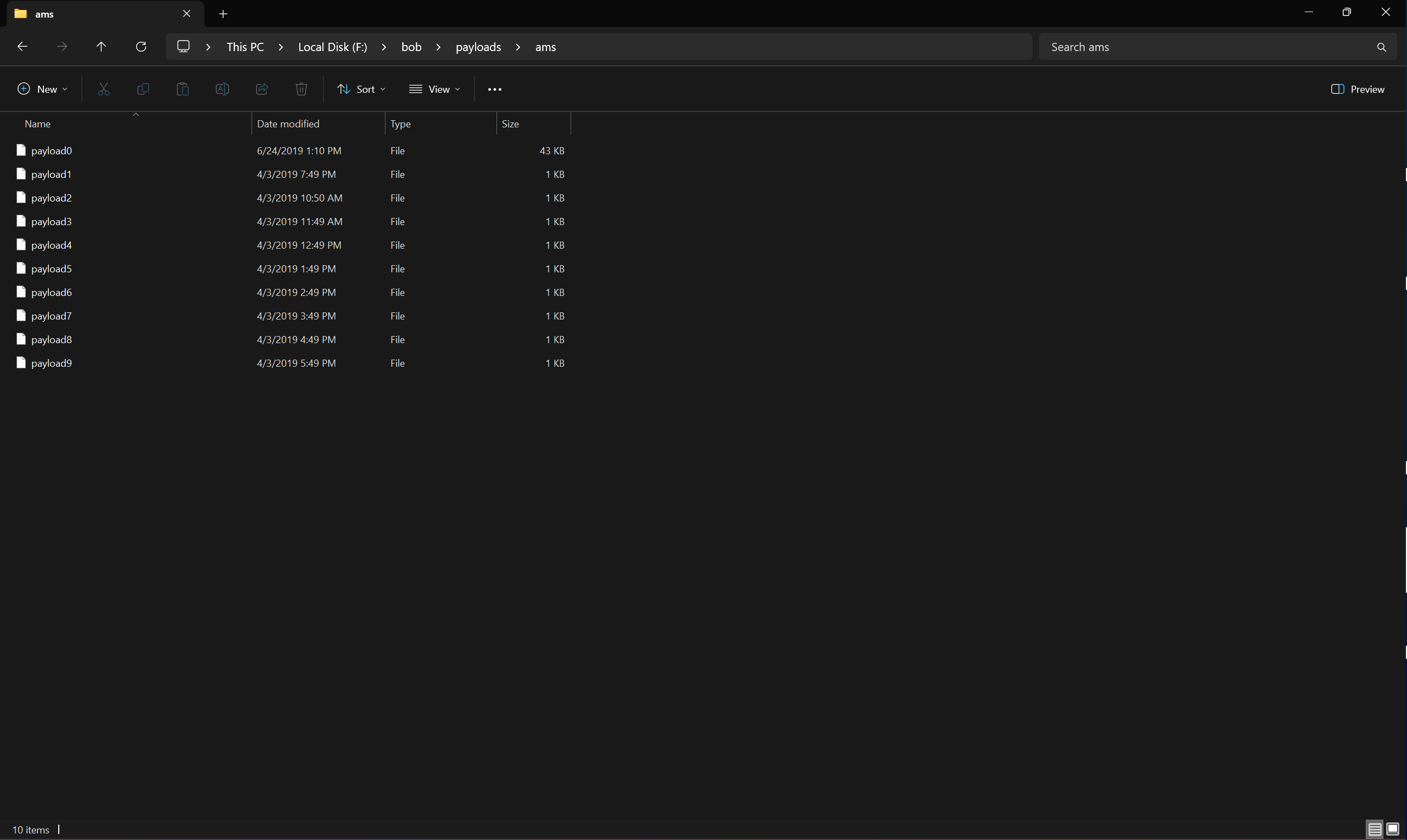
    Digging back through that root directory of the parition we find a folder named bob that has a payload folder in it. No idea what it does, but it has "file" files in it, so it has to be something. Whether or not it is of use to us remains to be seen .

View all 13 project logs

  • 1
    Instructions for DirecTV Systems

    1. Obtain a DirecTV DVR , preferably one thats no longer in service.

    2. Crack that sucker open, you'll need some torx drivers, and some patience, I've managed to get into these without tools at least for getting the cover off that is. I have been able to pry them apart with just sheer force, and of course having leverage. I recommend doing this on a soft surface, such as a rug or couch, or something to absorb the blowback so to speak hitting your elbows on something is not a pleasant experience.

    The process is pretty much the same for all units, and please note the project itself is only for the DVR units, I do not know if this applies to the other units, such as the D10, H10,H20,h24, etc. You know you have a DVR based model if its got "HR" in the name . This could potentially apply to the genie server 2 as well, ( i believe that model # is HS-17 but don't take my word for it haha)

    3. Once you're in, power it back up again, just to verify functionality as a sanity check. If it still boots you're good to go, just let it finish the boot process and once you see a 775, or 771 or similar error message, power 'er down and lets get digging.

    3a. Dont discard the unit , you'll need it if you want to run a custom OS on it.

    3b. The metal catches in the plastic cover may fall depending on age of the unit , and other vairables, dont worry about them, they're to keep folks like us out of them. Little do they know, if someone wants inside it, someone will find a way in.

    4. Use your torx or phillips bits depending on the model to unscrew the hard drive caddy and remove the hard drive.

    BEFORE REMOVING THE HARD DRIVE FROM THE DVR, TAKE A PICTURE OF HOW IT FITS WITHIN THE UNIT FOR REFERENCE PURPOSES SO YOU CAN "PROPERLY" RE ASSEMBLE THE UNIT. DON'T BE LIKE ME AND FAIL TO DO SUCH A THING AND HAVE THE DRIVE JUST FLOATING AROUND IN THE DVR, COMPLETELY UNSECURED.

    You see those nice big heat sinks? keep them, they'll be great for any other projects you may have, such as aiding a passively cooled AV Receiver in cooling. Or you can take them off for now, so you can clone the drive if you're simply wanting to plop an SSD into there or backup your drive. You'll of course need something like a HDD docking station with at least two bays.

    5. Once done with the above, you can take this over to your linux box or windows box and run a program called disk digger, or use some opther forensics software if you want if you want to modify the original drive. If you find .tar.gz files those are firmware likely, and if using disk digger it'll show the size as zero and ask you what you want to recover.
    I have not been able to successfully figure out what size it is.

    6. with all the basics out of the way, feel free to have fun, and report back any particularly useful information. IM here for support if you need it, i even have a disocrd server setup, in case this project sparks interest.  I do plead of you to report back any info you may find interesting with these systems.


    _________________________________________________________________________


  • 2
    Instructions for Dish

    1. The instructions are roughly the same for the dish ViP systems...

    2. Remove the cover by unscrewing the black screws on the back of the box

    3. Open it up, and marvel at how much dust  there may or not be, and those big SOC's (usually Broadcomm 7430's or STI Chips)

    4. Remove the hard drive and fan assembly.

    - IMPORTANT! WEAR BASIC WORK GLOVES FOR THIS STEP, THERE ARE SHARP EDGES THAT CAN CAUSE 'MYSTERY CUTS' TO YOUR HANDS, FINGERS, AND KNUCKLES.
     - USE COMMON SENSE, DE ENERGIZE (UNPLUG) THE APPLIANCE AND ENSURE YOU ARE ELECTROSTACIALLY GROUNDED ( if you really want to be picky , i personally didnt ESD ground myself when opening these up, and they still work) 


    5. There are a total of four screws holding this brakcet that hangs the HDD and fan in both units. No need to worry about which way it goes in, its pretty self explanatory.

    You have two on the back, and two on the front behind the faceplate.

    You will need to remove the faceplate to gain access to the other screws.

    6. Gently remove the faceplate by pushing the plastic clips or legs from inside the machine out, or put it on its side, and gently pry with #1 flat head or pry tool at the plastic clips therye pretty obvious as they are black on silver , but here is a picture or two to help . https://imgur.com/a/1phIgln - has all the images

    7. BEWARE LOCKING POWER AND SATA CONNECTORS PRESS METAL CLIP TO DISCONNECT, DONT BE A DUMMY!

    8. Dont worry about that warranty void sticker, if it falls off, it falls off. Gently lift the Bracket assembly out of the dvr, undo the four screws holding in the HDD, and gently take it out. Dont drop it, as you likely Already know that Hard drives DO NOT like being dropped. Id reccomend doing this in a powered off state, doing this process in a powered on state, well lets just say you might be lucky if you still have your vision or a house. Simply put, dont do this with the thing plugged into the wall, we don't need any sparky sparky. Sparky Sparky + Sensitive electronics does not equal a fun time.

    9. The rest is pretty straight forward, post your findings in the chatroom or discord server (TBA)

View all instructions

Enjoy this project?

Share

Discussions

Does this project spark your interest?

Become a member to follow this project and never miss any updates