 Maarten Janssen
It's a month since the last update and I'm very happy to announce that the new patch editor is almost ready!
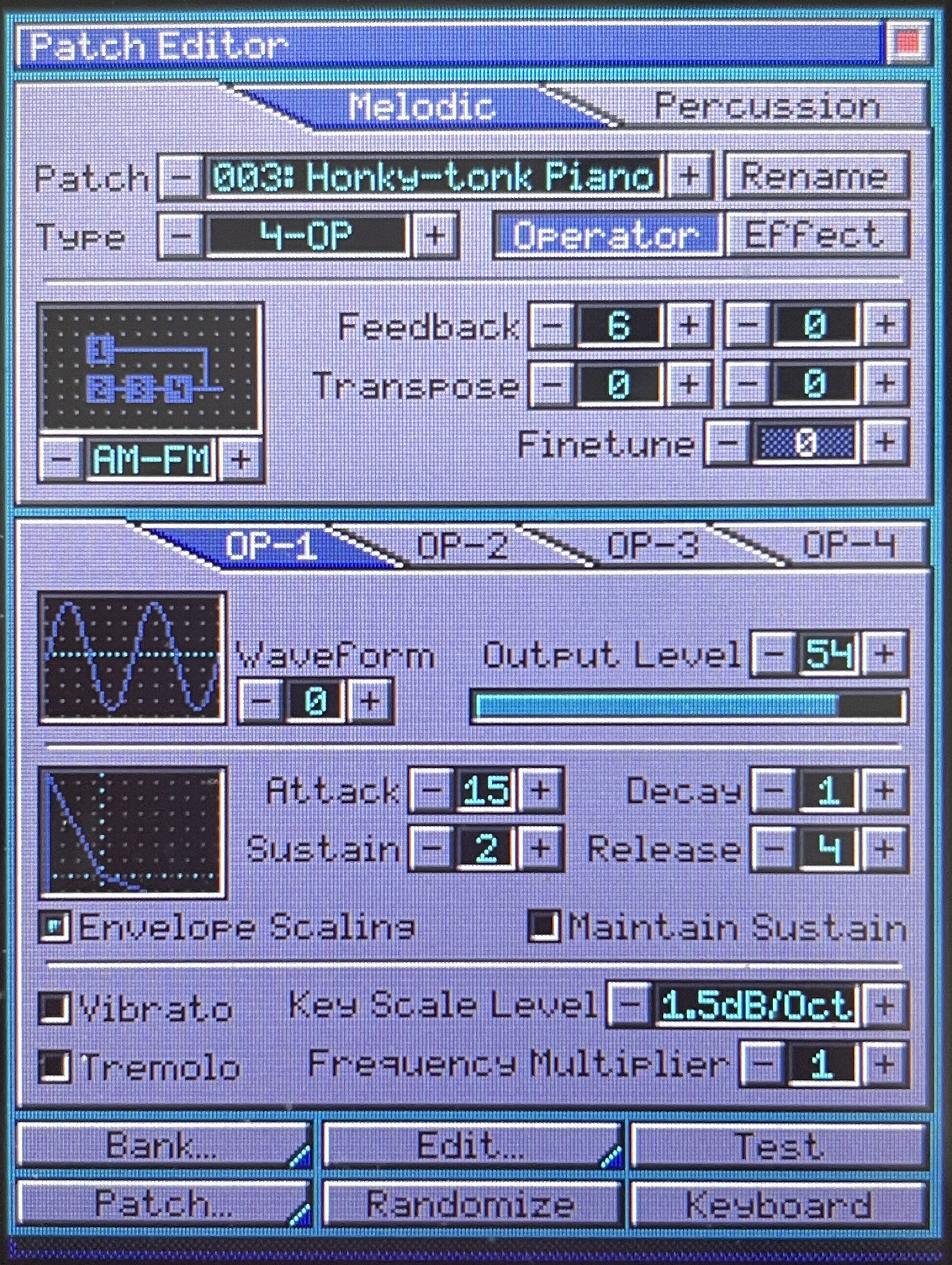
It's had a complete rewrite over the course of several weeks with many small improvements such as the tabbed view to make it more clear that you're working with melodic or percussive patches.
The menu bar at the bottom of the screen is much cleaner now with bigger buttons and sub menus that are indicated by small tabs at the bottom right corner of a button. Now that the menu has been broken up features like loading and saving have also becom more clear. On the old patch editor, for instance, there would be a load and save button that was both used to load/save complete instrument banks or indiidual patches. This has now been made more clear: the 'Bank' menu is used to access functions for the instrument bank such as new, load and save. The 'Patch' menu is used for patch functions such as clear the patch, revert, import and export a single instrument patch.
However the biggest change in the Patch Editor comes from the Operator and Effect buttons in the top part of the window. This changes the editor between the operator editor and the all new patch effects editor.
Patch Effects Editor
Patch effects allow you to change patch parameters while a note is playing, similarly to how many trackers work. For instance apply a pitch slide to a patch and every note that is played will have a built-in pitch change without any MIDI input needed.
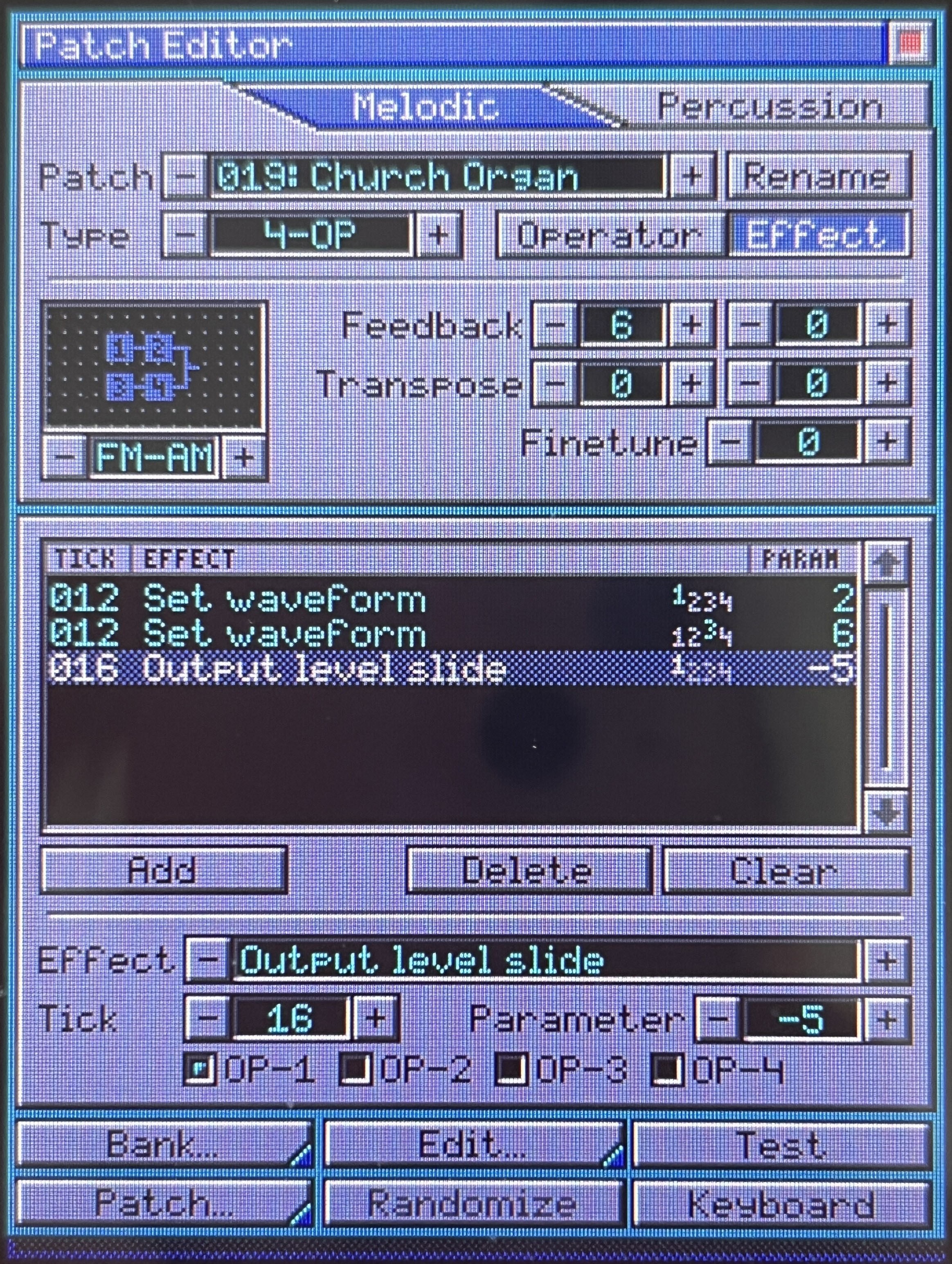
The patch effects editor shows a list of the effects that have been added to the patch and the order in which they are applied when a note is played. Each effect has a tick, a 60 Hz update tick that starts counting when a note starts playing. On every tick OPL Studio will apply all the patch effects that are supposed to be triggered on that tick. So the list shows you the tick where the effect occurs, the effect to apply, the affected operators and the parameter value to set. This means that you can almost completely reconstruct your patches while they are playing and allowing for some really cool effects!
Now that the Patch Editor is feature complete I will spend some time to test it all and to update some of the related code. For example the OPL Studio session files need to be updated in order to save patch effects. There will also be two new file types for OPL Studio banks and individual instruments to handle the patch effect data.
Discussions
Become a Hackaday.io Member
Create an account to leave a comment. Already have an account? Log In.