 Maarten Janssen
Today's log will be about the new composer module. In the past I think I already mentioned how the composer has become the most legacy part of the OPL Studio code and that it was due for an update. Now it is finally time to talk about this as I've made some great progress on the new composer.
The false promises of AI
I started really optimistically with the kind of mindset that every manager in the tech field has these days: "I'm going to use AI and all the work will be done in 2 weeks!!". And sure enough things progressed really quickly. I asked the AI to generate the code for all the algorithms I needed to build songs from sequences. I asked the AI to generate the code for some new playback routines. I asked it to generate the code I needed for the editor. It all looked very convincing and the small issues that I found were quickly fixed. But as soon as the implementation had to move on from just the basics of the composer and playback to something more advanced things started to fall apart. The code was turning into slop and it was getting out of control quickly with some very fundamental bugs. I ditched the AI and all of its code. It was time to take over the wheel again and face the reality that it would be some very challenging code to write...
The real work
The most challenging part of the composer to write was the new workflow. In the old composer sequences are dropped into the song by clicking on a track and then you're more or less stuck. You can't move the sequence, let alone move multiple sequences. And copying / pasting is done more or less blindly. This makes for a very clunky user experience and a frustrating workflow where you're often spending a lot of time correcting mistakes due to a simple miss-click.
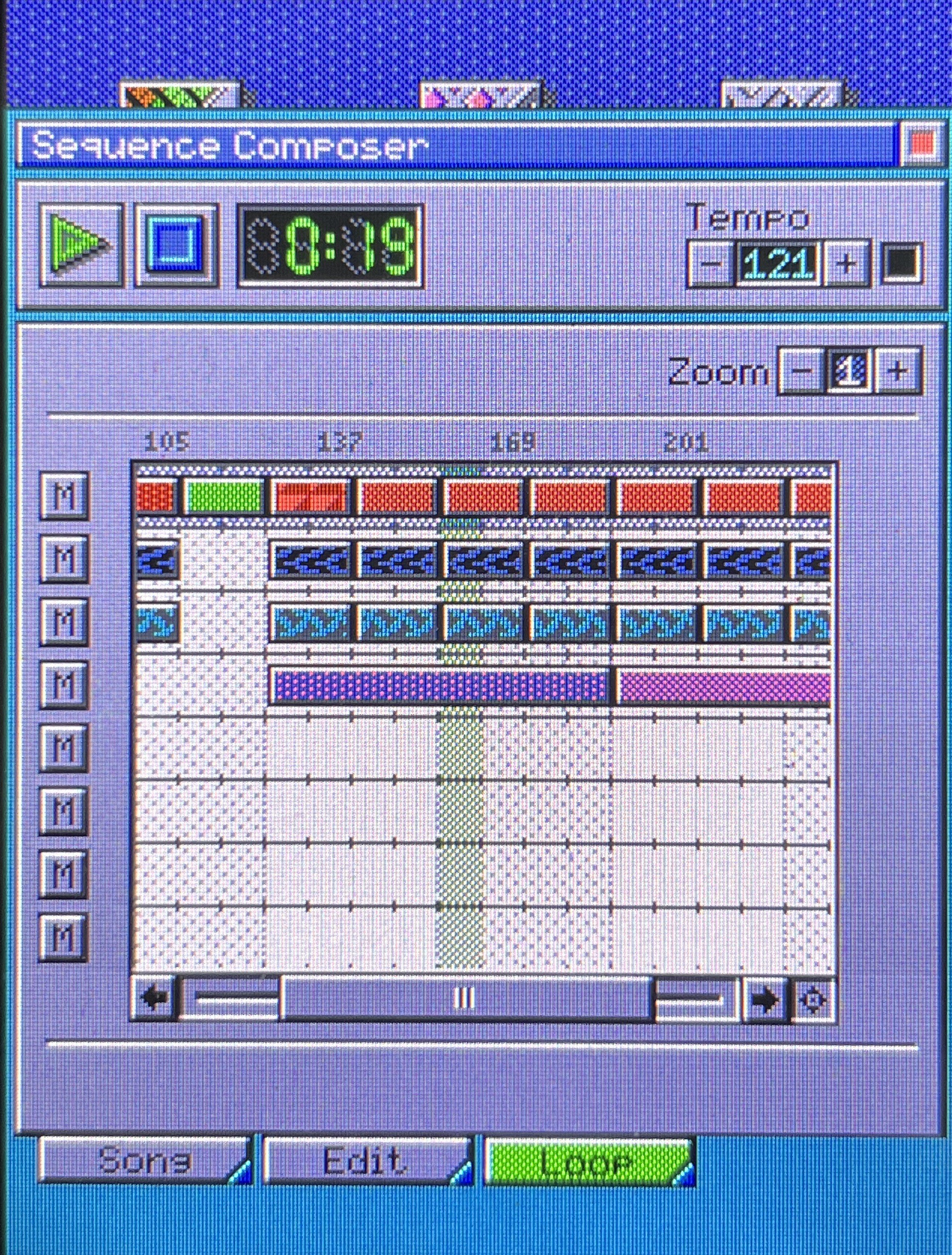
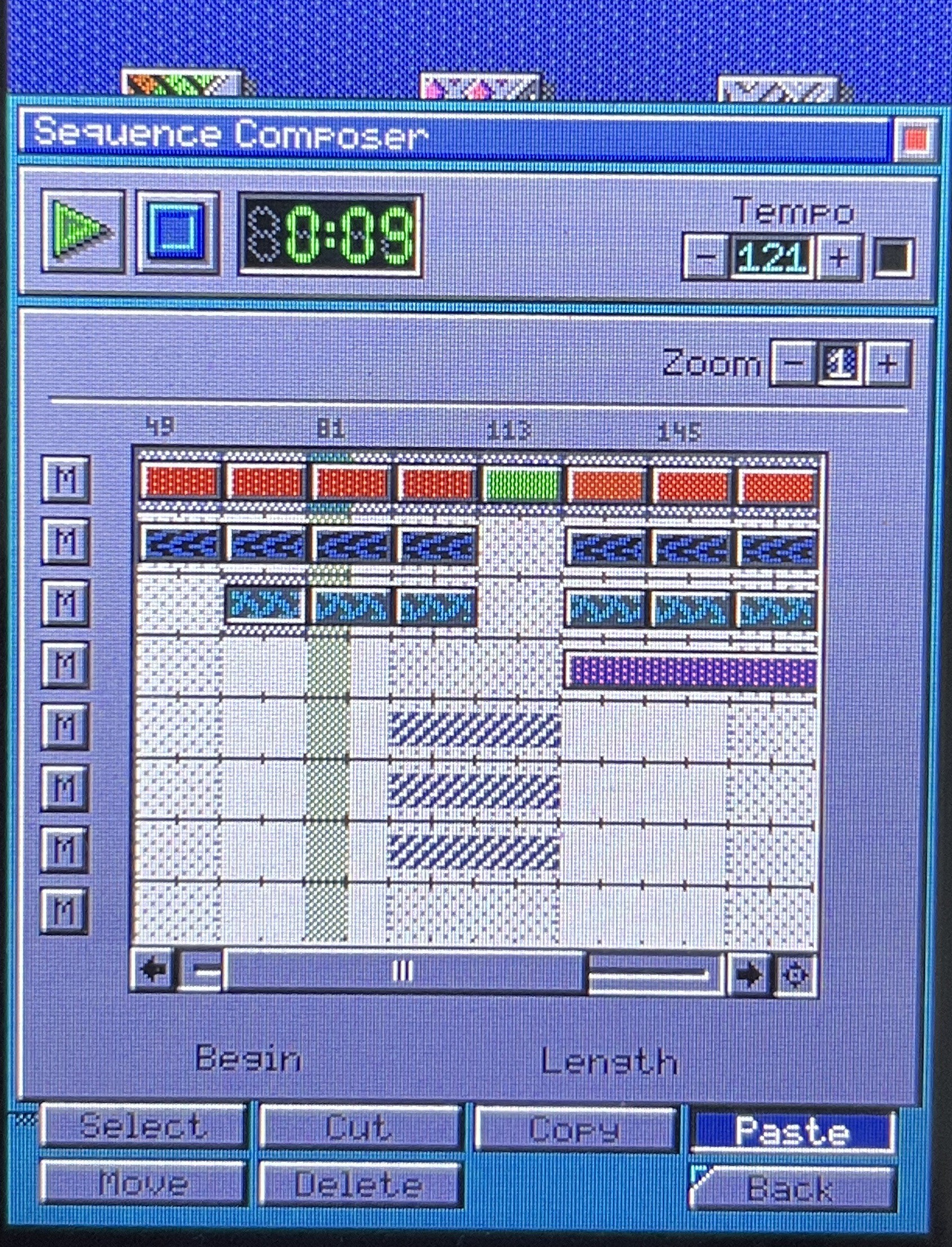
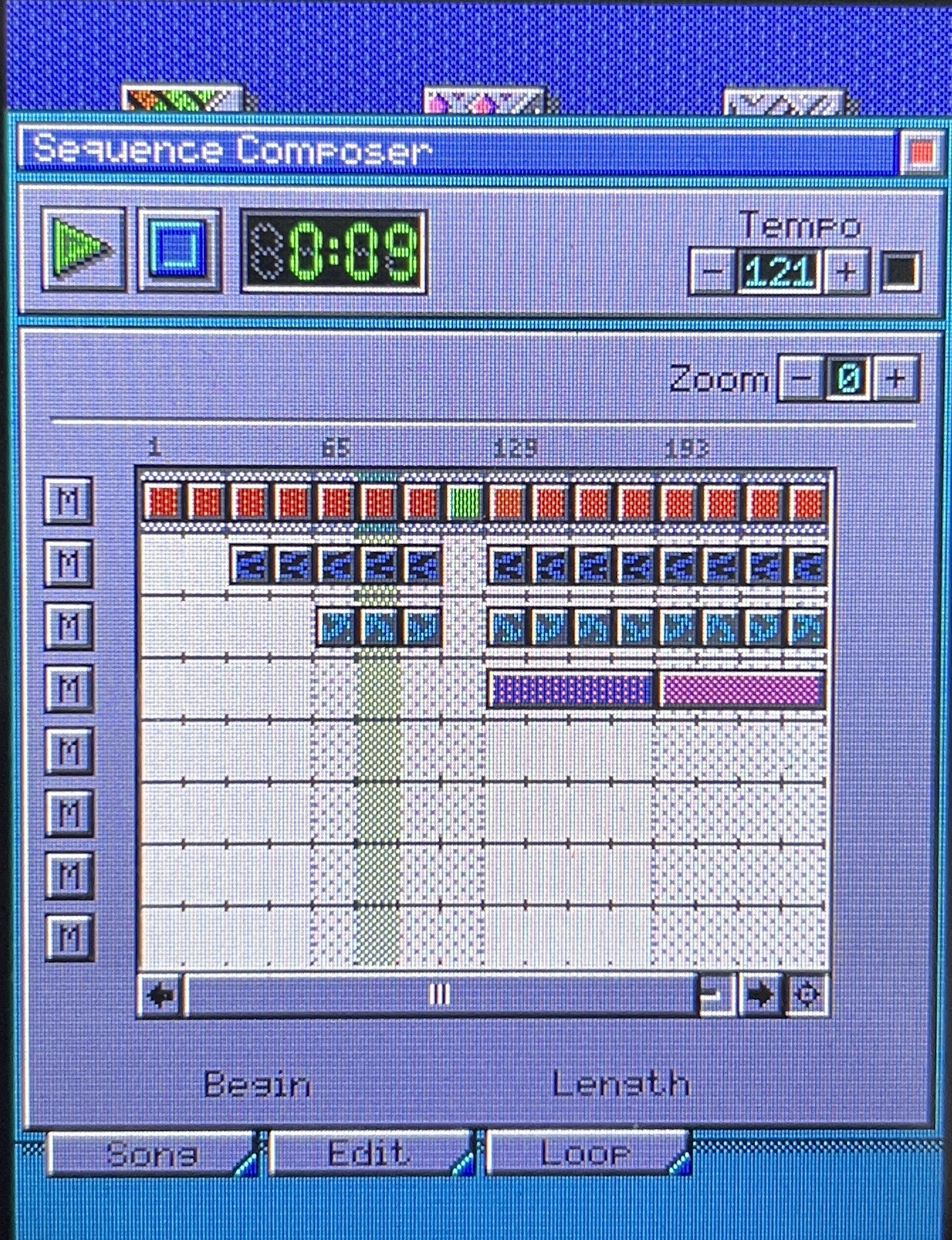
The new composer streamlines the workflow of creating songs mostly thanks to its drag and drop capabilities. You can now select a bunch of sequences and as you move them around the song the composer grid will show you a ghost of your selection so you're no longer working blind. This also counts when pasting a block into the song, you now know for certain where you're pasting your selection. Which also helps is the new zoom control for the composer grid. You're no longer restricted to an extreme close-up of your song which makes editing a lot simpler.
Another improvement in the new composer is that it can now switch between the sequence editors and the composer without having to close the app. For example if you're adding an empty sequence to the song it will launch the drum or melodic sequencer depending on the type of sequence that you're adding. Once you're done creating the sequence and you close the editor you will return to the composer with your new sequence added to the song. Also if you're not happy with one of your existing sequences, simply press the edit button to launch the editor without having to close the composer first.
Thanks to the improved handling of the playback routines, OPL Studio will also better handle playback in the background. You can play the song from the composer or a sequence in a sequence editor and open the patch editor to tweak some of the instruments, or get into the synthesizer setup to change some synthesizer parameters and immediately hear the result.
It will still be a few weeks before the composer is ready. As you can tell from the screenshots the UI is not ready yet and there are still some bugs that need fixing. The upcoming release will also fix some of the bugs from the current v2.5.0 that are fixed as part of the composer branch. Since I initially thought it would be a quick development cycle I didn't put these fixes into separate branches to get them released quicker.
Lectronz
For those of you familiar with Tindie you may know what an absolute shit show this platform has become over the last couple of months. It all started with intermittent breakdowns followed by weeks of the website being down after it was acquired by its new Chinese owners. Apparently to make improvements... I haven't noticed any improvements yet and the support team has become absolutly dismal. There's also stories of sellers not getting paid, but I haven't experienced this yet myself, let's see what happens after this little rant where I call Tindie a shit show... ;).
So like many of my fellow makers I've moved to Lectronz. It's similar to Tindie, but with many quality of life improvements. Also as a European platform it's easier for me to work with since I'm not constantly converting between Euros and Dollars. I don't like to include politics here, but unfortunately in this day and age it's a big part of the reason why I'm moving away from a US platform to a EU one.
My Tindie store won't be closed, though. I still welcome all of you on Tindie, but from now on Lectronz will be the main store for OPL Studio and all my other projects. See you there! You can also follow me on Bluesky where I try to post project updates from time to time.
Discussions
Become a Hackaday.io Member
Create an account to leave a comment. Already have an account? Log In.