 diddy
diddyChanges in this version include improved quality of service for streaming allowing proper seeking through music and video (should hopefully remove the seeking and nothing happening with mp4 files that are not optimised for streaming). the only downside is it can take a little longer to start playing media.
Not an issue on a Pi 5 running from a NVME drive but is a little noticeable running on a Pi zero 2 w running from SD card.
Web page background now dims between 8pm and 7am
sync status now also includes if running a synchronisation from a remote server or from USB.
Not only can the Video and Music folders be synchronised via a USB pen drive (with the Video and Music folders present) but also can now be configured to set up a sync at 2am every day from a server on your network via systemd service.
The process is designed that if the sync fails, it doesn't fill up log files with junk as the Raspberry pi could be away from home, but when you return home and leave the Raspberry pi on, it will just run the next days sync again at 2am and pull down any new Videos and Music.
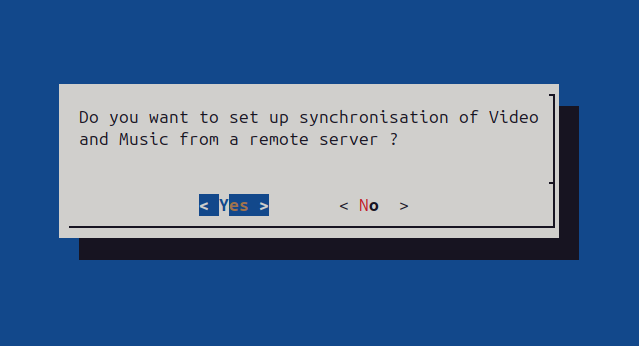
During setup (running mini-pi-setup.sh) the user is asked for a samba password (for access to Video and Music folders on this pi across the network), if they want to set up a synchronisation server, reconfigure wifi and leave or disable swap.
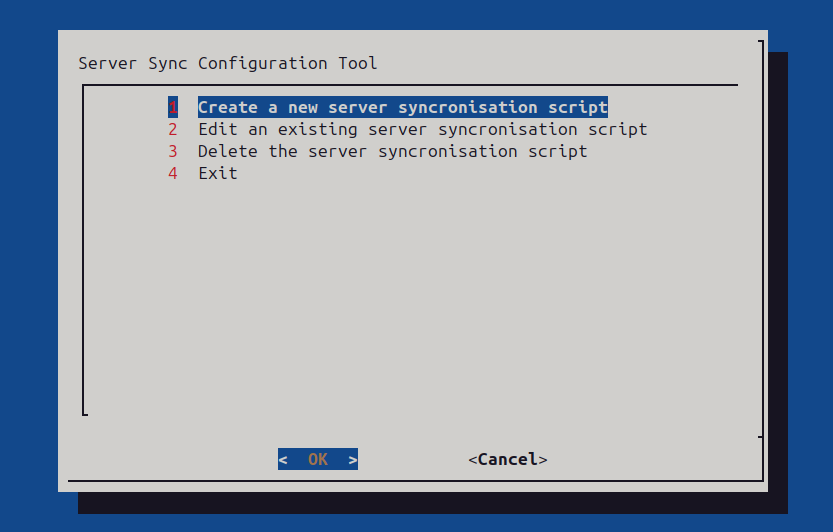
But the user can run "configure_server_sync.sh" at any time to setup, manage or delete the remote server synchronisation.
Deleting the server_sync script will also remove the systemd service at 2am every day..
Within the pi-setup folder are the following scripts that can be ran with sudo :-
mini-pi-setup.sh - main script to install everything
configure_server_sync.sh - setup and manage a remote server to synchronise files from
reconfigure-wifi.sh - reconfigure the wi-fi to connect to a new network, don't need to run if connected via Ethernet.
ubuntu-based-setup.sh - UNTESTED, but used if a user wants to setup on an Ubuntu based pc.
screen grab of the configure_server_sync.sh management script :-
Discussions
Become a Hackaday.io Member
Create an account to leave a comment. Already have an account? Log In.