 diddy
diddyVersion 6 Update :
- Midnight systemd encoding timer replaced by a mkv-watcher service — encoding now triggers the moment a file is ready via inotify if a file changes in the /var/lib/minidlna/Video folder and sub folders or if a 5 minute mark is reached and the files are not locked. Users no longer have to wait until midnight for encoding media to start
- Transmission seeding aware — won't encode until the user stops seeding after downloading
- Power-loss recovery — mkv 2 mp4 encoder picks up where it left off on reboot and removes the part completed file and restarts encoding.
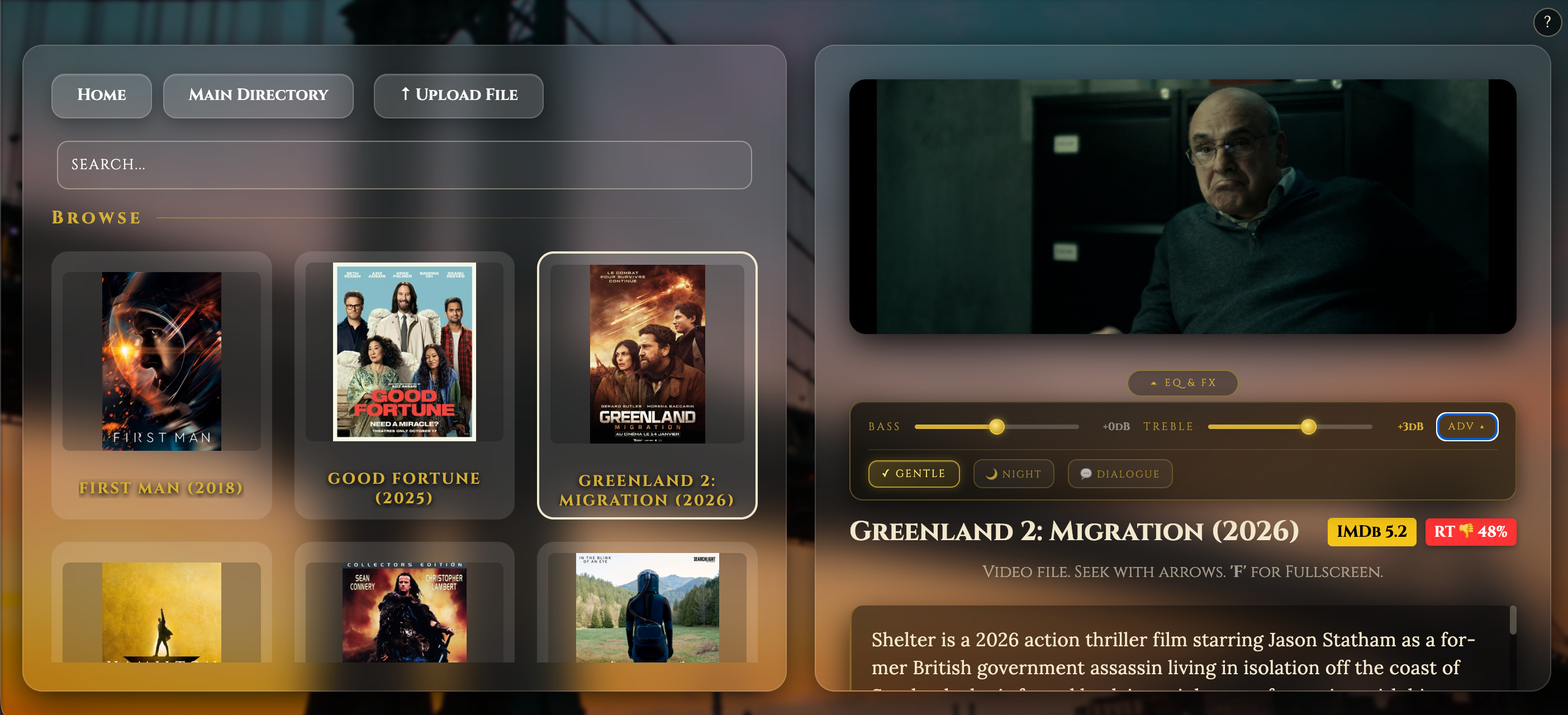
- Client-side EQ and audio effects — zero load on the Pi, per-client settings in the web browser. screen shot below
mkv-watcher.sh
A persistent systemd service that monitors /var/lib/minidlna/Video for new video files.
Triggers:
- inotify — fires instantly when a new MKV lands in the Video folder directly or in a Transmission subfolder via close_write or moved_to events
- Boot-time sweep — on startup, immediately checks for any unprocessed MKVs left over from a previous interrupted session
- Periodic sweep — every 5 minutes checks subfolders for files no longer held open by Transmission (seeding finished), acting as a catch-all for anything inotify cannot detect
Guards against:
- Transmission incomplete downloads (.part files ignored)
- Files still being written or seeded (stability check — 3 consecutive size-stable passes before triggering)
- Double conversion (lock file check before triggering)
- Stuck PROMOTING_ files from a previous power loss (cleaned on startup)
- inotify process death (systemd Restart=on-failure with RestartSec=10)
File stability check: Before triggering conversion, the watcher confirms the file is fully written by checking it is not held open by any process (lsof), passes 3 consecutive size-stable checks 30 seconds apart, and passes ffprobe validation.
mkv-2-mp4.sh
A one-shot conversion script triggered by the watcher (or manually via systemctl start mkv-conversion).
Phase 1 — Promote: Scans all subfolders under the Video directory for completed Transmission downloads and moves them up to the root Video folder ready for conversion. Skips the protected Web folder (Google Drive sync). Only promotes subfolders containing exactly one video file — multiple files are left for manual review. Uses a PROMOTING_ prefix during the move for power-loss protection.
Phase 2 — Convert: Processes every *.mkv in the Video folder sequentially:
- Detects video codec, audio codec, and source bitrate via ffprobe
- H264 source — stream copy (remux only, very fast, no quality loss)
- HEVC/other source — re-encodes using hardware encoder (h264_v4l2m2m) on a Pi Zero 2 w with VideoCore GPU, with adaptive bitrate scaled to 70% of source (clamped 1.5Mbps–4Mbps)
- Hardware fallback — if hardware encoding is not present like on a pi 5, automatically falls back to software (libx264) encoding.
- Audio — copies AAC streams as-is, transcodes everything else to AAC 128k
- All output files include -movflags +faststart for browser streaming compatibility
- Uses a CONVERTING_ prefix during encode for power-loss protection — partial files are cleaned up on next run
On completion logs:
- Output file frame rate (content fps)
- Encoding speed (encoder fps and realtime multiplier)
- Output file size
Post-conversion:
- Resets permissions (775, minidlna:minidlna)
- Restarts MiniDLNA to index new files
- Lock file released, allowing the next 5-minute sweep to pick up any queued files
You can download / upgrade by running the following on the Raspberry Pi (either SSH into the Pi or on the actual Pi) :-
wget -qO- https://raw.githubusercontent.com/diddy-boy/mini-pi-media-server/main/install.sh | bash
Discussions
Become a Hackaday.io Member
Create an account to leave a comment. Already have an account? Log In.