Close
0%
0%

RPI TinynumberHat9

Tiny displays, big numbers, on a tiny Raspberry Pi Zero

Public Chat
Similar projects worth following


Once upon a time, on a rainy day, gazing out from the 12th floor apartment, I found myself lost in thought fascinated by the journey of electrons through GaAsP substrates, giving birth to light. I marveled at how the first LEDs were invented and, little by little, found their way into the everyday devices we rely on today. Over time, they evolved into simple 7-segment displays, which, though now commonplace, were once cutting-edge technology, far different from the sleek, efficient displays we take for granted.

While  scrolling  through old encyclopedias and magazines, I stumbled upon some amazing golden boys of display technology: the AL304 and ALS314 7-segment and dot displays.
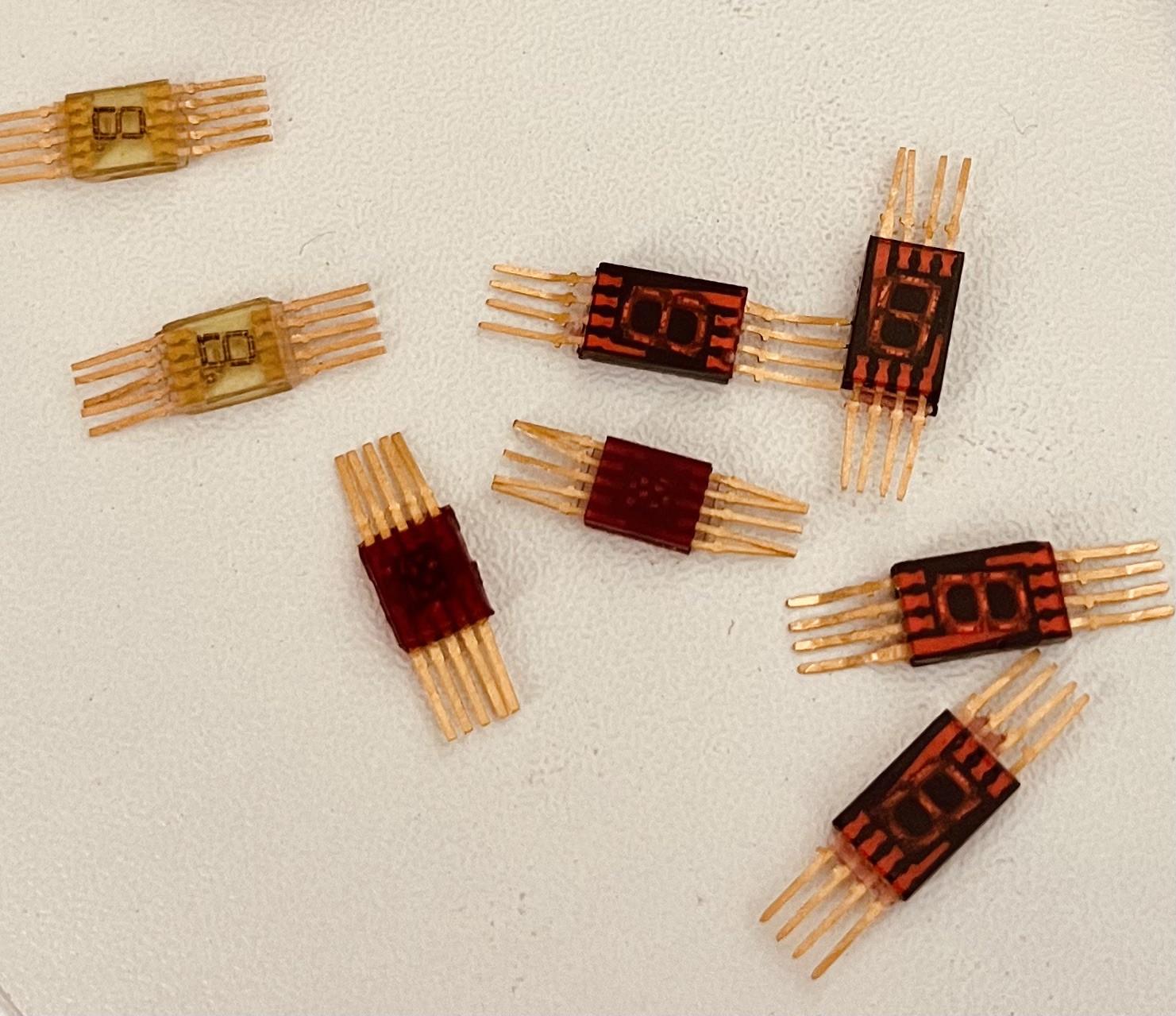


They look super cool and the gold is real! Back in the day, that gold was a giveaway, for hi-end electronic components.
I can't stop thinking that even the famous Predator might have had these in his DIY gadget arsenal after all, he had some pretty neat tech!
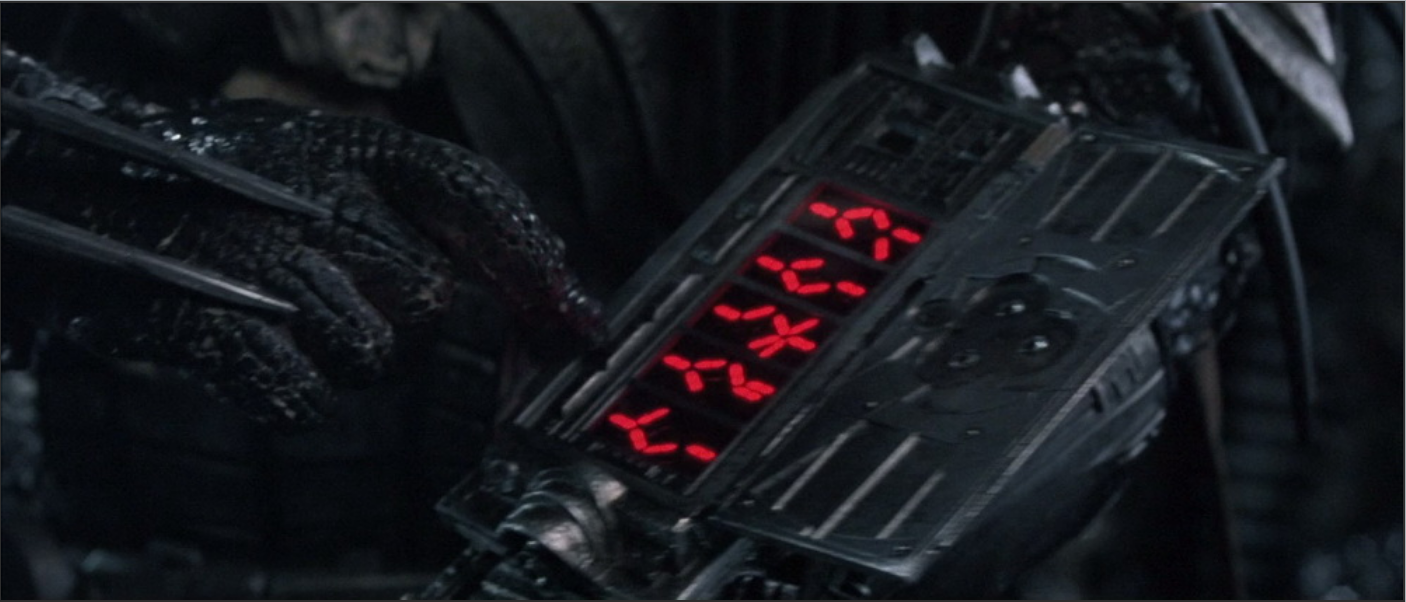

Inspired by these vintage components, I knew I had to build something with them. After scouring local markets, I managed to find a few variations of the 304 and 314 series, and the next step was choosing a suitable LED driver. The choice was obvious—I needed a common cathode LED driver. Digging through my parts bin, I had two contenders: the MAX7219 and the HT16K33. Since the HT16K33 uses I2C and also supports button functionality, I figured having some buttons would be useful. Decision made HT16K33 it was.

With their striking look, these displays deserved a worthy application. And what can be a  better match for a tiny display than a tiny Raspberry Pi?

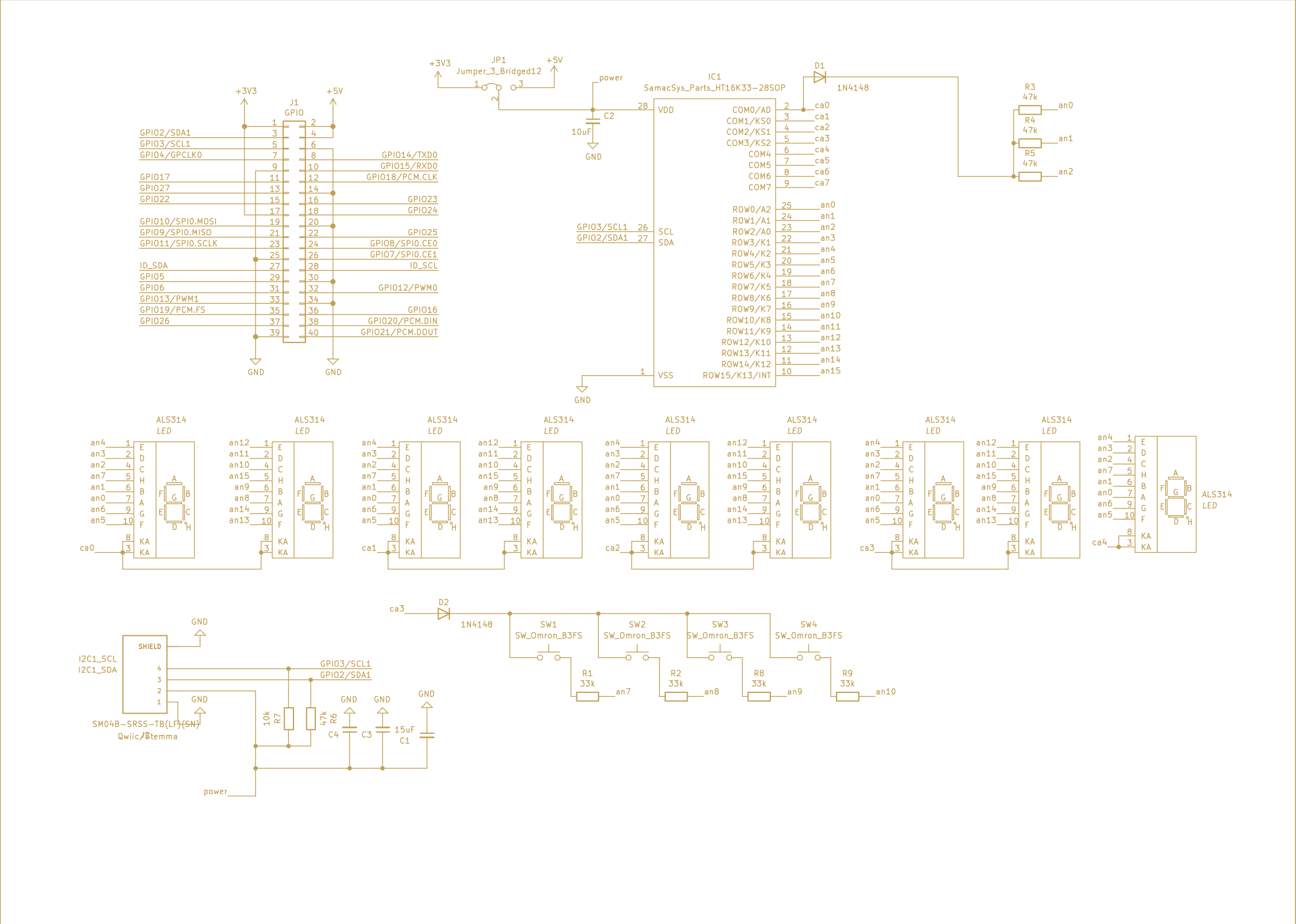
I quickly put together a small  KiCad project and so, TinyNumberHat 9 was born.

KiCad schematic:


KiCad Render:
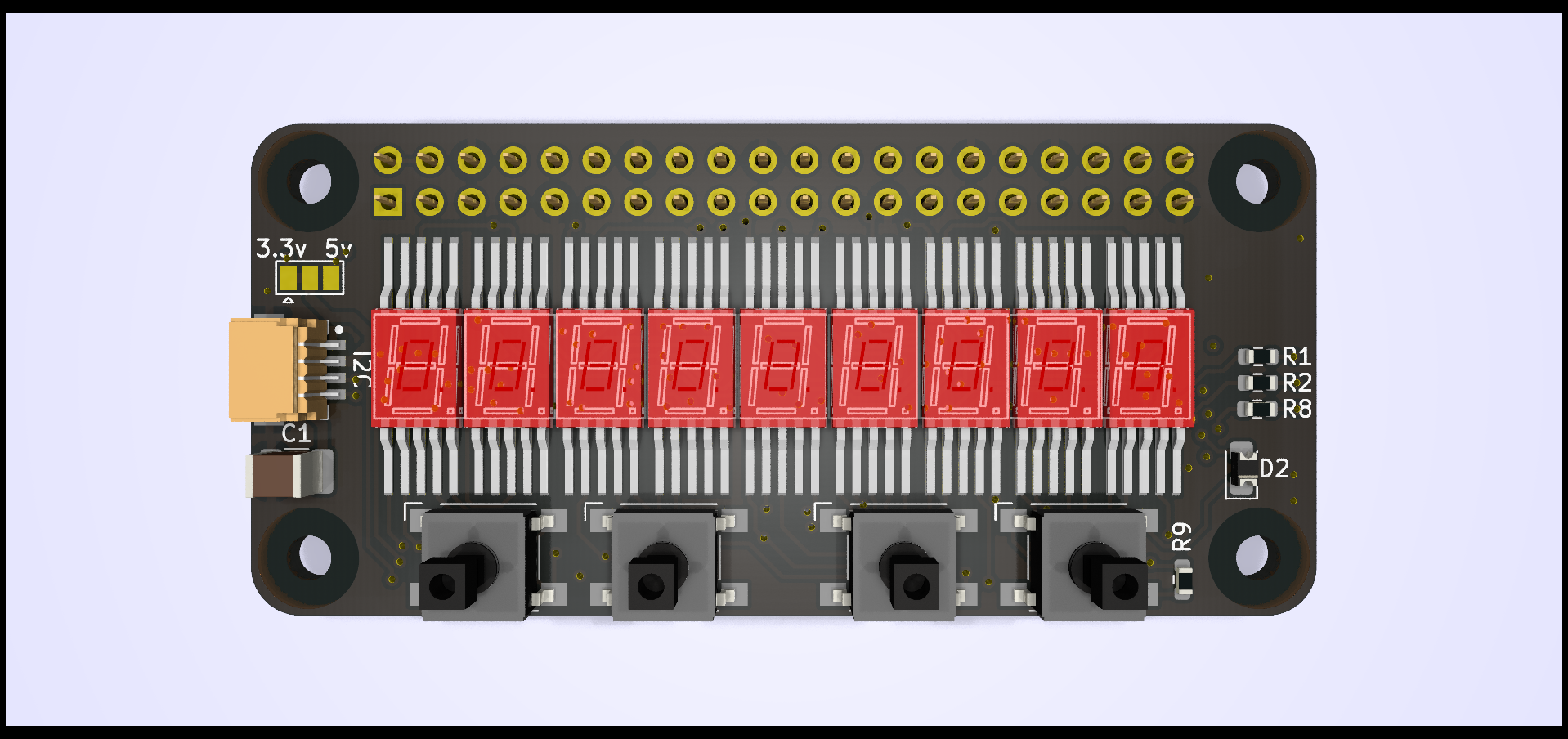


As a convenience, I also decided to add a Qwiic/Stemma I2C connector. This allows the board to be connected separately, for example, to an Arduino, or to add I2C expansion boards when TinyNumberHat is mounted on a Raspberry Pi, after all, a hat should sit on a head!


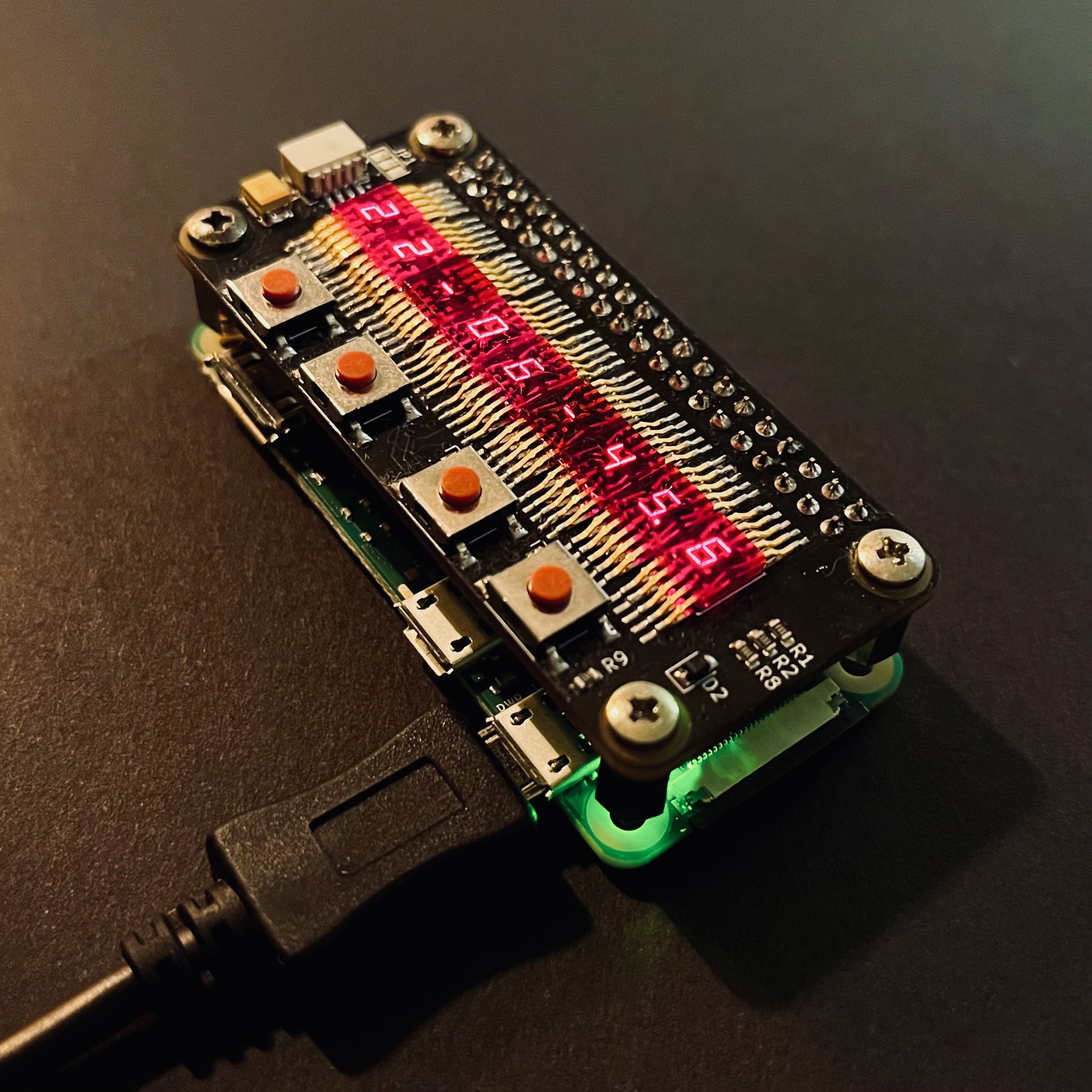
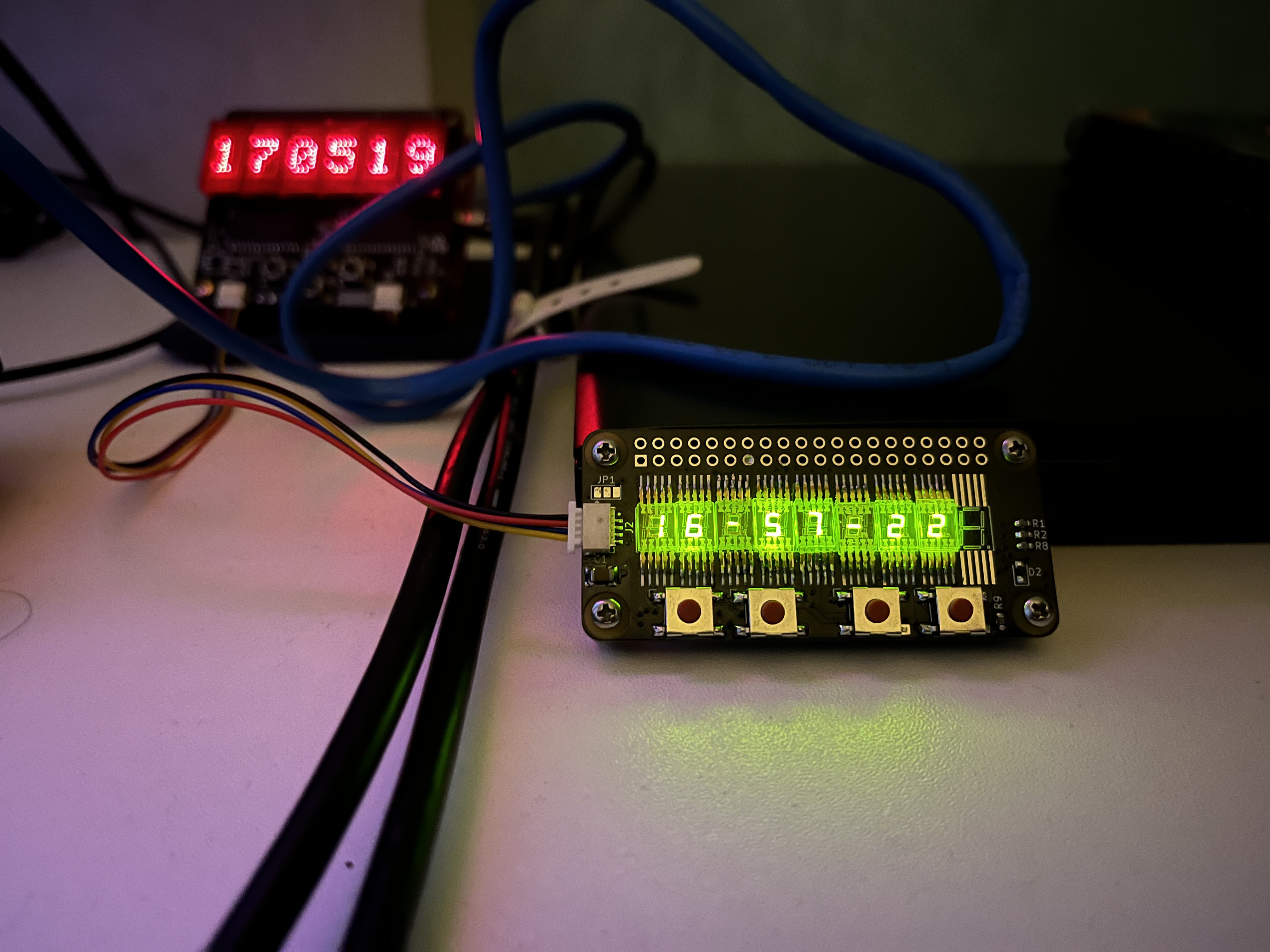
I built two versions of the TinyNumberHat 9 one with red ALS314 displays and another with green AL304V which have an amazing lime-green color.
But I’m missing one AL304V, so technically, the board with the green display is now the TinyNumberHat 8.  :)

AL304V:
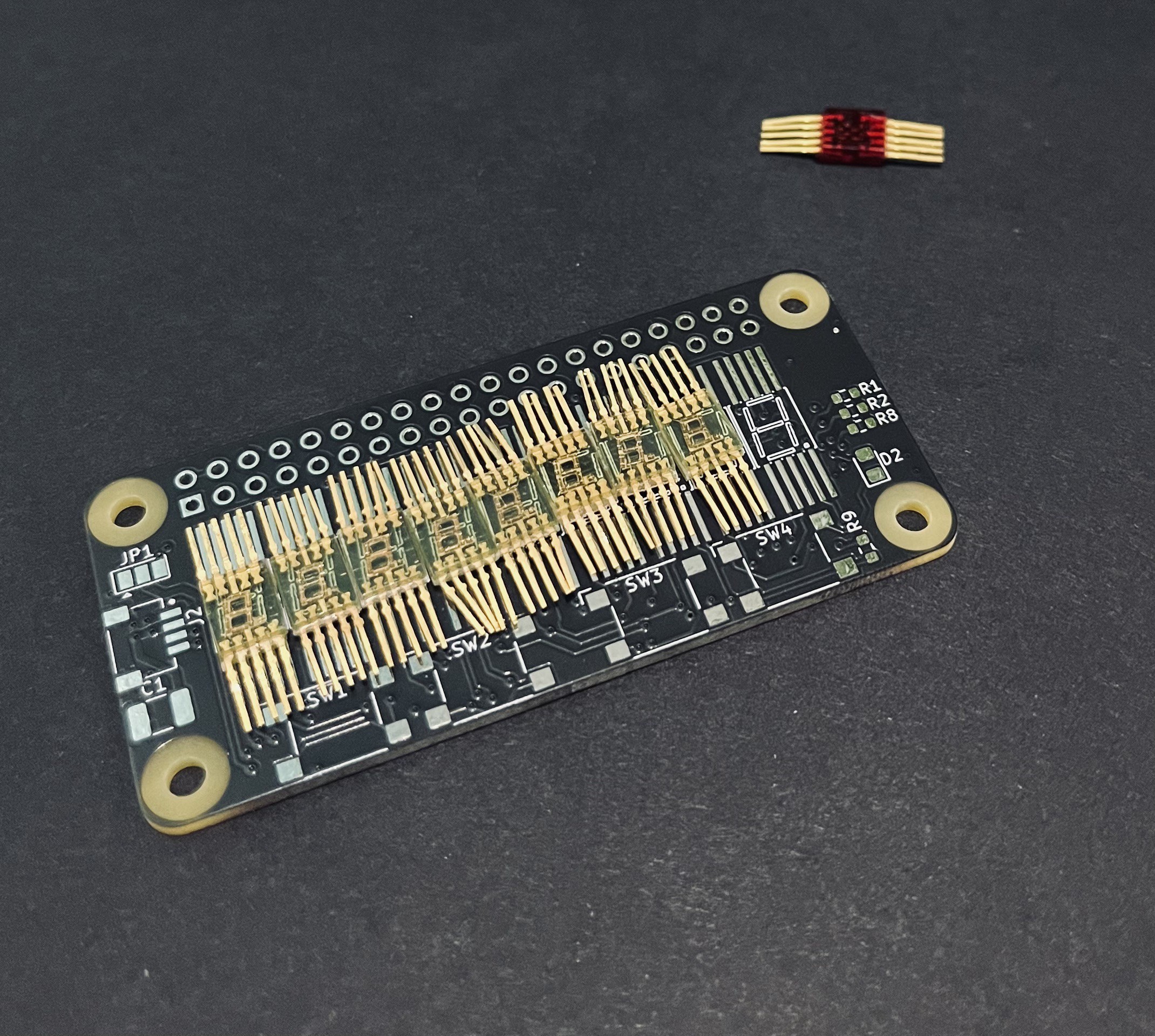

ALS314: 


TinyNumberHat 9, populated with  ALS314, on top  of an Raspberry Pi Zero2 W:
Green Al304V:
TinyNumberHat9 missing one AL304V 
TinyNumberHat.csv

BOM

Comma-Separated Values - 1.15 kB - 03/19/2025 at 20:35

Download

als314.pdf

ALS314 datasheet

Adobe Portable Document Format - 488.13 kB - 03/19/2025 at 16:48

Preview

schematic.pdf

Schematic

Adobe Portable Document Format - 114.60 kB - 03/15/2025 at 21:59

Preview

  • 1 × HT16K33
  • 9 × ALS314
  • 9 × Green alternative, AL304V

  • One Hertz Challenge

    Andrew Tudoroi08/17/2025 at 18:33 0 comments

    For the One Hertz Challenge I had to pick between a few of my projects. I’ve always had a soft spot for retro LED displays, especially when they’re reused in modern applications. There’s something special about seeing old-school 7-segment displays glowing again   driven by a Raspberry Pi.

    For this contest I decided to go with my TinyNumberHat 9. It’s an expansion board for the Raspberry Pi Zero / Zero 2W that drives nine vintage ALS314 7-segment LED digits through an HT16K33 controller. It also features a Qwiic connector, allowing you to hook up additional I²C boards or  connect the hat to a different host, like an Arduino.

    With nine digits available, it can count pretty far, show timestamps, or even display short text messages.

    The demo code is simple and written in Python. The board also has four buttons, letting you switch between different display modes:

    • Clock

    • Date

    • Timestamp

    • Message

      Demo:  


      A  very simple implementation on python: 

      from smbus import SMBus
      from datetime import datetime
      import time
      
      HT16K33_ADDRESS_0 = 0x70
      HT16K33_CMD_BRIGHTNESS = 0xE0
      HT16K33_ENABLE_DISPLAY = 0x81
      HT16K33_TURN_ON_OSCILLATOR = 0x21
      LED_DRIVER_BRIGHTNESS_LEVEL = 15
      SMBUS = 1
      
      
      class TinynumberHat():
      
          def __init__(self) -> None:
              self.bus = SMBus(SMBUS)
              self.ht16k33_i2c_address = HT16K33_ADDRESS_0
              self.dp = True
              # Turn on oscillator
              self.bus.write_byte(self.ht16k33_i2c_address, HT16K33_TURN_ON_OSCILLATOR)
              # Enable display (no blinking mode)
              self.bus.write_byte(self.ht16k33_i2c_address, HT16K33_ENABLE_DISPLAY)
              # Clear display
              self.bus.write_i2c_block_data(self.ht16k33_i2c_address, 0x00, [0x00] * 16)
              # Set brightness 0-15
              self.bus.write_byte(self.ht16k33_i2c_address, HT16K33_CMD_BRIGHTNESS | LED_DRIVER_BRIGHTNESS_LEVEL)
              # Fill with 1, turn on all segments
              self.bus.write_i2c_block_data(self.ht16k33_i2c_address, 0x00, [0xff] * 16)
              # Clear display
              self.bus.write_i2c_block_data(self.ht16k33_i2c_address, 0x00, [0x00] * 16)
      
              self.numbers = {
                  '0': 0b00111111, '1': 0b00000110, '2': 0b01011011, '3': 0b01001111,
                  '4': 0b01100110, '5': 0b01101101, '6': 0b01111101, '7': 0b00000111,
                  '8': 0b01111111, '9': 0b01101111, '.': 0b10000000, '-': 0b01000000,
                  ' ': 0b00000000, 'A': 0b01110111, 'B': 0b01111100, 'C': 0b00111001,
                  'D': 0b01011110, 'E': 0b01111001, 'F': 0b01110001, 'G': 0b00111101,
                  'H': 0b01110110, 'I': 0b00110000, 'J': 0b00011110, 'K': 0b01011001,
                  'L': 0b00111000, 'M': 0b00010101, 'N': 0b01010100, 'O': 0b00111111,
                  'P': 0b01110011, 'Q': 0b01100111, 'R': 0b01010000, 'S': 0b01101101,
                  'T': 0b01111000, 'U': 0b00111110, 'V': 0b00111110, 'W': 0b00011101,
                  'X': 0b01110110, 'Y': 0b01101110, 'Z': 0b01011011
              }
      
              self.numbers_2 = {
                  1: 0b00000101,
                  2: 0b01110110,
                  3: 0b00110111,
                  4: 0b00011011,
                  5: 0b00111101,
                  6: 0b01111101,
                  7: 0b00000111,
                  8: 0b01111111,
                  9: 0b00111111,
                  0: 0b01101111
              }
      
          def show_time(self):
              buffer = [0x00 for x in range(0, 16)]
              self.dp = ~self.dp
              time_now = datetime.now().strftime('%H-%M-%S%f')
              buffer[0] = self.numbers.get(time_now[0], 0b01000000)
              buffer[1] = self.numbers.get(time_now[1], 0b01000000)
              buffer[2] = self.numbers.get(time_now[2], 0b01000000)
              buffer[3] = self.numbers.get(time_now[3], 0b01000000)
              buffer[4] = self.numbers.get(time_now[4], 0b01000000)
              buffer[5] = self.numbers.get(time_now[5], 0b01000000)
              buffer[6] = self.numbers.get(time_now[6], 0b01000000)
              buffer[7] = self.numbers.get(time_now[7], 0b01000000) | 0b10000000 if self.dp == True else self.numbers.get(
                  time_now[7], 0b01000000)
              buffer[8] = self.numbers.get(time_now[8], 0b01000000)
              self.bus.write_i2c_block_data(self.ht16k33_i2c_address, 0x00, buffer)
      
          def show_string(self, string):
              buffer = [0x00] * 16
              buffer[0] = self.numbers.get(string[0], 0x00)
              buffer[1] = self.numbers.get(string[1], 0x00)
              buffer[2] = self.numbers.get(string[2], 0x00)
              buffer[3] = self.numbers.get(string[3], 0x00)
              buffer[4] = self.numbers.get(string[4], 0x00)
              buffer[5] = self.numbers.get(string[5], 0x00)
              buffer[6]...
    Read more »

View project log

Enjoy this project?

Share

Discussions

curiousmarc wrote 07/18/2025 at 05:27 point

Wow, these eerie transparent red displays with tiny numbers floating in them next the visible gold leads, what a beautiful arrangement! Congrats on your build.

  Are you sure? yes | no

Andrew Tudoroi wrote 07/18/2025 at 19:31 point

Wow Marc!

This is a huge compliment for me,  thank you!
I’ve been a big fan of your YouTube channel for a long time. I absolutely love the amazing work you do and the way you explain things. Your restorations and deep dives into vintage tech are a big source of inspiration for me!


P.S. If you ever have a moment  you might enjoy another little project I’ve posted the Pitanga Raspberry Pi HAT with 6  5×7 LED matrix displays and 5 buttons 
https://hackaday.io/project/202275-pitanga-hat

  Are you sure? yes | no

curiousmarc wrote 07/20/2025 at 07:38 point

A true LED display lover I see!

  Are you sure? yes | no

Christian wrote 03/26/2025 at 23:24 point

That's really cool using those old displays!  How about a scrolling Marquee running over a 50ft cable using Z-Wire? http://www.zevendevelopment.com/videos/MAX7219Matrix.mp4

  Are you sure? yes | no

Alice Chan_Elecrow wrote 03/20/2025 at 07:14 point

Wow, super wonderful!

  Are you sure? yes | no

Andrew Tudoroi wrote 03/20/2025 at 08:33 point

Thank you :)

  Are you sure? yes | no

Ken Yap wrote 03/19/2025 at 22:57 point

👍 Like your build. All kinds of displays interest me. I like how these are embedded in coloured resin. I'm curious how you came by them. A search fails to find any on sale. Not that I want any. I have personal rule not to buy NOS, otherwise I'll never get to the end of my OOS. 🤪

  Are you sure? yes | no

Andrew Tudoroi wrote 03/20/2025 at 08:36 point

Thanks for your appreciation!
Yes, these displays are quite rare. You might have more luck searching for them using their Cyrillic names: АЛС314 and АЛ304.

  Are you sure? yes | no

Gregg C Levine wrote 03/19/2025 at 03:26 point

Who makes these displays? They resemble a series I ended up with as part of a display assortment back when Radio Shack was a real brick-and-mortar store and sold believable items.

  Are you sure? yes | no

Andrew Tudoroi wrote 03/19/2025 at 17:12 point

The ALS314 displays were Soviet-made, likely inspired by early west 7-segment LED technology.
I’ve attached a dataset for these displays to the project files if you're interested in more details.
Also, you may find this page interesting it has some great info on old LED displays: https://www.industrialalchemy.org/tubepage.php?item=33&user=0

  Are you sure? yes | no

Similar Projects

Does this project spark your interest?

Become a member to follow this project and never miss any updates