 Cees Meijer
The retro-go project does not have specific instructions on how to wire things for each 'target'. As I have chosen the ESP32S3-DEVKIT-C, the 'config.h' contains all necessary details.
C:\ESP32\retro-go\components\retro-go\targets\esp32s3-devkit-c\config.h
Here we find the GPIO numbering for both the LCD screen and the SD-Card:
// Status LED
#define RG_GPIO_LED                 GPIO_NUM_38

// SPI Display (back up working)
#define RG_GPIO_LCD_MISO            GPIO_NUM_NC
#define RG_GPIO_LCD_MOSI            GPIO_NUM_12
#define RG_GPIO_LCD_CLK             GPIO_NUM_48
#define RG_GPIO_LCD_CS              GPIO_NUM_NC
#define RG_GPIO_LCD_DC              GPIO_NUM_47
#define RG_GPIO_LCD_BCKL            GPIO_NUM_39
#define RG_GPIO_LCD_RST             GPIO_NUM_3

#define RG_GPIO_SDSPI_MISO          GPIO_NUM_9
#define RG_GPIO_SDSPI_MOSI          GPIO_NUM_11
#define RG_GPIO_SDSPI_CLK           GPIO_NUM_13
#define RG_GPIO_SDSPI_CS            GPIO_NUM_10

// External I2S DAC
#define RG_GPIO_SND_I2S_BCK         41
#define RG_GPIO_SND_I2S_WS          42
#define RG_GPIO_SND_I2S_DATA        40
// #define RG_GPIO_SND_AMP_ENABLE      18
That's simple. Yet it does not work. When booting up, the screen flickers and stays white. Checked the wiring several times, until I suddenly noticed the bag in which the display came. It says 'ILI9488 Driver'. And the code refers to the 'ILI9341', which was also mentioned on the AliExpress page where I ordered the display. So that page is incorrect, and this display is actually based on the ILI9488. And yes, that requires a different setup, not least because it is 320x480 pixels instead of the 240x320 of the ILI9341.
There is an AdaFruit example library for both displays, so I copied the setup code from the IL9488 to the config.h file. Not knowing what any of these codes do, making it a long shot. And so that did not seem to work, as expected. But, just as I thought I should give up, I switched power off and on to the board, and then suddenly an image appeared on the screen. It is black and white, and the orientation and aspect is wrong, but it shows that the connections are OK, and the setup is at least partially right.
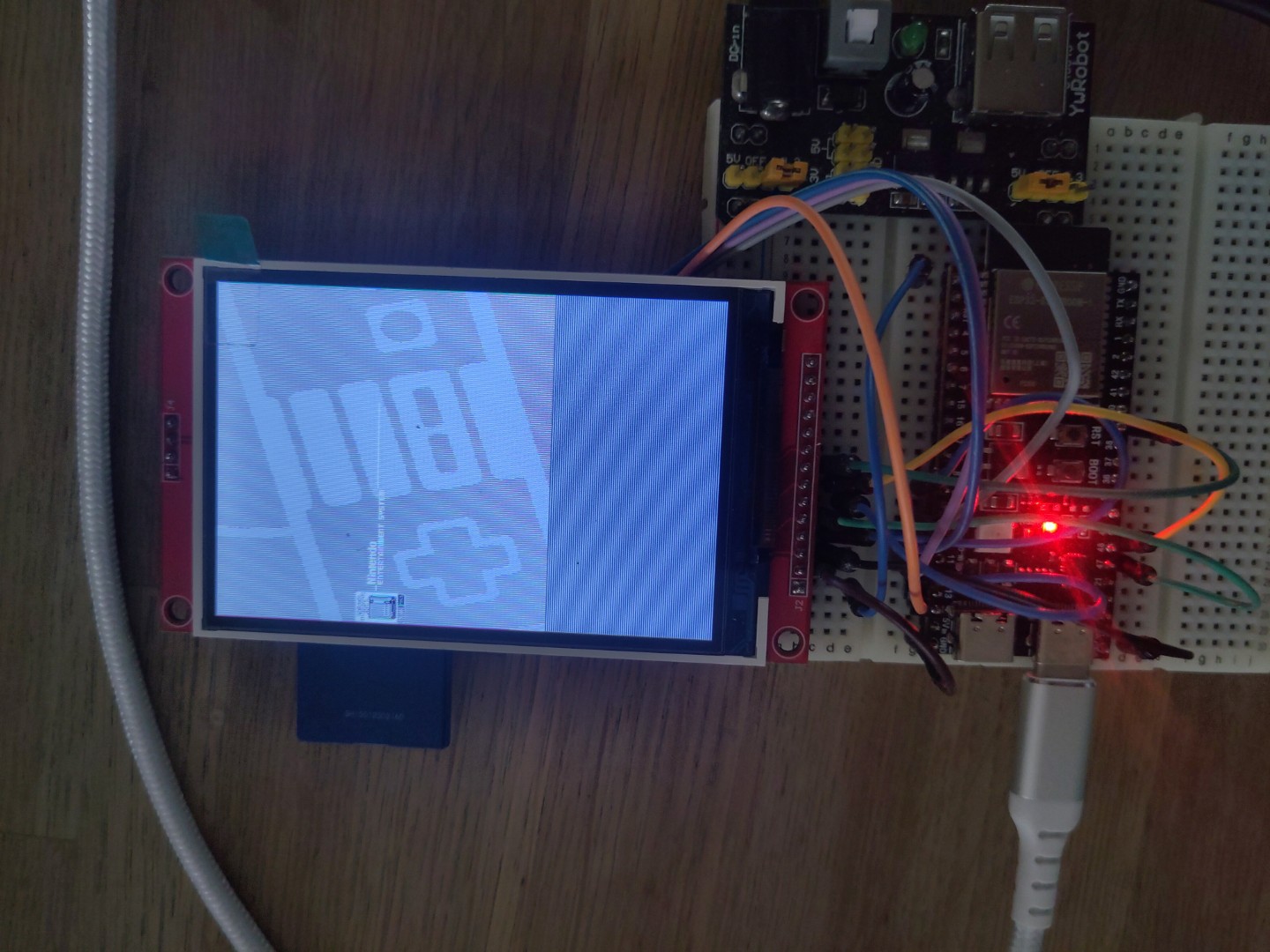
So now the question arises: will I try and fix the driver code to make it work with this specific display? It will require a deep dive into the details on memory, registers and pixel colors. Not sure If I really want to spend that much time on it.
Discussions
Become a Hackaday.io Member
Create an account to leave a comment. Already have an account? Log In.