 IoTEgr
During the process of selecting a screen for the SensorCam P4, after our comprehensive evaluation and multiple rounds of testing, we finally selected two representative display screens:
Display A: 2.83-inch 480×640 resolution non-full lamination TFT-LCD screen, supporting 16.7M color display capability and touch function, with a 40pin 18-bit RGB+SPI interface.
Display B: 2.4-inch 240×320 resolution fully bonded TFT-LCD screen, supporting 263K color display, without touch function, using a 14-pin 4-wire SPI interface.
These two screens represent different product positioning: Display A is more excellent in terms of pixel density, color performance, and functional integrity; Display B has advantages such as low cost, easy procurement, and a narrow-bezel full lamination structure. Below, we will systematically compare their performance in parameters such as static and dynamic resolution, pixel density, brightness, color gamut, and refresh rate. Considering that the SensorCam P4 is mainly used indoors, we chose to conduct the test indoors.
Comparison of static display effects
It can be intuitively seen from the real-shot comparison chart the differences between the two screens in terms of pixel fineness and color reproduction (Display A is on the left, and Display B is on the right):
1.Display complex images to compare the detail expression between the two
It can be seen that Display A is significantly superior to Display B in terms of pixel density and edge sharpness, with stronger detail expression.
2.Display color-rich images to compare color display effects
It is obvious that the overall display effect of Display A is significantly more delicate and has richer color gradations.
3.Display the comparison of thermal imaging UI prediction screens
The performance of the two screens on such images is similar, with no obvious differences.
Dynamic display performance test
Display A:Supports MIPI interface, with stable and smooth frame rate performance, fully meeting dynamic display requirements.
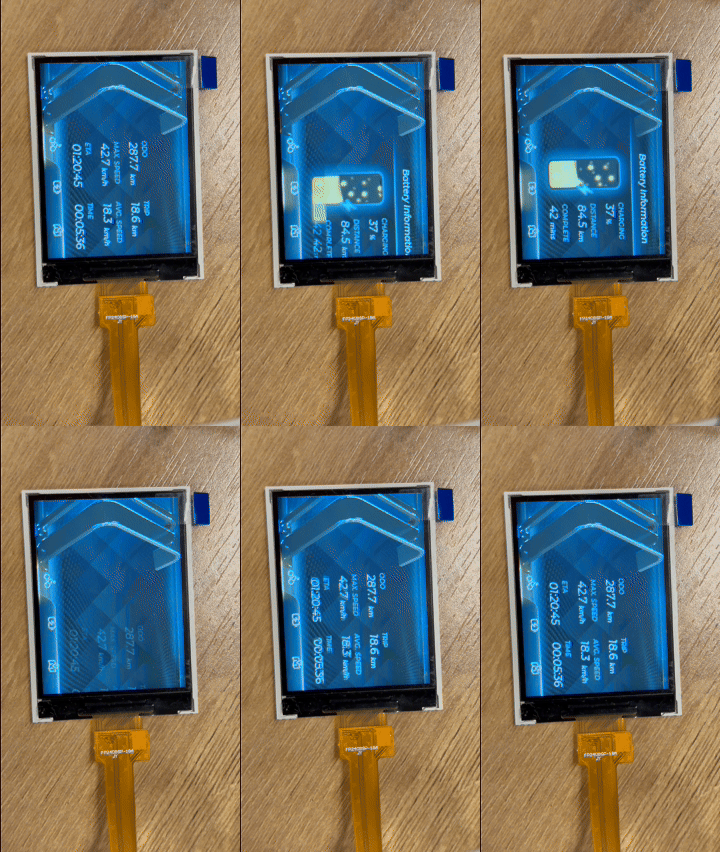
Display B:
● When using the screen refresh function for color gradient testing, the frame rate can reach 63fps, which is basically smooth.

● There is obvious stuttering when running LVGL animations, and performance is limited when handling complex graphical interfaces.
Summary and selection suggestions
The comprehensive comparison results show that there is a significant gap between the two screens:
Advantages of Display A:
● Higher refresh rate and frame rate stability.
● Wider color gamut range and color expressiveness.
● Higher pixel density results in a delicate display effect.
● Support touch interaction functionality.
● Larger display area.
Advantages of Display B:
● Lower procurement costs.
● Simple interface, few occupied pins.
● Narrow bezel full lamination design.
Although Display A features a non-full lamination design and relatively wide bezels, these factors have limited impact on the actual user experience. Considering the high requirements of SensorCam P4 for display quality and user experience, we ultimately chose Display A as the screen solution for this project. Its excellent display performance and touch functionality will provide users with an interactive experience far superior to that of Display B, which is more in line with the project's positioning for high-quality visual presentation.
Discussions
Become a Hackaday.io Member
Create an account to leave a comment. Already have an account? Log In.