 Paul
PaulThis project demonstrates how to build a compact, intelligent voice-controlled robot system using the CrowPanel Advance and the OpenAI Realtime API. The CrowPanel records the user's voice, sends it to OpenAI for transcription and interpretation, and receives a structured command. This command is interpreted on the panel and then transmitted to the robot (CrowBot) over Bluetooth.
Thanks to GPT-based natural language understanding, the robot can respond not only to simple instructions like “Go forward”, but also to indirect phrases like “It’s kind of dark in here” — and respond by turning on headlights.
While this setup works out-of-the-box with CrowBot, it can be easily adapted to control other DIY robotic platforms, Bluetooth-enabled smart toys, or even home automation systems.
🔗 Project repository: Grovety/OpenAI_Robot_Control
📽️ Demo video:
✨ Features
- Hands-free voice control using CrowPanel Advance's built-in microphone
- Natural language understanding powered by OpenAI (Realtime API)
- Function calling via structured JSON for safe, extensible command execution
- Bluetooth-based command transmission to CrowBot
- Simple GUI for Wi-Fi setup and API key entry
- Open-source and extensible: adapt it for your own robots or systems
⚙️ How It Works
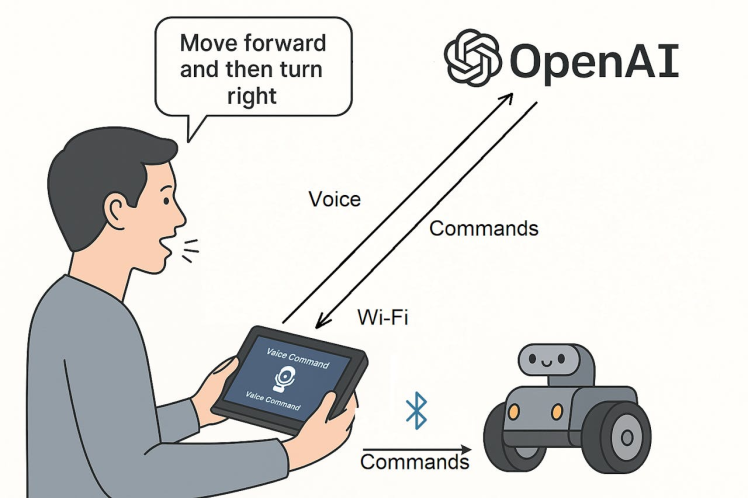
1. The user holds the CrowPanel Advance, running a custom control application.
2. They speak a command — e.g., “Go forward and turn right”, or “It’s kind of dark in here”.
3. The voice is streamed to OpenAI Realtime API, where it is transcribed (via gpt-4o-mini-transcribe) and processed.
4. OpenAI returns a structured JSON with function names and parameters.
5. The CrowPanel interprets the response and transmits commands via Bluetooth to the CrowBot.
6. The robot executes the actions (e.g., moving, turning, lights on/off).
7. Unsupported or unclear requests are safely handled using a built-in reject_request function.
Thanks to the OpenAI integration, even complex or indirect voice commands are parsed into actionable steps, making robot control more intuitive and fun.
🔧 Required Hardware
- - CrowPanel Advance
- - CrowPanel Addon (with Bluetooth module)
- - CrowBot or any robot accepting Bluetooth UART commands
- - OpenAI API Key
🖥️ Firmware
CrowPanel firmware and voice control logic: 👉 Grovety/OpenAI_Robot_Control
Custom CrowBot firmware: 👉 CrowBot GRC Firmware
🛠️ Tutorial – Quick Start Guide
There are two installation options:
- A quick setup using prebuilt images
- A full build-from-source option for developers and makers
🔹 Option 1: Flash prebuilt firmware
- Download
flash_tool.exefrom the repository with binaries folder
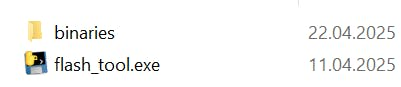
- Connect CrowPanel via USB and run the flasher.

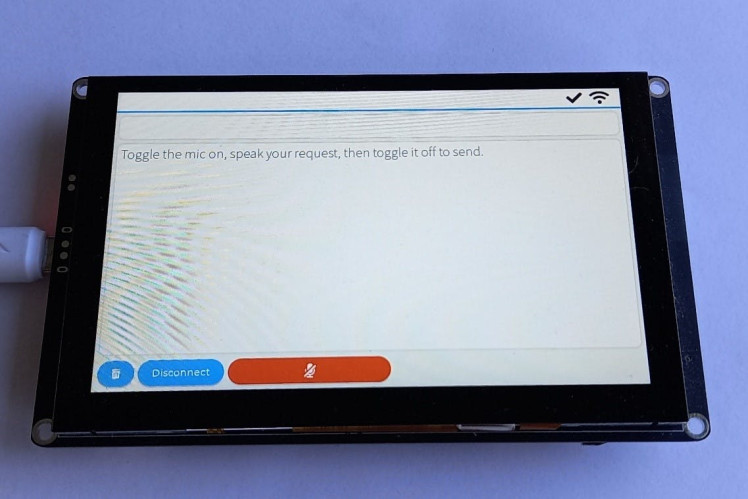
- After flashing, connect to Wi-Fi
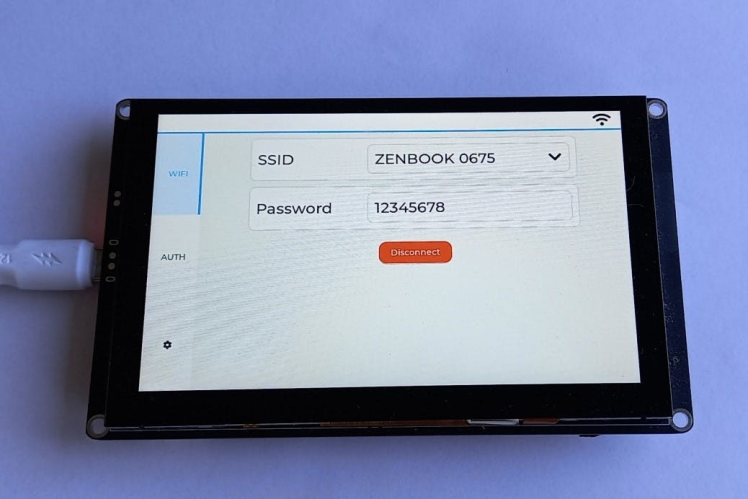
- And input your OpenAI API key.
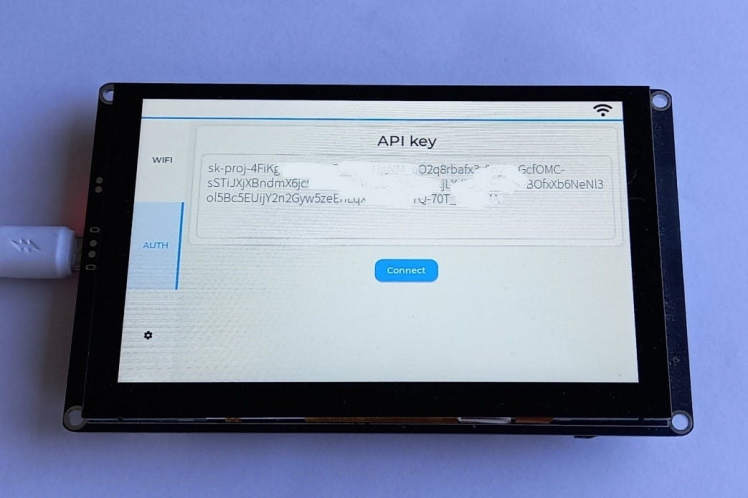
- Power on CrowBot.
- Start speaking — try commands like:
“Forward”
“Turn left and switch on the lights”
🔹 Option 2: Build from source
- Clone the Grovety/OpenAI_Robot_Control repo
- Use ESP-IDF v5.4+ to build and flash the CrowPanel firmware
- Customize GUI, Bluetooth logic, or the command parser as needed
- Flash CrowBot with compatible firmware using Arduino or PlatformIO
📦 About Command Processing
Instead of using a long text prompt, this project uses OpenAI’s function calling feature to safely map user speech to valid robot actions.
A JSON file defines all available functions:👉 f<a href="https://github.com/Grovety/OpenAI_Robot_Control/blob/main/main/app/function_list_robot.json" rel="nofollow">unction_list_robot.json</a>
Each function has a name (e.g. go_forward), a description, and optional parameters.
When the user says something like:
“Go forward and turn on the lights”
CrowPanel sends:
- the recognized text
- the JSON function list
- and the instruction
function_call: auto
OpenAI returns structured output like:
{ "name": "go_forward", "arguments": {} }
CrowPanel parses the result and sends corresponding Bluetooth commands to CrowBot.
✅ Why this approach is great:
- Only approved functions can be called — no surprises
- Adding new commands is easy — just update the JSON
- Supports safe fallbacks like
reject_requestfor unclear input - Scalable and secure — follows OpenAI's recommended architecture for embedded AI
🧪 Ideas for Expansion
Want to take it further? Here are some directions:
- Add a voice response system using a speaker and OpenAI’s voice synthesis
- Integrate a dialog system with contextual memory
- Use the same setup to control smart home devices via Bluetooth relays
- Combine it with gesture recognition or visual feedback
- Extend the command set via JSON — just update function_list_robot.json
- Switch from one-shot transcription to real-time voice ↔️ voice interaction using OpenAI's streaming API