 caspar
As another example for using inki, I implemented an application for use with the homematic home automation system.
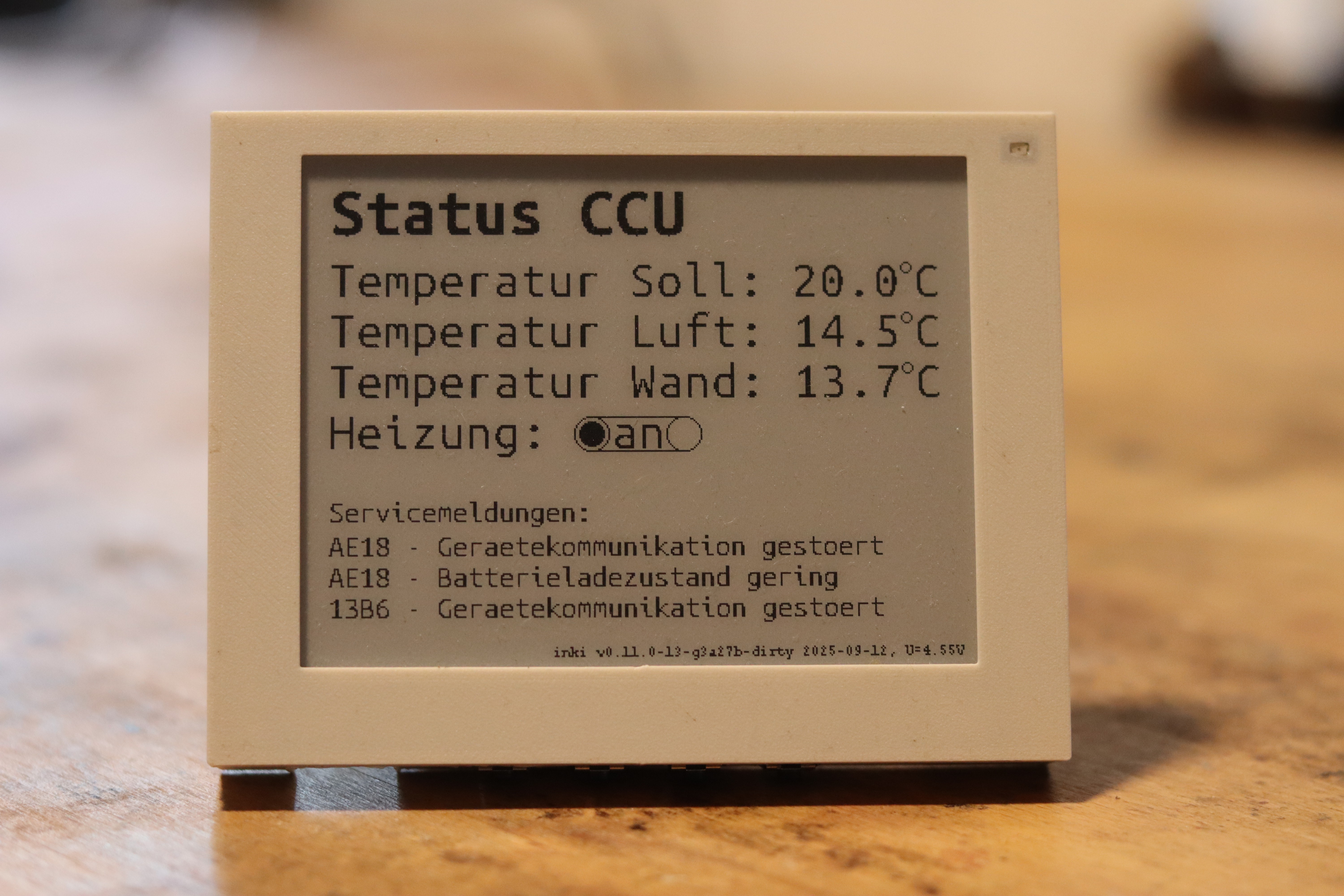
Home automation systems collect a wealth of real-time data from sensors and devices throughout your home. While you can always check this information through web interfaces or mobile apps, there’s something uniquely convenient about having key information automatically displayed on a dedicated “electronic dashboard” that you can glance at during your daily routine. Above you see inki displaying live data from our Homematic system - temperatures from HmIP-STE2-PCB sensors, heating control status from HmIP-WTH-1, and power monitoring from HmIP-PSM-2 devices.
https://makertube.net/w/bWefBKAkkHVg7govr5T3QV
Inki-homematic directly connects to your Homematic CCU via XML-RPC, retrieving and displaying live sensor data and device status information. It integrates seamlessly with existing Homematic installations to provide wireless ePaper visualization of your home automation data. In general any homematic device parameter can be read out by configuring inki via the webinterface, see the examples below.
You can easily configure inki-homematic through the web interface, such as from your smartphone. Here’s what the configuration screens look like:


Setup Process:
- Connect to the inki setup WiFi network
- Access the web interface at http://192.168.4.1
- Configure your home WiFi credentials
- Enter your Homematic CCU IP address and port
- Add device IDs and value types from your Homematic system
- Set display labels and update intervals
More info at https://c0de111.github.io/inki/homematic/
Discussions
Become a Hackaday.io Member
Create an account to leave a comment. Already have an account? Log In.