Close
0%
0%

Disposable Vape Screen Reuse

Tear down of a disposable vape to reuse screen

Public Chat
Similar projects worth following
I run across disposable vapes alot and after noticing some of them can have some pretty good graphics for as small and cheap as they are, I decided to tear one apart and see just whats inside

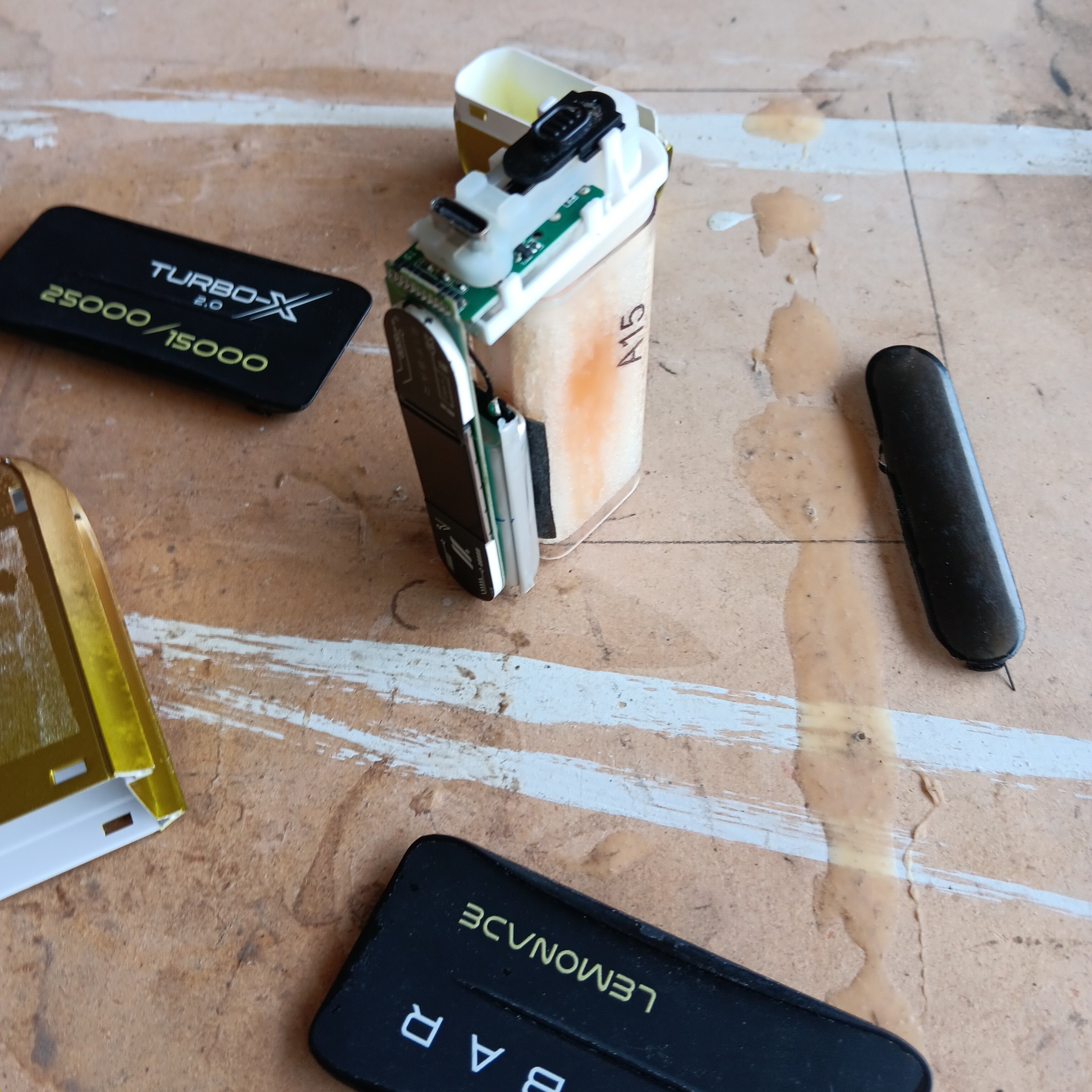
First off, I need to get into the nitty gritty of the thing.  So I open it.

After removing the outer housing, the electronics reveal themselves.  Its actually a bit more complicated than I expected.  I keep digging, careful to not damage anything just yet.  I can see a 3.7v battery pack, the switch, the screen, the type c connection and the vaporizer for the juice.  
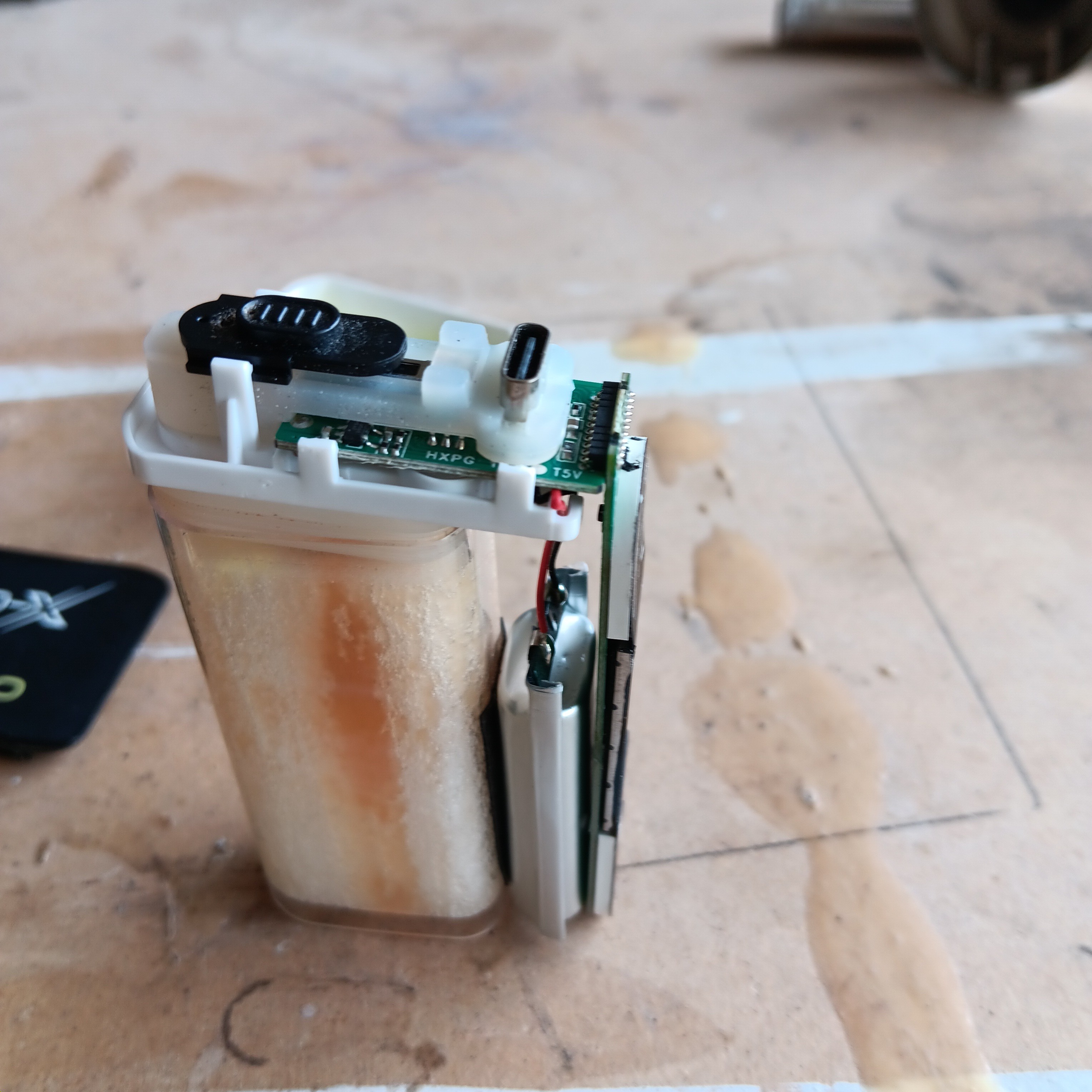
Next I continue to remove parts until I'm to the bare circuitry.  Theres quite a few ics that I will look into further later, what looks like a microphone, some possible heating coils and a right angle connector to the screen.
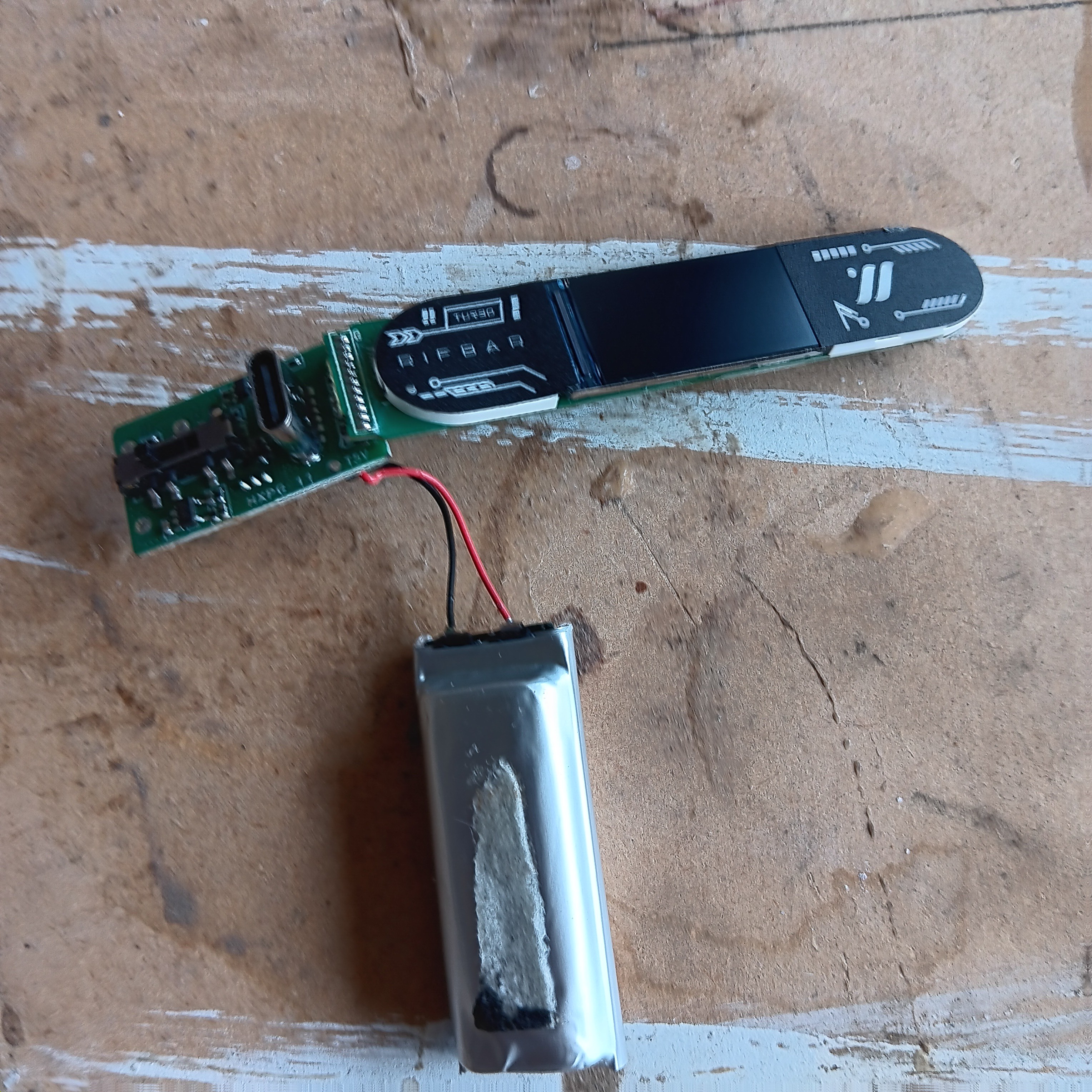
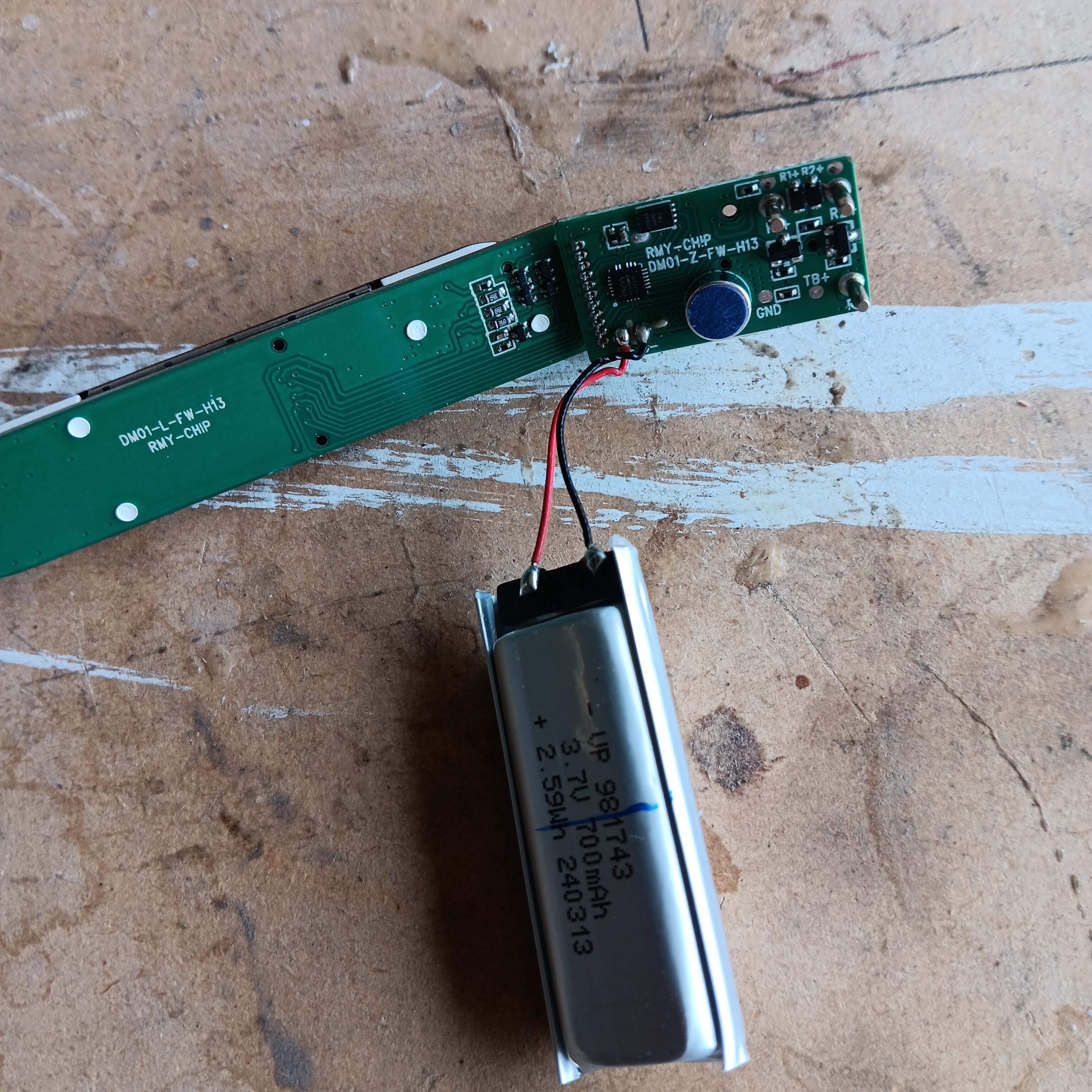
I did get quite a bit of juice on my hands so I would advise using gloves when dissassembling these.  

I have done quite a bit of work looking into the circuitry and display and I dont want to just know the innards, I would also like to be able to reuse the display as well.  This is going to be a process so I will post more in the logs as time goes on.
  • Your typical update on zero progress

    I_void(warranties)08/25/2025 at 03:20 0 comments

    It seems the pads are highly sensitive to the soldering iron and the fine pitch between pads is also causing problems.  Testing of the new lead wires and the existing pads has shown continuity issues and I need to try again. Either theres too much solder causing shorts or the existing pads tend to lift.  Also the process of desoldering the old headers has caused damage to the board as well.  This is turning out to be a delicate process and one that will take a few tries to get right.  I need to try again over the next few days with possibly smaller wire, lower wattage iron(will require digging one out of the old dust bin) and overall more caution.  Hoping to get to some testing with an arduino soon, but preliminary research has suggested the arduino nano maybe not have enough flash to properly run the display.  My Arduino Uno R3 stopped responding to new programs a few months ago, which is why I've been relying on the nanos, which I have plenty of. I have a few older, custom made Atmega8 boards laying around as well and even a few Atmega32 custom boards I might dust off and see if i can get to work as well. I did make a pong game on an attiny13 last year that might be just the thing i need but it was i2c. Should work right?

  • Getting the screen off

    I_void(warranties)08/18/2025 at 02:50 0 comments

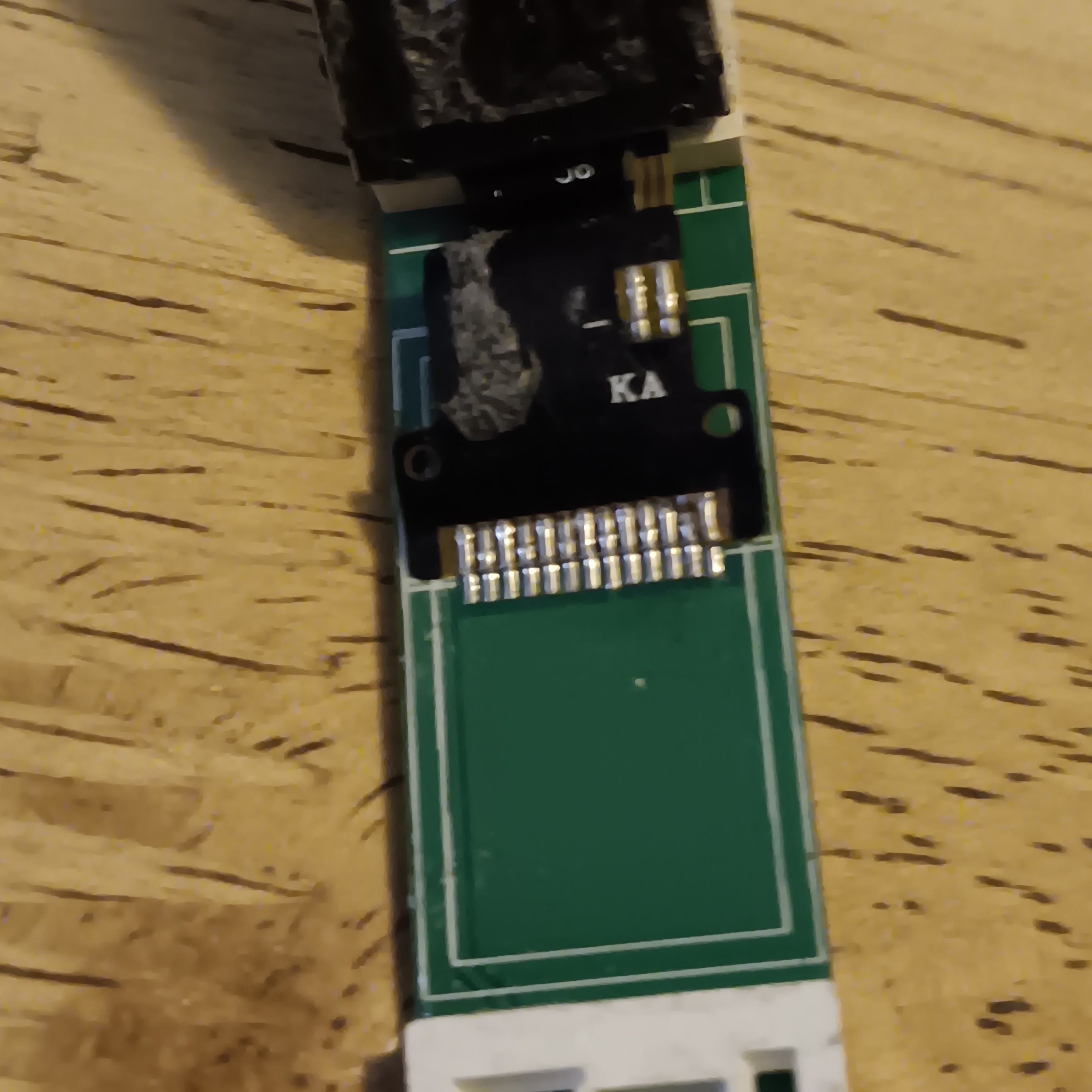
    I was able to separate the screen from the board.  It took several attempts and in each attempt, I tore the cable ribbon each time due to some glue that was use to secure it. So i decided to leave it attached to the board for now.  There was number on the ribbon that was the only indication of a part number.  It lead me to an alibaba page  (https://www.alibaba.com/product-detail/0-96-tft-lcd-display-80_62563989971.html) and I was able to use that information to search for more information.

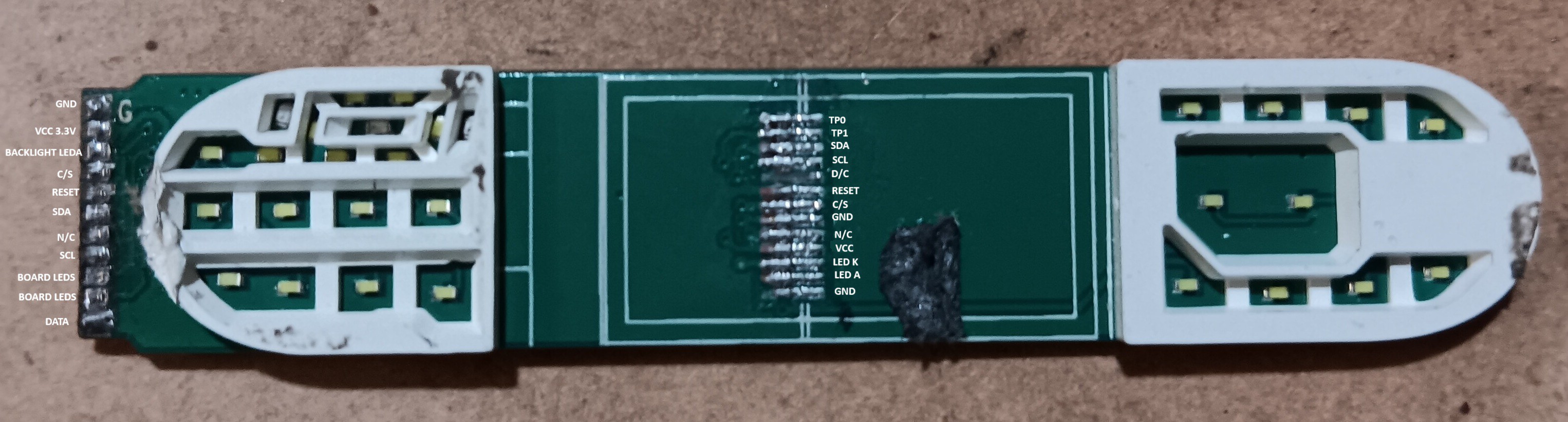
    After much searching, I found a pinout that may match the ribbon cable.  Locations of the ground plane as well as a K and A marked on the back of the ribbon, which I assumed was for the backlight anode and cathode, gave me an indication that I had the proper pinout for the screen.  

    Now I have a pretty decent idea of what I'm working with.  Its a .96" 80x160 pixel display driven by a ST7735.  It operates on 3.3v and there is 13 pins on the ribbon connection. However, theres 11 connections (far left side in image below).  I ran a power supply, voltmeter and continuity tester to identify as best as I could which of the far left connections, connects to the ribbon connector.

    Finally I took a fresh screen and soldered wires onto the old header pins.  With this I should be able to talk to the display.  Next I'll decide what microcontroller or arduino to use and methods to test.  While i was doing this, I did find out the vape had a arm controller(32 bit arm cortex +m0cpu) as well as a small possible flash, probably for image data.  I didnt dig more into this but I plan to in the future, possibly as another project. 

View all 2 project logs

Enjoy this project?

Share

Discussions

Does this project spark your interest?

Become a member to follow this project and never miss any updates