 AndrewMcDan

So, What is TheCube?
TheCube is a 10cm³ desktop companion powered by Raspberry Pi 5. At first glance, it looks like a simple cube with a screen — but it’s actually a hybrid of productivity tool, desk assistant, entertainment hub, and Tamagotchi-style virtual pet.
Unlike most “smart devices” that are cloud-locked and sterile, TheCube is open-source, modular, and personality-driven. It’s designed to live on your desk, help you stay productive, remind you to take care of yourself, and — when you let it — entertain you with games or quirks of its own.
Why Build It?
Most assistants today are either:
-
Too corporate — smart speakers that feel like data collectors in disguise.
-
Too gimmicky — desk toys that are fun for a week, then forgotten.
TheCube aims to sit exactly in between: a useful tool that doesn’t take itself too seriously. It keeps track of your schedule, nudges you to hydrate or stretch, and mirrors important notifications — but it also sulks if you ignore it, celebrates when you finish tasks, and can be cheeky or empathetic depending on how you set its personality.
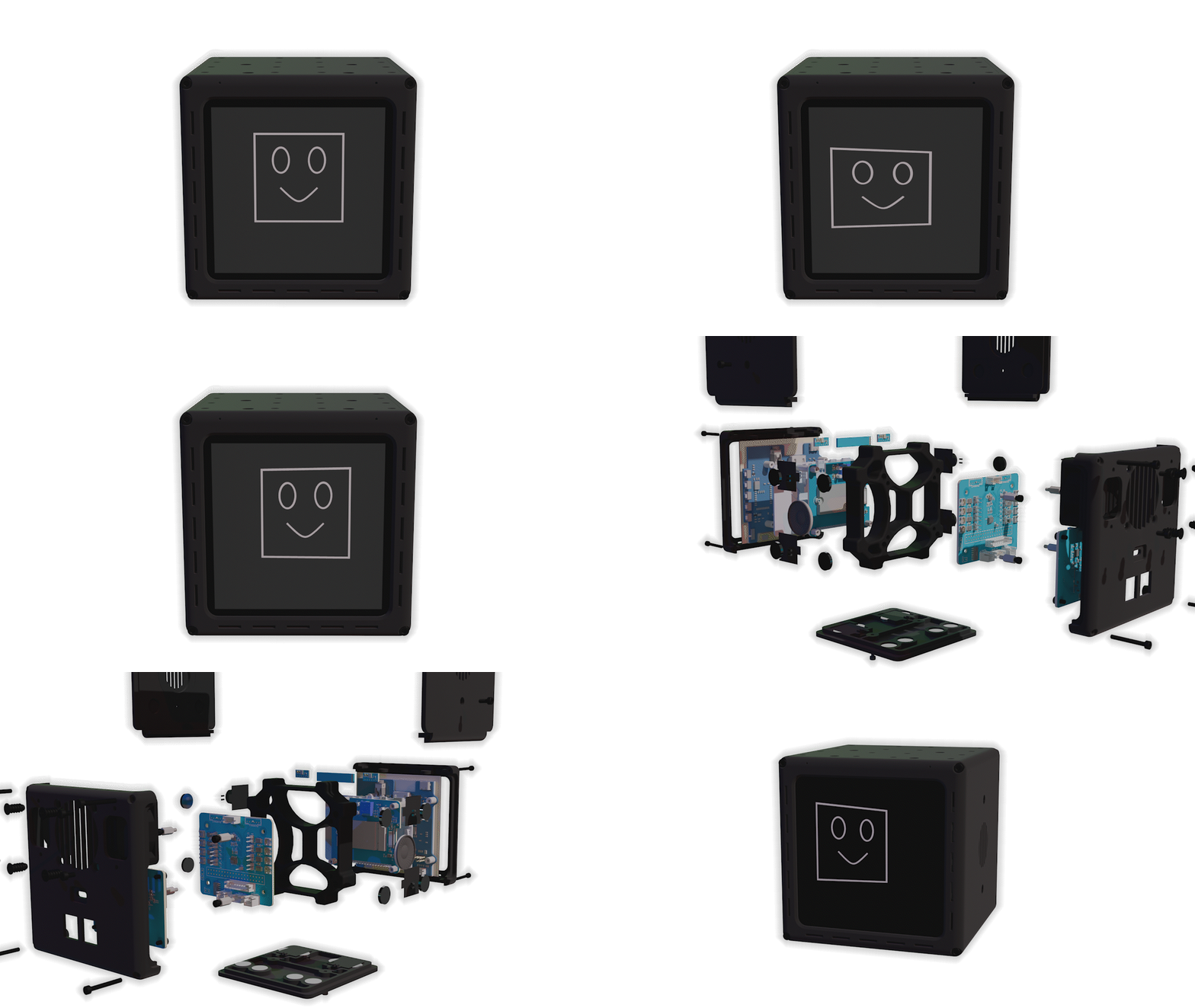
Hardware Overview
Inside the Cube is a Raspberry Pi 5, chosen for its power, connectivity, and flexibility. Around it, we’ve built a system designed to be as open as possible:
-
Processor: Raspberry Pi 5 (up to 16GB RAM)
-
Storage: NVMe SSD (256GB standard, up to 1TB)
-
Display: 4" 720×720 square LCD touchscreen
-
Audio: Stereo microphones + speakers
-
Sensors:
-
mmWave presence detector (knows when you’re at your desk)
-
NFC (setup + interactions + inter-Cube communication)
-
-
Connectivity: Wi-Fi 6, Bluetooth 5.0/BLE
-
Power: USB-C PD
-
Expansion Ports: HDMI, USB, I²C, SPI, UART, CAN bus, CSI/DSI, 1-wire
-
Physical Design: Magnetically stackable with alignment nubs (toppers, modules, or multiple Cubes click neatly together).
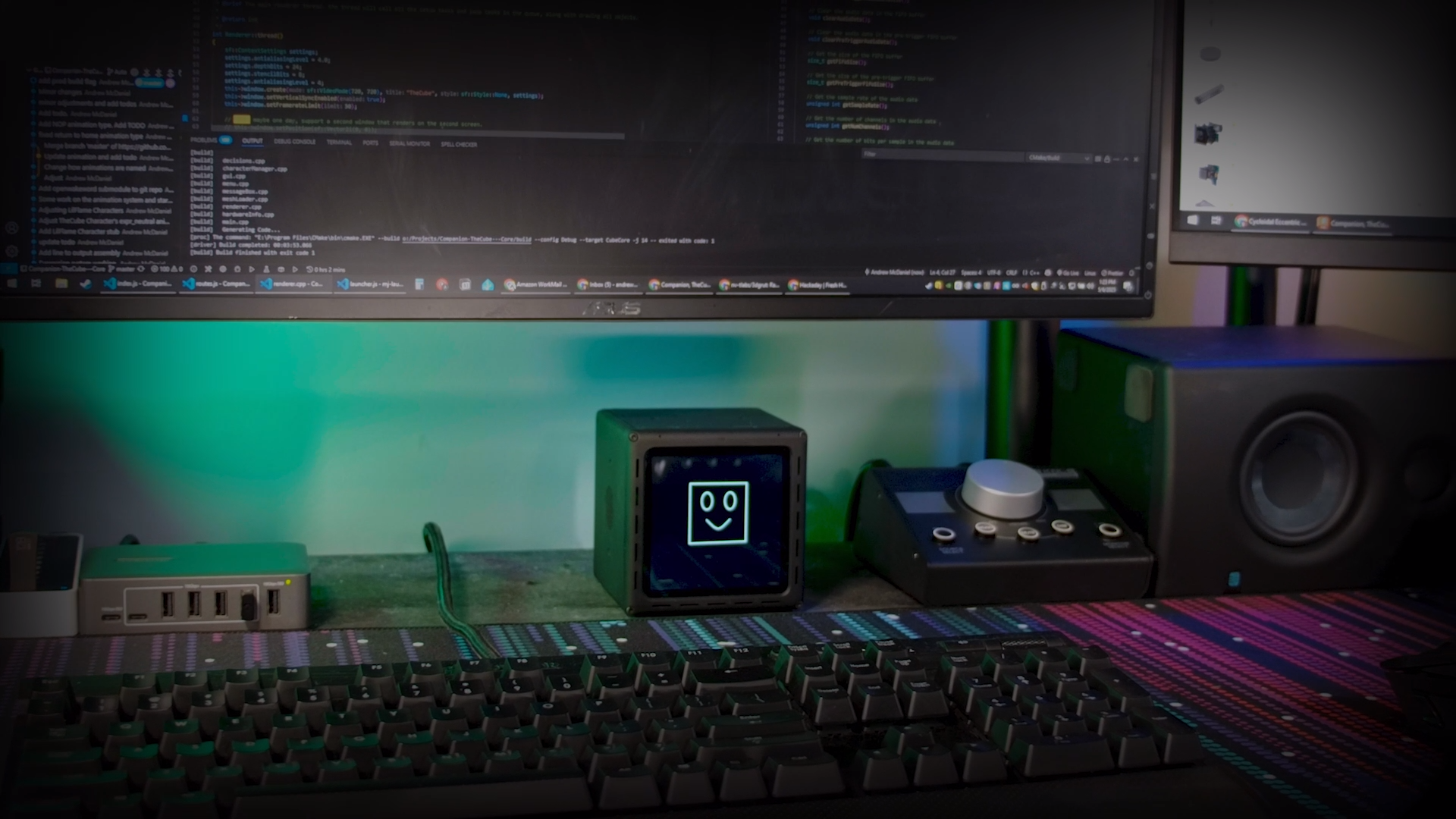
Software Overview
TheCube runs a custom Linux-based core (based on Raspberry Pi OS) with a modular service layer:
-
Core Functions
-
JSON-RPC API for apps and extensions
HTTP API for networked devices
-
Display/animation engine (SDL2, migrating from SFML)
-
Local AI pipeline (OpenWakeWord + Whisper.cpp) for offline speech-to-text and wake-word detection
-
Cloud fallback for heavier LLM processing (via TheCube+ subscription, optional)
-
Notification manager for calendar, email, SMS, system alerts
-
-
Planned Apps
-
Productivity: Calendar, to-do lists, Pomodoro timer, alarms, reminders
-
Health: Hydration nudges, movement reminders, guided breathing
-
Communication: SMS + call notifications, quick voice memos
-
Entertainment: First class support for RetroPie, Pac-Man, Snake, text adventures, trivia
-
Maker Tools: Scratch coding, Home Assistant integration
-
-
Personality Engine
-
Adjustable sliders: Playfulness, Cheekiness, Empathy, Seriousness, Responsiveness
-
Characters: Cube, Geo, Rawr, Lil Flame, and more
-
Interactions:
-
Sulks when ignored
-
Cheers when you finish tasks
-
Sleeps with “Zzz” animations
-
Adapts mood based on your routine (e.g. playful on weekends, serious on Mondays)
-
-
[gif of Cube personality face changing coming soon]
Why It’s Hackable
TheCube is designed as much for tinkerers and hackers as for casual users. Out of the box, it works as a desk companion. But if you like to dig deeper:
-
All software is open-source (Github).
-
APIs for custom apps — build your own timers, notifications, or even games.
-
Expansion-ready hardware (add sensors, radios, lighting modules).
-
3D printing community — design and share toppers, cases, or accessories.
-
Multiple Cubes can interact with each other, creating networks of personalities.
In short: you can tear it apart, remix it, or build your own on top of it.
Roadmap
-
✅ Working prototype with Pi 5 + display + sensors (mostly done)
-
⏳ “Hello World” voice demo (wake word → speech-to-text → screen response)
-
⏳ First set of apps (calendar, Pomodoro, hydration reminder)...
 davchi15
 JohnsonFarms.us
 Varun Gujjar
 Arnov Sharma