Close
0%
0%

Openterface KVM-GO: Keychain KVM

Keychain-sized, plug-and-play KVM with HDMI/DP/VGA, 4K, cross-platform support, no drivers/network, open-source.

Similar projects worth following
Following the success of Openterface Mini-KVM, with over 5,000 users in our open-source community and many reviews from tech influencers (as of August 2025), we’re back with an even more compact and refined evolution:Openterface KVM-GO.

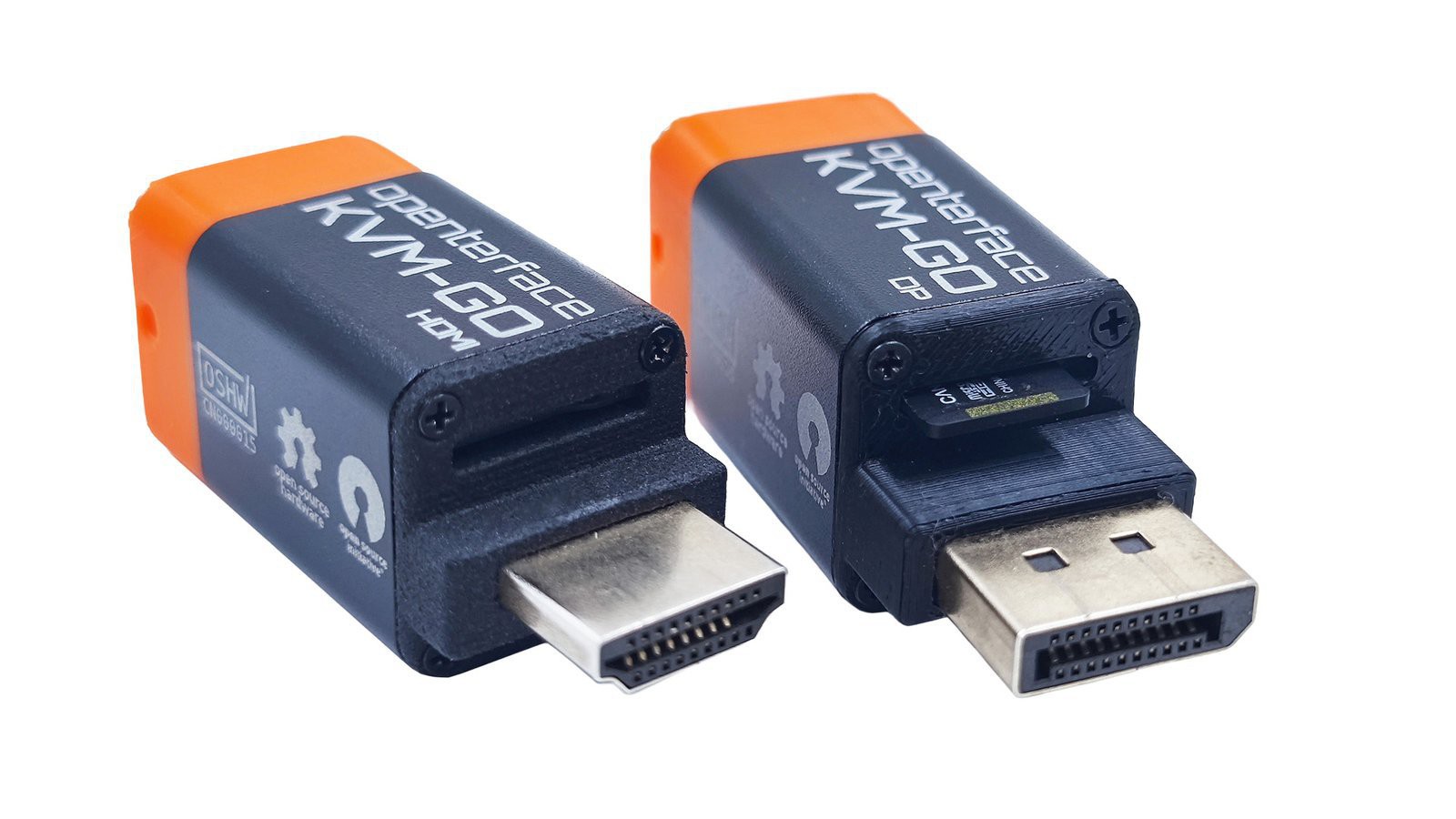
Designed to fit on your keychain and save your day in a snap, this next-generation KVM-over-USB gadget is built for rapid operations in data centers, remote server rooms, and headless device troubleshooting. Available with HDMI, DisplayPort, or even VGA connectors, KVM-GO goes anywhere and plugs into nearly anything.

If you’re tired of carrying bulky cables to control servers, single-board computers or headless devices, Openterface KVM-GO is here to change the game. It builds on the success of our Openterface Mini-KVM which is loved by more than 5000 open-source users. This ultra-compact gadget fits right on your keychain so you can take instant device control anywhere and anytime.
Say Goodbye to Video Cables

No more scrambling for the right video cable or dealing with complex setups. Openterface KVM-GO comes with a built-in connector. You can choose HDMI, DisplayPort or VGA to plug straight into your target device. It’s pure plug-and-play convenience that saves you time every time.
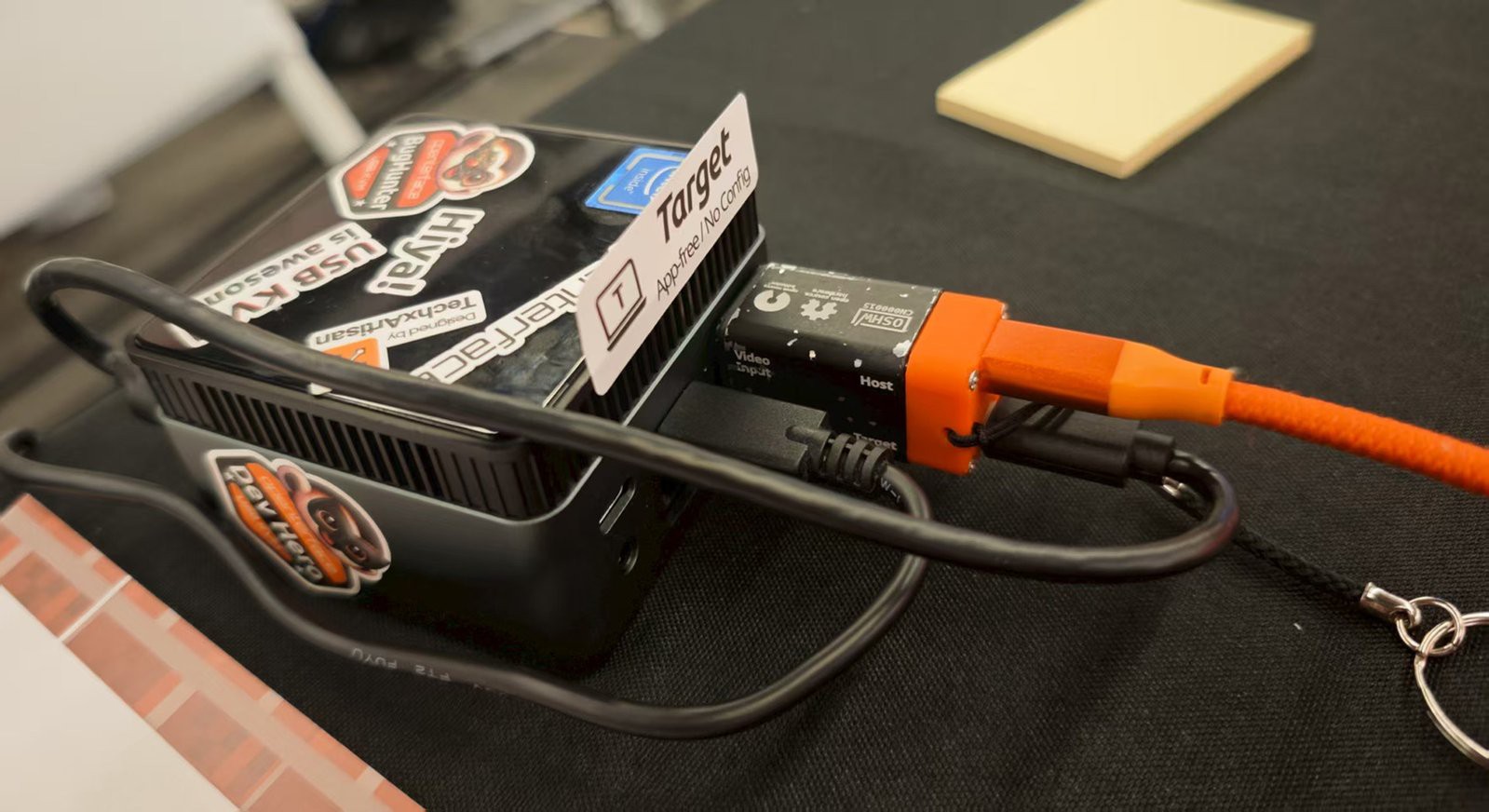
Plug In and GO!

To use KVM-GO:

  • Plug the built-in male video connector straight into the target device (like a server or SBC).
  • Connect one USB Type-Ccable to the target device. This works as the keyboard and mouse emulator.
  • Connect the second USB Type-C cable to your host device (such as a laptop, tablet or phone). This is the device where you run the Openterface KVM app to control the target.No drivers, no setup — it’s that easy.

No drivers, no setup — it’s that easy.
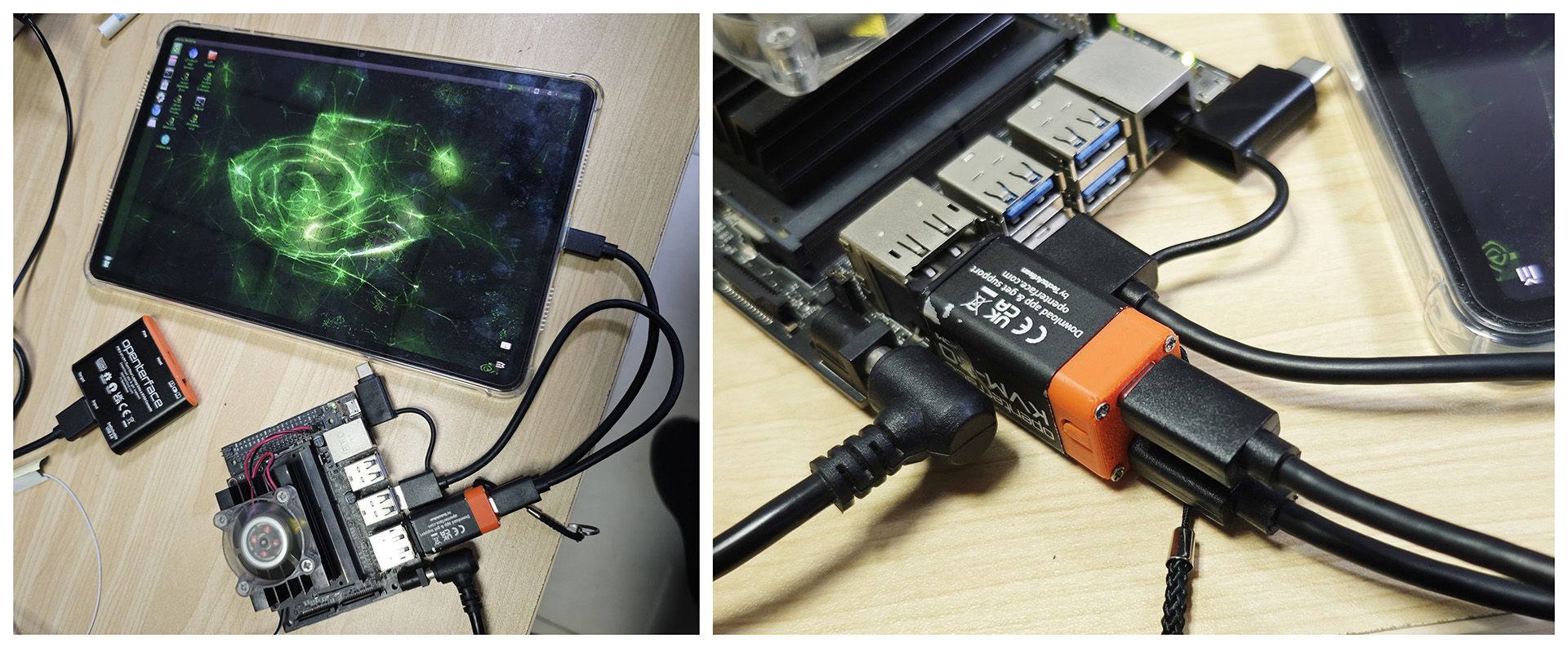
To support different video output standards, KVM-GO will be available in three models:

  • KVM-GO HDMI
  • KVM-GO DP
  • KVM-GO VGA (slightly bulkier — case design in progress)

Less is More 

 In addition to shrinking the size and eliminating bulky cables, we’re upgrading the internals:

Upgraded Video Processor with USB 3.0

KVM-GO features a significant video upgrade. Compared to the Mini-KVM’s 1080p@30Hz, this is a massive leap for high-resolution workflows. It supports:

  • Input: 4096×2160@60Hz (YUV420), 4096×2160@30Hz (YUV444)
  • Output: 4096×2160@60Hz (MJPEG), 3840×2160@30Hz (YUV420)


Goodbye Switchable USB Port & Hello microSD
 

 We’ve removed the switchable USB port (found on the Mini-KVM) to save space. In this ultra-compact version, we’ve added a MicroSD slot, which is perfect for transferring files between host and target, or burning a bootable image to reinstall an OS on the target.


Why Openterface KVM-GO Is a Game-Changer

  • Ultra-Compact: Small enough to carry on your keychain
  • Direct Plug-In: Built-in video connectors (HDMI, DisplayPort, VGA)
  • MicroSD Slot: File transfers and OS reinstalls made easy
  • Upgraded Video Quality: Supports up to 4K/60 input and output
  • Truly Open Source: Hardware and host software. ALL open and community-driven
  • Cross-Platform & Community-Collaborated Host App: Windows, macOS, Linux, Android, even a Chrome web app
  • No Setup on Target: No app. No config. No drivers.
  • Network-Free Operation: Pure USB-based KVM—fast, stable, and reliable
  • Dimensions: 18 x 18 x 55 mm (7.08 x 7.08 x 21.6 in)
  • Weight: ~25 g (0.9 oz)

Join the Crowd—Don’t Miss Out!

We’re gearing up for launch and we need your support. Head to our Crowd Supply pre-launch page to subscribe. Be the first to know when crowdfunding goes live. Early backers get exclusive discounts and first access to KVM-GO. Don’t let this handy tool sell out before you grab one.

A huge thanks to our Mini-KVM community. Your feedback made KVM-GO better. Now it’s time to take device control to the next level. Grab Openterface KVM-GO, cut the cable clutter and make your tech life easier. You won’t regret it!

Open Source

Openterface KVM-GO is open hardware. As we gear up to launch it, we welcome both new and existing community members to join us. Working in open hardware has let us improve products together, and we’re grateful for your love and feedback. If you’re new, consider joining our Discord to help build this ultracompact KVM! Keep an eye on our GitHub for future platform updates and check out our software source code in this repo.
  • KVM-GO Shipment Update: Goods Are on the Way to the US

    TechxArtisan4 hours ago 0 comments

    Hi everyone,

    We're excited to share an important milestone for KVM-GO: our goods have now been shipped to the United States.

    Over the past few weeks, our team has been steadily moving forward across the final stages of preparation for all three KVM-GO products, VGA, DP, and HDMI. This work has included hardware verification, accessory kit preparation, retail packaging, final carton packing, and outbound shipment.

    We know that shipping has taken a bit longer than originally expected, and we sincerely apologize for the delay. However, we have insisted on performing meticulous quality checks and careful packaging for every single unit to ensure that each backer has the best possible experience when they receive their product. Thank you for your incredible patience.

    Now, we're happy to say that the process has moved beyond preparation. The goods are packed, organized, and on their way.

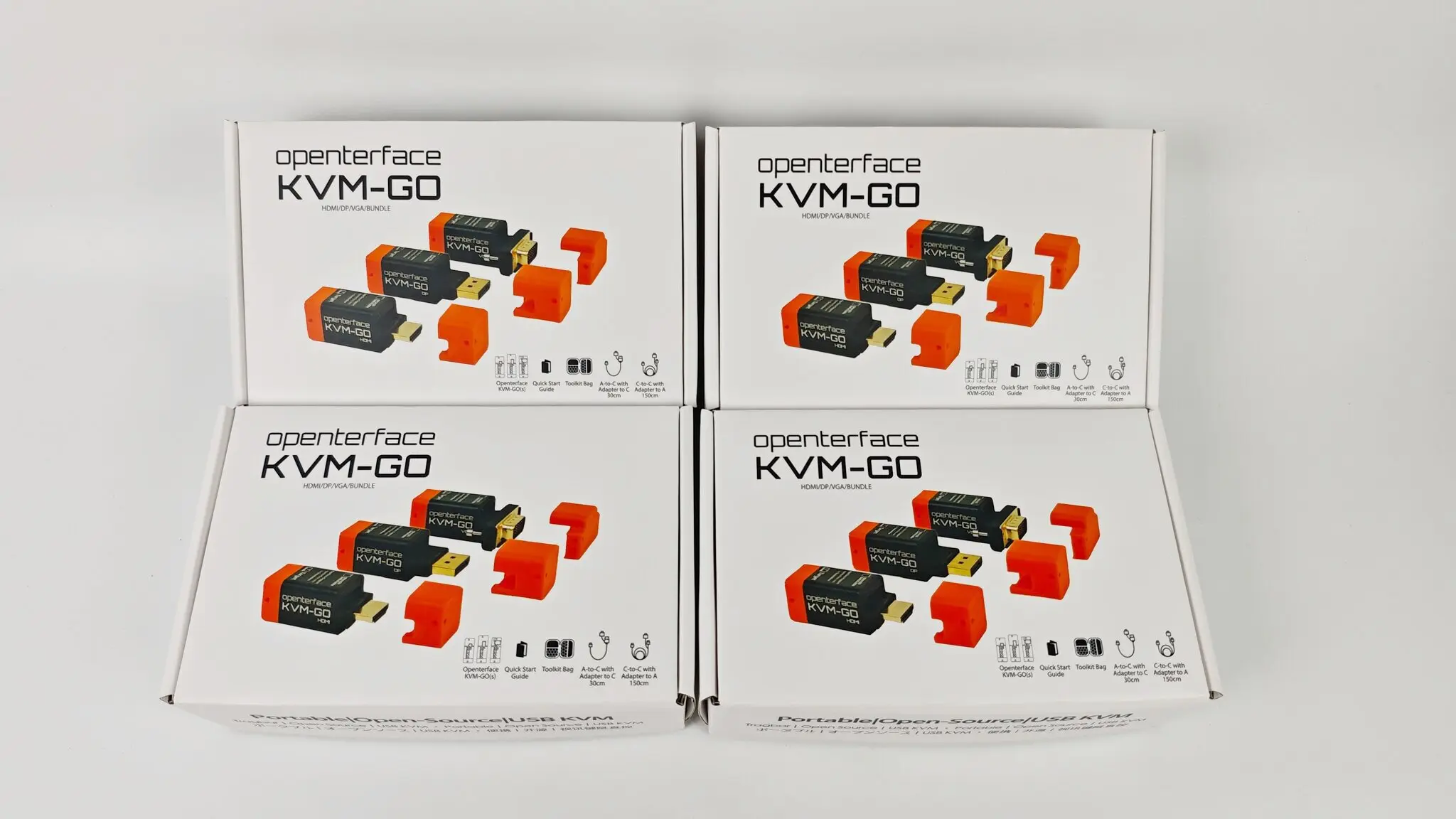
    Hardware and Packaging Integration

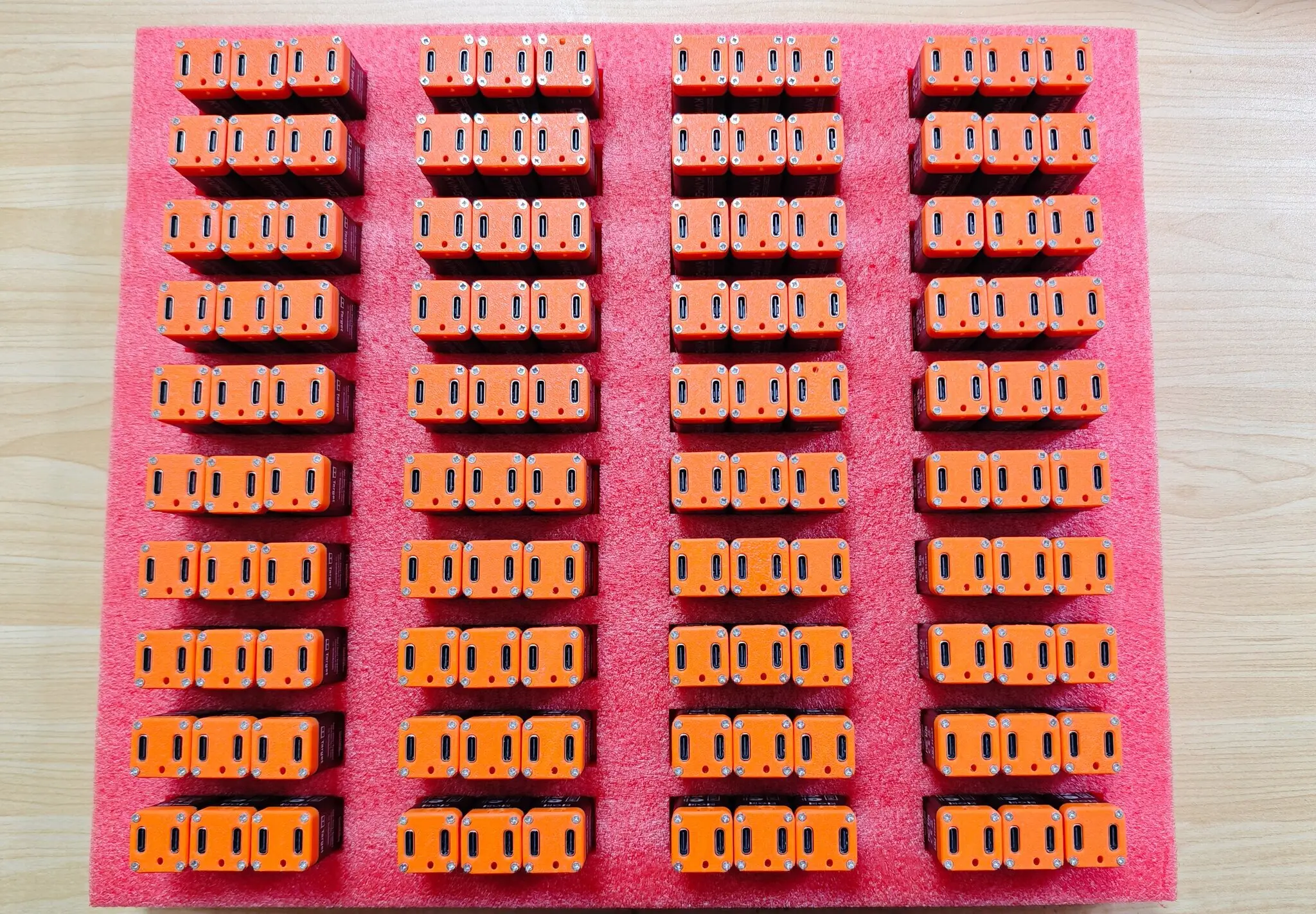
    KVM-GO hardware units with retail packaging

    This image shows hardware units arranged alongside retail packaging, demonstrating the first stage of bringing all production elements together before final packing.

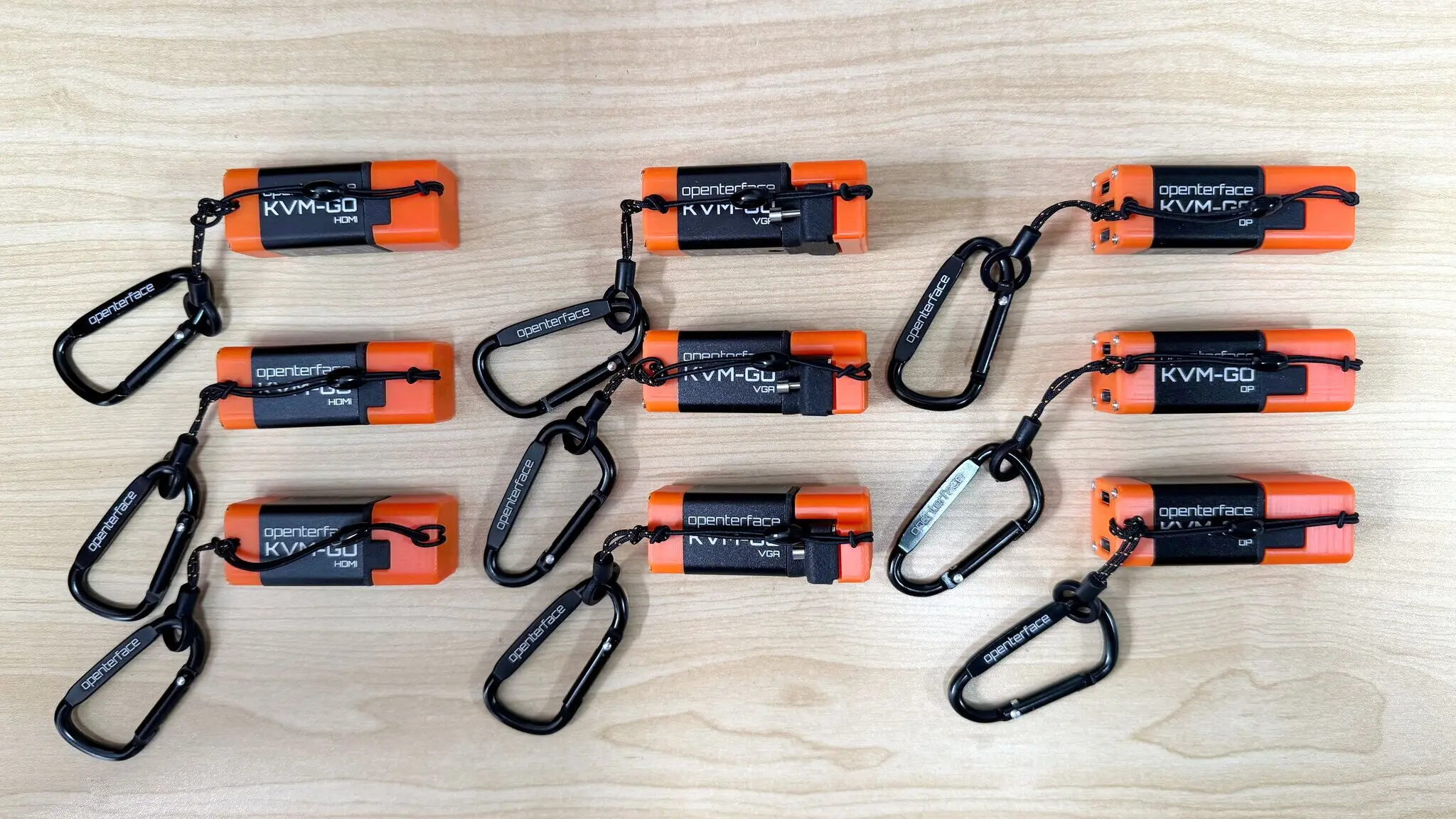
    Connector Cap Anti-Loss Tethers Installed

    KVM-GO units with connector cap anti-loss tethers installed

    Installing the anti-loss tethers is a critical step to ensure safe handling and secure shipping of the hardware. Every unit is now prepared to move seamlessly into the next stage.

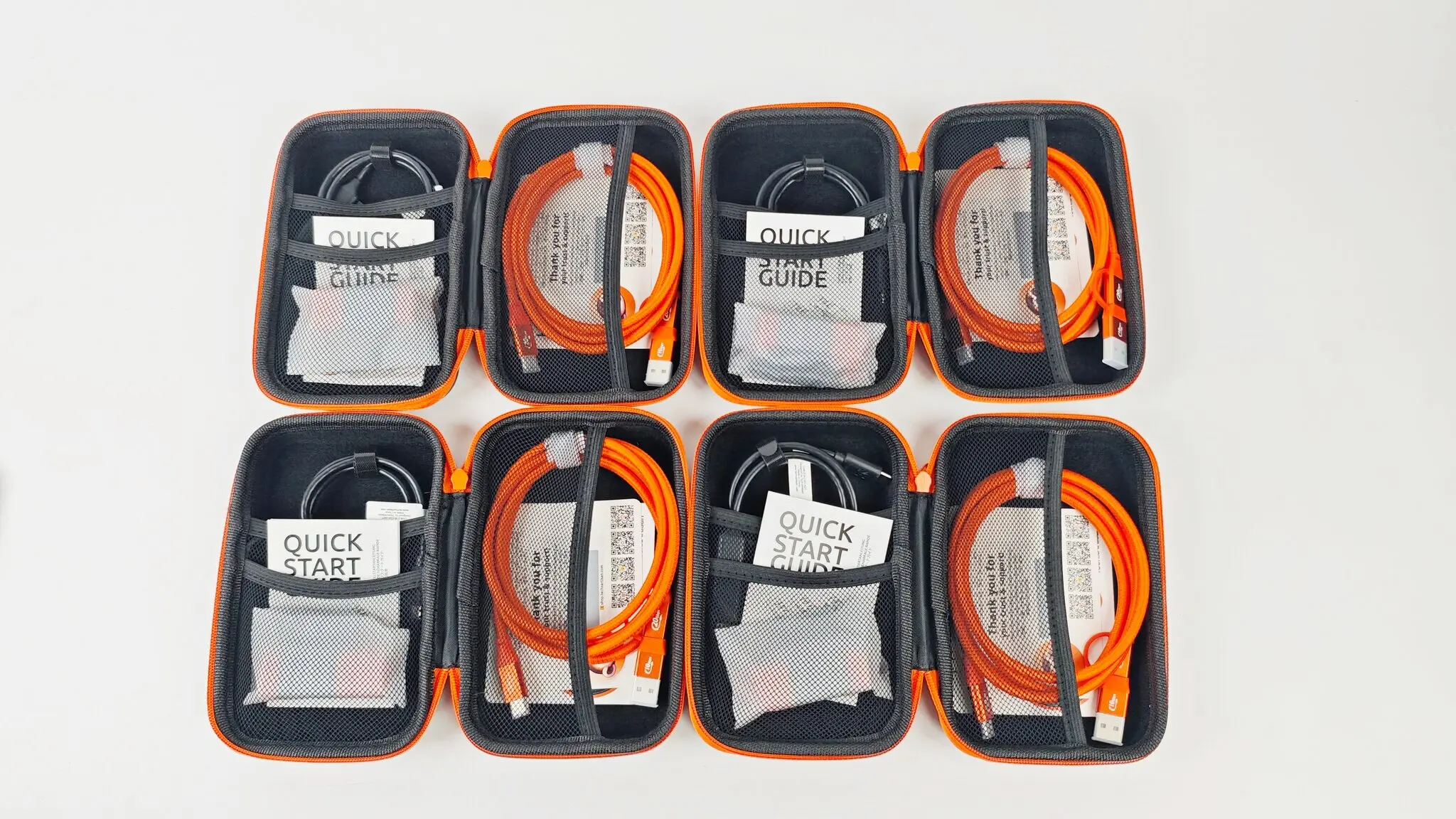
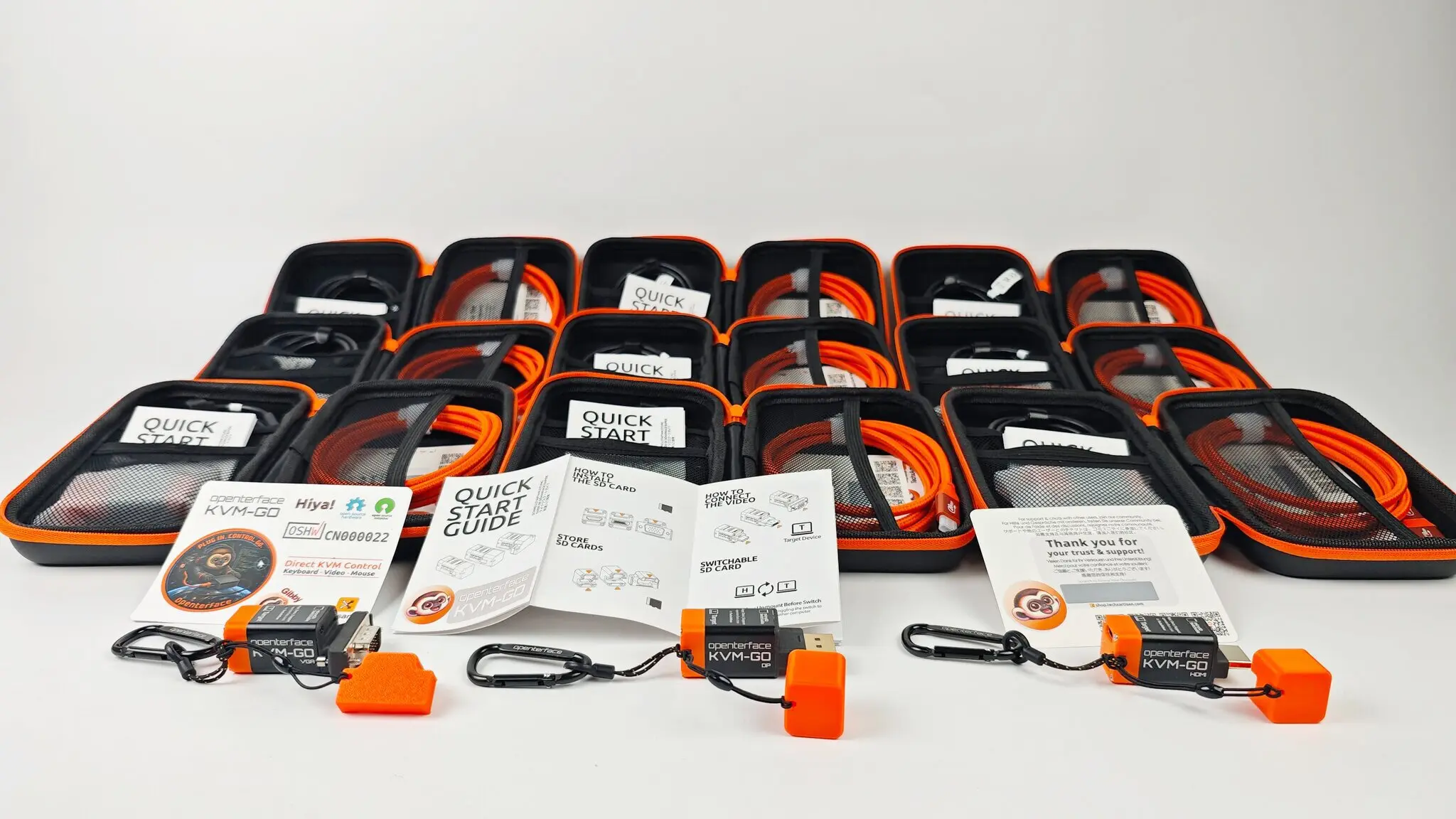
    Accessory Kits and Packaging

    KVM-GO accessory kits prepared for packaging

    KVM-GO accessory kits organized in packaging boxes

    All accessory kits were prepared alongside the hardware, ensuring every unit is fully equipped. Organizing them in batches and placing them in packaging boxes ensures consistency, completeness, and a smooth workflow toward shipping.

    Hardware Verification

    KVM-GO hardware quality verification

    Each KVM-GO unit was checked for quality and consistency. This step ensures that all units meet our standards before being integrated with accessories and packaging.

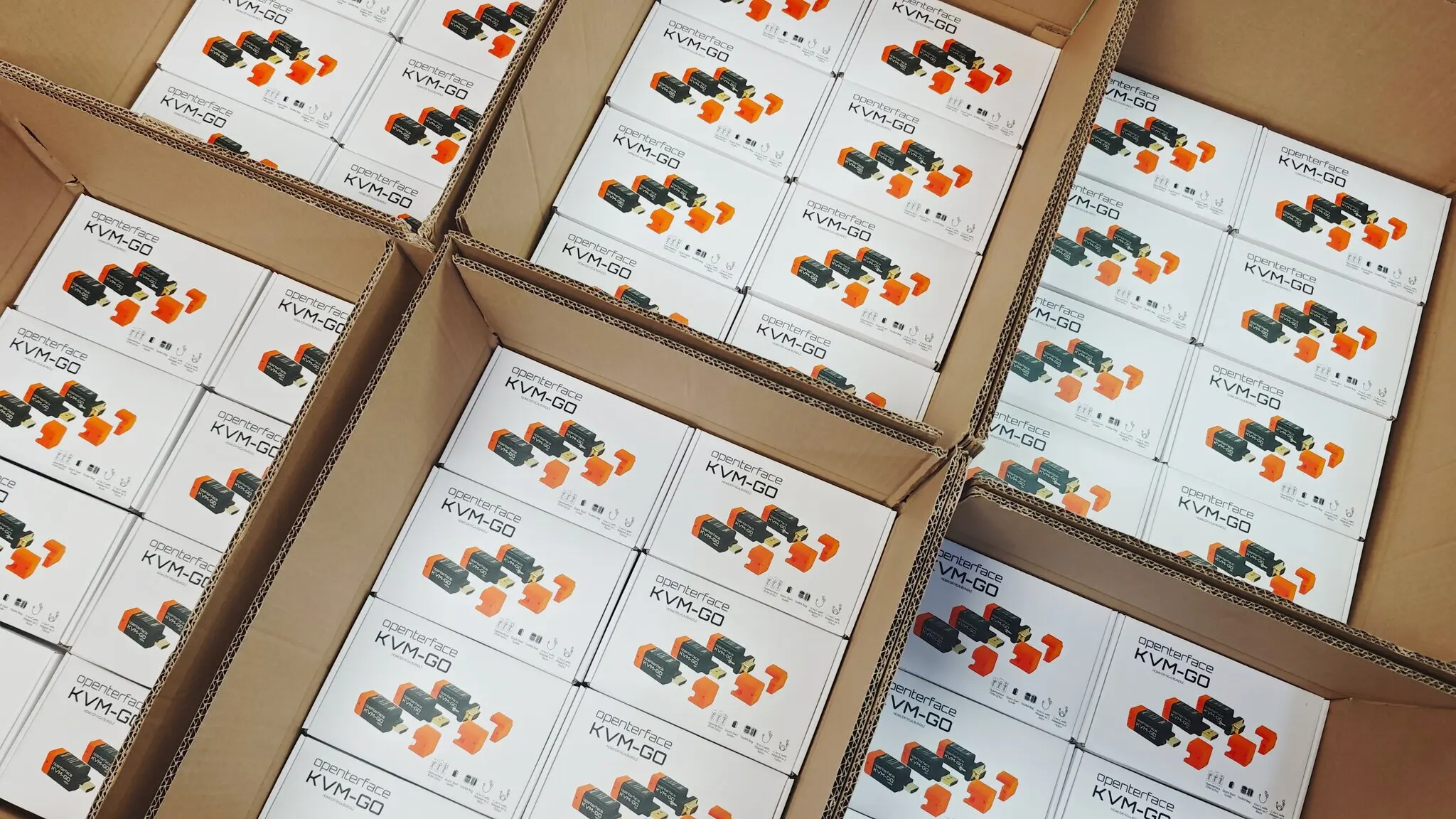
    Packed Retail Boxes

    KVM-GO packed retail boxes in cartons

    After the hardware and accessory kits were prepared, the retail boxes were placed into cartons for shipment. Everything is organized to ensure a smooth delivery process.

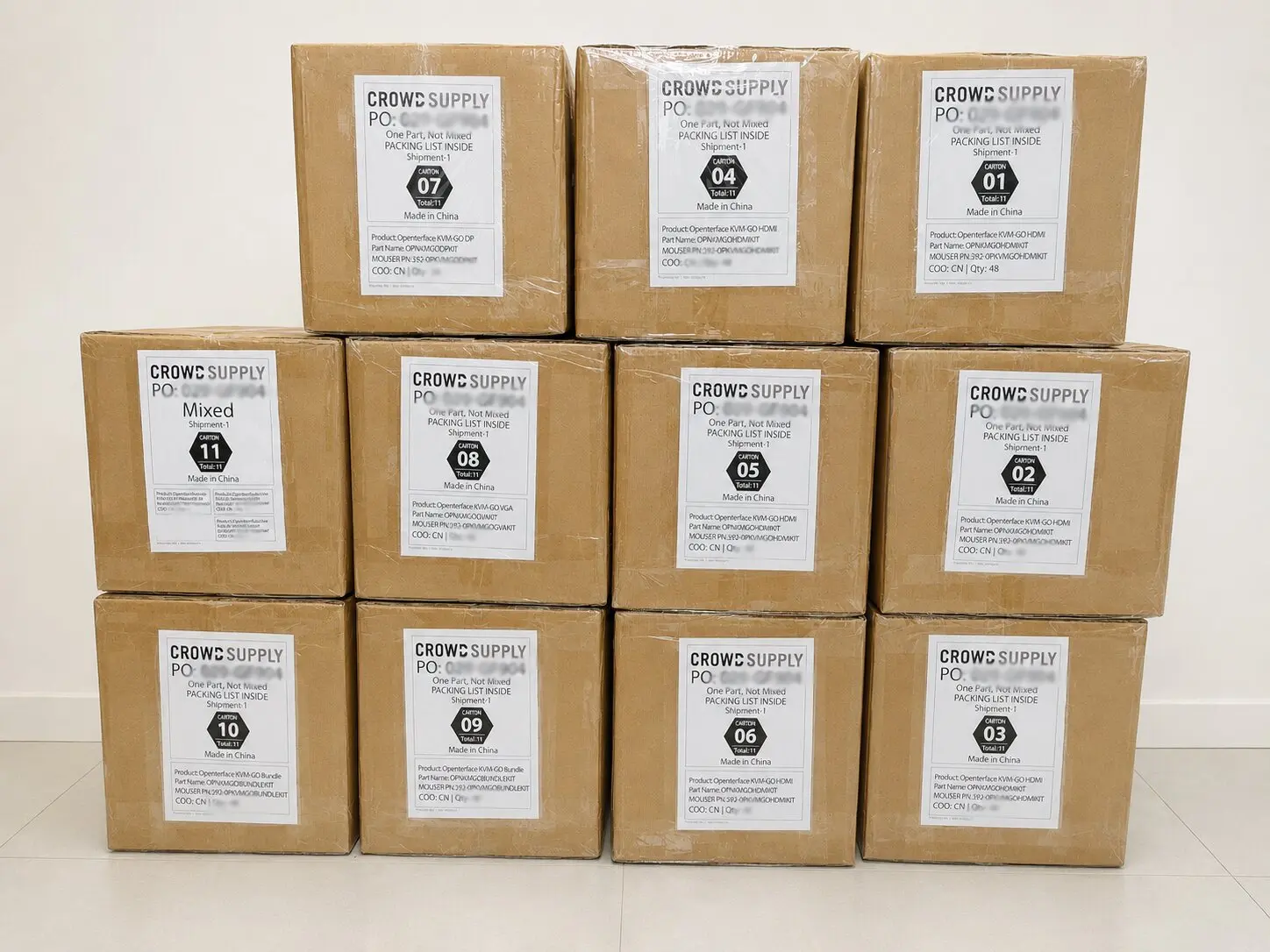
    Shipment to the United States

    KVM-GO cartons prepared for shipment to the United States

    Finally, the cartons were prepared and dispatched. This marks a major milestone: our KVM-GO units are officially on their way to backers in the US, complete with hardware, accessories, packaging, and protective measures.

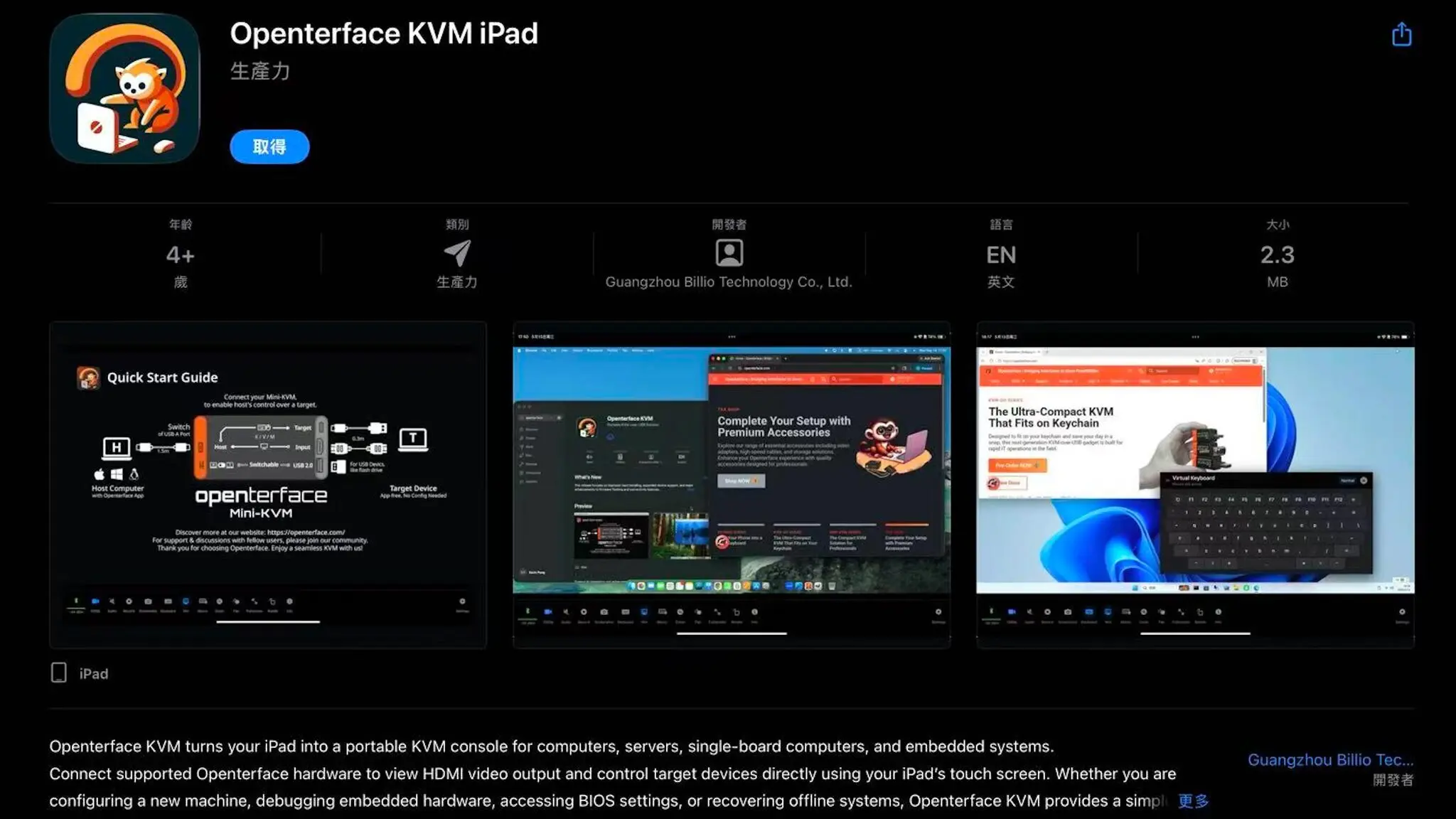
    Openterface KVM iPad Version Released

    Openterface KVM app on iPad

    We're excited to announce that the Openterface KVM now has an iPad version. This new app turns your iPad into a portable KVM console, allowing you to connect supported Openterface hardware and control target devices directly from your iPad's touchscreen.

    Whether you are configuring a new machine, debugging embedded hardware, accessing BIOS settings, or recovering offline systems, the KVM iPad version makes it simple and portable. We also have more demos and updates planned for the future, so stay tuned for what's next.

    A Little Surprise: Gibby Stickers

    As a small token of our appreciation, we’ve included a surprise in every box: a Gibby sticker! Gibby is the official mascot of Openterface, and we hope this little extra brings a smile to your face when you unbox your KVM-GO.

    Moving Forward

    With the units shipped, the workflow from production to fulfillment has been successfully completed. Each step, including hardware preparation, anti-loss tether installation, accessory kit organization, packaging, and carton loading, was carefully coordinated to ensure backers receive fully prepared products straight out of the box.

    Thank you for your continued support and patience. Once you receive your shipment, we would love to hear from you! If you have any feedback or encounter any issues, please let us know or join us on Discord.

    Openterface Team (TechxArtisan)

View project log

Enjoy this project?

Share

Discussions

Similar Projects

Does this project spark your interest?

Become a member to follow this project and never miss any updates