Close
0%
0%

MooseOS

x86 Operating System that runs on QEMU, Bochs and physical PCs.

Similar projects worth following
MOOSEOS, or more stylishly written as MooseOS, stands for 'Moderate Overdose Of System Eccentricity'. It's a 32-bit operating system that supports QEMU, Bochs, and physical PCs. It has many features, as detailed in the 'details' section.

 I started this project in June 2025 with no experience in OS development and C. Over the course of a few months, I have developed this. This is a small 32-bit operating system that primarily runs on QEMU, though it can also run on Bochs and even bare-metal PCs. Some features include 320x200 VGA Graphics mode, ATA disk support, custom filesystem, paging, ELF file loading, parsing and validation, and much more. For more information, please check out the GitHub repo or the blog post I wrote about this project. 

MooseOS.iso

This is the ISO file for the most recent build of MooseOS

iso - 7.91 MB - 10/10/2025 at 21:37

Download

  • 1 × Linux binutils, NASM (+ their dependencies) For binutils, ports work, as long as it's developed by GNU
  • 1 × Your choice of Virtual Machine I recommend QEMU
  • 1 × USB Drive Used for booting the OS onto a real PC. Skip if you're booting it with your own preferred method. Note that USB contents will be wiped
  • 1 × PC Any PC works, but I recommend a slightly older, unused PC

  • Running on a real PC!

    Ethan Zhang10/11/2025 at 07:10 0 comments

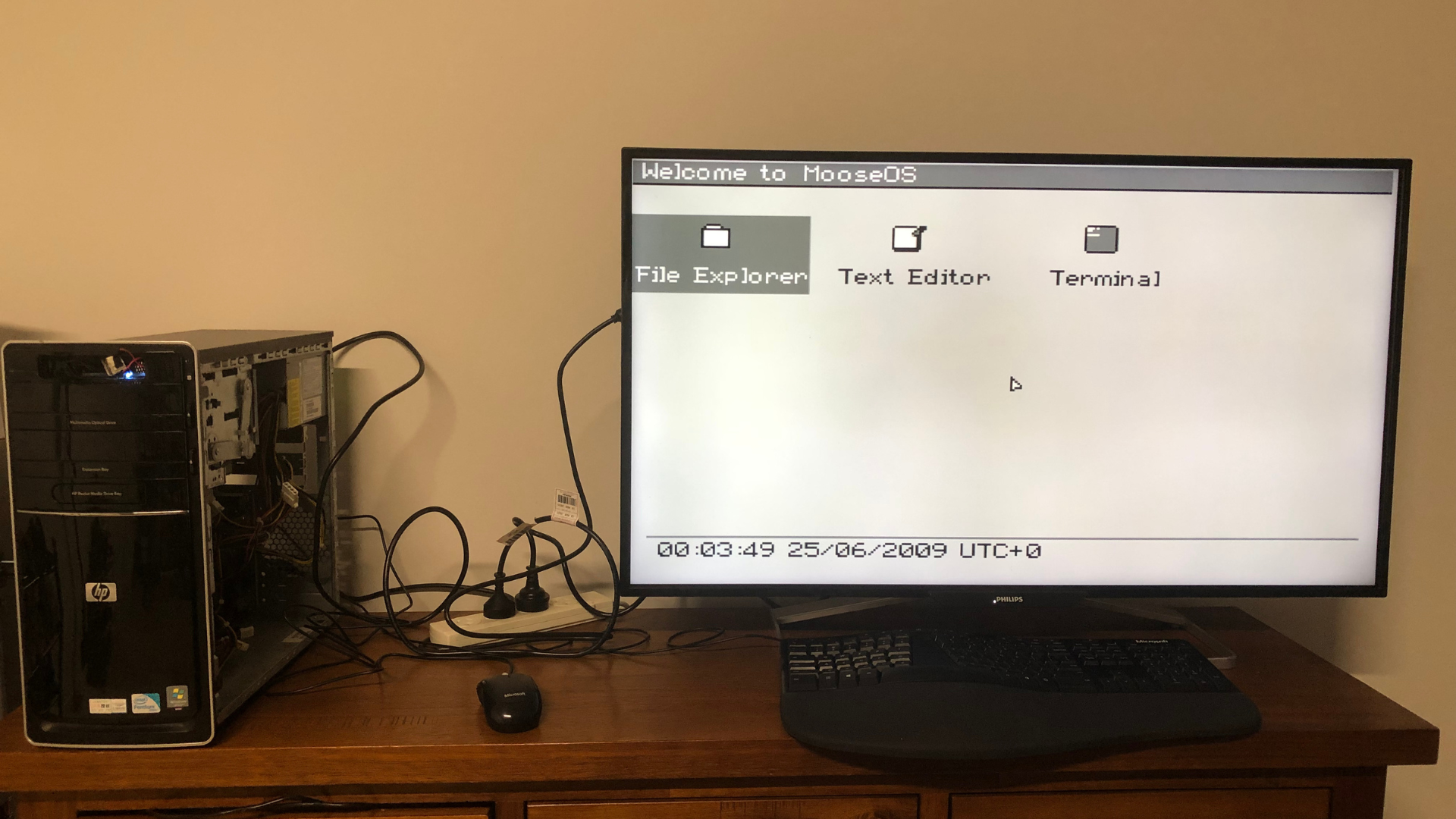
    On the school holidays, a friend told me that he was scrapping a 2009 HP PC that he received from another friend. Since I've always wanted to run MooseOS on a real machine, I persuaded him to give it to me. On quick examination, it was using onboard VGA graphics (the graphics card broke), and had decent specs, which meant it was perfect for my OS.

    The PC was in a poor state. Almost everything, including the disk and the NIC, was loose. The power button was broken, a gigantic fan was screwed onto the motherboard, and somehow my friend managed to solder a microwave button as a placeholder power switch. Funnily enough, the microwave button broke, and every time I wanted to turn on the computer, I had to short two oddly placed wires (they were sticking out from the front of the PC!). 

    The first thing I did was to wire a real button onto the PC.

    Once I got the PC running, I copied MooseOS's .iso file into a USB and managed to boot it up. However, it returned with a General Protection Fault.

    After some examination, I found out the bug was caused by initialising the PICs in the wrong order. Somehow, I never noticed it, and QEMU wasn't triggering a GPE. It was a quick and easy fix, and I got MooseOS running!

    Caption: The PC running MooseOS. Notice how the clock still says the year is 2009. The PC itself is in shambles, but it still works. Notice the microwave button sticking out of the top. 

  • Adding ELF support

    Ethan Zhang10/11/2025 at 06:27 0 comments

    Retroactive Log – September 22nd (Reconstructed from memory and commit logs)

    Before I talk about adding ELF file support, I wanted to mention the numerous bug fixes and small features I added. The features I added include:

    • PC Speaker support
    • PIT
    • ISR and Panic code
    • A system that sends debug messages to QEMU

    While some of the features are pretty big, I just wanted to mention them as 'minor additions' because adding them was all relatively straightforward, and there are no stories to share when adding them. Nevertheless, they were a great experience.

    Now back to the main topic of this log. I implemented ELF file parsing and validation through reading, interpreting, and making my own copy of the example code. You see, I had made some friends on this OSDev journey, and I was able to use their operating systems as a great base for my ELF code. Since I had a working base, understanding the theory and implementing them were a breeze. 

    I managed to get ELF files loaded through a small script which generated an ELF upload code, which would upload the ELF file onto MooseOS during the next boot. Then, I added a load command in the terminal, which would validate the ELF file and output its validation results.

    This marks the end of the series of retroactive logs.

  • Implementing Paging

    Ethan Zhang10/11/2025 at 06:04 0 comments

    Retroactive Log – September 12th (Reconstructed from memory and commit logs)

    I realised that I was missing something in my operating system, which is, of course, paging. To be fair, i didn't have much use for it, but I realised that since this operating system was rapidly expanding, paging will soon be useful (my realisation would turn out to be true when I decided to add ELF loading. More on that in future logs). Setting up paging was straightforward; all I had to do was follow the OSDev wiki and set it up, and set up paging for applications that require it (eg, terminal). Doing this was surprisingly simple, since paging is usually very well documented, and I experienced no dramas setting this up.

  • Making a Real Filesystem

    Ethan Zhang10/11/2025 at 02:00 0 comments

    Retroactive Log – September 1st (Reconstructed from memory and commit logs)

    So far, I had just been using a makeshift filesystem. Since I was getting ambitious with this project, I wanted a real one, with dynamic file sizes and disk I/O. This definitely wasn't hard. I already had my own kernel memory allocator, so all I had to do was to malloc space when I want to make a file, and malloc more if the file size exceeds the size of its allocated memory. However, know that since I started this project with virtually no experience, I had to learn about superblocks, disk inodes, and lots more, which proved challenging because that week was exam week.

    Disk I/O wasn't as hard. Since I already learnt how to set up bits, all I had to do was write a function that uploaded the entire filesystem, along with its custom signature, into the disk, which was a .img file QEMU generated. On startup, MooseOS would check the .img disk given to it, verify the signature, and store the disk contents in memory, ready for the process to be repeated.

  • Mouse Support

    Ethan Zhang10/11/2025 at 01:52 0 comments

    Retroactive Log – July 17th (Reconstructed from memory and commit logs)

    Adding mouse support was a big step. It required another interrupt, so I had to refactor my IDT setup. That part wasn’t too hard, and I got a mouse working within a few days.

    The real challenge was drawing the cursor. This was similar to the Pong problem: moving the cursor too fast caused MooseOS to lag or even grind to a halt. I implemented a function that only redraws the area where the cursor moves, which helped, but it caused unwanted artifacts at high speeds. This led me to create a function that calculates which areas to erase and restore when the cursor moves.

    I also ran into an issue where the mouse masked keyboard interrupts. The problem was that the mouse and keyboard interrupt code ran in separate loops, so updates in one loop could disable the other.

  • Adding More Applications

    Ethan Zhang10/11/2025 at 01:42 0 comments

    Retroactive Log – June 28th (Reconstructed from memory and commit logs)

    GUI made things much easier. I had functions that made creating shapes like windows and buttons a breeze. It didn’t take long before I had a working dock, terminal, text editor, and a Pong demo. I also gave MooseOS a dock, similar to macOS's Application Launcher. I added a clock, which would use the CMOS chip to read the time and update it every few seconds.

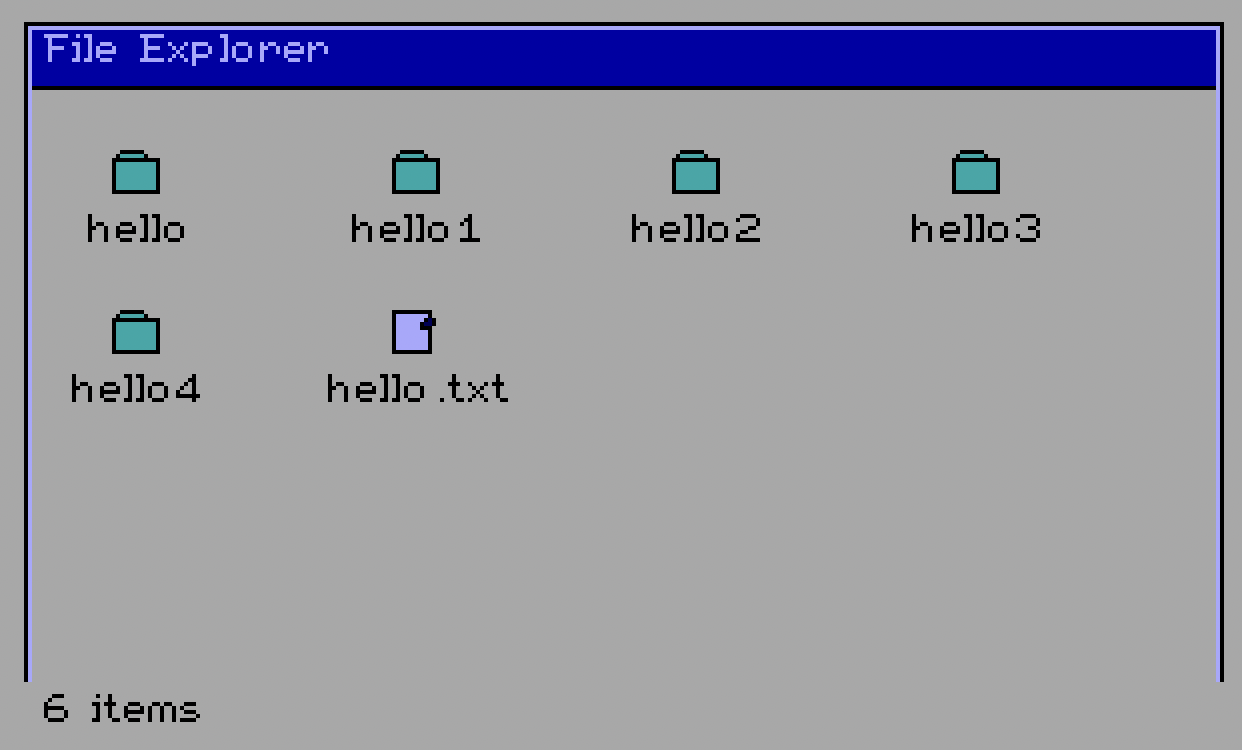
    Caption: File Explorer. Notice the blue-beige colour scheme

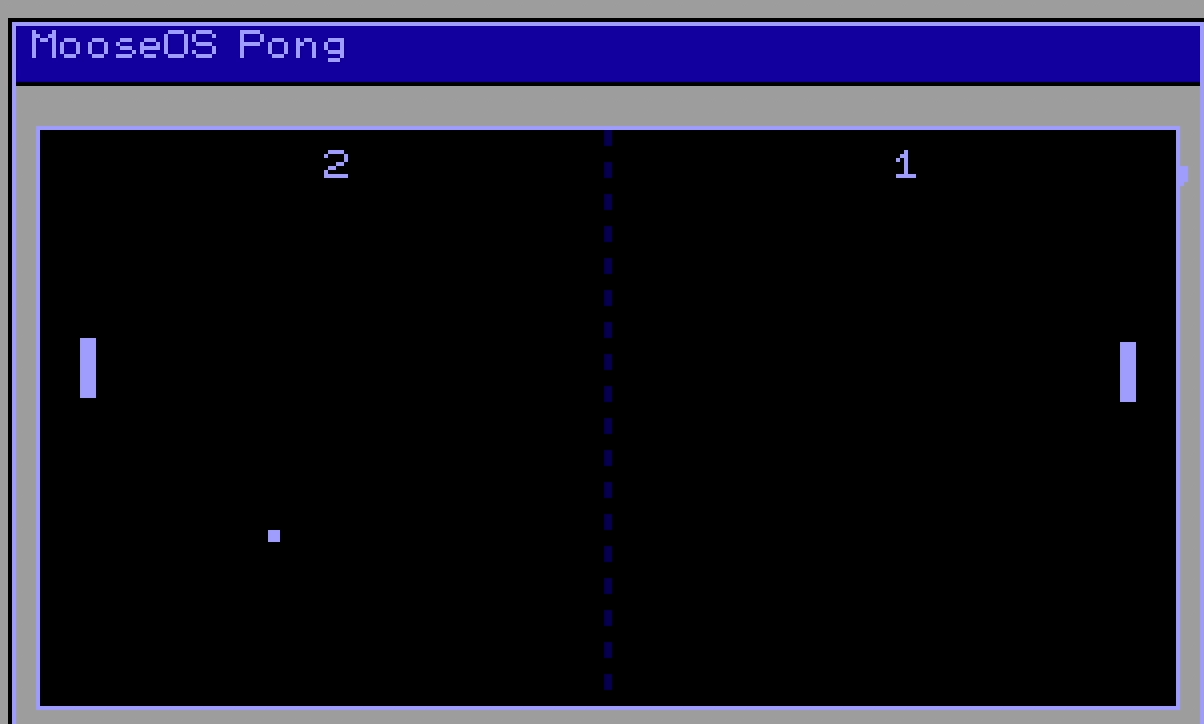
    The hardest part was the Pong demo, because it was refreshing all its pixels at such a rate that redrawing the entire screen at a playable rate was nearly impossible. Thus, I had to implement functions that only updated the paddle and ball locations. Moreover, the opponent in Pong was absolutely unbeatable because it was fast and based on code, which meant it had insane reflexes. I had to add a small delay between when the opponent hit the ball, which reduced its difficulty. However, it was still quite hard to balance the enemy difficulty.

    Caption: Pong demo

    NOTE: In later versions of MooseOS, I had to remove Pong since it was the hardest to maintain while adding new features. It's expected to be re-added soon.

    Developing Pong also led me to add another important feature of MooseOS, cooperative multitasking. Since I was dealing with all sorts of GUI updates, I wanted them to each be updated through a multitasking system. I chose cooperative multitasking since preemptive multitasking was a bit overkill for this stage of the OS, and cooperative was simple and reliable enough in the sense that there was no way an application was going to stop the entire multitasking system. Adding cooperative multitasking was quite easy, and there were no hardships.

    What was strange, though, was that every time I pressed keys too fast, the entire OS would triple-fault and reset itself. After hours of debugging, I found the issue wasn’t with the multitasking system (as I’d first suspected), but with the keyboard interrupt handler — it was missing its save-and-restore routine, likely a casualty of refactoring.

  • Implementing GUI

    Ethan Zhang10/11/2025 at 01:35 0 comments

    Retroactive Log – June 23rd (Reconstructed from memory and commit logs)

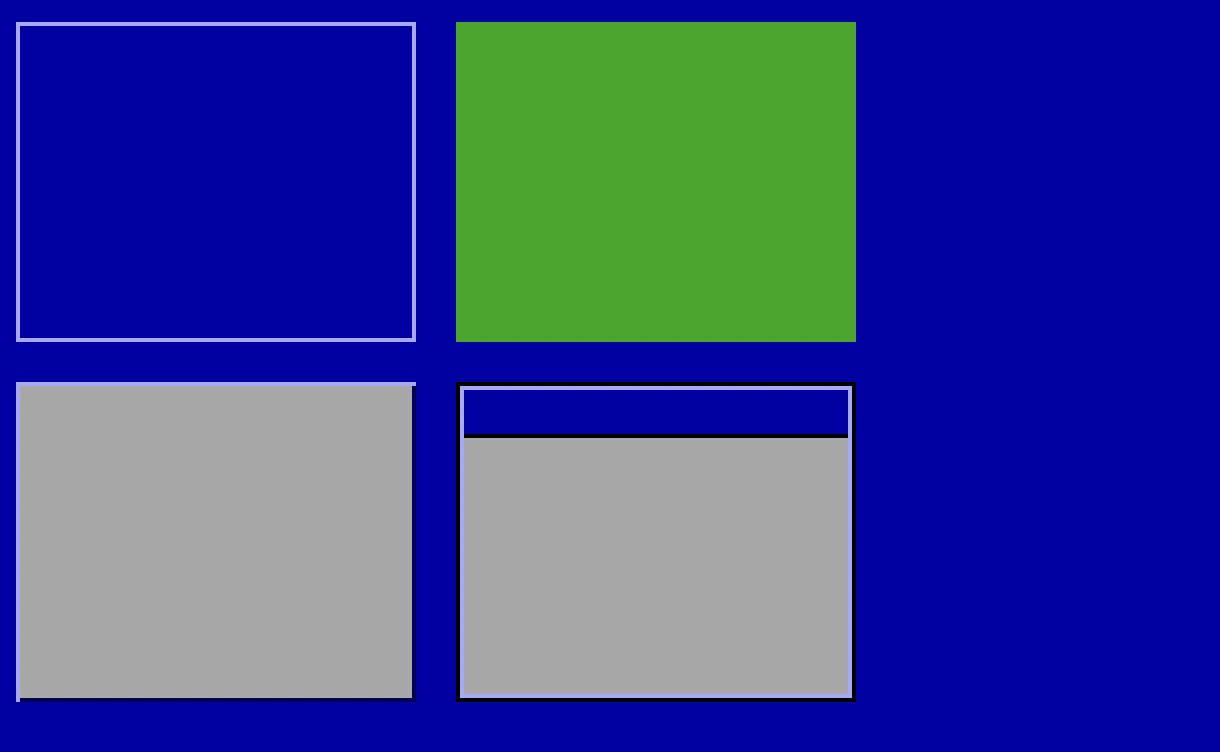
    I added a GUI! I was initialising going to opt for 640x480 VGA Mode 13h graphics mode, but it turned out unnecessary. Since 320x200 was much easier to set up, and, in my opinion, much more reliable, I instead opted for 320x200 256-colour mode. My first test with the GUI looked like this:

    Caption: My first GUI output, showing a hollowed box, a filled box, a 3D-like box and a box with a bar at the top. These formed the basis of my entire OS GUI.

    Now that I have added a GUI, it's time to get creative. I made a cool dock user interface, which had a simple file explorer for my 'filesystem'. It wasn't really a filesystem, but an in-memory way of storing files into a tree-like structure, which disappeared every time I quit QEMU. However, it was a good mock-up, and it allowed me to begin making the file explorer for MooseOS.

    One quirky bit about VGA mode is that the colours look really off. I used the colours defined by the OSDev wiki; however, apart from black and white, all the other colours were wildly different to their definitions. While I was aiming for a hot-dog stand look, I ended up with a beige-blue colour scheme that, while it didn't look bad, looked a bit.. off. However, since my main focus was to add more features, that was the least of my concern. 

    Note that later, I added a DAC, which allowed me to change my OS theme to monochrome. I initially wanted to add a purely black-and-white theme like the one in Macintosh System 1, but I decided to be a bit unique here and add varying shades of grey, which made my OS seem a bit more 'colourful.'

    Caption: MooseOS with its new colour scheme. Note that this hadn't been implemented yet when I first added the GUI. You can see the cursor, the other applications and the clock down at the bottom, which will all be mentioned in future devlogs.

  • Making a Kernel

    Ethan Zhang10/11/2025 at 01:25 0 comments

    Retroactive Log – June 14th (Reconstructed from memory and commit logs)

    These are a series of retroactive logs, meaning I developed this and wrote this log before I had a Hackaday account, so I'm posting these here now. These logs almost fully cover my journey making this OS before I created a Hackaday account. A general overview of this project, and some additional info about my journey creating this OS, like what inspired me, can be found on this blog post.

    I followed Arjun Sreedharan's tutorial to get MooseOS booting in QEMU. After completing it, I was able to enter VGA text mode and display “Hello World”—a pretty big milestone. Shortly after, I tackled keyboard interrupts, implementing an IDT and a keyboard driver so I could type letters onto the text-mode display.

    The hardest part wasn’t the tutorial itself, but setting up the development environment. Building MooseOS on an M1 Mac posed difficulties because I didn’t have the necessary i386 binutils pre-installed. I had to track down the right ports and make sure everything matched the target architecture. Luckily, NativeOS’s i386-elf toolchain worked perfectly on my computer, letting me compile and link my code successfully.

View all 8 project logs

  • 1
    Prequisites

    You would need QEMU or Bochs to run MooseOS. Other virtual machines have not been tested and supported, but they should work. However, QEMU and Bochs are already very powerful VMs.

  • 2
    Clone the Repository

    In your choice of terminal, please run

    git clone https://github.com/frogtheastronaut/moose-os.git
    cd moose-os
  • 3
    Running on VMs

    Running the operating system on virtual machines is super simple. Just run

    make run

    and it should create a .img file for the disk, and run QEMU. If you're using Bochs, run

    make run-bochs

    NOTE: The Makefile only supports QEMU and Bochs

    Enjoy!

View all 4 instructions

Enjoy this project?

Share

Discussions

Ringo2k wrote 10/15/2025 at 15:58 point

Well done, this is on my nerdy bucket list :-)

  Are you sure? yes | no

Ethan Zhang wrote 10/15/2025 at 19:31 point

Thank you!

  Are you sure? yes | no

Similar Projects

Does this project spark your interest?

Become a member to follow this project and never miss any updates