 Per-Simon Saal
One important feature I want to achieve is the configuration of the Wi-Fi network the device should connect to. Similar to many smart home devices, it will provide its own access point for setup. However, unlike typical IoT devices, mine does not require internet access—nobody needs to see my temperature data (and they shouldn’t!). Everything will be accessible locally via the AP.
Mongoose.wz offers a very nice online tool to design a professional-looking HTML interface for free, if it is open-source. After a bit of a learning curve, I finally figured out how to use the API and library properly—and now it works beautifully.
System Overview
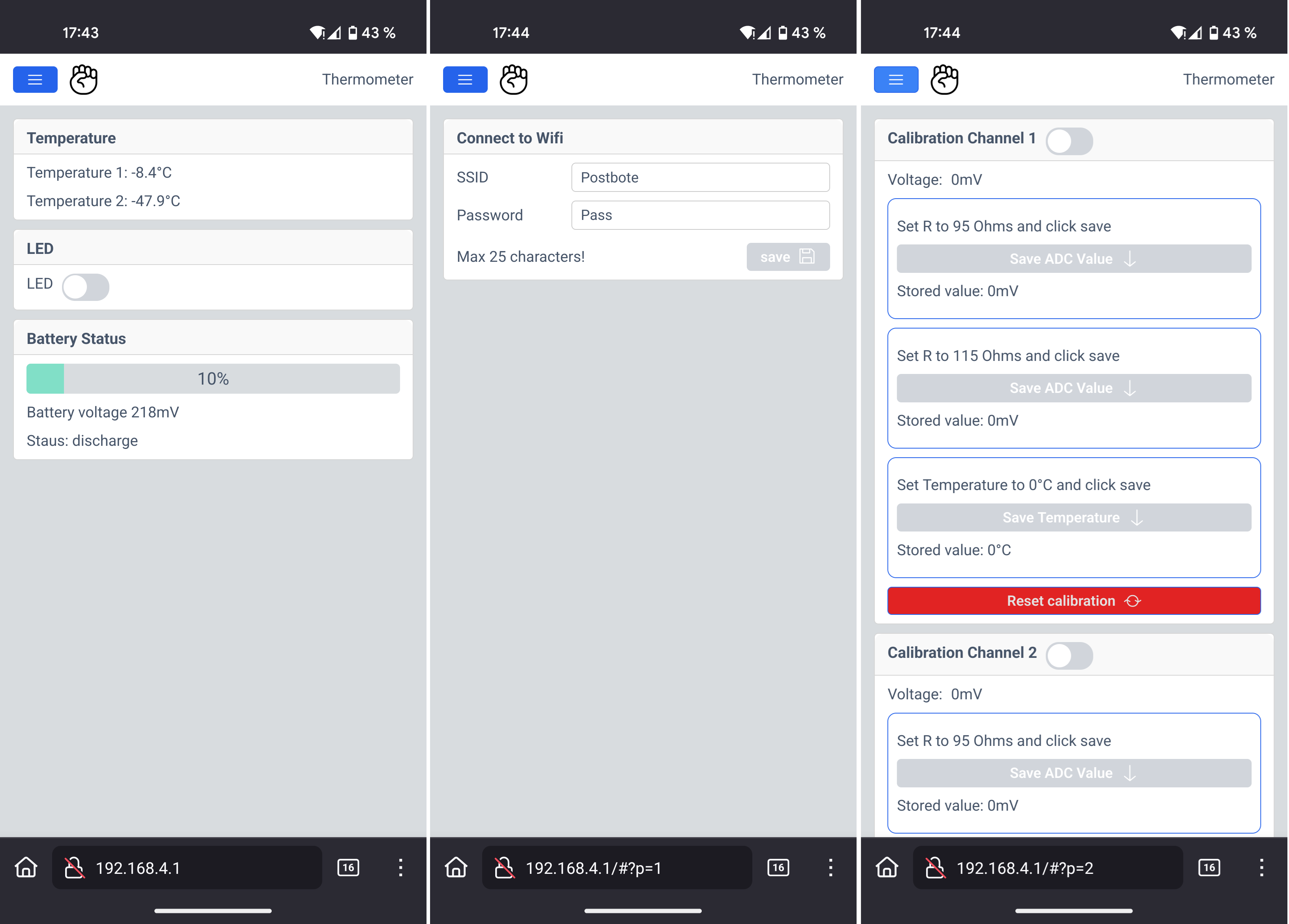
When the device starts up, it first tries to connect to a known Wi-Fi network. If that fails, it automatically starts an access point. You can then connect to it and open its default IP address—usually 192.168.4.1—in your browser. On Android with Firefox, initial loading can take a moment, but eventually the page appears.
The main page shows:
-
Both temperature readings (and later possibly ambient air pressure)
-
Battery status
-
A toggle button for the onboard LED to verify functionality
Wi-Fi configuration
Using the menu (“burger” icon), you can access the Wi-Fi configuration page to enter network credentials. These are stored in emulated EEPROM for persistent access. Even if the network is currently unreachable, the saved credentials remain visible—intentionally a feature.
Calibration Page
The third page provides calibration options. Each channel can be calibrated individually using:
-
Two known reference resistors
-
A PT100 measurement at 0°C
Both channels can also be reset independently. When calibration mode is enabled via the slider, previously stored values are shown for reference. Calibration data is also saved in emulated EEPROM.
With the Mongoose Wizard, the interface can be easily expanded and customized as the project grows.
Discussions
Become a Hackaday.io Member
Create an account to leave a comment. Already have an account? Log In.