 Ai-Thinker

However, after 3D printing and assembling the DIY version, I found it wasn’t very convenient to use. You must keep one eye on the eyepiece while manually adjusting both the lens and the slide, and it takes a lot of effort just to get a clear image. And if you want to take a picture of what you see, that becomes even more troublesome.
So, I thought of attaching a camera to the microscope lens and displaying the image on a PC instead. This way, it becomes much easier to observe and capture images.
2. Choosing the Solution
The first module I tried was the Ai-WB2-32S Cam-D200, which is compact enough for this project. However, during testing, I found its frame rate significantly lower than the BW21-CBV. Therefore, I decided to switch to the BW21-CBV module instead.
With the PCB camera confirmed, the next step was to design a way to mount the lens where the eyepiece is normally positioned.
3. Lens Mounting
I first designed a simple sleeve to firmly hold the BW21-CBV camera lens in place, making it easy to attach the module to the microscope’s eyepiece.
Next, I determined the distance and positioning between the eyepiece and the camera. I designed a lower bayonet-style connector that locks onto the eyepiece, with the clip fitting perfectly to secure them together.
Once the 3D printer finished printing the components, I assembled the eyepiece and the structural parts.
With that, the camera and eyepiece installation was complete.
4. Software Integration
To capture and display the video stream on a computer, I wrote a small Python script for real-time viewing. In future iterations, it can even be extended to advanced features like cell counting.
import cv2

# RTSP URL

RTSP_URL = 'rtsp://192.168.68.204:554'


# Create VideoCapture object

cap = cv2.VideoCapture(RTSP_URL, cv2.CAP_FFMPEG)

# Check if RTSP stream opens successfully

if not cap.isOpened():

   print('Cannot open RTSP stream')

   exit(-1)

# Read and display frames in a loop

while True:

   ret, frame = cap.read()

   if not ret:

       break

   frame = cv2.resize(frame, (800,600))

   cv2.imshow('RTSP stream', frame)

   if cv2.waitKey(1) == 27:  # Press ESC to exit

       break

# Release resources

cap.release()

cv2.destroyAllWindows()


Modified BW21-CBV Firmware Code (Based on video-only Example)

#include "WiFi.h"

#include "StreamIO.h"

#include "VideoStream.h"

#include "RTSP.h"


#define CHANNEL 0  // Channel 0 : 1920 x 1080 30FPS H264


VideoSetting config(CHANNEL);

RTSP rtsp;

StreamIO videoStreamer(1, 1);    // 1 Input Video -> 1 Output RTSP


char ssid[] = "JDC_great_5G";

char pass[] = "buyaolianwo789";

int status = WL_IDLE_STATUS;


void setup()

{

    Serial.begin(115200);


    // attempt to connect to Wifi network:

    while (status != WL_CONNECTED) {

        Serial.print("Attempting to connect to WPA SSID: ");

        Serial.println(ssid);

        status = WiFi.begin(ssid, pass);


        // wait 2 seconds for connection:

        delay(2000);

    }


    // Configure camera video channel with video format information

    // Adjust the bitrate based on your WiFi network quality

    // config.setBitrate(2 * 1024 * 1024);     // Recommend to use 2Mbps for RTSP streaming to prevent network congestion

    Camera.configVideoChannel(CHANNEL, config);
...
Read more »
 hayden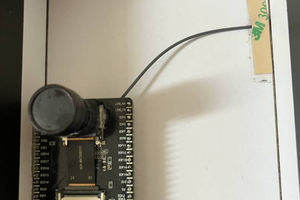


 FabLab München
 Colin Pate