 NormalL User
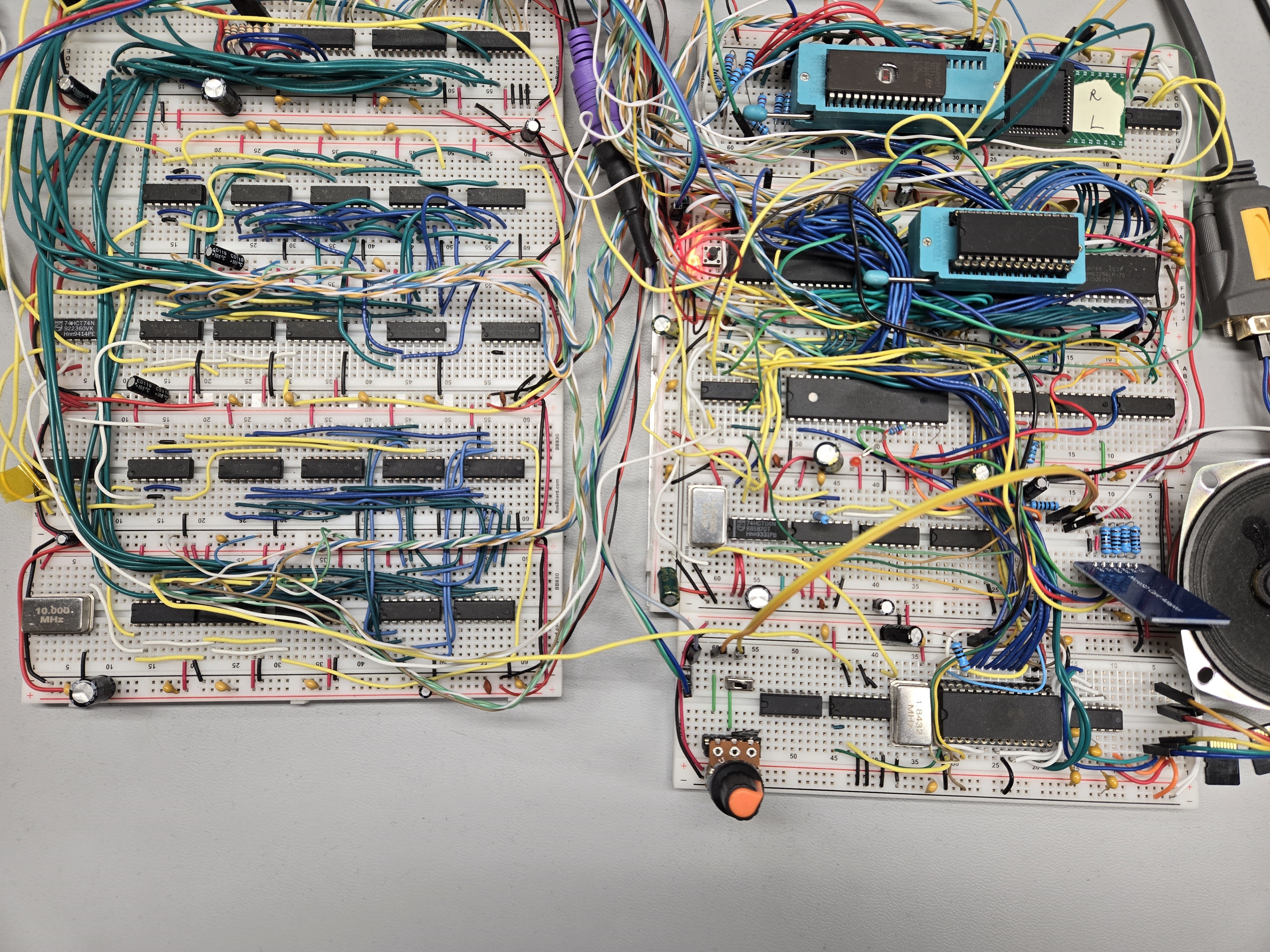
I have a ‘Ben Eater 6502’ breadboard computer with the associated ‘World Worst Video Card’ breadboard VGA output solution.
It has been a ton
of fun but one of the things I have wanted to accomplish is
outputting some decent audio without adding any new chips to the
system. This goal came with some challenges!
The way the video output works with this systems is that a couple of counter circuits and some simple logic maps 8 of the 16 available kilobytes of system RAM as a simple bitmapped display of 128x64 with 28 ‘off screen’ pixels on the right side to account for the Horizontal Sync time needed for VGA signals. While the screen draws, the 65C02 CPU is halted for this Horizontal Sync (Hsync) between lines as well as the Vertical Sync (Vsync) between each frame. All this means that the CPU is available just 28% of the time!
This would cause issues directly outputting audio with a direct PCM/PWM ‘bit-bang’, as used on systems like the Apple II.
As an alternative, I have tried using the ability to output a square-wave on pin PB7 of the 6522 VIA for simple square wave music, but the audio results were less than impressive.
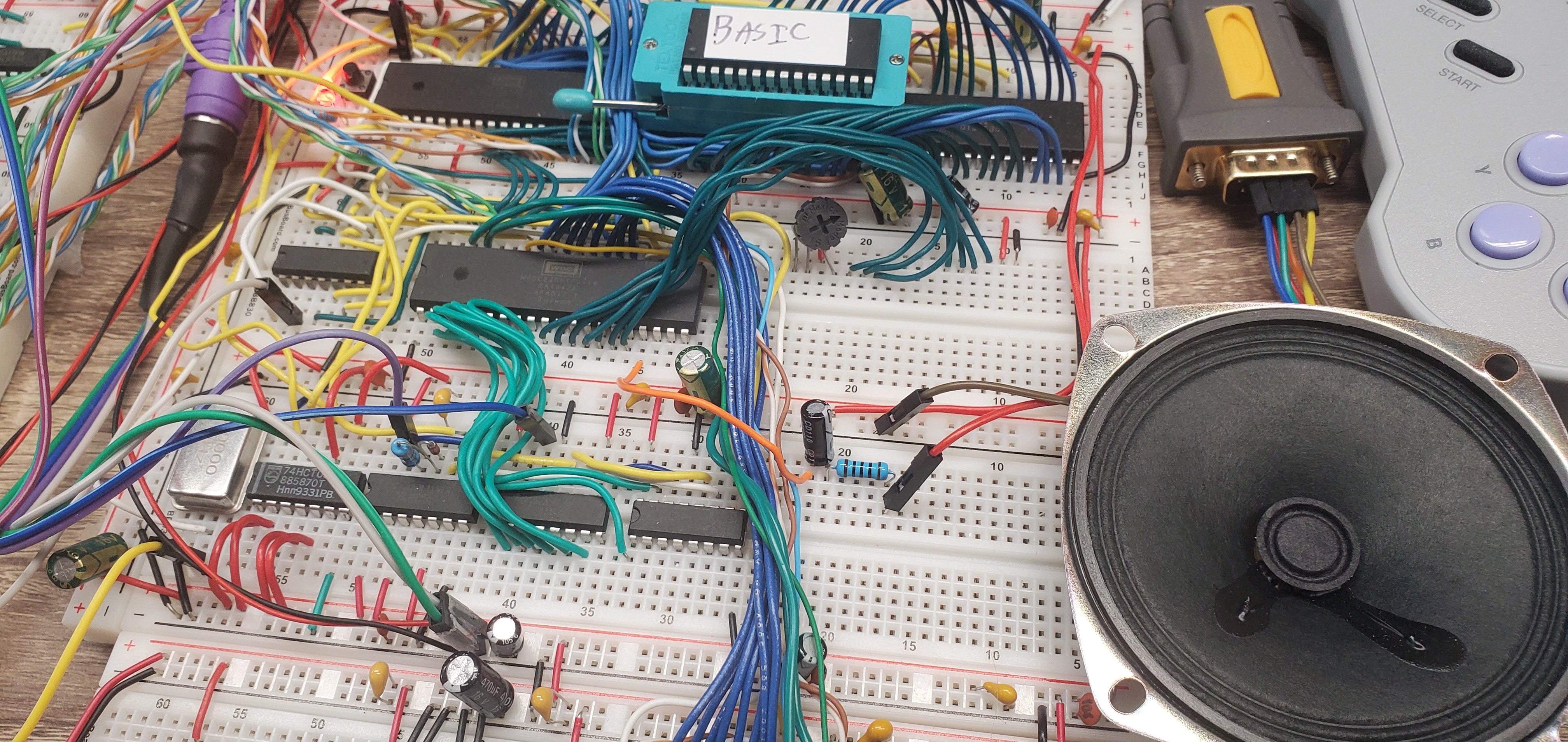
See my ‘Bad Apple! Demo’ for an example of simple square wave music on the system:
(See full project details for 1-bit PCM audio below.)
While I am sure better results could be achieved in more musically inclined hands, what I really want is streamed digital audio and sample based music.
One of the other ways that digital audio was often added to 8 bit systems was to attach a simple resistor ladder DAC to a parallel port. This is problematic in my case because of the way my SD card is attached to the system, leaving few available pins, the limited amount of time the CPU is available, and because I arbitrarily want to do this as simply as possible!
Testing has shown that there are several rates that I can output at a regular intervals without the Hsync and Vsync causing extreme ‘jitter’, but with the limited CPU cycles and a desire to do other things like update animations, I’ll need to keep that rate around 3,000 samples a second or less.
The alternative I use in the next example is to send out 1 bit PCM audio over the serial port at a rate of 25,256 bits a second with some 6502 Assembly code. This is how I get around my lack of hardware and the 72% of the time the CPU is halted. I use the serial port as an 8 sample buffer, with each sample being just 1 bit. This means that instead of around 3,000 8 bit samples a second I can output 25,256 1 bit samples a second! This gives me a good Nyquist-Shannon frequency of up to 12,000+ Hz while only using 3,000 bytes a second of data.
It also allows me to put my unused VIA serial port to good use by directly driving a speaker!
The only additional
hardware is an inline 100ohm resistor and a 47uF capacitor to provide
current limiting and to block DC as suggested by Garth Wilson at
6502.org.
I don't want to burn out the serial port by directly
powering a bookshelf speaker with it!
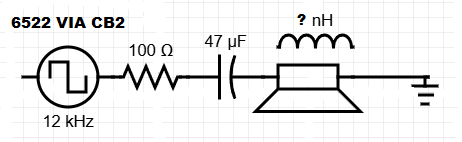
As a happy side effect of this limiting RC circuit, since the speaker itself acts as an inductor, the waveform output is very close to what you would see in a ‘Differentiator’ circuit (See: https://ecstudiosystems.com/discover/textbooks/basic-electronics/wave-shaping/differentiators/), with the only difference being that with audible range square waves as an input the voltage in the plateau between the positive and negative spikes of the waveform is slightly above zero. I guess that makes this the output of a RCL circuit?
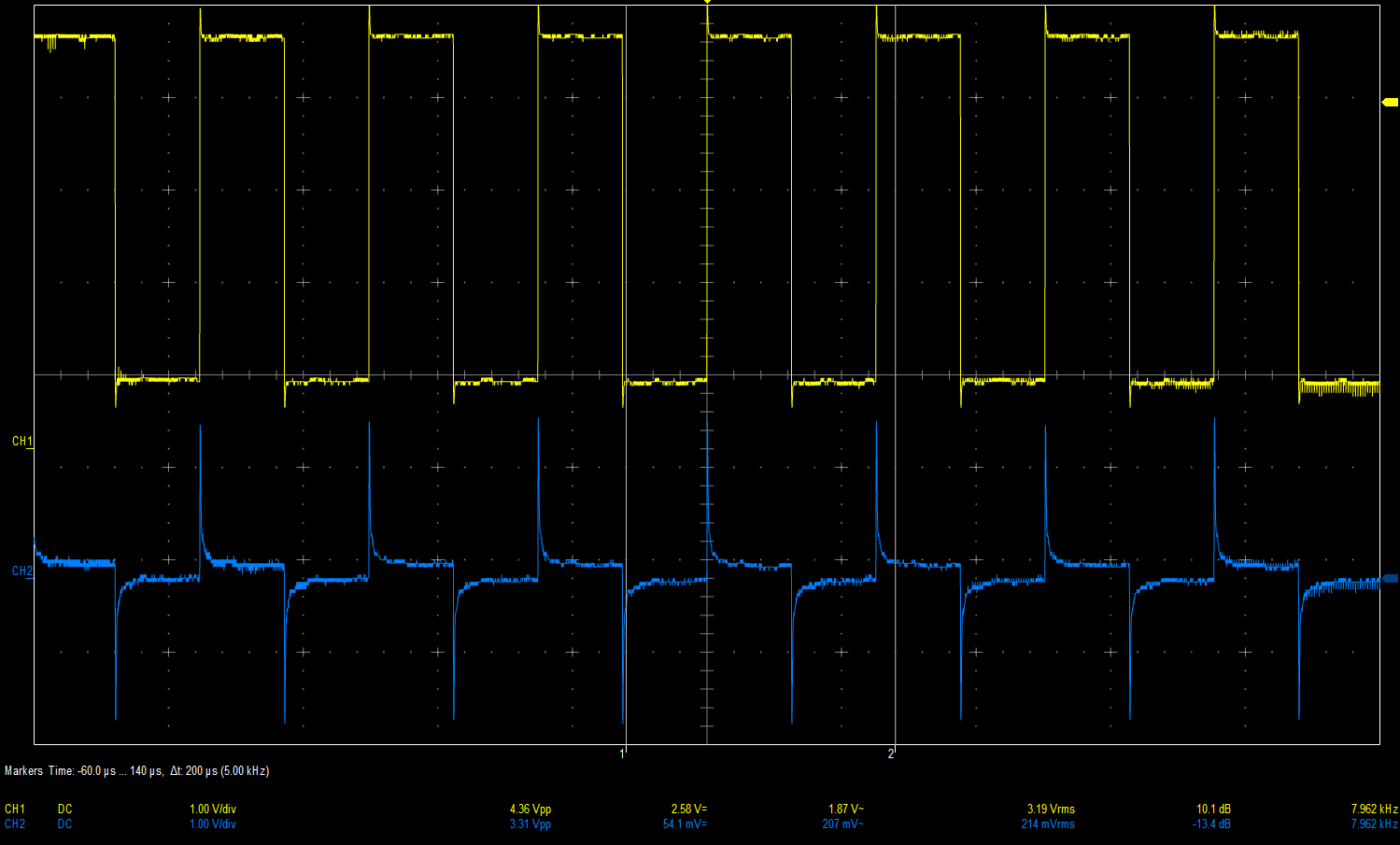
While this waveform (in blue) looks nothing like either the square-wave input (yellow) or the original audio waveform, it causes the attached speaker to move in a way that is closer to replicating the original audio waveform than a pure square-wave would, having both positive and negative waveform components.
It is not at all smooth like the original audio waveform and is very 'spiky'. The mass of the speaker itself is doing a lot of the heavy lifting when it comes to smoothing and damping out the audible waveform into something recognizable. A bookshelf speaker sounds dramatically better than a cheap 3 inch Adafruit speaker in this case!
It does sound very much like a scratchy AM radio station, but it works! Usually 1 bit PCM, like the older 'Direct Stream' uses well over 2 million bits a second, and newer 1 bit PCM like DSD and DSD128 uses 5 million to 11 million + bits a second.
Needless to say I was unsure if trying 1 bit PCM at such a low sample rate was worth the effort as I doubted it would work at all. But the only way to squeeze better audio out of this limited system without additional chips was to use the serial port as an 8 bit buffer so I could output during the 72% of the time the CPU is halted while the screen draws. So I tried it anyways and I was very surprised it worked as well as it did! It was simple to start, by taking a 25,256 sample rate 8 bit unsigned WAV file and creating a bitstream file where each 8 bit sample is reduced to either a 1 or 0 based on if it is above or below the midpoint of 127 with a simple Python script.
The harder part was all the testing it took to arrive at that usable sample rate and all the low pass, high pass, notch filtering, and noise removal steps I needed to do in Audacity to get the audio to sound good.
In the end I found that this ultra low sample rate 1 bit PCM audio output is very sensitive to exactly what the audio signal is and how you process it. While the Nyquist-Shannon frequency is indeed 12,000+ Hz, the 1 bit nature means that as soon as you move beyond simple square waves, the waveform can ‘break up’ and become unrecognizable in complex areas. At the same time, if a lowpass filter is used at something too low, like 3,000 Hz, there is no longer enough information at the 1 bit resolution and the waveform ‘blows out’ and it again becomes unrecognizable. This applies to audio that would sound fine at a 3,000Hz sample rate if we used 8 or even 4 bit samples as would be done on other systems like the commodore 64, since the 256 or 16 volume steps would allow the waveform to maintain some coherence at the low sample rate.
The 6502 assembly code to play back the music below is rather simple, consisting of a routine that that sends a byte to the serial port, gets the next sample ready, and then constantly checks the status register of the VIA to see if the serial port has finished sending out the last byte, and then to sending the next byte and looping.
After the conversion to an 8 bit unsigned WAV file at 25,256 samples this sample of Rob Hubbard SID based music works great with just a 12,000 Hz cutoff!
That music has a limited number of waveforms and only 3 channels + 1 noise channel, making it an almost perfect candidate for this type of low bitrate 1-bit PCM.
With more complex audio waveforms, like music with vocals and lots of bass it also helps to do some low-pass filtering so that low frequencies don’t overpower higher ones, allowing more bits in the stream to be available to modulate the waveform.
With much trial and error, I found that the lowest acceptable bit-rate is 15,926, or 1,990 bytes a second. This is necessary to reduce the overhead of audio if I want to stream music for a better version of Bad Apple! or to do real-time sample mixing in a planned ‘Demoscene’ demo.
This requires a more complex playback routine that has an IRQ handler that is triggered by the VIA when a byte has been sent as well as a buffer to allow the system to do other things while it plays audio.
After a lot of
experimentation I settled on high-pass filtering at 60Hz and low-pass
filtering at 7,000Hz along with some additional noise and notch
filtering for more complex audio to clean it up further, resulting in
something usable. Here is an example of ultra low bitrate PCM with some uncompressed video playing:
Another issue is
that this audio format does not lend itself to the normal compression
schemes. Since it is a stream of 1 bit samples there is no good way
to interpolate between values as would be a usual compression target.
Nor is it that helpful to remove less used values and reduce the
number of bits used, as again, at 1 bit per sample the order of the
bits is just as important as the ‘weight’ of the byte they make
up. We are already dealing with very little information density to
reproduce the waveform, so there is not much we can loose. Some run
length encoding could be helpful to reduce the file size, and
‘TSCrunch’ https://github.com/tonysavon/TSCrunch
seems to be able to reduce the file size by around 50%, but there
still is the constraint of limited CPU cycles, so any method would
need to be a net-positive for both space and cycles to be workable.
For contrast, another thing to explore in the 8 bit audio world is sound generator chips like the SID. Ben Eater published a video while I was working on this PCM audio project that adds a 6581 SID chip to his 6502 breadboard system. I was lucky
enough to provide a small amount of help by porting another Rob
Hubbard SID song to his system, this time synthesizing sound using an actual SID
chip!
What an honor!
Ben Eater 6502 + SID:
People found ways to use these chips to output 4 bit and 8 bit audio, and this has been used to great effect in the Demoscene community.
I hope to explore this as well as compression, SD card streaming, and more in future projects. I also hope you found my first Hackaday.io project exploring 1 bit PCM audio interesting!