 JP Gleyzes
Follow these guidelines to compile the project
arduino IDE
Fisrt step will be to install the Arduino IDE. It can be found here. Simply download it and install it!
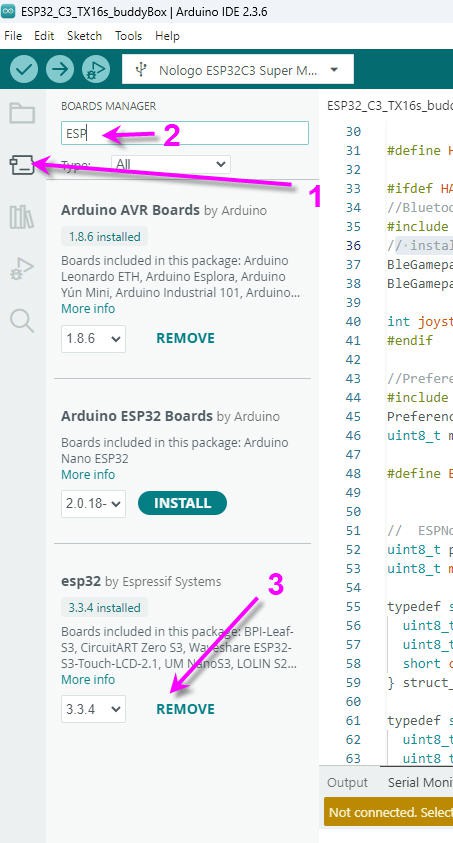
Run it and add the Espressif package for all your ESP boards.
- Go in the board manager tab
- filter for ESP32
- install Espressif package
board selection
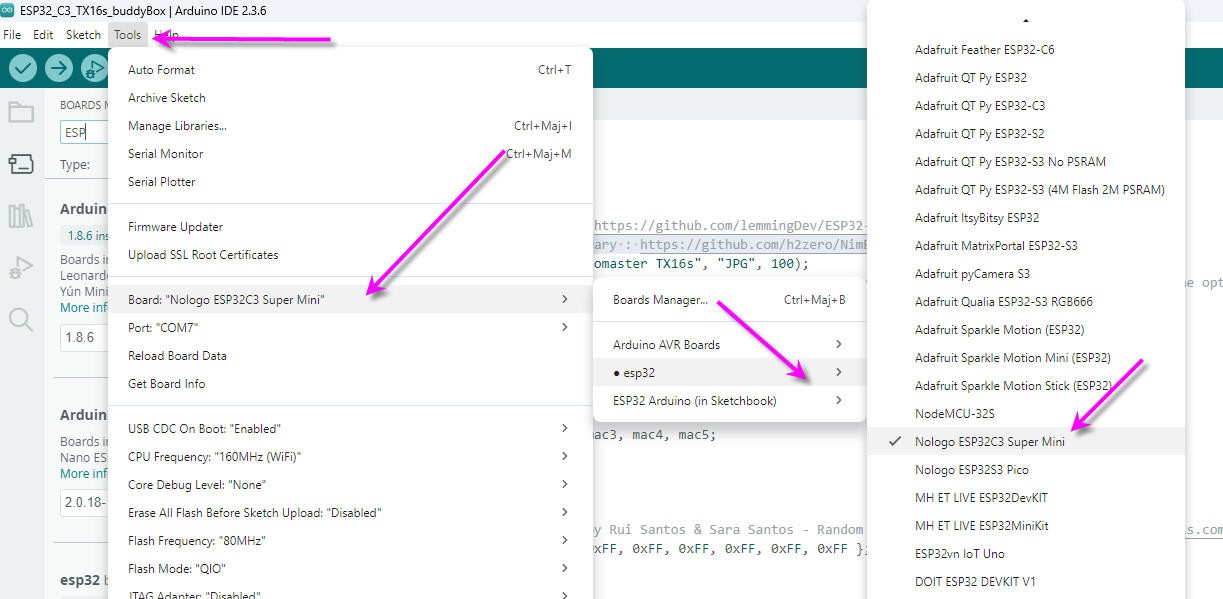
into the Arduino IDE, select the board : tools/board/ESP32/Nologo ESP32C3 Super Mini
Library installation
Four libraries must be installed for the .ino file to compile
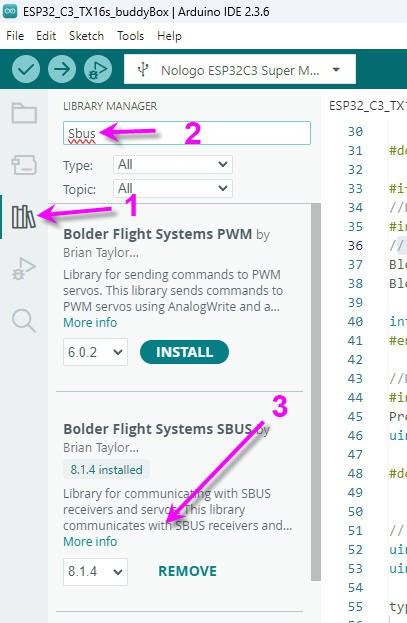
SBUS library bolder Flight
- select the libray tab
- filter with "SBUS"
- install Bolder Flight Systems SBUS
PPM library
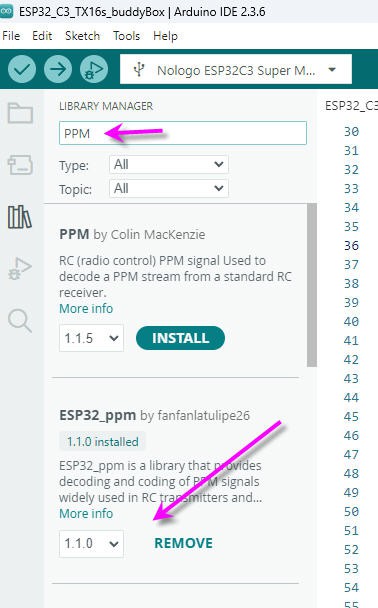
- select the library tab
- filter with "PPM"
- install ESP32_ppm by Fanfan la tulipe
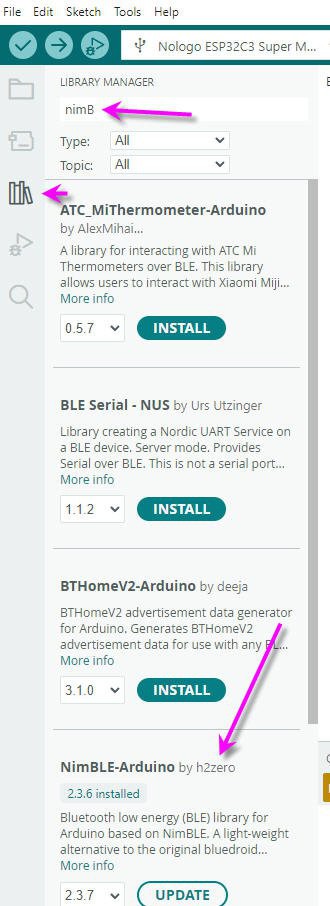
NimBLE library
- select the library tab
- filter with "nimBLE"
- install NimBLE-Arduino by h2zero
BLE gamepad library
This one is to be installed from github repository here : https://github.com/lemmingDev/ESP32-BLE-Gamepad
download the .zip file and drop it into the library folder of your arduino install.
then install it following sketch/include library/Add Zip library menu
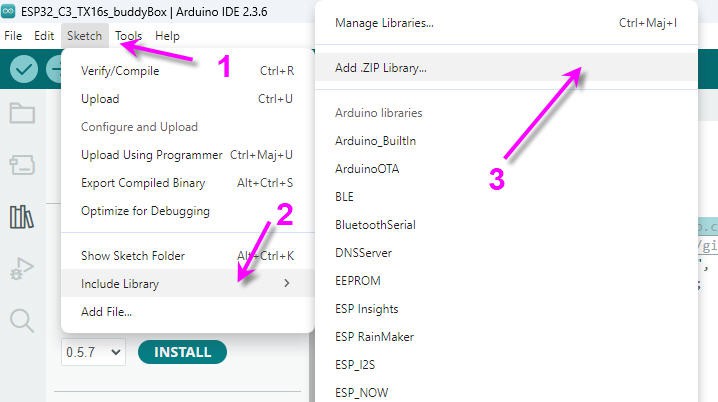
Now you can compile the source code of my github repo
Discussions
Become a Hackaday.io Member
Create an account to leave a comment. Already have an account? Log In.