 Michael Gardi
I recently created a version of my NRI 832 emulator that can be run in a browser. It got me thinking that maybe I could get my PDP-1 Lunar Lander up on the Web so that anyone could give it a try without having to download and setup a PDP-1 emulator. I knew that there was a pretty good JavaScript PDP-1 emulator out there and sure enough I found JS-PDP-1.
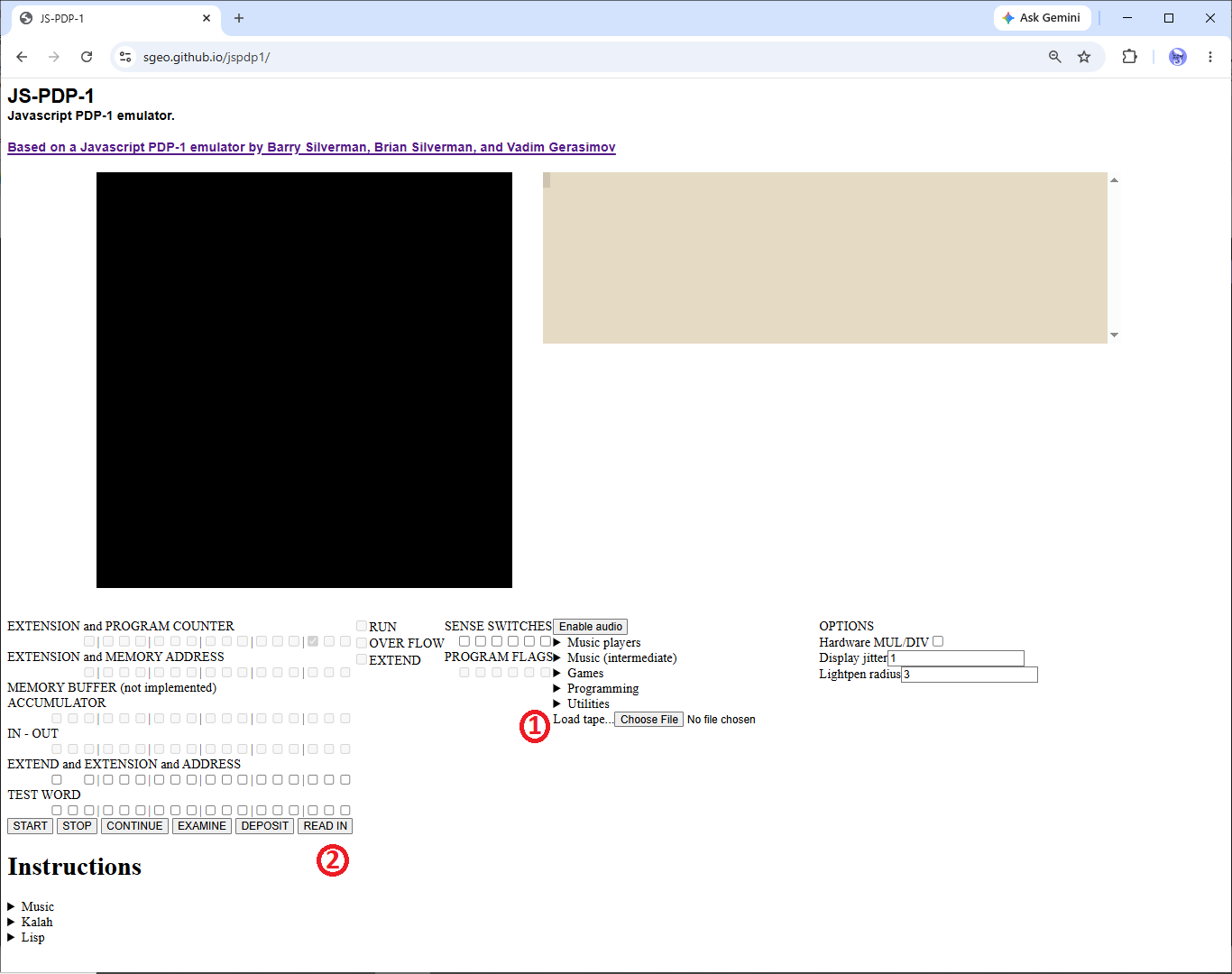
Lunar Lander runs really well on it, and it feels like a pretty faithful emulation. To run the program:
- Download lunar_lander.rim from the Files section of this project. Click the "Choose File" button and select the lunar_lander.rim file you just downloaded.
- Click the READ IN button and Lunar Lander will load and start running.
The keys to use are:
- Tap J or A to rotate the lander clockwise.
- Tap L or D to rotate the lander counter-clockwise.
- Press and hold down S or K to activate the thrust.
General game flow:
- Boot up the game.
- From the Attract Mode NEW GAME screen press one of the control keys. Gameplay starts.
- Attempt to make as many Good Landings (H<50,V<100) as fuel allows to increase your score. (Note: there is a 1000 point bonus for landing on all 6 sites.)
- When you run out of fuel you will probably crash one last time (for 5 points ;-) unless you were lucky to be very close to a soft landing.
- From the GAME OVER screen observe your score then press a control key to go back to 2.
Discussions
Become a Hackaday.io Member
Create an account to leave a comment. Already have an account? Log In.