 b.sverdlyuk
Energy costs are rising globally, yet most of us have no real visibility into where our consumption goes. Do you know which appliances are your biggest energy drains? If you have solar panels, can you track how much energy you're generating versus consuming in real-time? For businesses paying commercial rates — often 2-3 times higher than residential — every wasted kilowatt-hour hits the bottom line hard.
Whether you're a homeowner trying to cut costs, a solar panel owner optimizing self-consumption, or a business manager tired of surprise utility bills, understanding your energy flow is the first step to control.
⚡ Smart-MAIC Devices and Capabilities
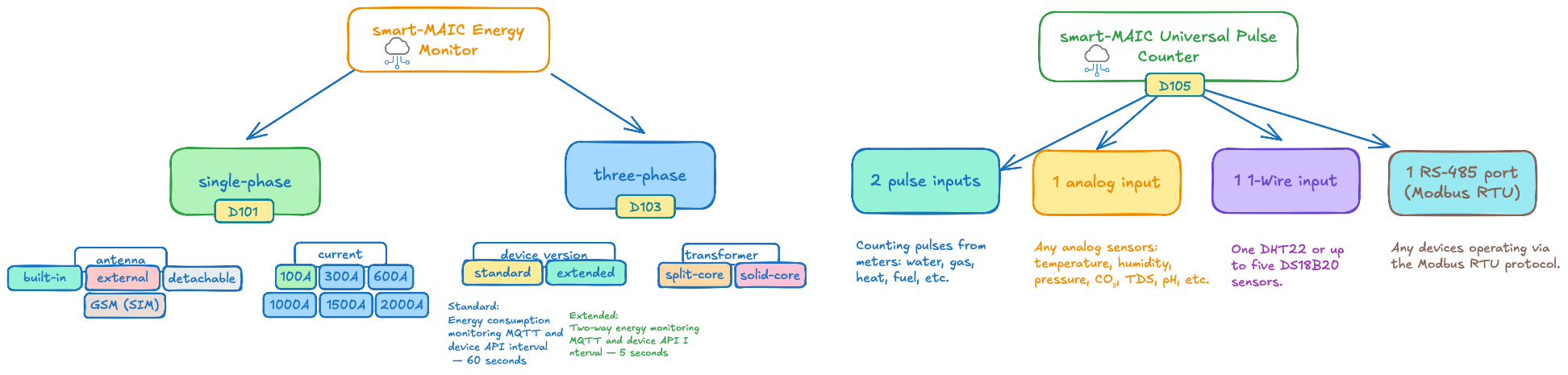
Smart-MAIC devices fall into two main categories: energy monitors and universal pulse counters.
Energy Monitors
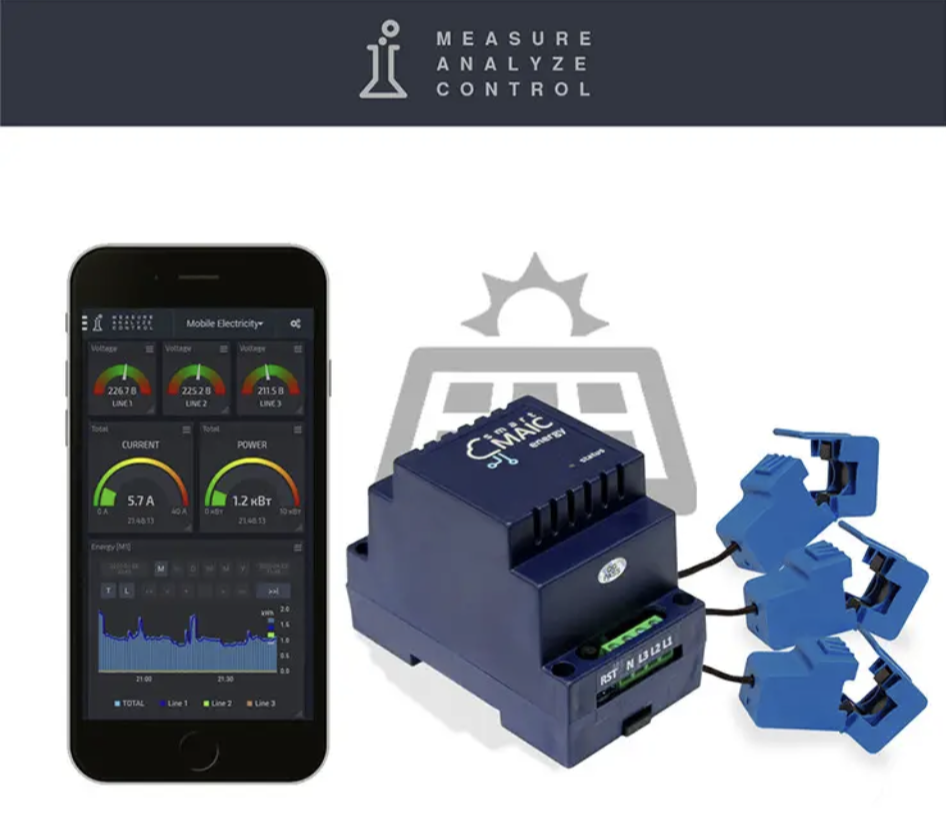
Energy monitors continuously measure electrical grid parameters and power consumption. They're available in single-phase and three-phase configurations, connecting via current transformers—either solid-core rings or split-core clamps. Split-core clamps offer easier installation since they open completely, while ring types have a smaller footprint in your electrical panel.
Models come in standard and extended versions. The key difference? Extended versions support bidirectional energy metering (essential for solar setups) and faster data refresh rates via API/MQTT—5 seconds versus 60 seconds in standard models.
Smart-MAIC devices are available with maximum current ratings of 100A, 300A, 600A, 1000A, 1500A, and 2000A per phase, allowing you to match the monitor precisely to your actual load. For three-phase installations, total current capacity can reach up to 6000A.
What Parameters Can You Monitor?
Every energy monitor tracks:
- Voltage (V) — grid voltage level
- Current (A) — phase current
- Active Power (W) — actual power consumption
- Active Energy (Wh) — cumulative energy consumed
- Power Factor (PF or cosφ) — efficiency metric
- Reverse Active Power (rW) — energy returned to grid (extended versions only)
- Reverse Active Energy (rWh) — cumulative energy fed back (extended versions only)
Universal Pulse Counter
The universal pulse counter handles water, gas, and heat metering, plus temperature, humidity, pressure, light, water quality sensors, anemometers, and much more. Each unit features:
- 2 pulse inputs
- 1 analog input (0.1V – 18V)
- 1 1-Wire port
- 1 RS-485 port (Modbus RTU)
Application Examples
Pulse inputs count pulses from water, gas, heat, and specialized meters (fuel, milk, beer, you name it). The analog input accepts any analog sensor—temperature, humidity, pressure, water level, pH, salinity, dissolved oxygen, etc. The 1-Wire port supports one DHT22 sensor or up to five DS18B20 digital temperature sensors. The counter also supports digital sensors via RS-485 using Modbus RTU protocol, including sensors for temperature, humidity, barometric pressure, CO₂, wind speed and direction, noise level, and even solar inverters.
📊 Dashboard Interface
All devices monitor and transmit data in real-time to the cloud, where all analytics are stored. If a device loses power or fails, no data is lost. Even without internet connectivity, devices can store data locally for over a week and sync it later when connection is restored.
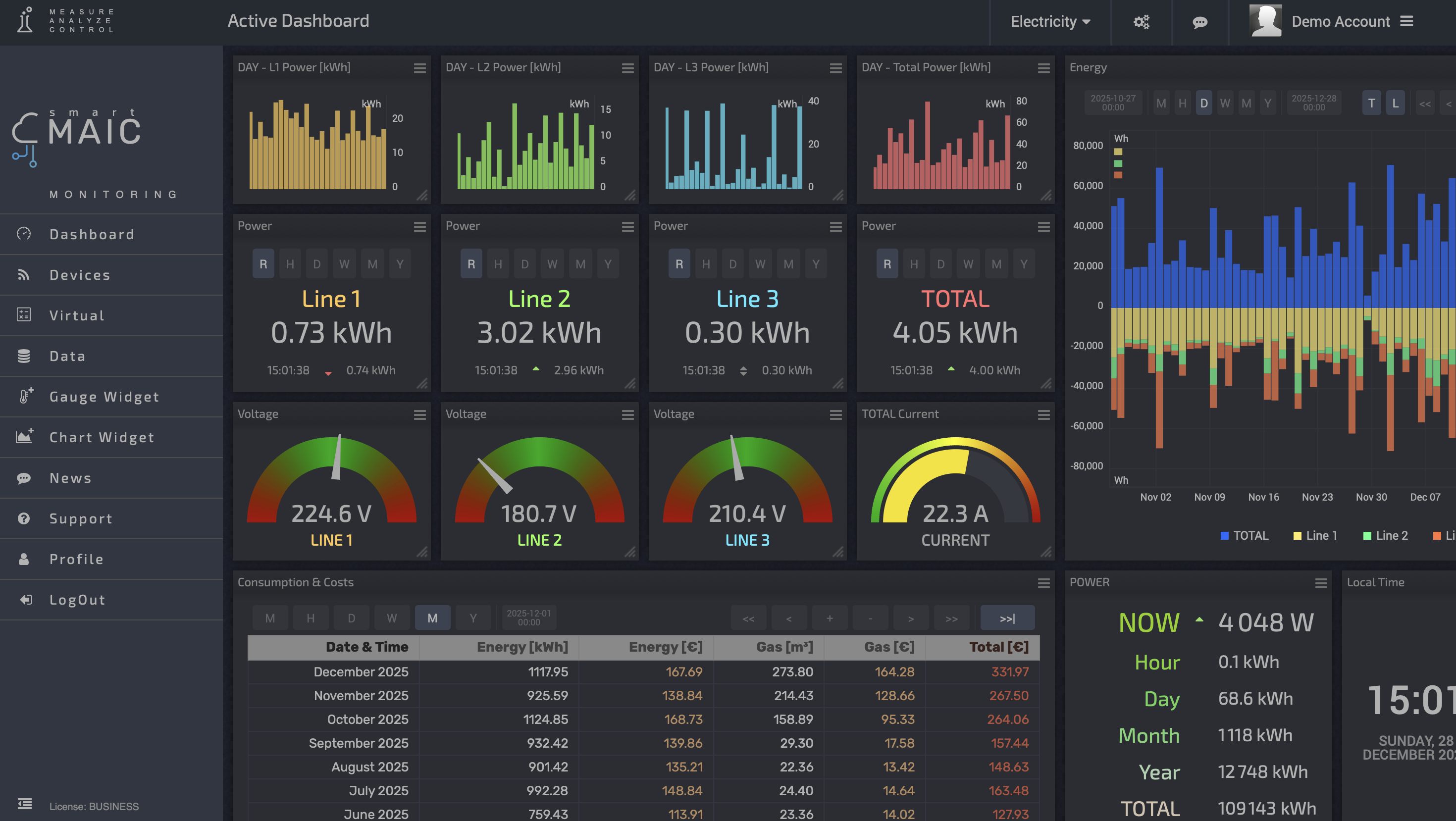
The Smart-MAIC interface offers flexible data visualization in whatever format works best for you. You can create multiple custom dashboards—for yourself, family members, or different departments. Each dashboard can be shared via public link, even with non-authenticated users.
No need for separate data storage and visualization systems—it's all built in, with real-time energy consumption monitoring at its core.
For example, you might configure your personal view to display energy consumption in watts, while accounting sees the same data in local currency based on your utility rate. This access control approach is particularly useful: everyone sees only the metrics they actually need.
Visualization Options
The visual elements break down into charts and widgets.
Charts
Charts come in several flavors:
- Bar charts (column style)
- Area charts
- Line charts
- Sparklines (mini-charts)
Widgets
Indicators: Display real-time text values. You can add up to 6 data rows on a single indicator widget.
Table: Outputs data in tabular format showing date — time — value.
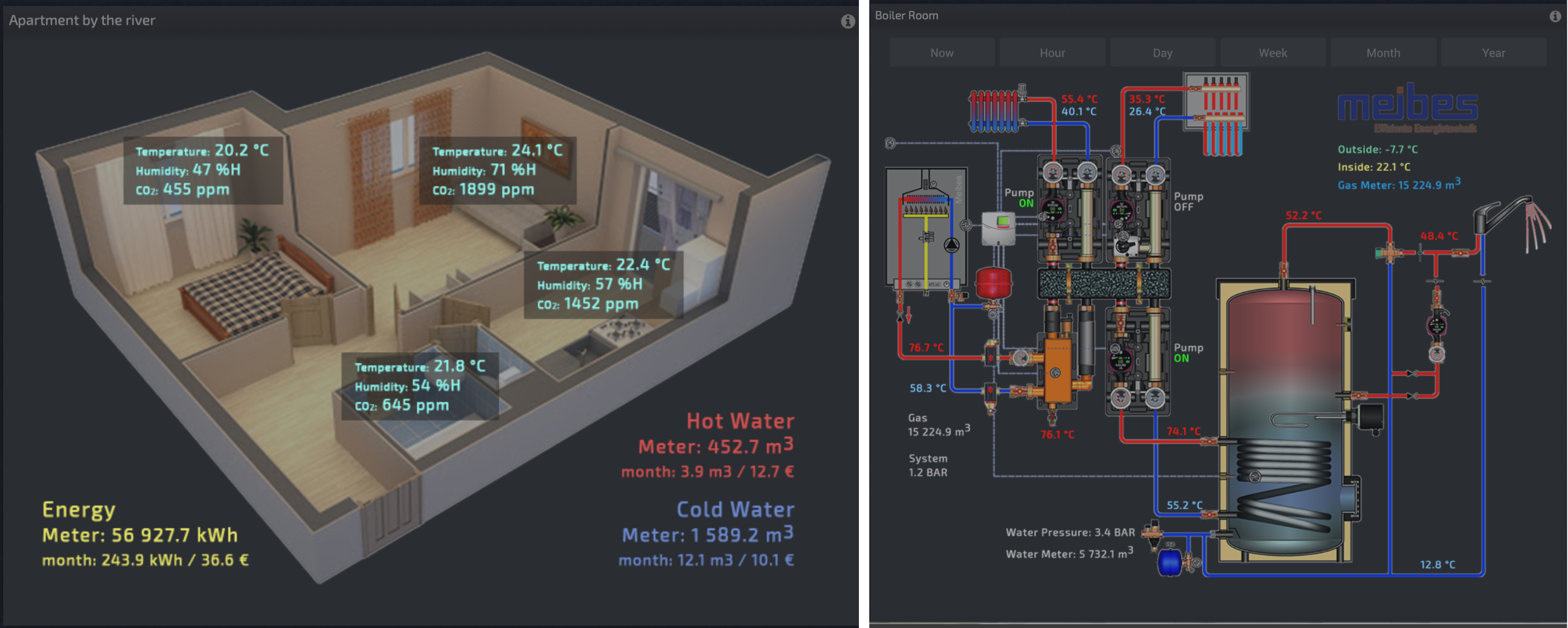
Floor Plan and Schematic: Upload an image of your building layout or system diagram, then use HTML and JavaScript to overlay live measurements directly onto the image.
JavaScript Editor
The built-in JavaScript editor lets you create derived values using arithmetic operations on existing data. These can range from simple math (adding multiple circuits together) to complex formulas for efficiency calculations or custom KPIs. The only real limit here is your imagination.

Time-of-Use Rate Configuration
The system supports setting up day/night tariff schedules to accurately track costs based on time-varying electricity rates.
🔌 Built-in Relay Control
Smart-MAIC energy monitors include a built-in dry contact relay—it doesn't supply its own voltage but simply opens or closes a circuit, functioning as a switch. The relay is rated for up to 50W, so it can't directly control high-power loads like water heaters. Instead, it's designed to trigger an external contactor, which handles the actual load switching.
The company recommends adding a solid-state relay in the control circuit to filter electromagnetic interference from the contactor. This isn't strictly necessary for simple installations but can improve reliability in more complex setups.
Automation and Scheduling
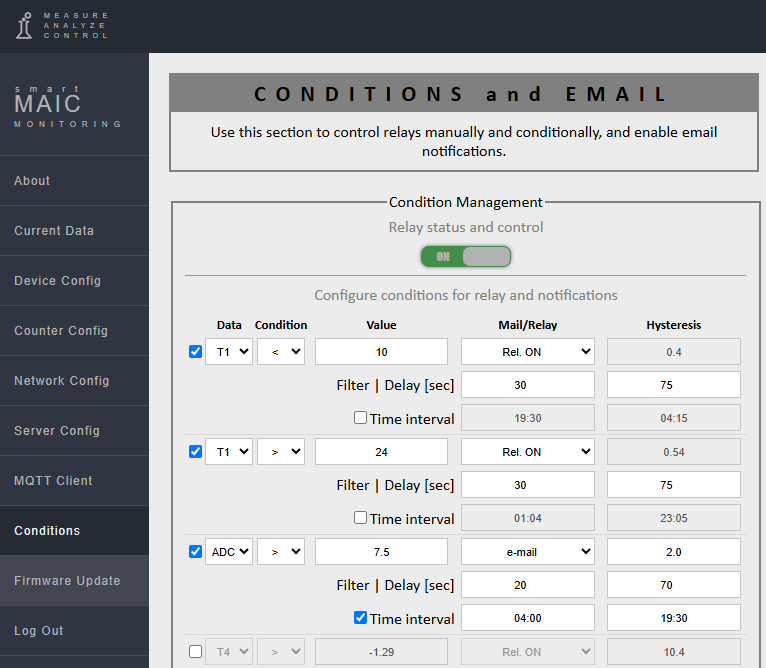
Relay control is configured through the device's web interface—either locally or remotely via the cloud dashboard. You can toggle it manually or set up automated rules based on conditions like time of day, power consumption thresholds, or external triggers. Rules are created in the "Conditions" section and can also trigger email notifications.
Future Hardware: smart-MAIC E2
The next-generation smart-MAIC E2 is currently in testing and will feature two genuine 16A relays, eliminating the need for external contactors in many residential applications.
🏠 Home Assistant Integration
Smart-MAIC devices integrate with Home Assistant via MQTT. You'll need to set up an MQTT broker (like Mosquitto) and configure the connection details on your device. Currently, the devices don't support MQTT Discovery (though it's in development), so you'll need to manually define each sensor in your configuration.yaml file with the appropriate topics, device classes, and units of measurement.
Alternatively, there's a community-developed HACS integration that automates sensor creation, though it still requires the initial MQTT setup. Once configured, all your energy monitoring data flows seamlessly into Home Assistant for automation and further analysis.
Conclusion
Smart-MAIC is a reliable solution for energy monitoring with built-in data storage and visualization. It handles relay control and integrates with Home Assistant, giving you the tools to understand and manage your energy consumption effectively.
Discussions
Become a Hackaday.io Member
Create an account to leave a comment. Already have an account? Log In.