 Ray Burne

Note: Victor Van Hee description of how to configure the Raspberry Pi with a Google AIY board to stream Internet Radio. HERE
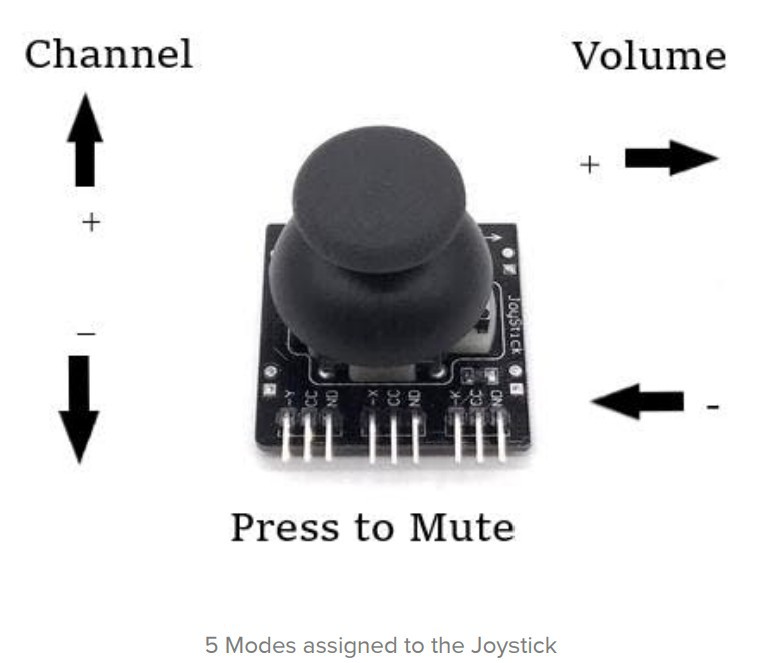
This project builds on Victor's configuration by using an Arduino STM32, a Nokia 5110 LCD, and a common joystick to manipulate the Raspberry Pi project using serial communications over the default serial console at 115200
BAUD. Using MPC commands, the STM32Arduino provides for changing stations, changing volume, and muting the RPi. The demonstration code provides for 10 stored favorite stations, but the list can be extended to include
many more of your favorite.
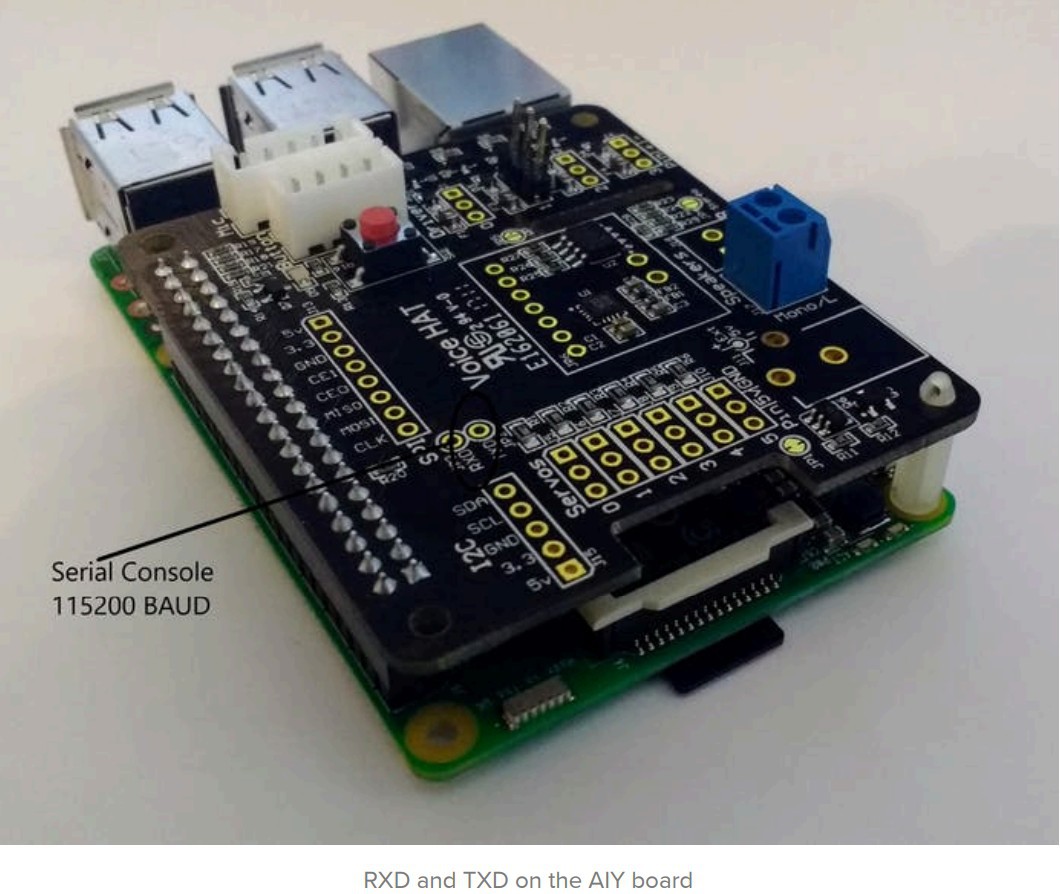
As MPC on the RPi is instructed to change channels, the program will output to the serial console (over the serial port exposed on the AIY board) various lines of information. In this verbose response serial stream is the artist of the
song and the name of the song. The Arduino software will identify and capture the artist name and the song title and parse the data to display onto the small Nokia screen - updates to the screen occur at a programmed 5 second interval to account for new songs being played.
CAVEAT: Testing has shown that it is not necessary to actually install and enable Google's Cloud Platform, GCP. This means you only need to start with the AIY download image, and make modifications to the Raspberry OS to enable the
AIY board. In short, this means registering with Google for an ID is not necessary. If you already have done this and played with your AIY card, no problem as the MPD/MPC will work. The downside, of course, is you are unable to fully utilize GCP as described by Victor Van Hee to voice-activate MPC. Either way, you will definitely need to edit /etc/mpd.conf as Victor shows - but stop after Victor's instructions:
- sudo systemctl start mpd
- sudo systemctl enable mpd
You will need this information how to configure the Raspberry Pi for serial console: HERE
You should also enable the serial console in RPi configuration: in the original RPi CLI configurator, ensure the following options are set on: 3 Boot Options, B1 Desktop / CLI, B2 Console Autologin
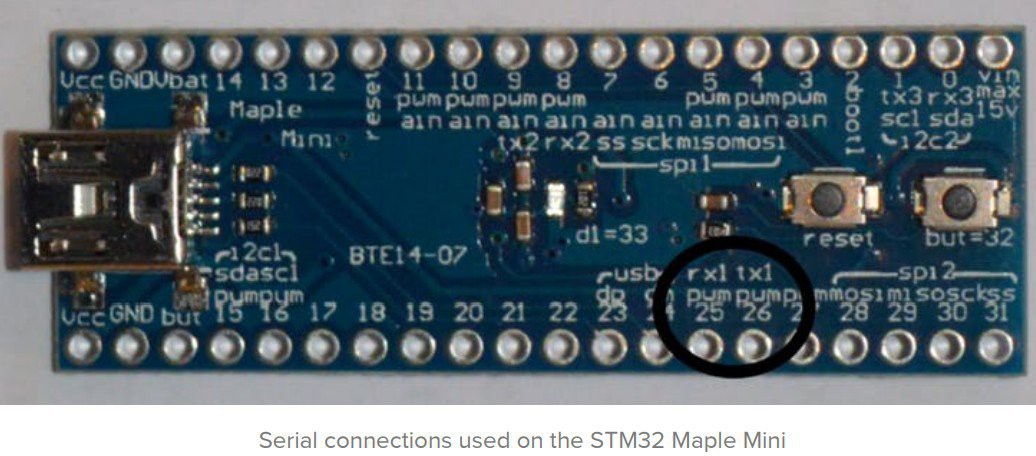
EDIT the Arduino code to add your favorite stations and the URL using the below as a template:
// Character array pointers - message and command table
const char* msg0[] = {"mpc clear;mpc add http://"}; // prefix
const char* msg1[] = {";mpc play;sleep 1;mpc play"}; // suffix
const char* msg2[] = {"71.125.37.66:7000"}; // Rewound Radio:
const char* msg3[] = {"206.190.136.212:7744"}; // Classic Hits JFRC
const char* msg4[] = {"64.78.234.173:8528"}; // COW97
const char* msg5[] = {"204.141.167.19:9170"};
const char* msg6[] = {"198.178.123.17:10922"}; // San Francisco's 70's HITS!
const char* msg7[] = {"91.121.155.204:8048"}; // 1000 HITS 80s
const char* msg8[] = {"45.79.186.124:8160"}; // Personal Favorites 60s/70s/80s/90s/More
const char* msg9[] = {"51.15.152.81:8085"};
const char* msg10[] = {"198.58.98.83:8062"}; // Bulldogs-Radio:
const char* msg11[] = {"50.7.129.122:8433"}; // Flower Power Radio - Far Out And Groovy Tunes From The 50's 60's & 70's
const char* msg12[]...

 amr.mostaafaa
 Bikash Narayan Panda
 Esmacat
 Lithium ION