 mircemk

Steady pressure indicates stable weather conditions. In this project I will describe a very simple way to make an Aneroid Barometer emulator. In fact, modern digital electronics are used, with the help of which the functionality of a classic mechanical barometer is 100% imitated. Aneroid barometer contains two arrows: a black measuring and a yellow reference arrow.
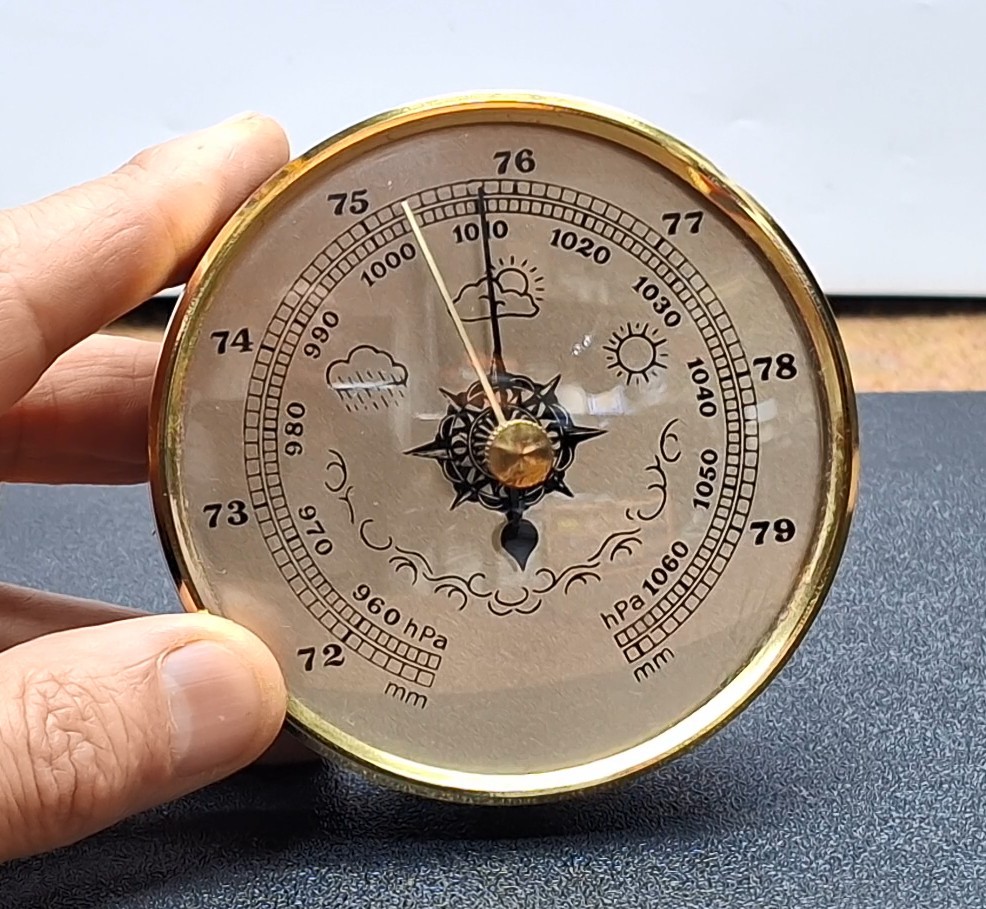
The way to predict the weather is as follows: We need to match the black measuring arrow with the yellow arrow. After a few hours, if the black measuring arrow has moved to the left of the yellow one, unstable weather will follow, while if it moves to the right, improvement and stabilization of the weather will follow. If the two arrows remain matched, no change in the weather condition is expected. In the original instrument, the reference arrow is moved with the button in the middle of the instrument, and in this case, that function is performed by the rotary encoder.
This device is extremely simple thanks to the CROWPANEL Round display which contains a built-in ESP32S3 microcontroller and Rotary Encoder. So it is only necessary to connect the BME280 Module to the corresponding I2C port of this display module.

This is my first project using the LVGL library and Squareline Studio, which allows you to create incredibly visually effective and functional projects in a relatively simple way.
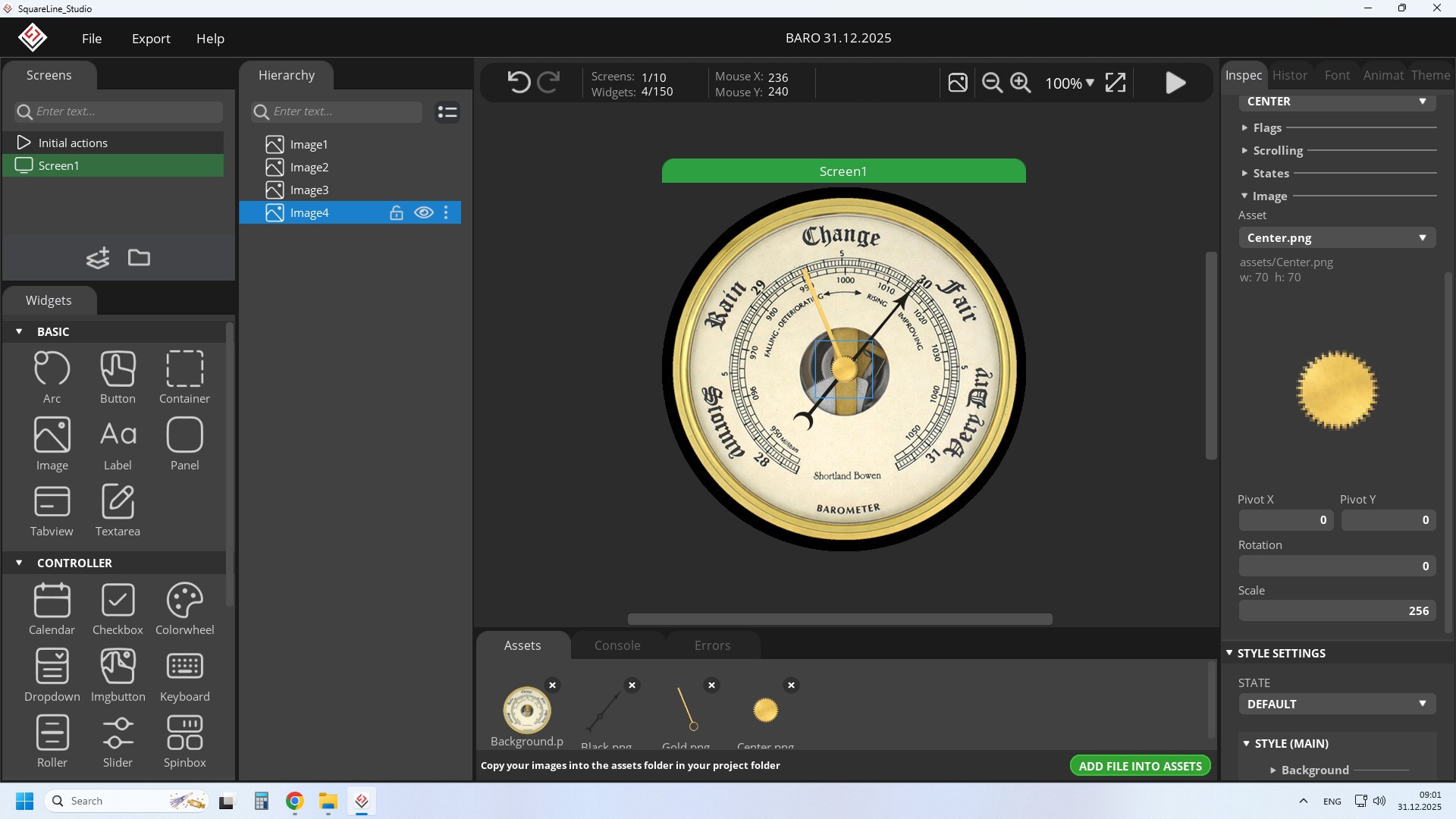
This time I will not dwell on the method of developing and creating the code and UI in Squareline Studio because it has been described in detail in many previous tutorials, but I will briefly describe the procedure to successfully recreate the project.

This project is sponsored by PCBWay. From concept to production, PCBWay provide cutting-edge electronic design solutions for global innovators, Including hardware design, software development, mechanical design, product testing and certification. PCBWayengineering team consists of experienced engineers in electronics, embedded systems, and product development. They successfully delivered hundreds of projects across industries such as medical devices, industrial automation, consumer electronics, smart home, and IoT.
The following is a detailed description of the installation of the device using the given libraries.
First, you need to use Arduino IDE version 1.8.15 or later. Then you need to install ESP32 Core ver. 2.0.14 or 2.0.15 according to the instructions on the Elecrow GitHub page. Now in Tools-Board-ESP32 Arduino, we need to select ESP32S3 Dev Module.
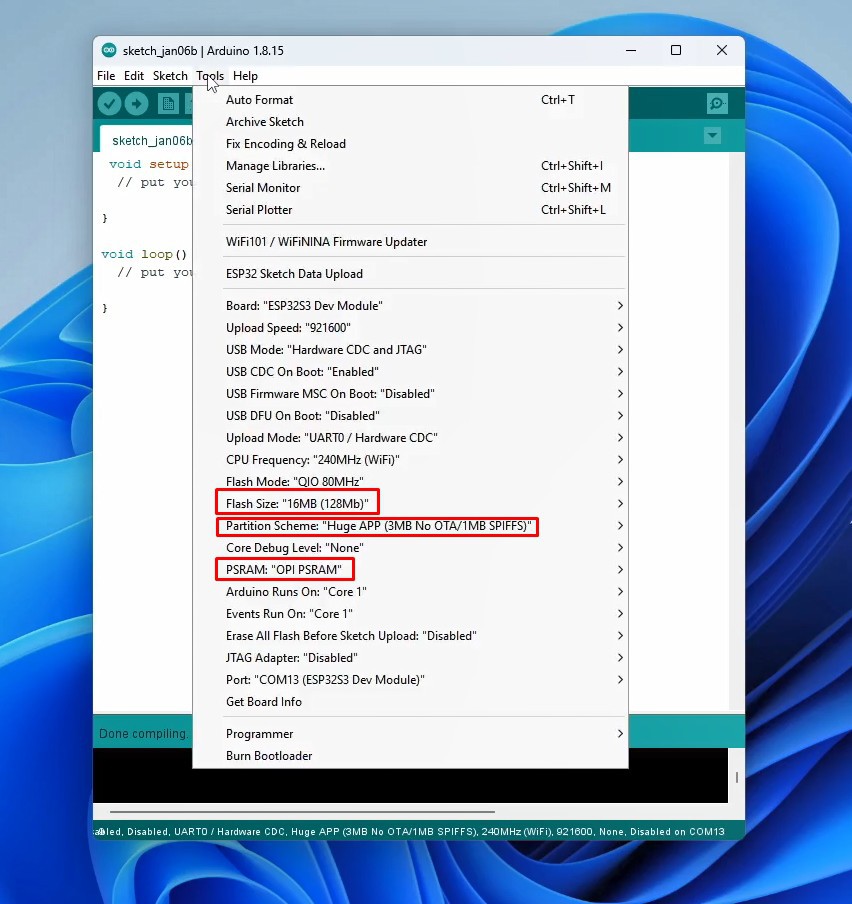
In this board, we need to make several changes to the properties: Flash Size 16MB, Partition scheme- Huge App, and PSRAM - OPI PSRAM. Next, we need to install the LVGL library, specifically version 8.3.11. You also need to install the Arduino_GFX_Library , as well as the Adafruit_BME280 library. All these libraries and necessary files are given at the end of the text. Next comes another important operation, namely in the root of the Libraries folder (most often this folder is located in user/documents/arduino) you need to copy the configuration file for the LVGL library, named "lv_conf.h". Now we are done with the support and need to compile and upload the given code.
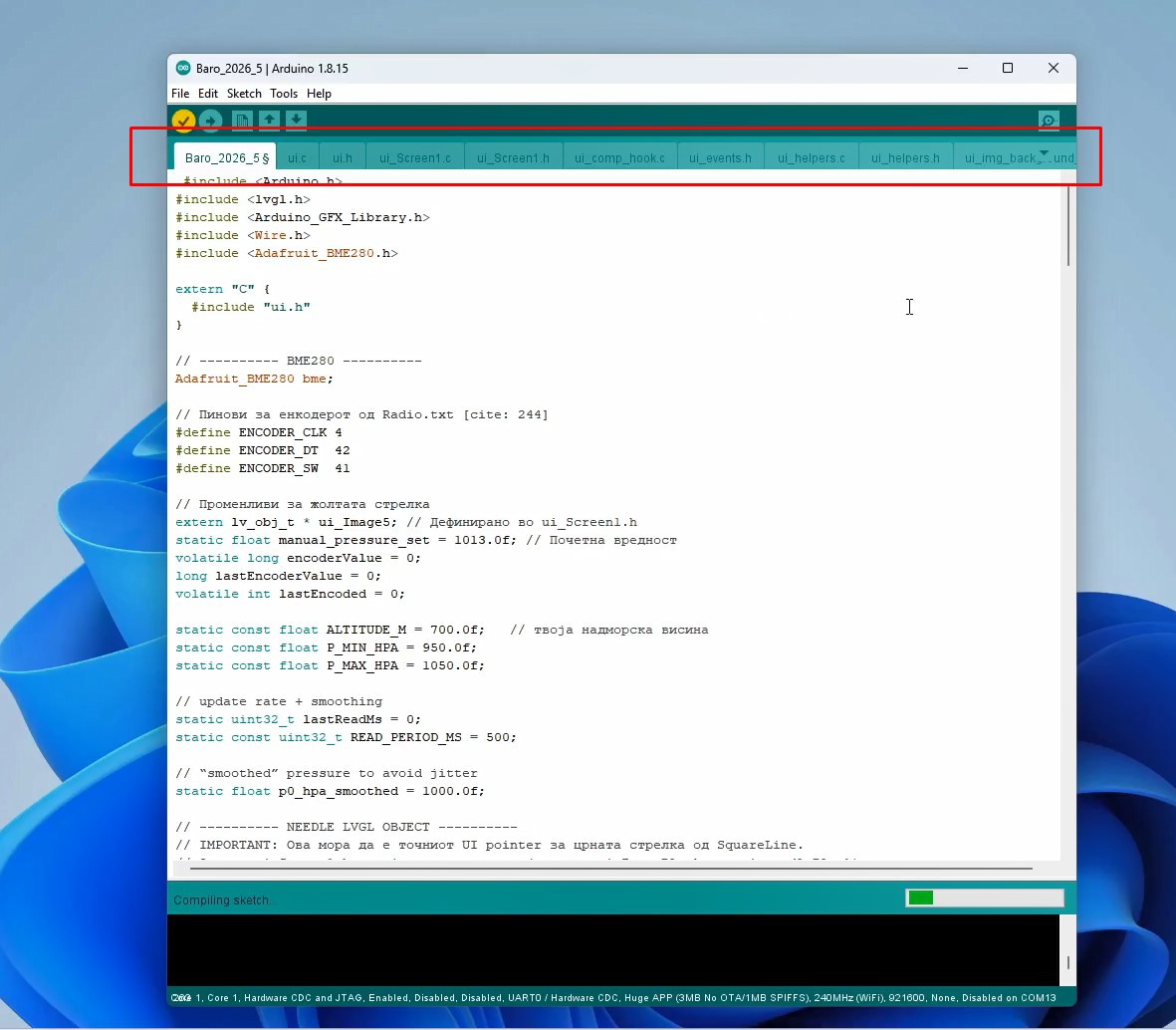
For this purpose we unpack the contents of the Code Final .zip file, without changing the name of the internal folder. We enter the folder and start the .ino file. In this way the code is opened together with the necessary UI files that were previously created with Squareline Studio. Now we can compile and upload the code without errors.
As for the code, it is made in a way that we can simply change several parameters for normal and precise functioning of the barometer:
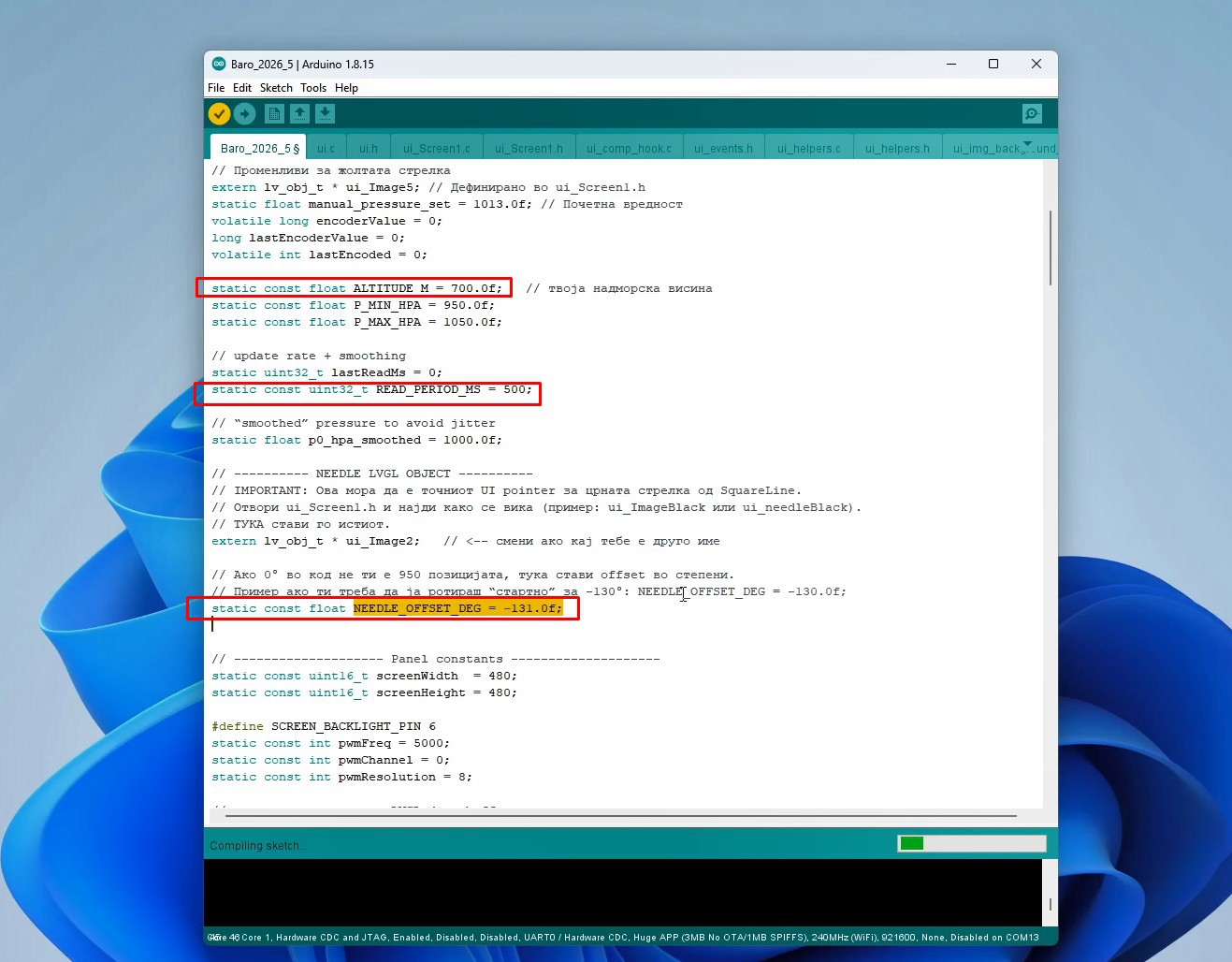
- The altitude at which we are is entered in the line: static const float ALTITUDE_M =
- The frequency of reading the value from the sensor is defined in the line: static const uint32_t READ_PERIOD_MS
- "Calibration" of the Barometer is performed in the line: static...
 zst123

 Andrei Mehiläinen