 b.sverdlyuk
Lilka is a Ukrainian open-source DIY educational gaming console based on the ESP32-S3 microcontroller. It is designed so that even a beginner can assemble it using widely available modules.
KeiraOS
By itself, the console is just hardware: a screen, buttons, and a chip. To make everything work, it needs firmware — a software “control center”. The main firmware is KeiraOS (named after the developer’s cat). It is an open-source operating system based on FreeRTOS, written in C++, that controls the device and allows you to run games and applications.
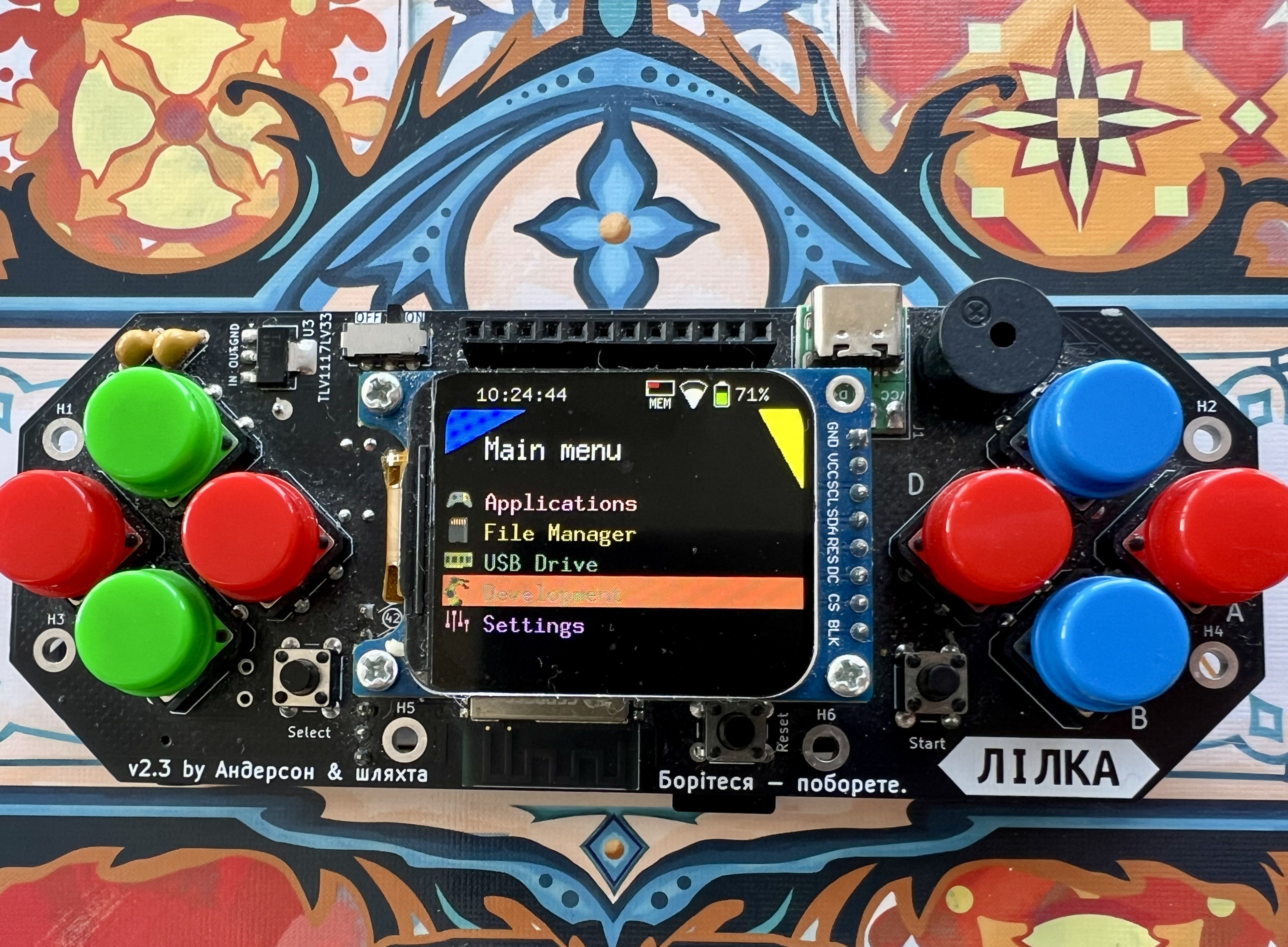
You can develop apps for KeiraOS in several ways:
- 🧩 C++ — using PlatformIO and the Lilka library (requires compilation, similar to Arduino)
- ⚡ Lua and mJS — run directly from a microSD card without compilation, so you can see results almost instantly
You can find example apps in the Lilka Apps & Mods repository.
Lilka is not just for games. You can connect sensors and modules via GPIO and work with common interfaces:
- 🔌 I2C, UART, SPI
- 📊 ADC
- 🎛️ PWM
KeiraOS can also run retro games (.ROM and .NES) directly from an SD card using the Nofrendo emulator.
In addition to the main system, Lilka supports running third-party firmware in .bin format. This means you can:
- 📦 compile or download custom firmware
- 💾 copy it to an SD card
- 🚀 run it directly on the device
So Lilka is not just a single firmware, but a whole platform for experimentation, learning, and building your own projects.
Pixeler
Pixeler (formerly Meow UI) is an alternative firmware for Lilka, ported from the “Ideal Console” project.
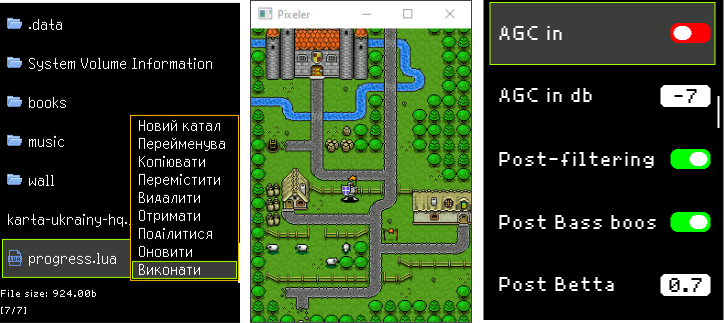
Its main feature is the ability to develop graphical user interfaces for both the microcontroller and a PC using the same code. This means you can design and test your UI directly on a computer 💻 without reflashing the device every time, which significantly speeds up development.
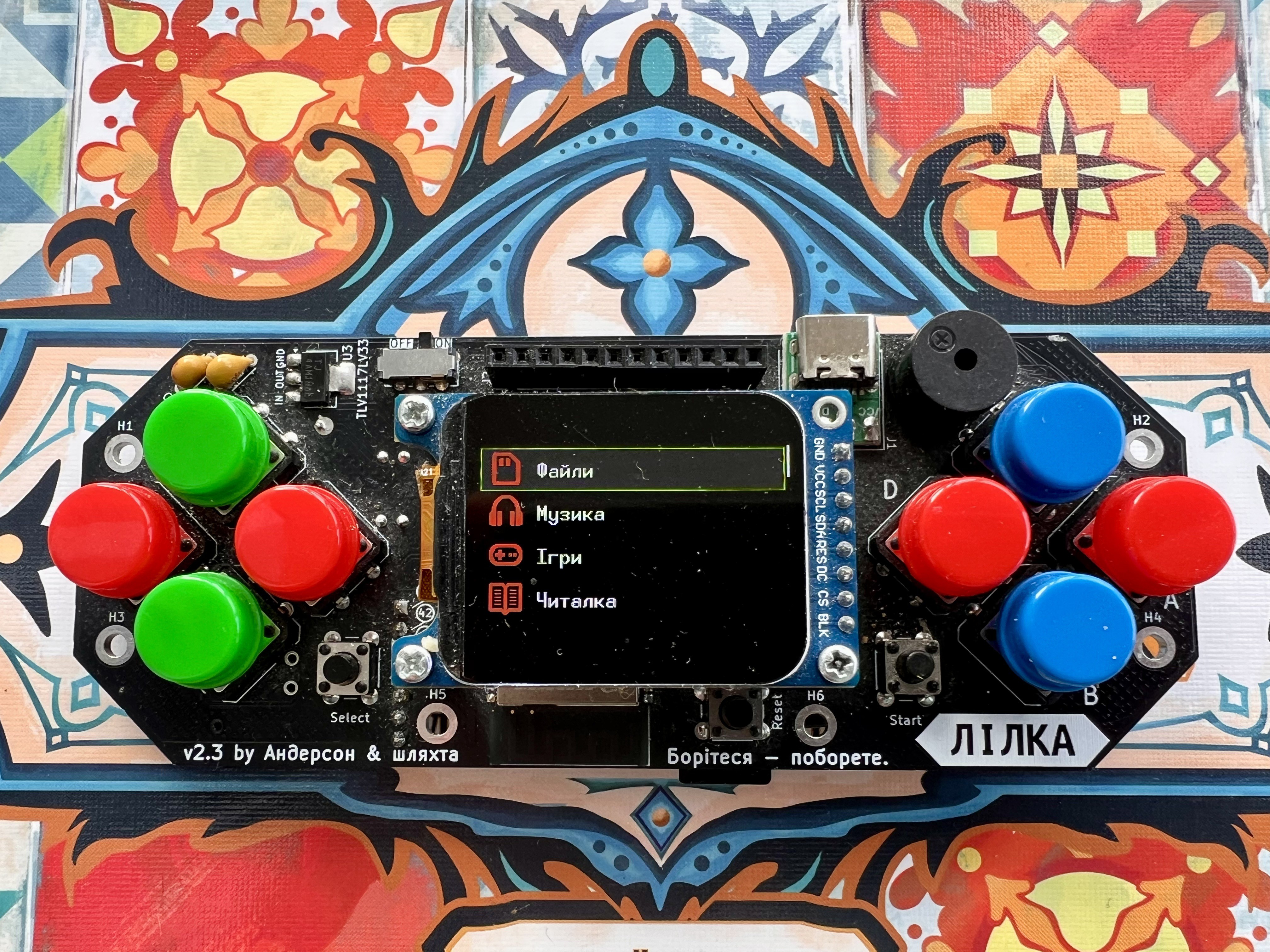
The firmware is built on the Pixeler framework and written in C++. It includes ready-to-use GUI examples such as menus, settings screens, a file manager, Wi-Fi interface, MP3 player 🎵, and simple 2D games 🎮.
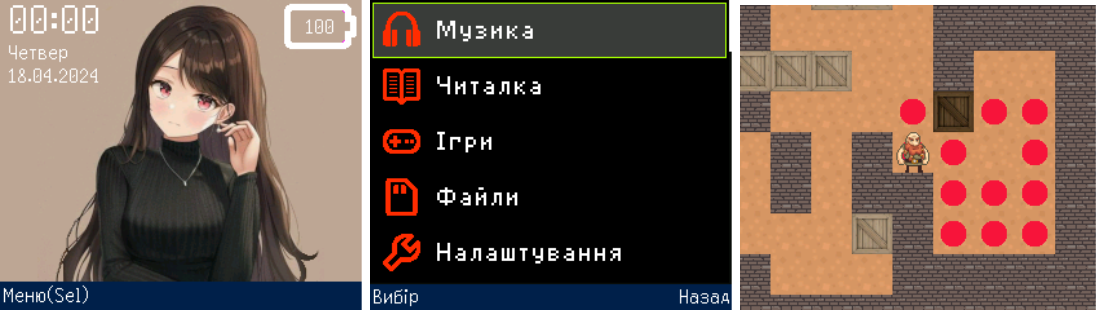
An interesting feature is support for server-based multiplayer games 🌐 — meaning you can play with friends on different devices.
Pixeler uses the Arduino_GFX graphics driver, which provides better display support, more built-in fonts (including Cyrillic), and overall greater flexibility compared to older solutions.
Since this is a port for Lilka, some UI elements may not render perfectly, and certain features may be limited.
The firmware can be launched directly from KeiraOS as a .bin file — just copy it to the SD card and run it on the device.
Important note: Pixeler is built using Pioarduino and is not compatible with standard PlatformIO.
Rustilka
Rustilka (Gitlab) is a small project that brings support for the Rust programming language to Lilka.
In simple terms, it’s an alternative way to write firmware for Lilka without using the standard SDK. To get started, you need to install a special firmware from rust.lilka.dev, after which you can develop applications in Rust 🦀.
Rustilka helps simplify project setup and provides a library for working with the hardware — the display, buttons, and other features of Lilka. However, it’s important to understand that this approach is better suited for those who already have some experience with Rust and basic knowledge of microcontrollers.
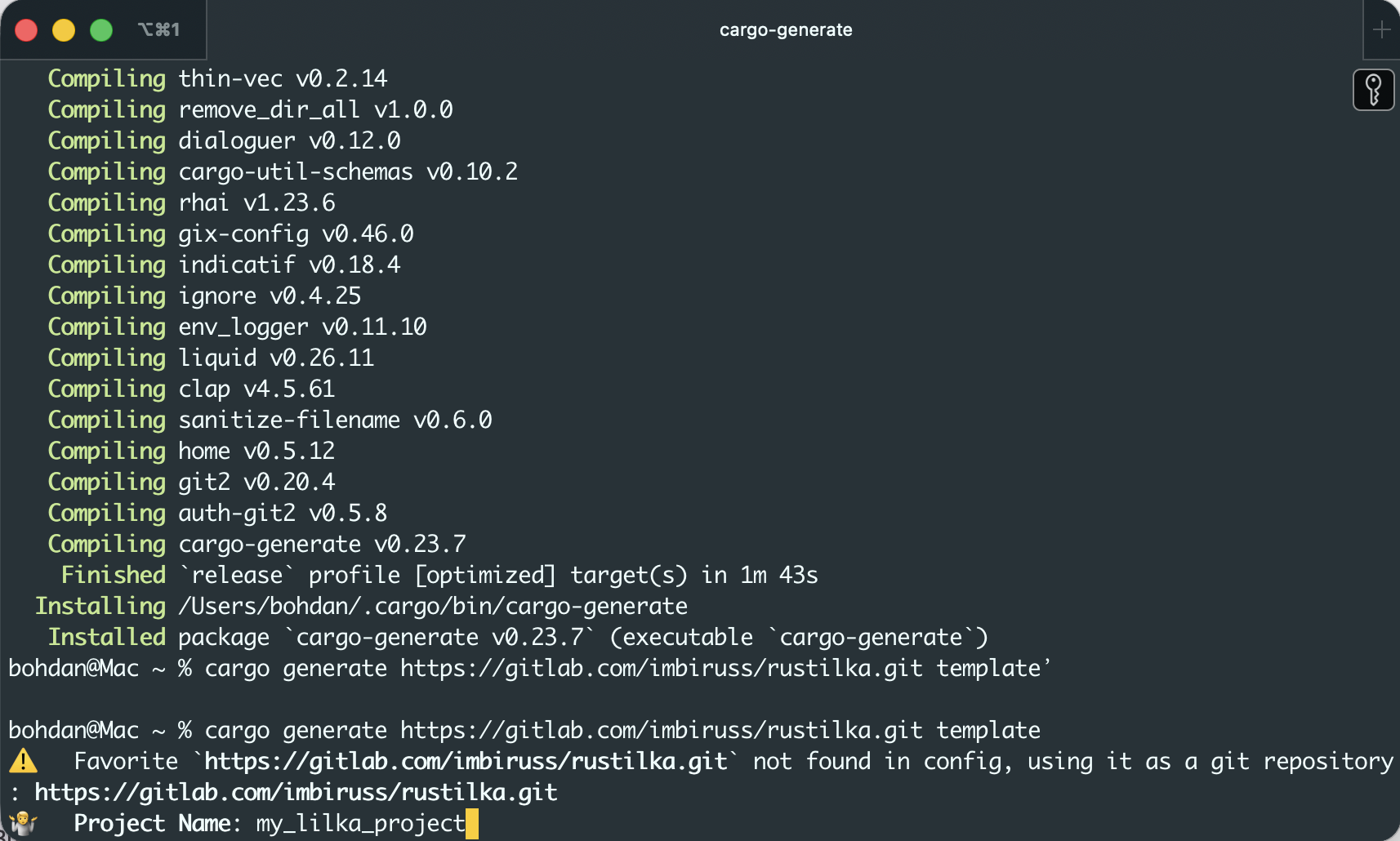
Rustilka and the standard SDK represent two different approaches:
- 🧩 SDK (C++ / Arduino) — simpler, lots of things work out of the box, great for beginners
- 🦀 Rustilka (Rust) — more flexible and modern, but more complex
In Rustilka, everything is written from scratch in Rust without relying on existing C/C++ libraries. It works directly with the hardware ⚡, without extra abstraction layers, which can make it faster and more lightweight — but it also requires a deeper understanding of what you’re doing.
It also uses a different approach to multitasking — instead of a traditional RTOS, it relies on async programming (embassy) ⏱️.
Another big advantage is memory safety 🛡️. Rust catches many errors at compile time, reducing the chances of critical bugs.
However, there are some downsides: setup is a bit more complicated, additional tools are required, and some familiar things don’t work the same way as in C/C++ 🤷
Mestastic
Meshtastic is firmware that turns Lilka into a device for sending messages without the internet 📡. It works together with a LoRa radio module (for example E22 or RA-02), which handles long-range communication.
After installing it, you get a standalone messenger 📬. You can connect to Lilka using the Meshtastic app on your phone, or control it directly with the buttons and send preset messages without a smartphone.
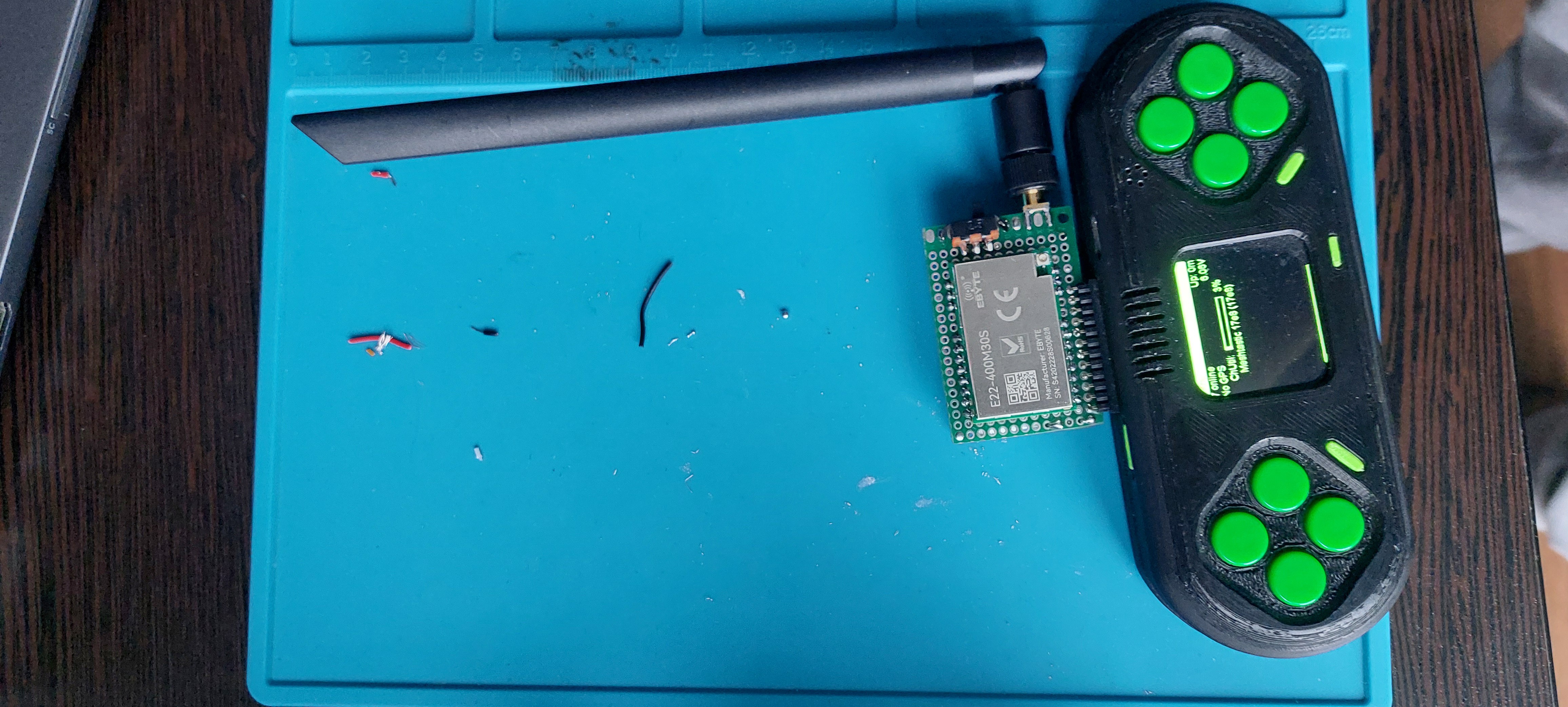
The main thing to understand is that it’s not “install and it just works”. You need to properly connect the radio module and configure the pins, otherwise there will be no communication. In most cases, issues come from incorrect wiring rather than the firmware itself.
For setup and troubleshooting, you can use Meshtastic CLI and check logs over USB to see if the radio is actually working.
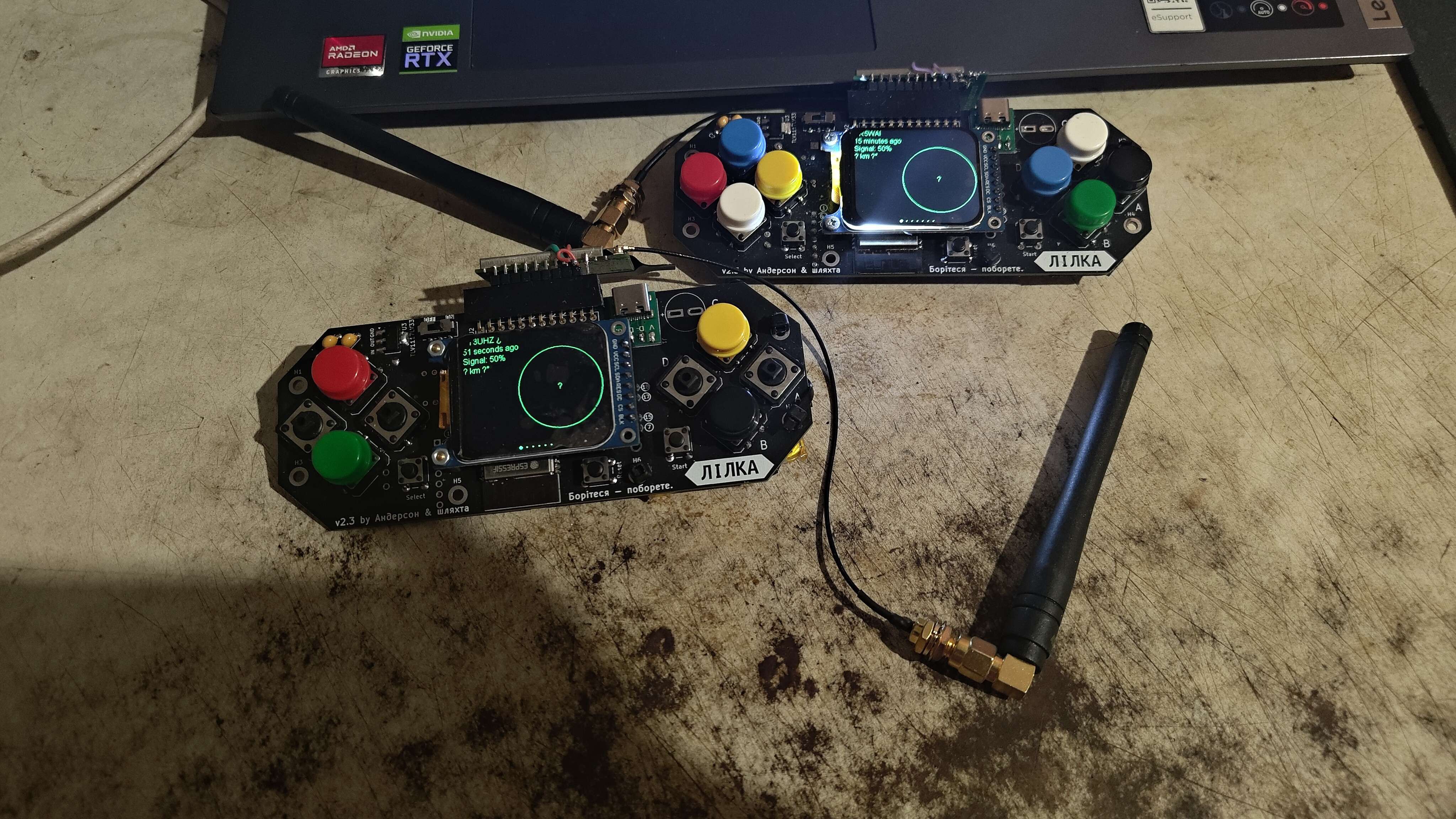
In the end, Lilka becomes a fully functional offline communicator 🌐 that can work on its own or as part of a mesh network, and you can find more details, discussions, and ready-to-use builds in the community Discord channel.
ESPHome
ESPHome LVGL for Lilka is firmware that turns the device into a part of a smart home rather than just a console. It is built on ESPHome, a platform that allows you to create embedded devices using simple, easy-to-read YAML configuration instead of writing complex code, and uses the LVGL framework to create a full graphical interface directly on the device’s screen. This setup was developed specifically for Lilka, and the device itself is now officially listed among supported boards in ESPHome Devices.
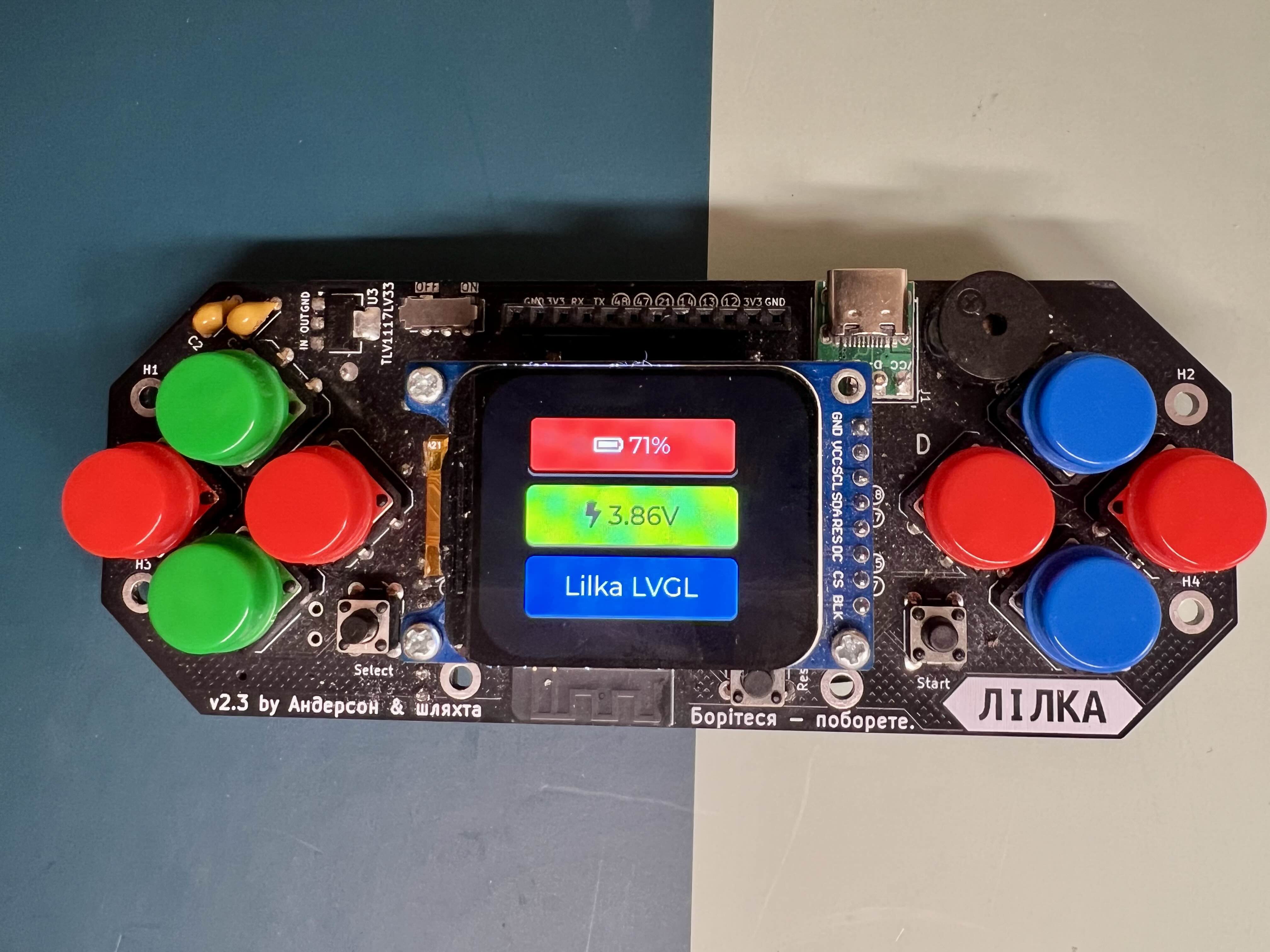
After installation, you get a clean and user-friendly GUI 🖥️. The screen can display the state of devices from Home Assistant, for example whether a boiler is on or off, as well as the battery level. The interface is adaptive thanks to Flex Layout, so elements automatically adjust to the screen.
Beyond graphics, the firmware adds many smart features. Lilka can connect to Wi-Fi, update wirelessly via OTA, provide a web interface in the browser, and be discovered on the network via mDNS. Through the Native API, it integrates directly with Home Assistant and can both receive data and control devices.
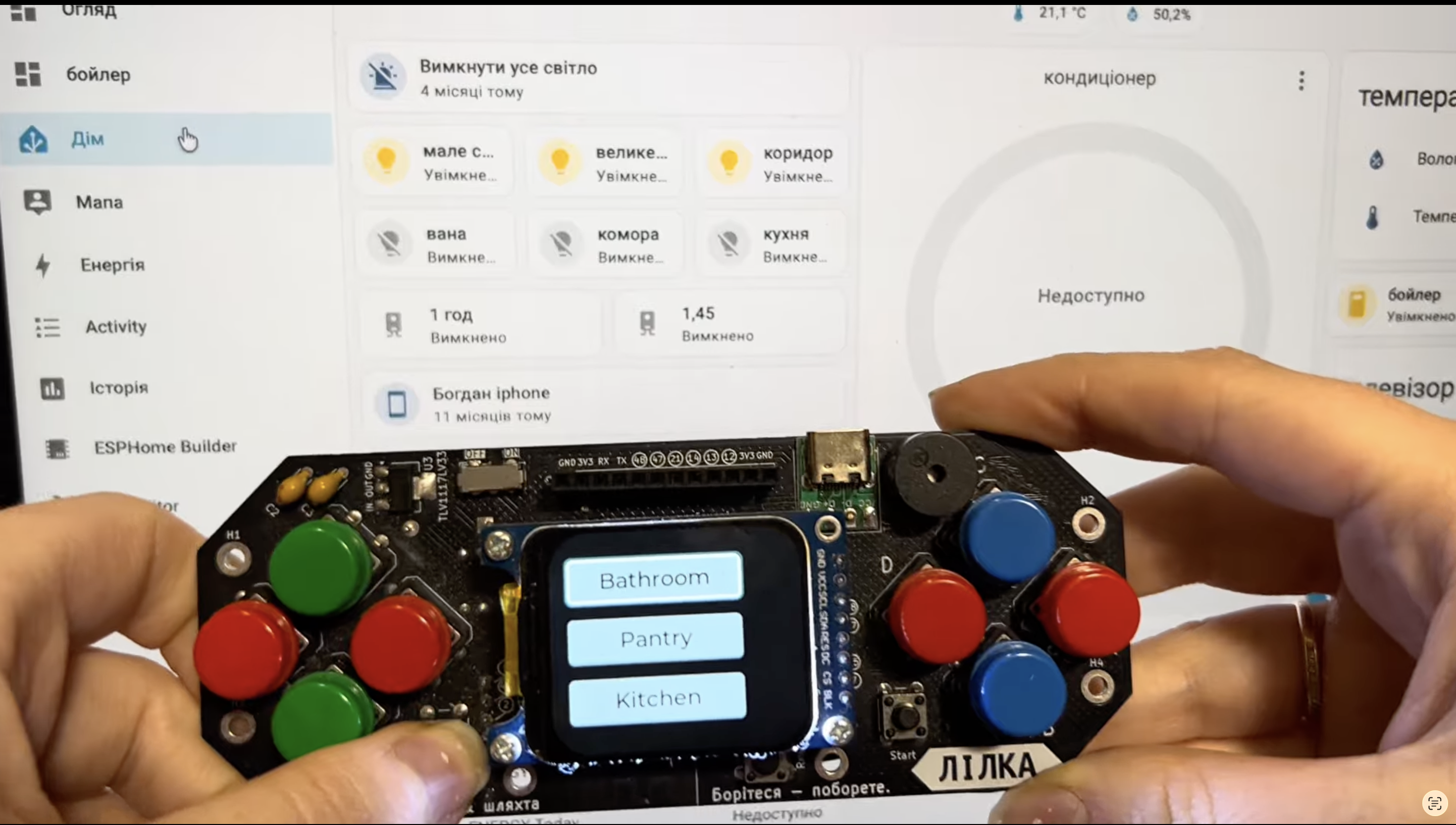
It also includes Bluetooth support: Lilka can scan BLE devices and forward this data to Home Assistant, acting as a Bluetooth proxy. With I2S audio, it can also play sound, such as voice announcements or notifications 🔊. App catalog page.
Pico8
PICO-8 is a popular “fantasy console” used for learning and creating games 🎮. It is intentionally limited to make it easier to understand the basics of game development. The games look retro, but this is not emulation — it is a standalone environment with its own graphics, sound, and Lua-based language. PICO-8 is the property of Lexaloffle Games, and this project is an unofficial player not affiliated with them.
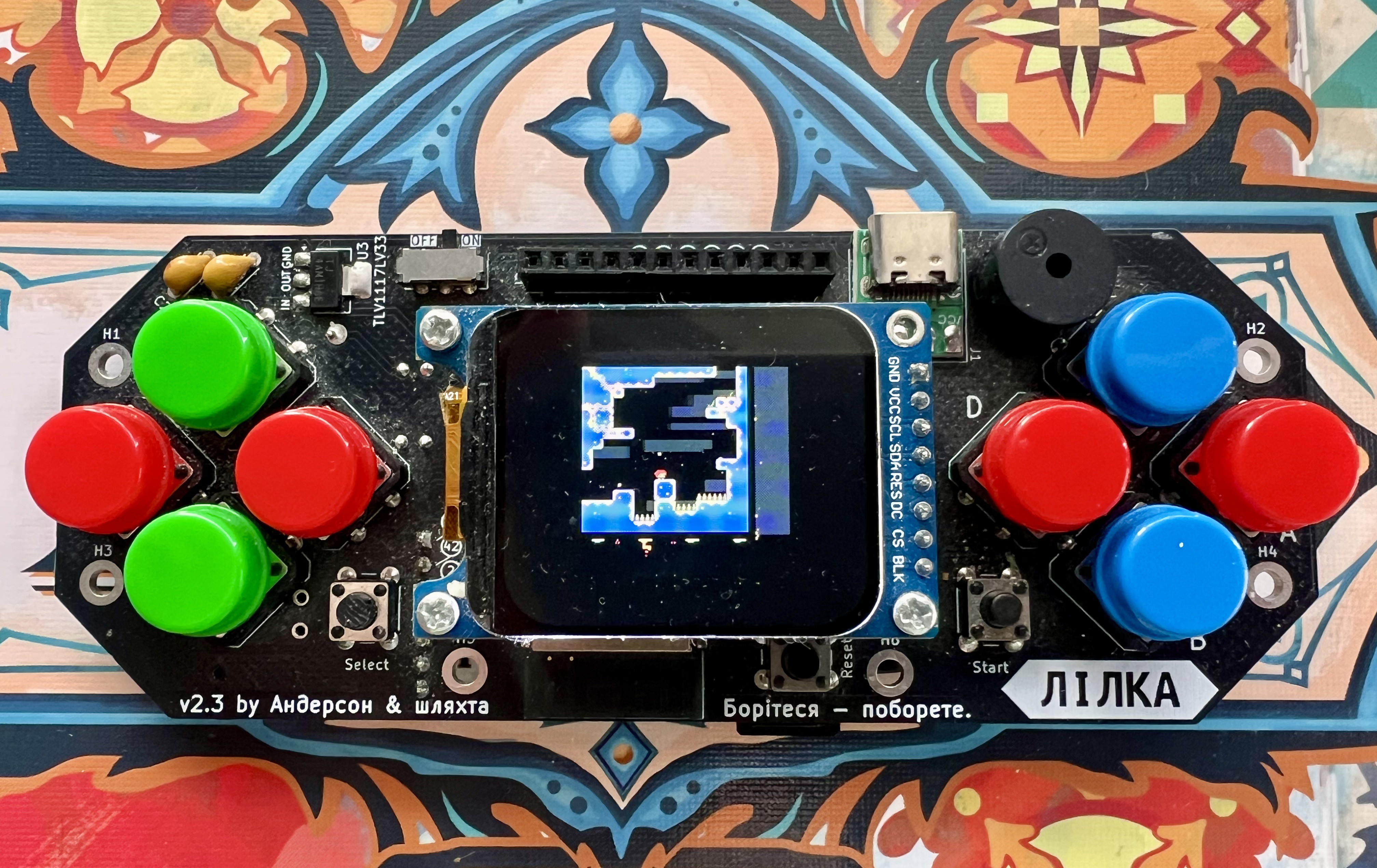
Picopico is an implementation of the PICO-8 concept for ESP32 ⚡. It allows you to run PICO-8–style games directly on Lilka without a computer. Internally, it uses a custom Lua engine and a lightweight graphics renderer adapted for limited memory 🧠.
Not all features are fully implemented, so some games may run with limitations or without sound. However, you can already run demos and even well-known projects like Celeste.
Controls are adapted to Lilka’s buttons 🎛️: the D-pad handles movement, A and B are action buttons, and Start and Select open the menu and pause. The firmware is built with PlatformIO and flashed like a regular .bin file.
Overall, it’s an experimental project 🧪 that shows how even a microcontroller can run a full game platform.
Retro-go
Retro-Go for Lilka 🎮 is firmware that turns the device into a full-fledged retro gaming console powered by ESP32. The Retro-Go project was originally created for the ODROID-GO console, and its key difference was that it was built around a microcontroller rather than a traditional processor. At the heart of ODROID-GO is a custom ESP32-WROVER module, which was an unusual approach for retro consoles but opened up new possibilities.
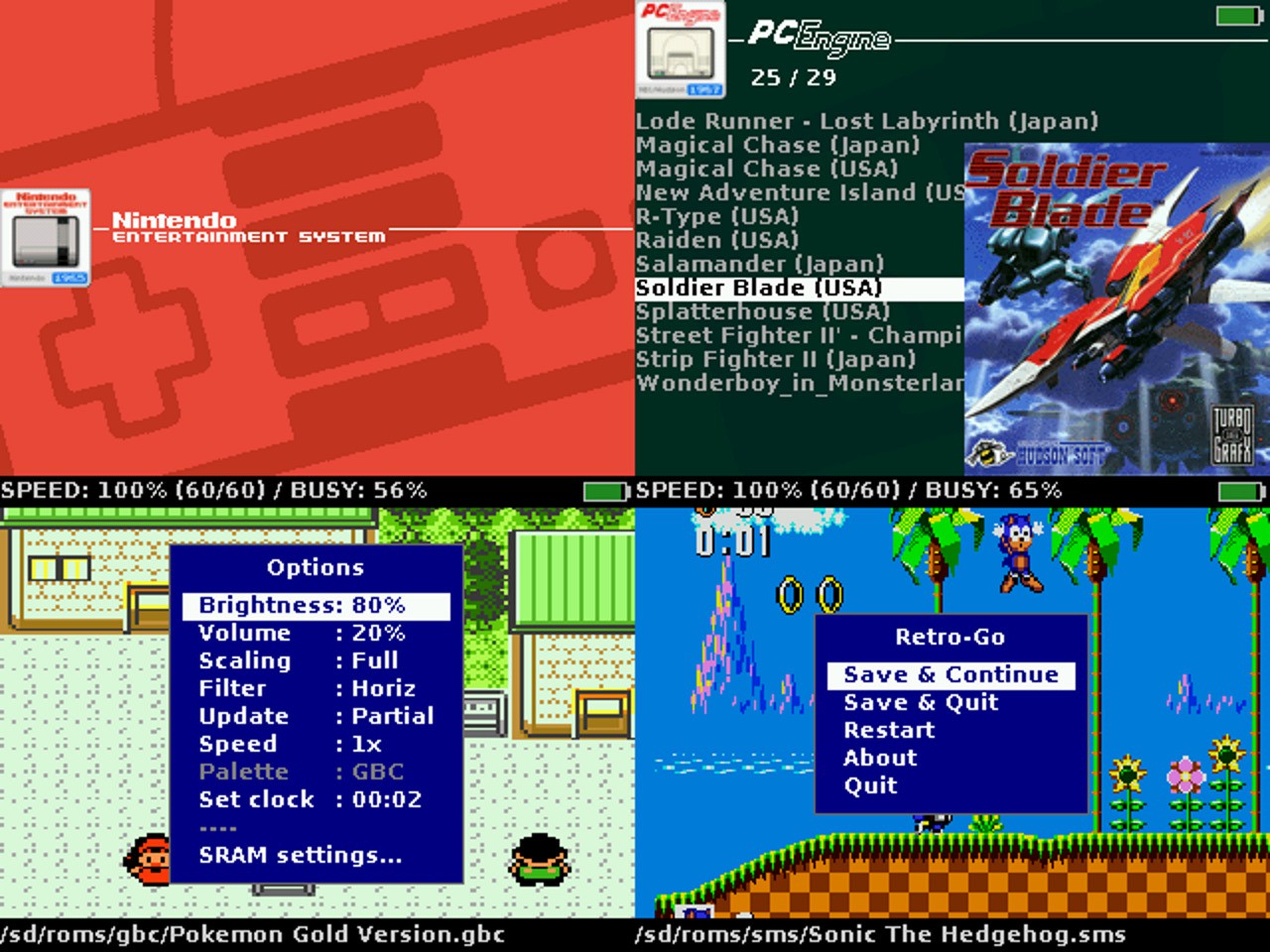
Thanks to the use of ESP32, the firmware is lightweight, highly optimized, and well suited to limited resources, while also being relatively easy to port to other devices based on the same chip. This is exactly why Retro-Go could be adapted for Lilka, taking into account its display, buttons, and microSD support.
As a result, Lilka gets a convenient launcher and a set of emulators that allow classic games to run directly on a microcontroller, including systems such as NES, SNES, Game Boy, Sega, NEC, Coleco, and Atari Lynx, as well as even DOOM.
The firmware is distributed as a .img image, so it needs to be flashed using the web flasher or via esptool. An app catalog page is also available.
Lilka BLE Conroller
Lilka BLE Controller is firmware for Lilka v2 that turns the device into a versatile Bluetooth HID controller 📡. It operates in three modes—gamepad, mouse, and keyboard—allowing Lilka to be used not just as a console, but as a full-featured input device for other systems.
In gamepad mode, it provides a D-pad and six buttons, making it compatible with games and emulators 🎮. In mouse mode, the D-pad controls the cursor, A and B handle clicks, C and D manage scrolling, and Start performs a middle click. The keyboard mode features an on-screen layout with multiple layers of characters, along with language switching via a shortcut similar to Win+Space ⌨️.
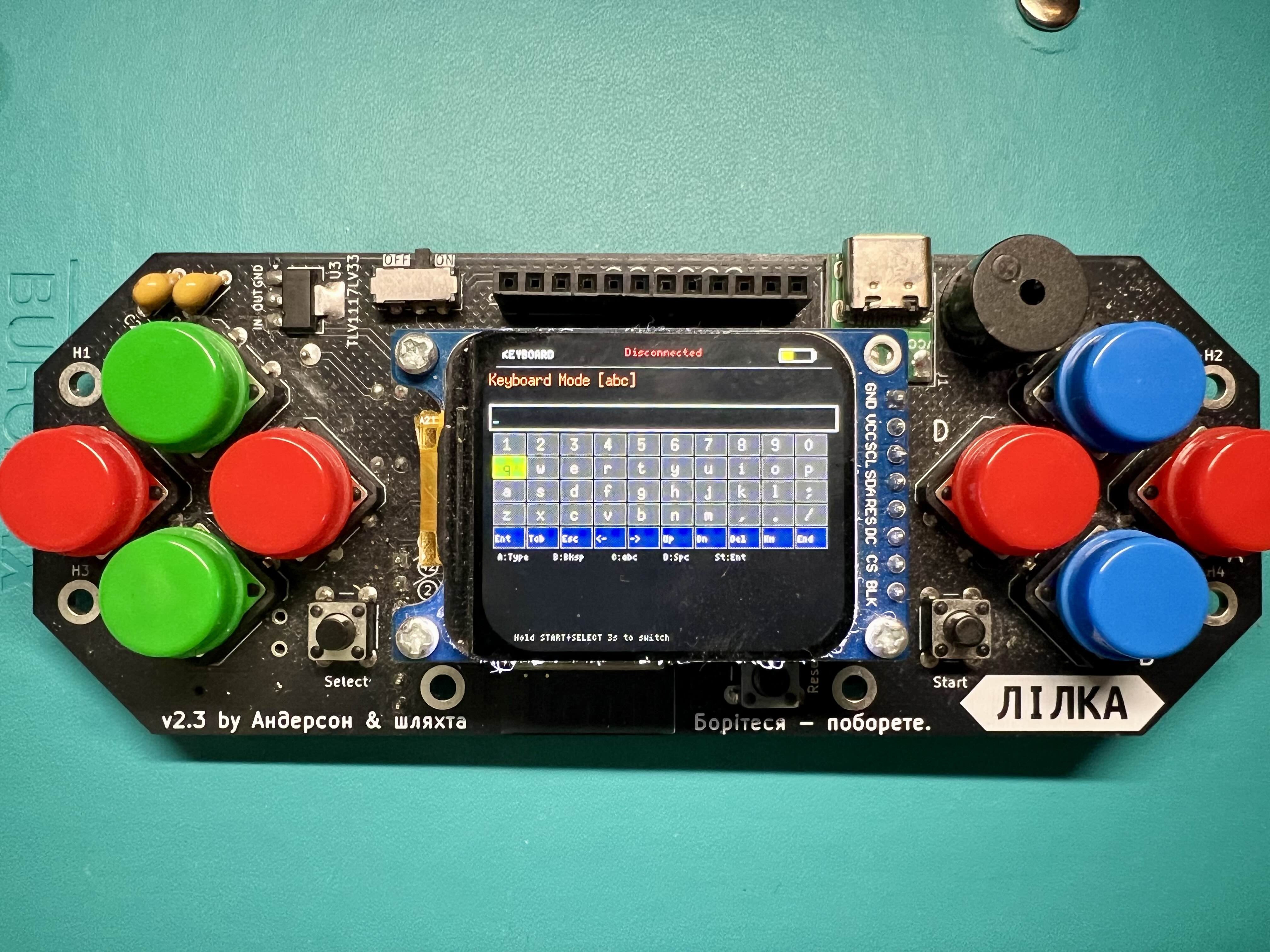
The firmware displays the battery level on screen and also reports it over Bluetooth, which is convenient when connected to a PC or smartphone 🔋. Mode switching is done by holding START and SELECT for a few seconds, making it simple and intuitive to use.
The project is open source and can be built from source or flashed using a prebuilt binary. Installation is done via the Web Flasher or esptool, after which the device is ready to connect over Bluetooth. App page.
Lilka Serial Modem
Serial Modem is a firmware for Lilka based on ESP32-S3 that turns it into a fully functional WiFi modem with a 90s vibe 📡. It is compatible with Hayes commands, so classic computers can connect to the internet via standard RS232 using familiar AT commands, just like an old dial-up modem.
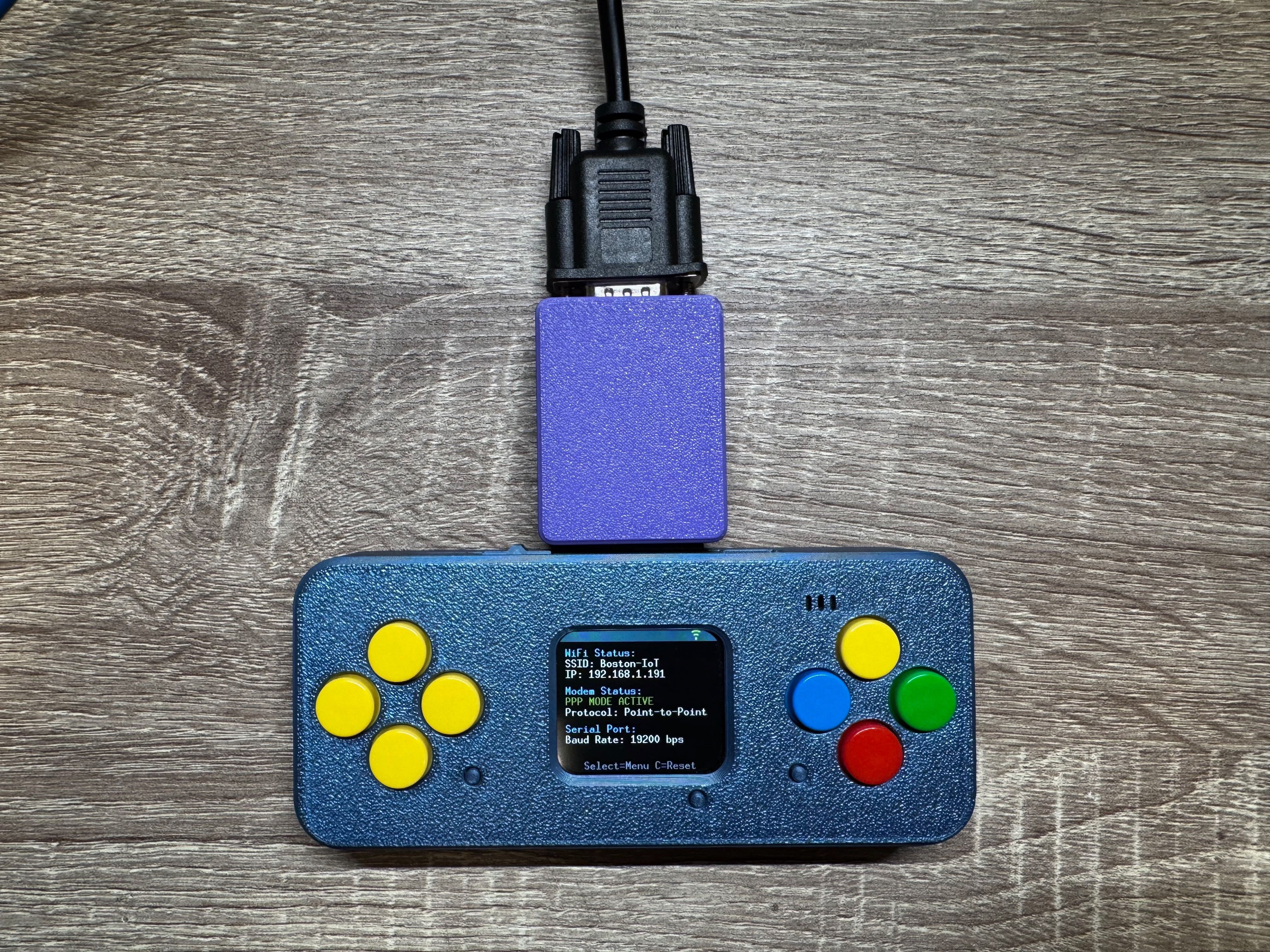
The connection is made through an RS232-TTL converter (MAX3232 or equivalent), which links the TX/RX lines of Lilka to the serial port of the retro device. After that, you can "dial" not phone numbers, but directly hosts and ports — for example, BBS servers or other TCP/Telnet services 🌐.
The firmware supports a full PPP stack, which allows older systems such as Windows 95 or other devices with dial-up networking to access the internet over WiFi. To do this, simply dial "777" — and the modem automatically switches to PPP mode, completes negotiation with the client, and starts routing traffic.
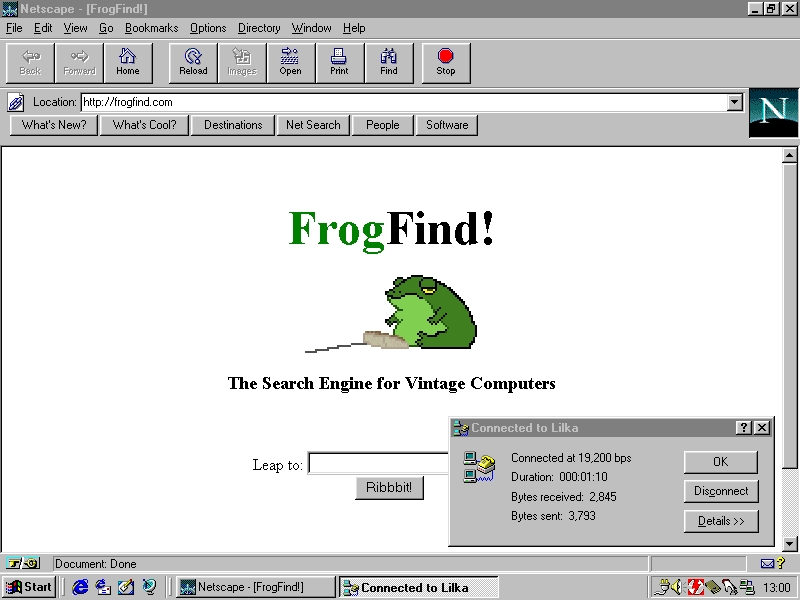
In addition to connections, file transfer via XMODEM and YMODEM is implemented with saving to an SD card, as well as file system management through AT commands or a web interface 💾. The built-in HTTP server allows you to configure WiFi, change modem parameters, edit speed dial entries, and manage files directly from the browser.
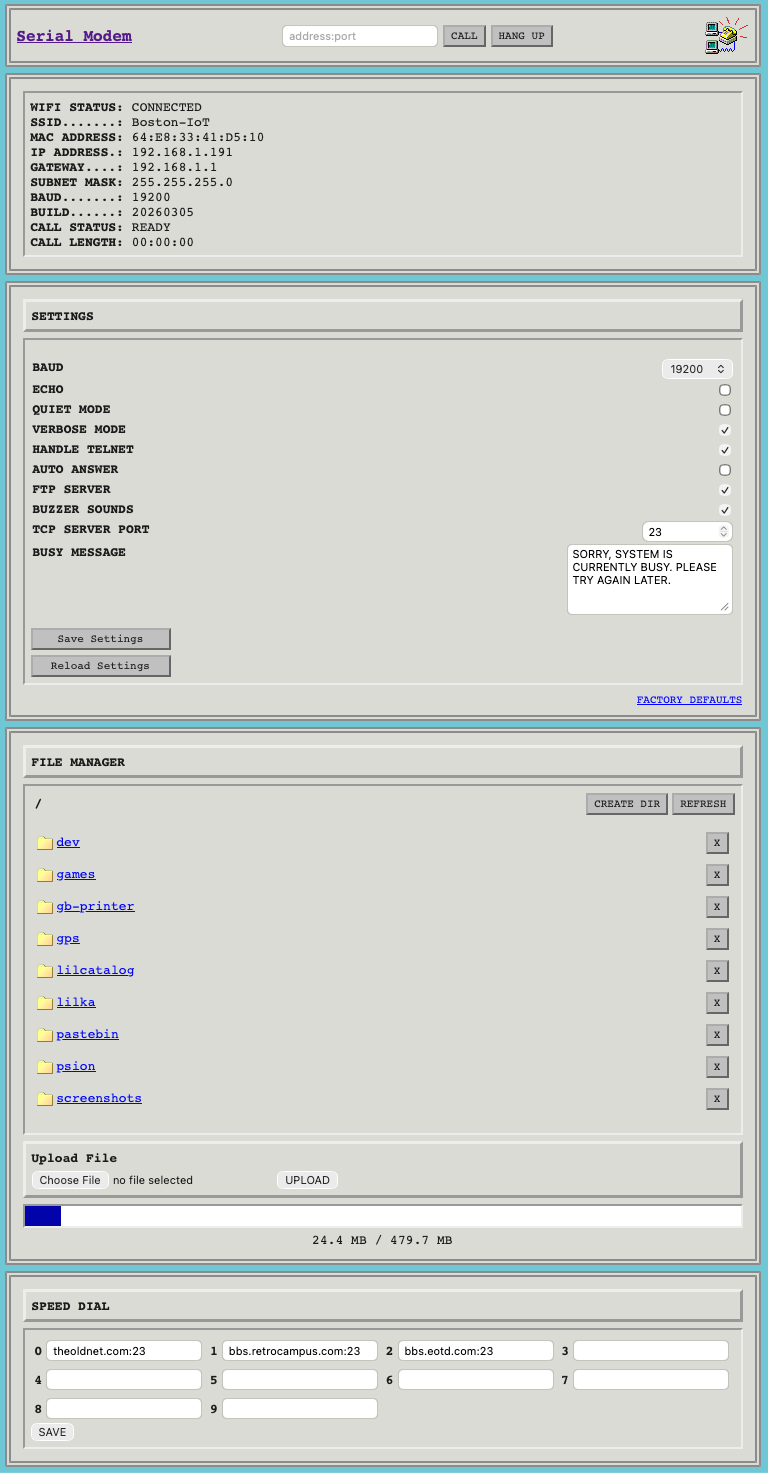
The Lilka screen displays the modem status, active connections, IP address, and operating mode, and device control is also available through the on-screen menu and buttons. Speeds from 300 to 115200 baud are supported, but for stable operation the optimal speeds remain 9600 baud for connections and 19200 baud for file transfers.
As a result, Lilka becomes a bridge between modern WiFi and retro computers, allowing them to "get back online" without any changes to the software — as if the internet still ran over a phone line 📞. App page.
Lilka Game Boy Printer
Lilka Game Boy Printer is a firmware that turns Lilka into a Game Boy Printer emulator 🖨️. If you have a Game Boy Camera or any game with Game Boy Printer support, Lilka can receive images from it, display them on its screen, and save them to an SD card.
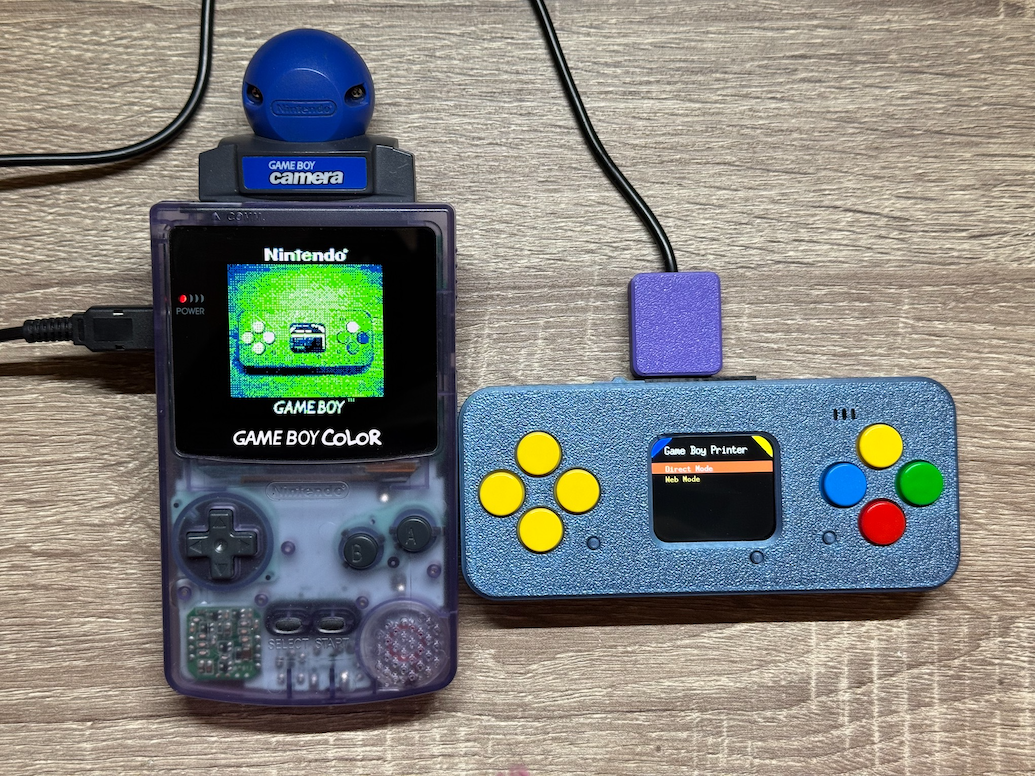
The firmware works in two modes. In Direct Mode, Lilka simply connects to the Game Boy via a cable, receives images in real time, and saves them in PNG format. In Web Mode, a web interface is added on top of that — after connecting to WiFi, you can open a browser, view received images, and download them directly to your device.
To connect, you will need a standard 6-pin Game Boy Link Cable and a four-channel 5V → 3.3V level shifter (for example, based on MAX3232). The level shifter is required — a direct connection will damage the ESP32. Through it, the SIN, SCK, and SOUT lines of the cable are connected to the corresponding GPIO pins of Lilka (21, 48, and 47) via the extension port.
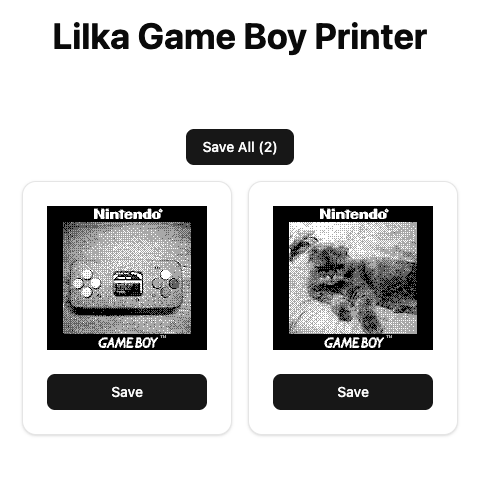
Compatible with any Game Boy — DMG, Pocket, Color, or Advance. Supports Game Boy Camera, Pokémon Gold/Silver/Crystal, Super Mario Bros. Deluxe, and dozens of other games with printer support. An SD card is optional, but required if you want to save images locally. App page.
Lilka AI
Lilka AI is a firmware that turns Lilka into a portable AI assistant with OpenAI support 🤖. It allows you to have full conversations with ChatGPT directly on the device, keeping the conversation history throughout the session.
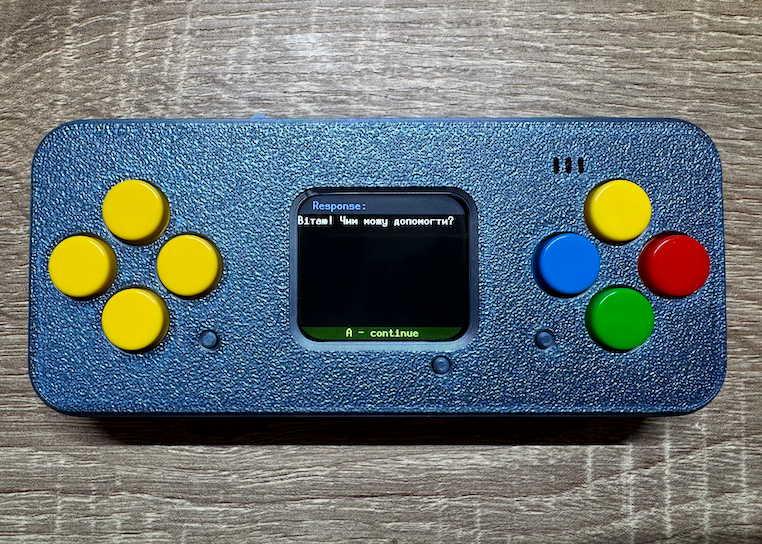
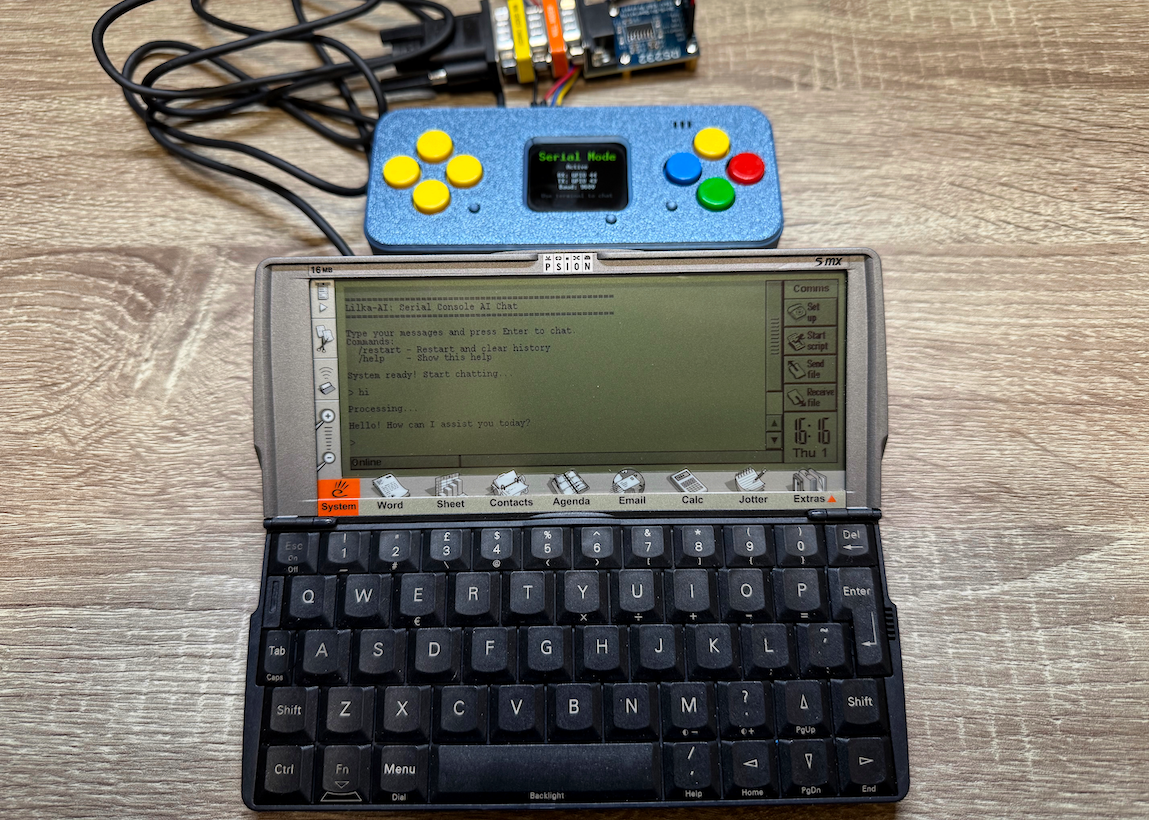
The firmware supports two operating modes. In chat mode, a virtual keyboard appears on the screen — you type your message, send it, and read the response right on the Lilka display. In Serial mode, you can connect any device with an RS-232 interface and chat with the AI through a terminal.
To use it, you need an OpenAI API key, which can be obtained from the OpenAI website. The key, model, and WiFi are configured through the built-in web interface — just open a browser on the same WiFi network and navigate to the IP address that Lilka shows on its screen. App page.
Li'l Video
Li'l Video is a small video player for Lilka that lets you watch videos with sound right on the device 🎬. Videos are stored on an SD card in a special format suited for the modest hardware of the ESP32.
To get started, simply download the ready-made player.bin file and place it on the SD card in the Video folder 📁. Then for each video you create a separate subfolder and put two files inside — the video track and the audio track separately. That is how the player tells different videos apart.
Videos need to be prepared in advance using a free program called ffmpeg 🛠️. It converts a regular mp4 into a format that Lilka can play back. The process is straightforward, but requires a few commands in the terminal — more details can be found in the project repository.
The controls are very simple. Launch player.bin through the SD card browser in Keira OS, use the up and down buttons to select a video, and press A to start playing it. During playback, the same buttons control the volume, and pressing A again brings you back to Keira OS. App page.
Bruce Firmware
Bruce is a firmware for ESP32 that turns the device into a tool for testing the security of networks and systems 🦈. It supports a wide range of features: WiFi attacks, Bluetooth, radio frequencies, RFID, infrared, and much more.
Bruce was originally developed as a more affordable alternative to Flipper Zero — a security testing device that costs quite a lot. An ESP32 running Bruce provides similar capabilities for significantly less money 💸.
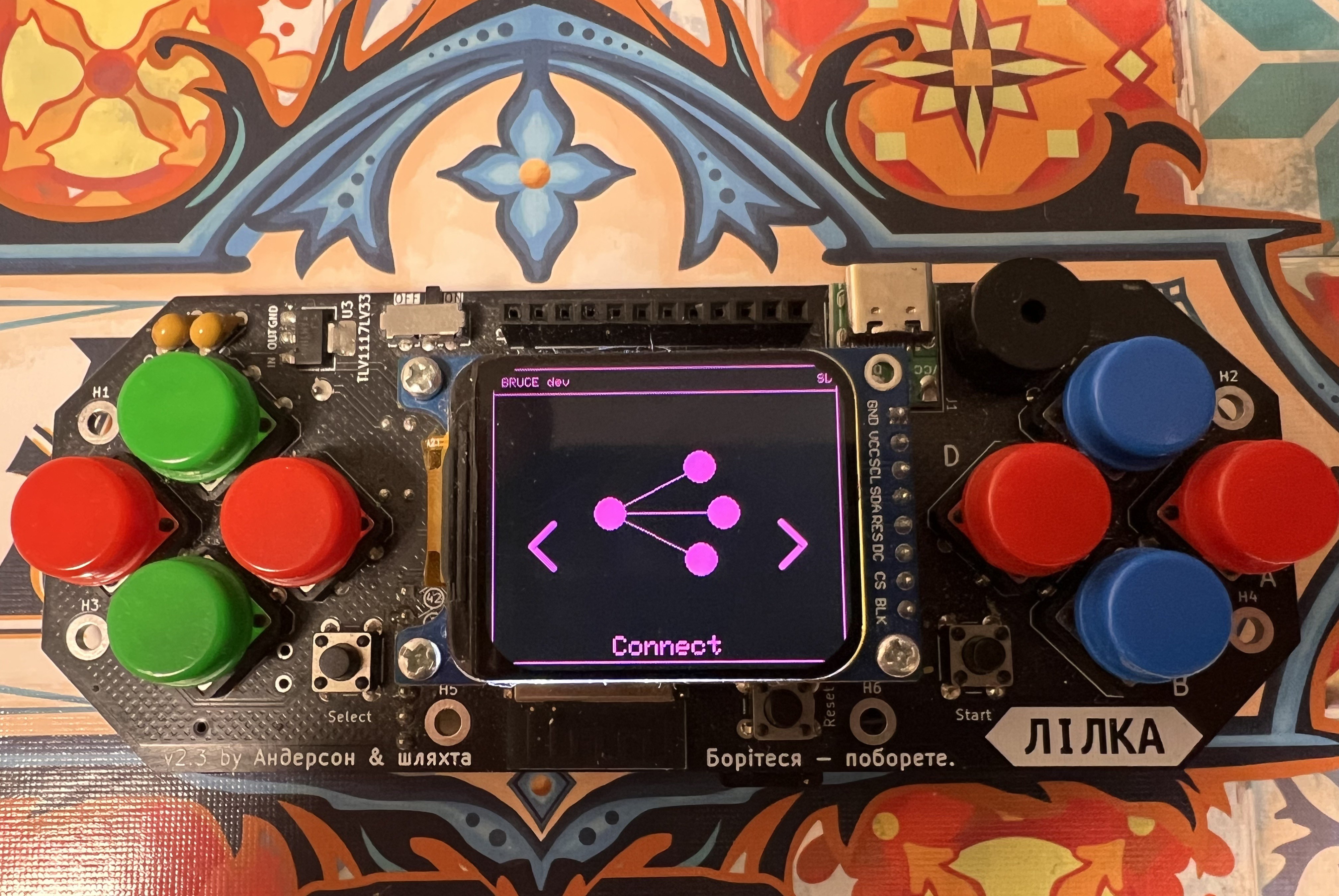
The firmware supports a huge number of devices: Cardputer, M5StickC, T-Deck, T-Embed, and others. Lilka also received Bruce support thanks to community enthusiasts 🛠️.
Installing Bruce is very easy — just visit the official website bruce.computer and use the web flasher directly in the browser. No additional software needs to be installed.
It is important to remember that Bruce is a tool for legal security testing only ⚠️. It should only be used on your own devices and networks, or with the explicit permission of the owner. The developers take no responsibility for any misuse.
Conclusion
Lilka is not just a development board — it is a whole ecosystem 🌱. From retro games and an AI assistant to security testing and smart home integration — everyone will find something interesting. The community is actively growing, new firmware and projects keep appearing, and this is just the beginning.
And there is some great news 🎉 — Lilka is now available pre-assembled on eBay, so there is no longer any need to hunt for components and solder everything yourself. Just order it, power it on, and start experimenting!
Discussions
Become a Hackaday.io Member
Create an account to leave a comment. Already have an account? Log In.