 Michil783

This is a project to implement a complete system to store and display climatic measurements at home. It starts with HW sensor to gather the climatic values and a backend to receive the values from several sensors and store it in a database and generate a web page to display the values.
The backend could run on a Raspberry Pi or within Docker images on any other HW like NAS drives.
WeatherNodeV4
This hardware sensor is based on the ESP8266 and takes every 15 minutes measurements of the climate conditions as it is:
- Temperature
- Pressure
- Humidity
These measurements are send via Wifi to an MQTT broker.
Hardware
The hardware schematic isn't to complex
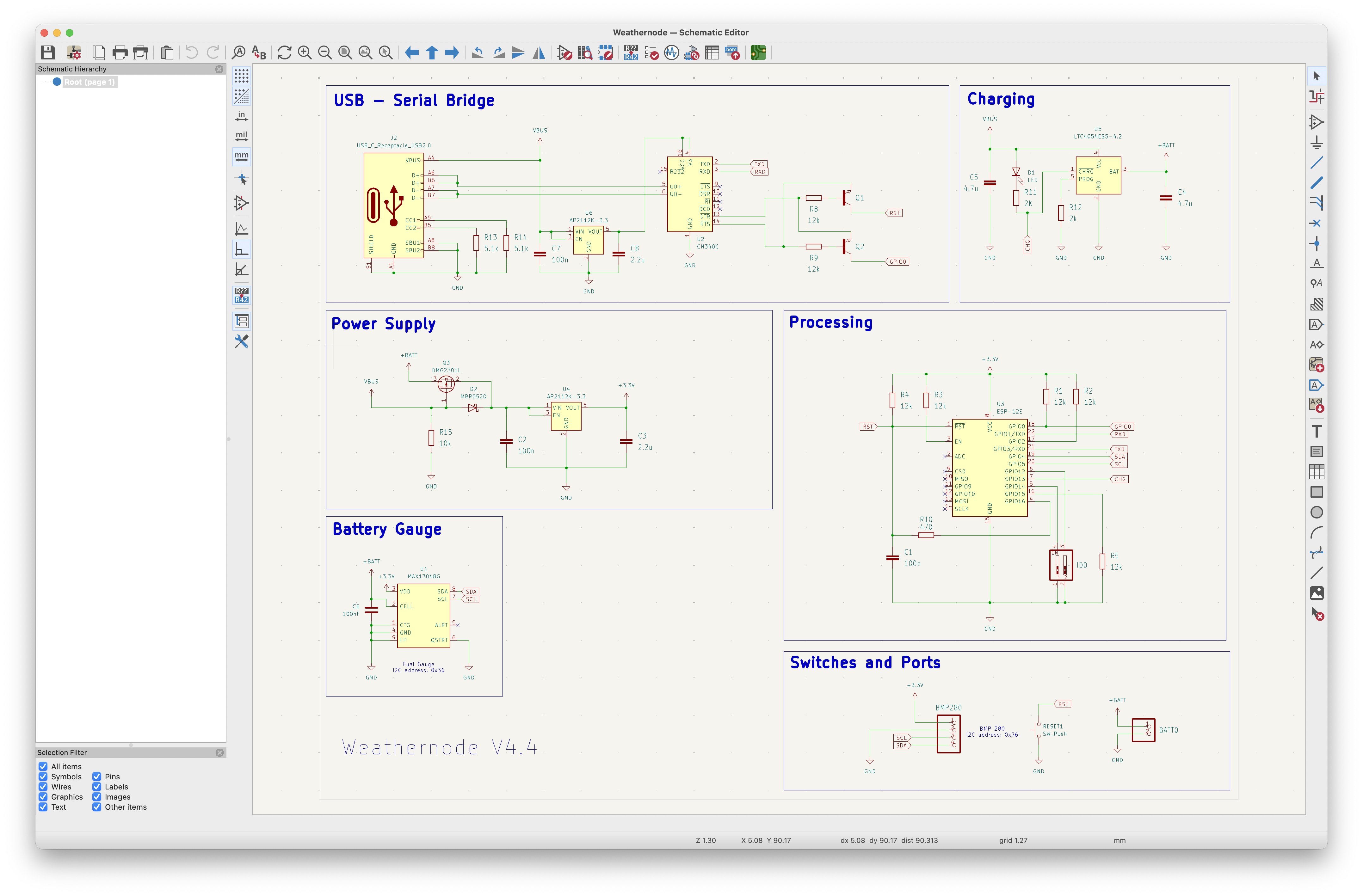
and is done using KiCAD. The PCB is also done with KiCAD.
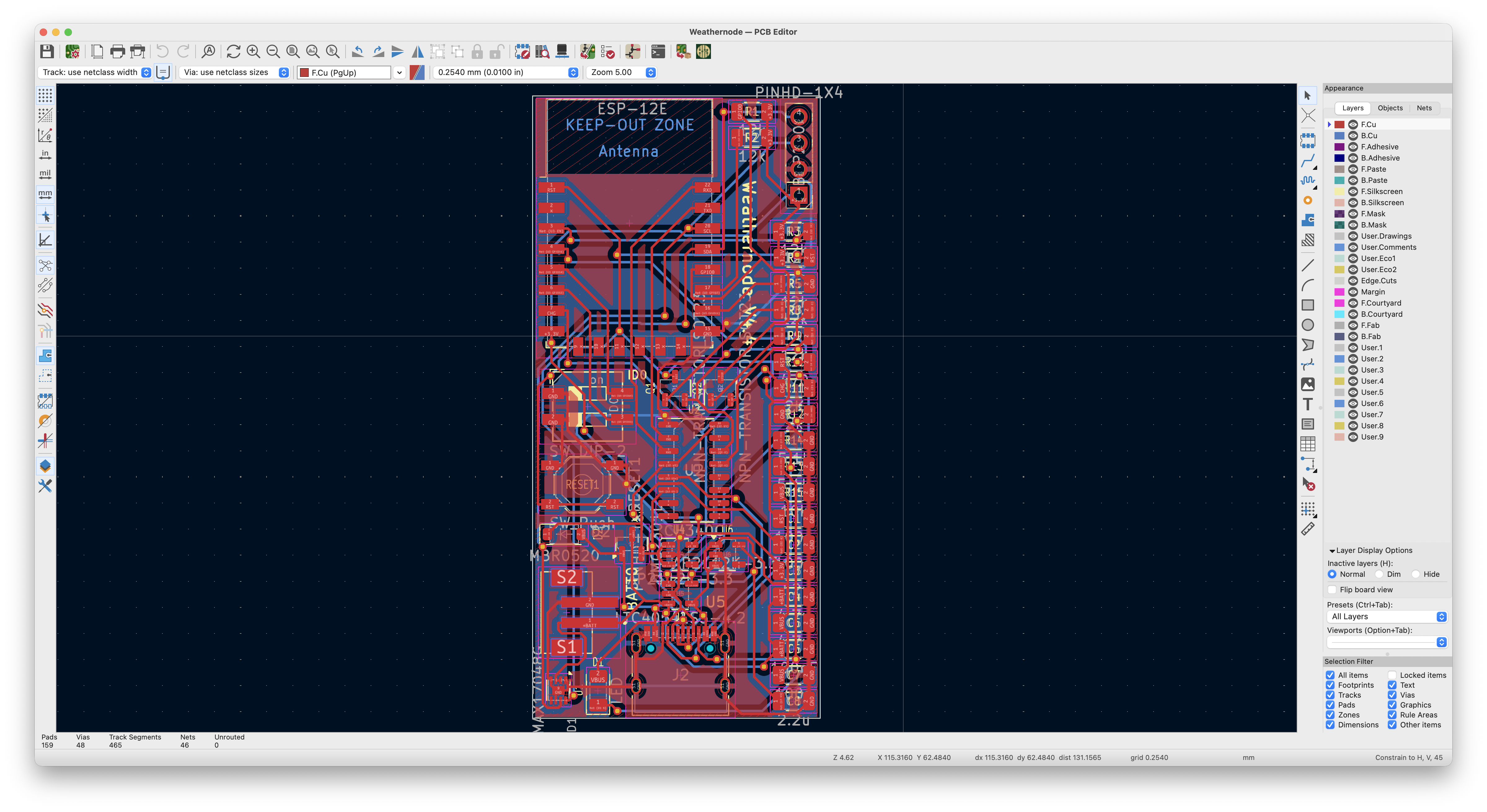
The power supply is done with a LiION cell of type 18650 which gives the sensor power for about 10-12 weeks.
The software and all HW data is stored in github:
https://github.com/Michil783/WeatherNodeV4
In the repository are also FreeCAD and STL files for a box for the sensor.
The SW for the sensor is also in the repository.
Backend
The backend needs a MQTT broker running which receives the data from the sensors, a Database like SQLite3 (used in the code) and two parts of SW which are stored in a github repository:
https://github.com/Michil783/ClimateHist
The first part, "Store_MQTT_Data_in_DB" connects to MQTT broker and subscribes for the topic from the sensors. When data is received from MQTT broker it stores it in the DB.
The second part "dhtWebHist" provides an web interface to fetch data from the database. This is used to be independant from the database. The DB used in this project (SQLite3) do not provide a remote interface. This means, that this web interface has to run on the same machine as the DB.
Frontend
The frontend of this project is a web page which could be displayed on any PC or mobile device. The webpage is generated using a nodejs framework and the Astro library.
The source code is also in github:
https://github.com/Michil783/weather-forecast
It is displaying the values for two sensors (I used one on the balcony for outside data and one in the living room as inside data) plus a third one which is only displaying the battery status and the temperature (I used here a sensor in the bed room).
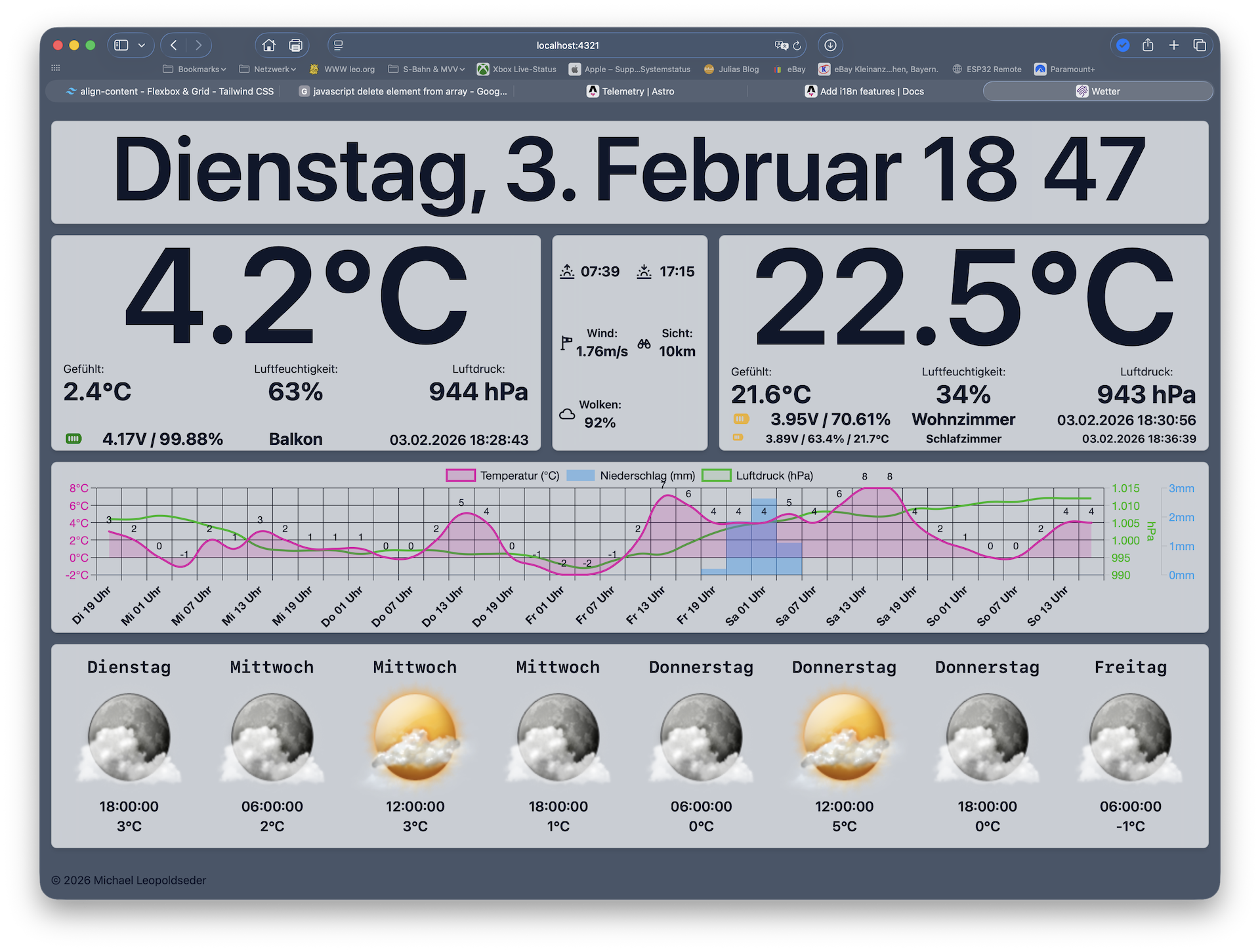
In addition to the display of the sensor values I used an free API from openweathermap.org to get a forecast for the next few days and these values are also displayed.
Currently the display is completely in german (but work is in progress).
The frontend is based on an excellent project from here
https://hackaday.io/project/204915-a-5-day-forecast-raspberry-pi-weather-dashboard
To use this frontend you have to have a API key from openweathermap.org which could be for free (very old API V2.5).
This key and some other config variables have to be added into and file in root folder of the github repository. More details could be found in the README.md file of the repository.
I used a 11" Display connected to a old Raspberry Pi 3B+ to display the frontend web page.
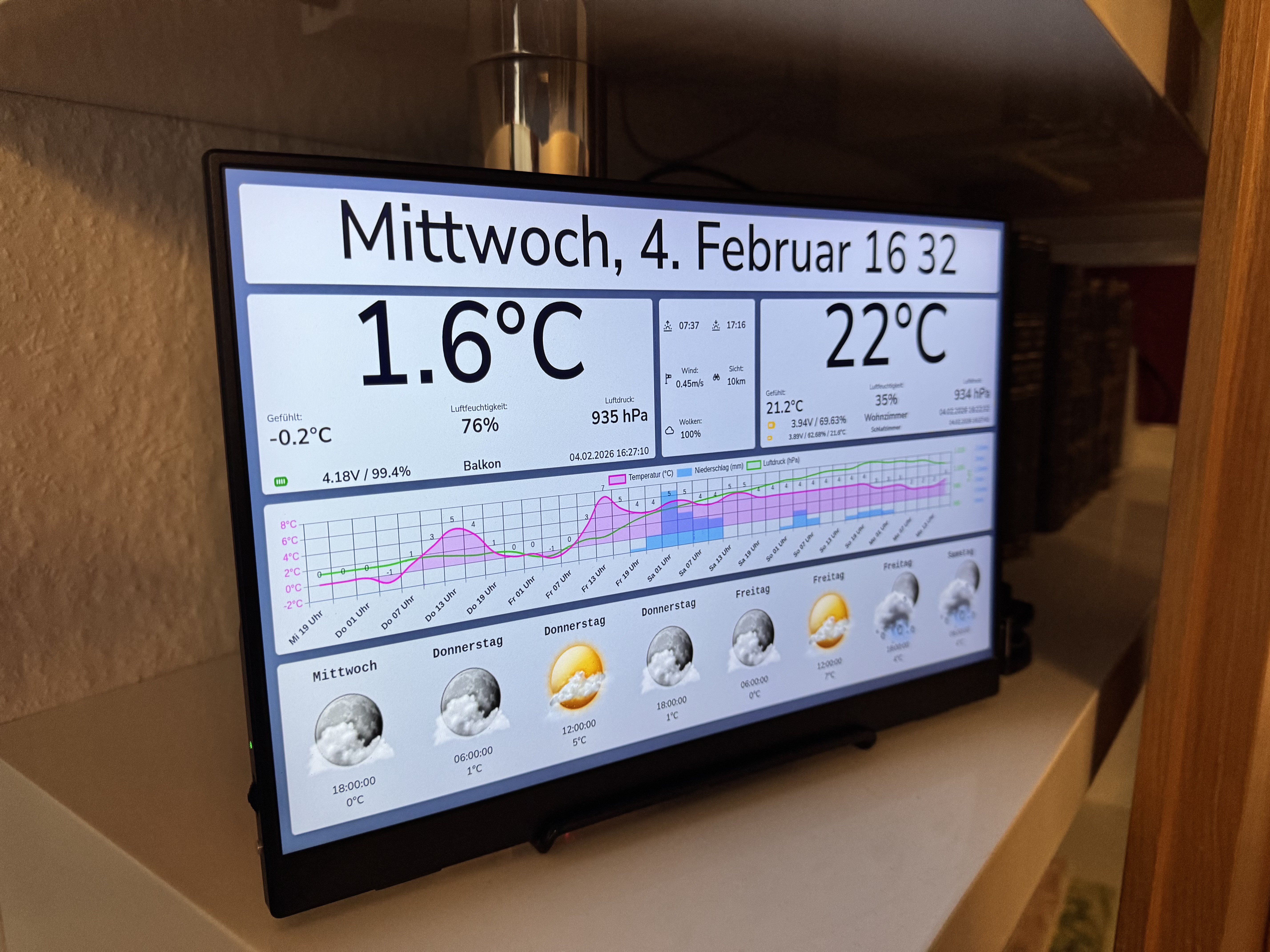
Additionally there is also a Homebridge plugin for Homekit integration of the weather sensors
https://github.com/Michil783/homebridge-weathernode-sensor.git
 tom Meyers
 mihai.cuciuc
 Pavol Dudak
 Nocternal