 ElectroScope Archive

ESP32-CAM TinyML Currency Classifier – Edge AI on a Microcontroller
Modern AI isn’t just for powerful servers. With TinyML and smart workflows like Edge Impulse, even low-cost microcontrollers can perform advanced computer vision—locally and in real time. In this project, we demonstrate how to build a currency recognition system that classifies Indian rupee notes using an ESP32-CAM module and deploys an optimized machine-learning model directly on the hardware—no cloud or constant internet connection required.
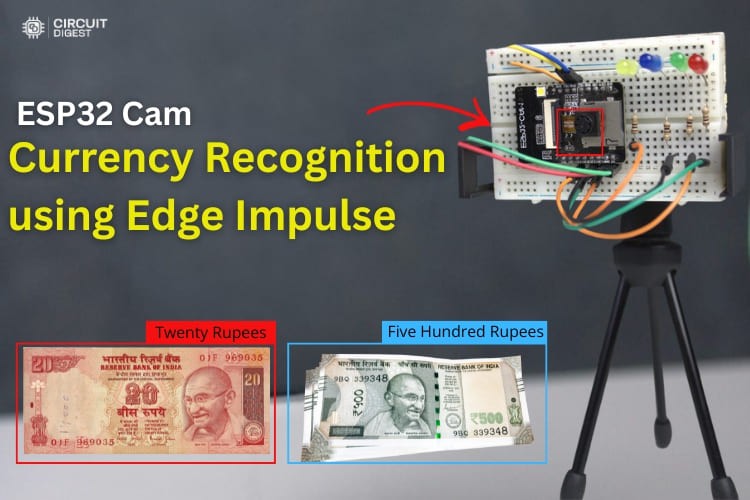
Core Features
✔ Real-time classification of Indian currency notes (₹10, ₹20, ₹50, ₹500)
✔ On-device ML inference using a model trained in Edge Impulse
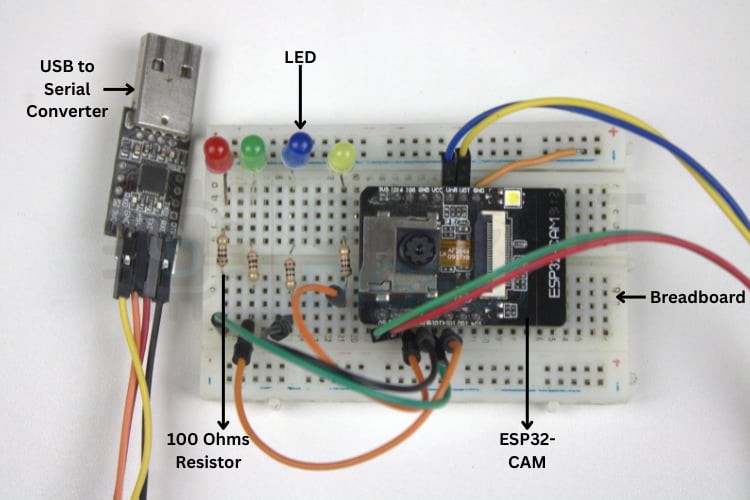
✔ Visual feedback via LEDs for each detected denomination
✔ Serial monitor output for debugging and human-readable confirmation
✔ Runs entirely offline after deployment
What You’ll Learn
This project takes you through a complete TinyML development cycle:
-
Dataset collection and labelling
-
Model training and optimization using Edge Impulse
-
Exporting and deploying an Arduino library
-
ESP32-CAM programming and hardware setup
-
Real-world testing and performance insights
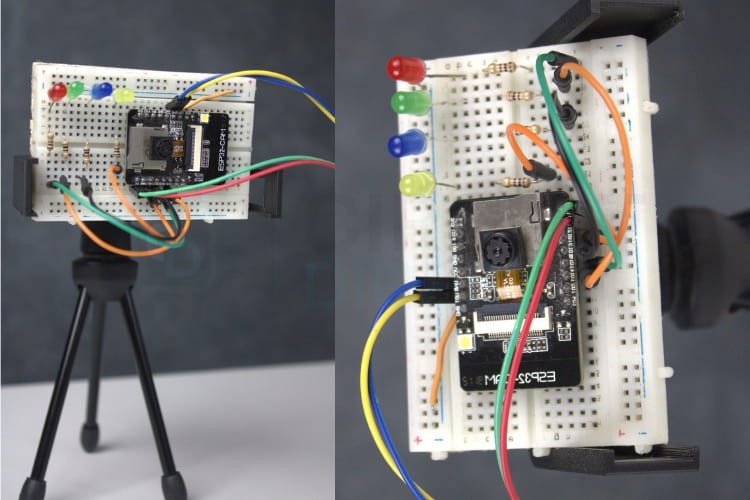
System Overview
At its core, this project combines a computer vision model trained on different rupee note images with the ESP32-CAM’s on-board camera.
-
Image acquisition is done from the camera.
-
The trained model classifies the note using learned visual features.
-
Corresponding LEDs turn on to visually signal which denomination was detected.
-
The result also prints to a serial monitor for developers.
This avoids latency and data privacy concerns associated with cloud processing by keeping the inference entirely on the microcontroller—a true TinyML edge application.
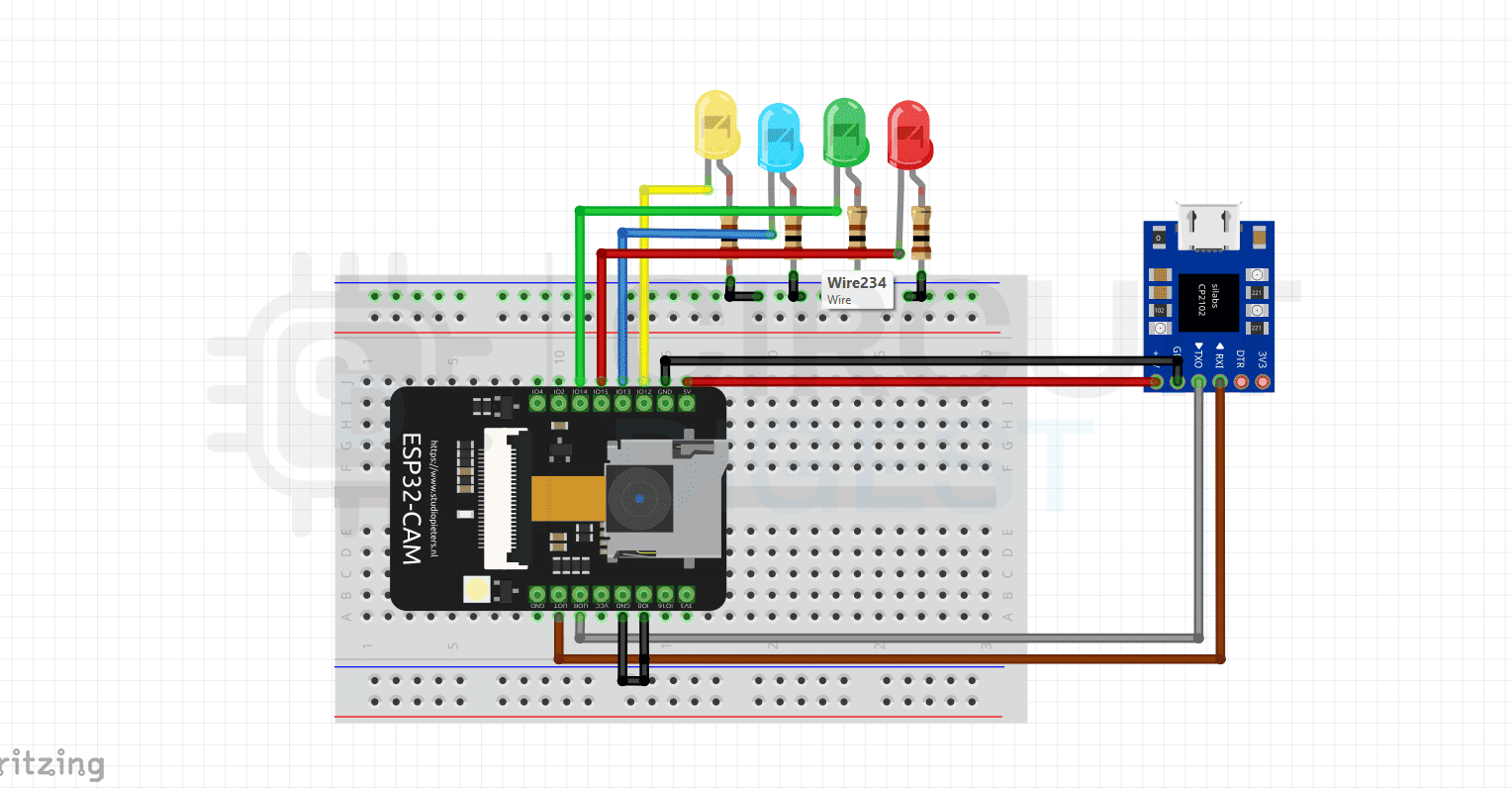
Step-by-Step Workflow
1. Collect and Label Data
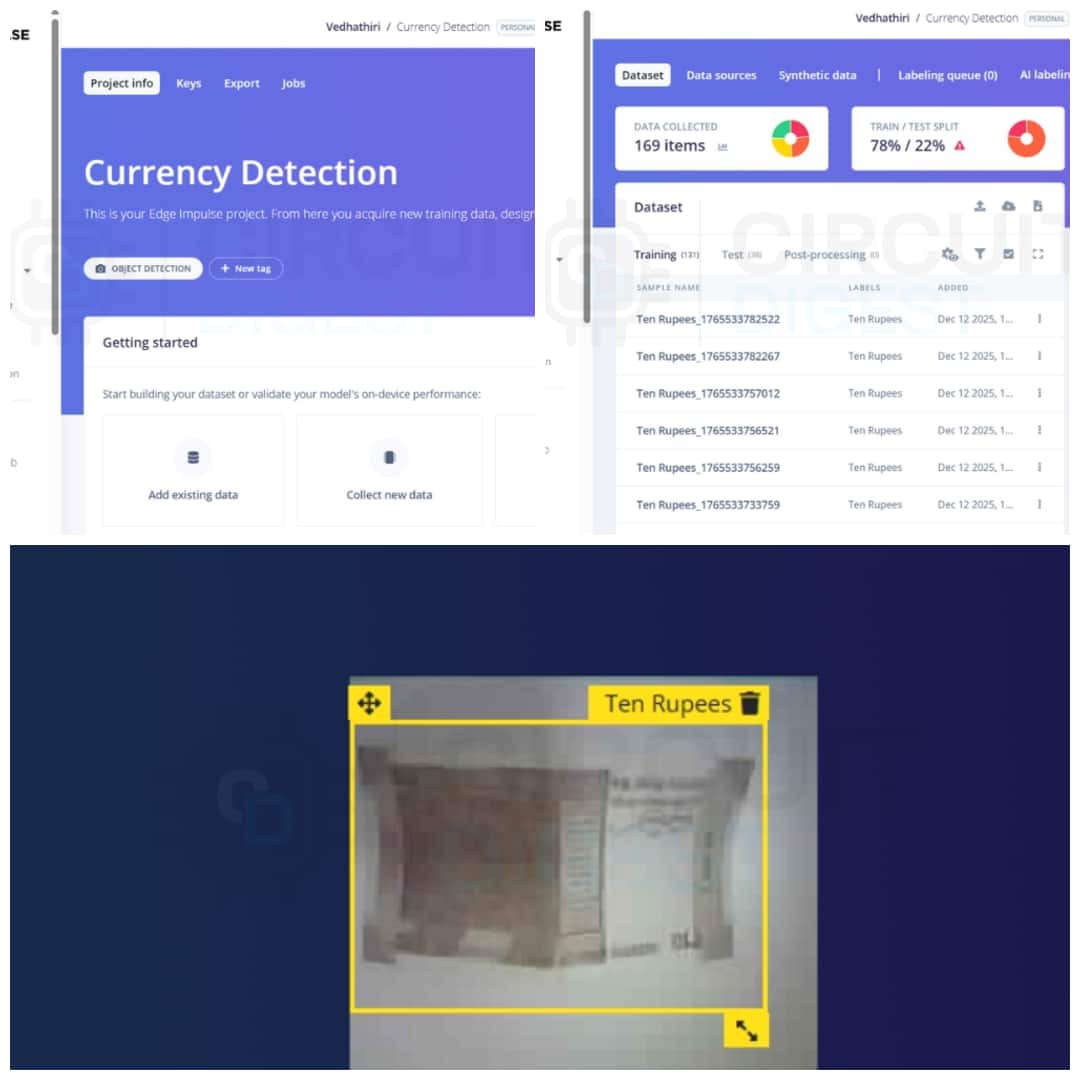
Use the ESP32-CAM web interface (served over local Wi-Fi) to capture images of each note class with consistent lighting and plain backgrounds. Good data quality improves training accuracy.
2. Model Creation in Edge Impulse
In Edge Impulse:
-
Create a new project and upload labelled images.
-
Use object detection blocks with appropriate preprocessing (e.g., grayscale or resized inputs).
-
Train the model and evaluate with real-world test images.
-
Export the model as an Arduino library ready for deployment.
3. Deploy to ESP32-CAM
Include the exported library in your Arduino environment, adjust camera settings for your board (e.g., AI-Thinker module), and upload the sketch. The ESP32-CAM will now classify incoming frames and trigger output indicators.
Testing & Practical Tips
Fix the camera at a stable angle and consistent distance from the currency notes. Variations in lighting or orientation can degrade performance. A small tripod or custom mount improves reliability.
Use Cases
This inexpensive TinyML system can be extended into real-world applications, such as:
-
Assistive tools for visually impaired users
-
Point-of-sale transaction validators
-
Automated currency counters
-
Vending machine currency acceptance
Future Enhancements
Potential improvements include:
-
Expanding recognized classes (e.g., coins or higher denominations)
-
Detecting counterfeit currency through additional training
-
Adding LCD/OLED displays or audio playback
-
Integrating voice feedback for accessibility
Conclusion
This ESP32 CAM Currency Recognition shows how accessible and powerful edge AI can be. With an ESP32-CAM and Edge Impulse, you can build a robust, offline currency recognition system in just hours. It’s a great learning platform for TinyML, embedded vision, and practical maker applications.
Level up your embedded skills by browsing these ESP32 projects