 21cncstudio
When I started Project Aura, I was trying to solve a personal problem: my home office was quietly hitting 1800+ ppm of CO₂, and I had no idea. I built a monitor. I shared it. And somehow, over the past few months, more than two thousand people decided they wanted to build one too.
Today is the last day of the MakerWorld campaign. Late Pledge will remain open after this. But before we move forward, I wanted to write an honest update about what Aura has become — because it's quite a bit more than what I originally described.
| 2,000+ backers | 385 GitHub stars |
Aura can now control your ventilation, not just report on it
The biggest addition since launch: an optional 0–10V DAC output via the GP8403 module (DFRobot FDR0971). Connect it to any compatible fan, ERV, or ventilation controller, and Aura will drive it automatically based on live air quality.
The key design decision here was to not pick a single trigger metric. Instead, the firmware evaluates all enabled sensors simultaneously — CO₂, CO, PM2.5, VOC, NOx, HCHO, and more — and drives the output from whichever one is currently worst. If your CO₂ is fine but VOC just spiked from cleaning products, the fan responds to that. The logic reacts to the actual problem, not an average.
Manual mode gives you 10 fixed voltage steps from 1V to 10V, with timers up to 8 hours. Auto mode is a separate, explicit arm — you start it intentionally, and a manual stop stays stopped until you restart. After a reboot, auto mode waits 15 seconds before resuming, giving the device time to stabilize. The current DAC output is always visible in both volts and percent, with a clear RUNNING / STOPPED / FAULT status.
All metrics are configurable per-sensor. Disabled or missing sensors are simply excluded from the calculation — no errors, no false triggers.
Here's a full feature overview of the current firmware — ventilation control, UI, Home Assistant integration, and everything else:
Build it from what you can actually find
One of the most common questions I got: "I can't find the exact sensor you listed — will X work?" The answer, increasingly, is yes.
The firmware now auto-detects pressure sensors across six compatible chips: BMP580, BMP581, BMP585, BMP388, BMP390, and DPS310. It probes in order and identifies the installed chip by ID — including shared-address disambiguation to avoid false positives on a busy I2C bus. The official BOM still lists BMP580 or DPS310, but the actual hardware compatibility is now meaningfully wider.
RTC detection works the same way. Both PCF8523 and DS3231 live on address 0x68, so a simple ACK isn't enough. The firmware uses a multi-step probe — checking control registers and temperature data — to correctly identify which chip is installed. There's also a manual override if needed. The detected RTC type is surfaced in the UI, so it's not just an internal detail.
Optional modules — the CO sensor (SEN0466), HCHO sensor (SFA30), and DAC board (DFR0971) — are all presence-detected at boot. Each one can be missing, present-and-working, or present-but-faulted, and the firmware handles all three cases without affecting the rest of the system.
Two new enclosures
The original desktop case isn't going anywhere, but two new variants are now available as STL files for backers.
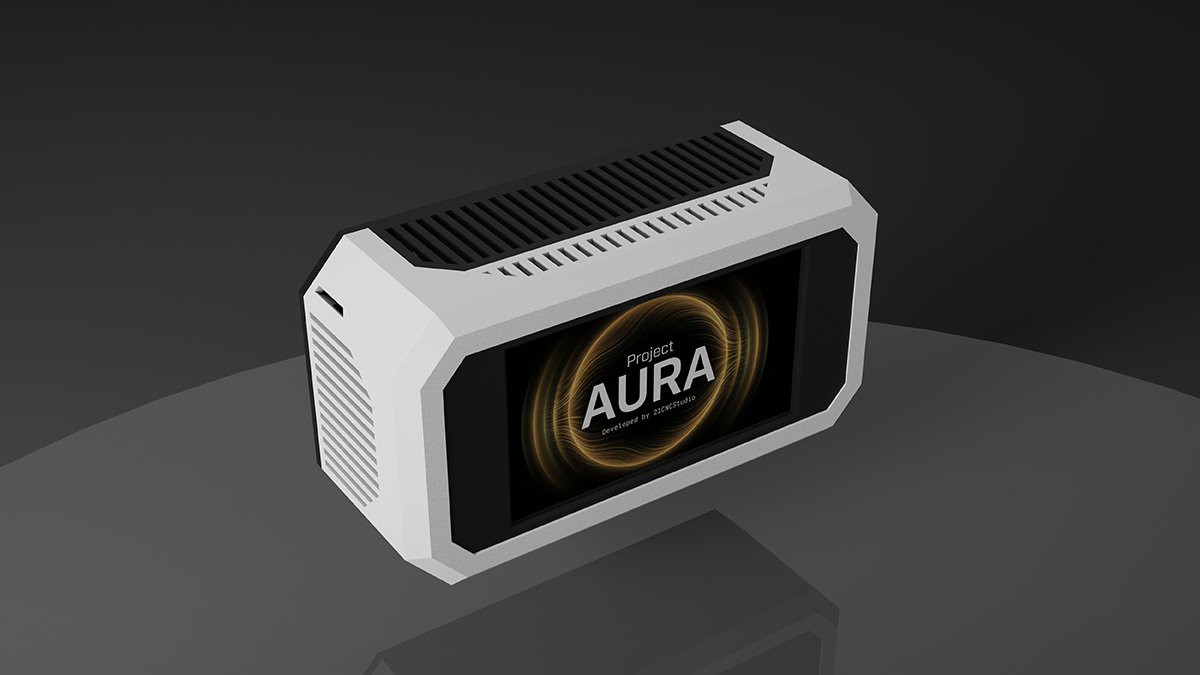
Wall-mount — sits flush against the wall. Good for hallways, bedrooms, or anywhere desk space is limited.
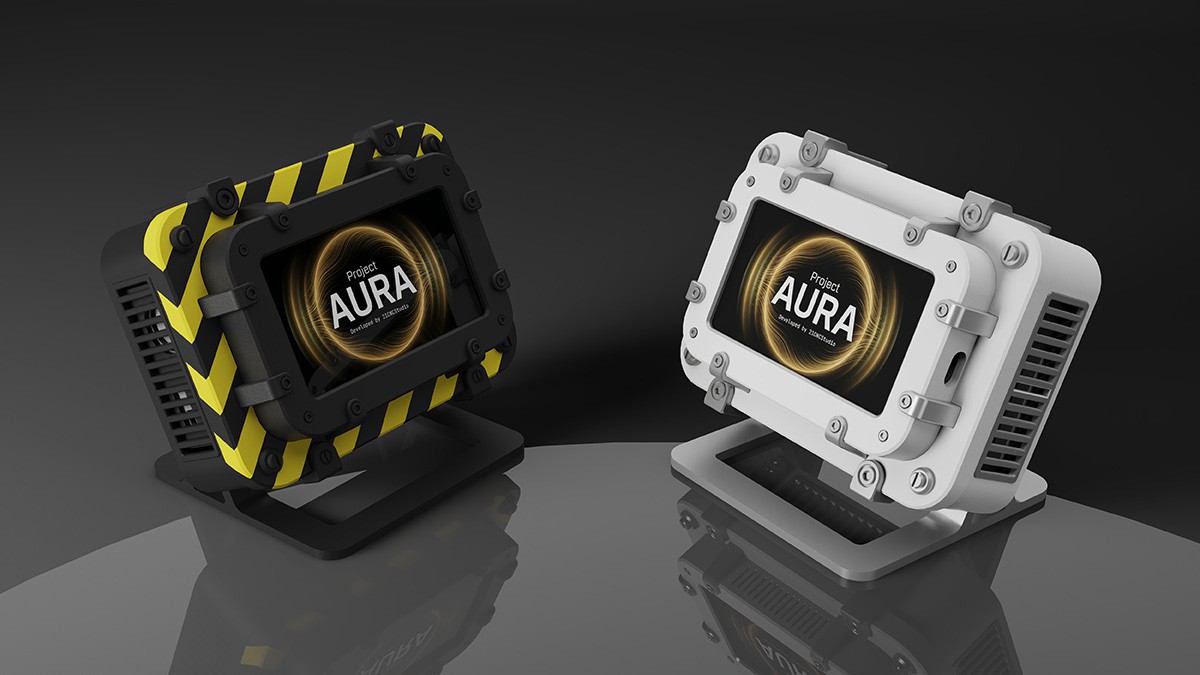
Industrial — heavier aesthetic, works well in a workshop or utility environment.
Thank you
I started this project alone, with a CO₂ problem and a breadboard. I'm ending the campaign with 2,000+ people who decided to take air quality seriously alongside me. That still doesn't fully register.
If you're still on the fence — Late Pledge is open. The firmware, STL files, and full documentation are available on GitHub.
Come build something.
— Volodymyr Papush, 21CNCStudio
Discussions
Become a Hackaday.io Member
Create an account to leave a comment. Already have an account? Log In.