 Arnov Sharma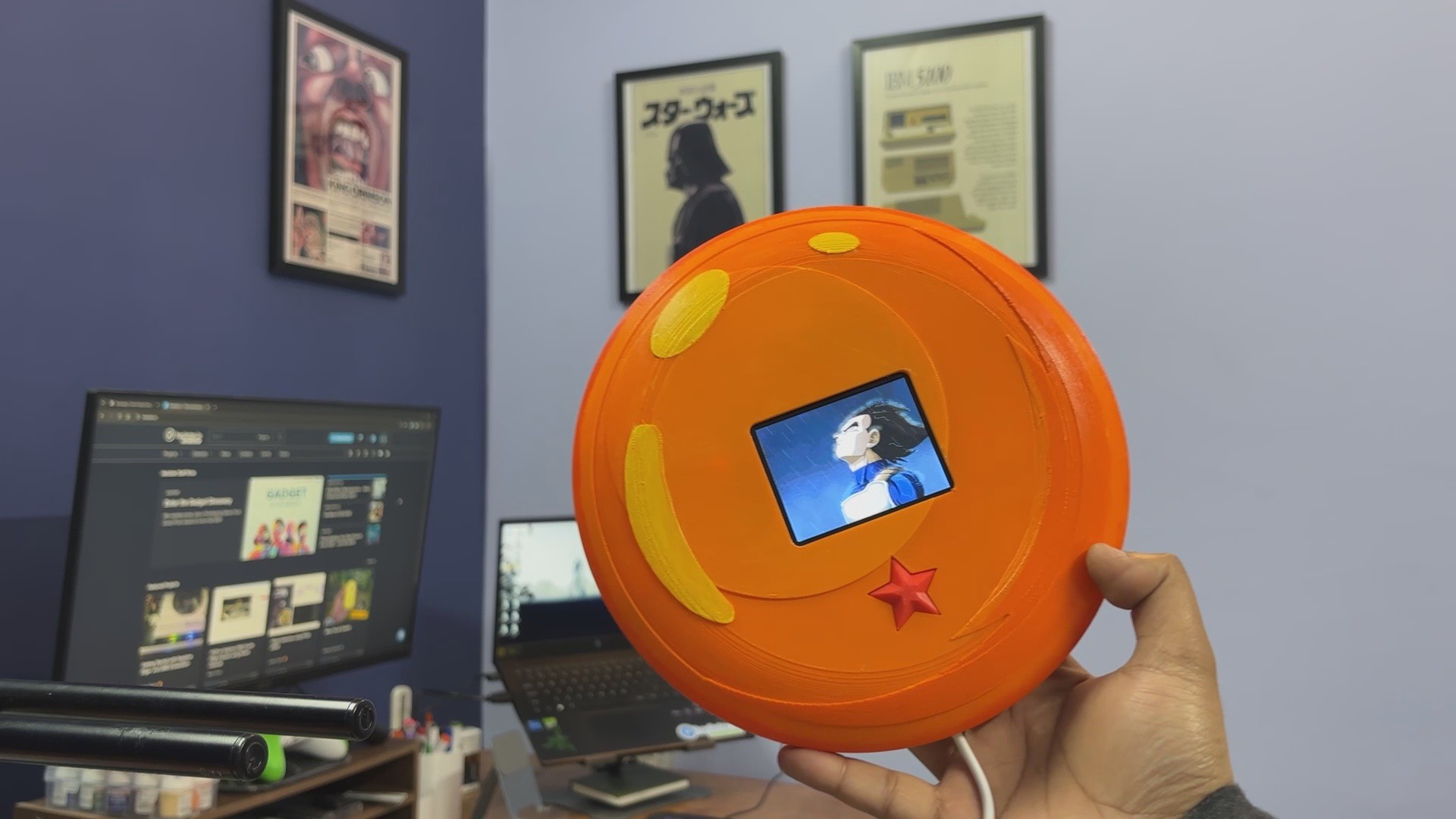

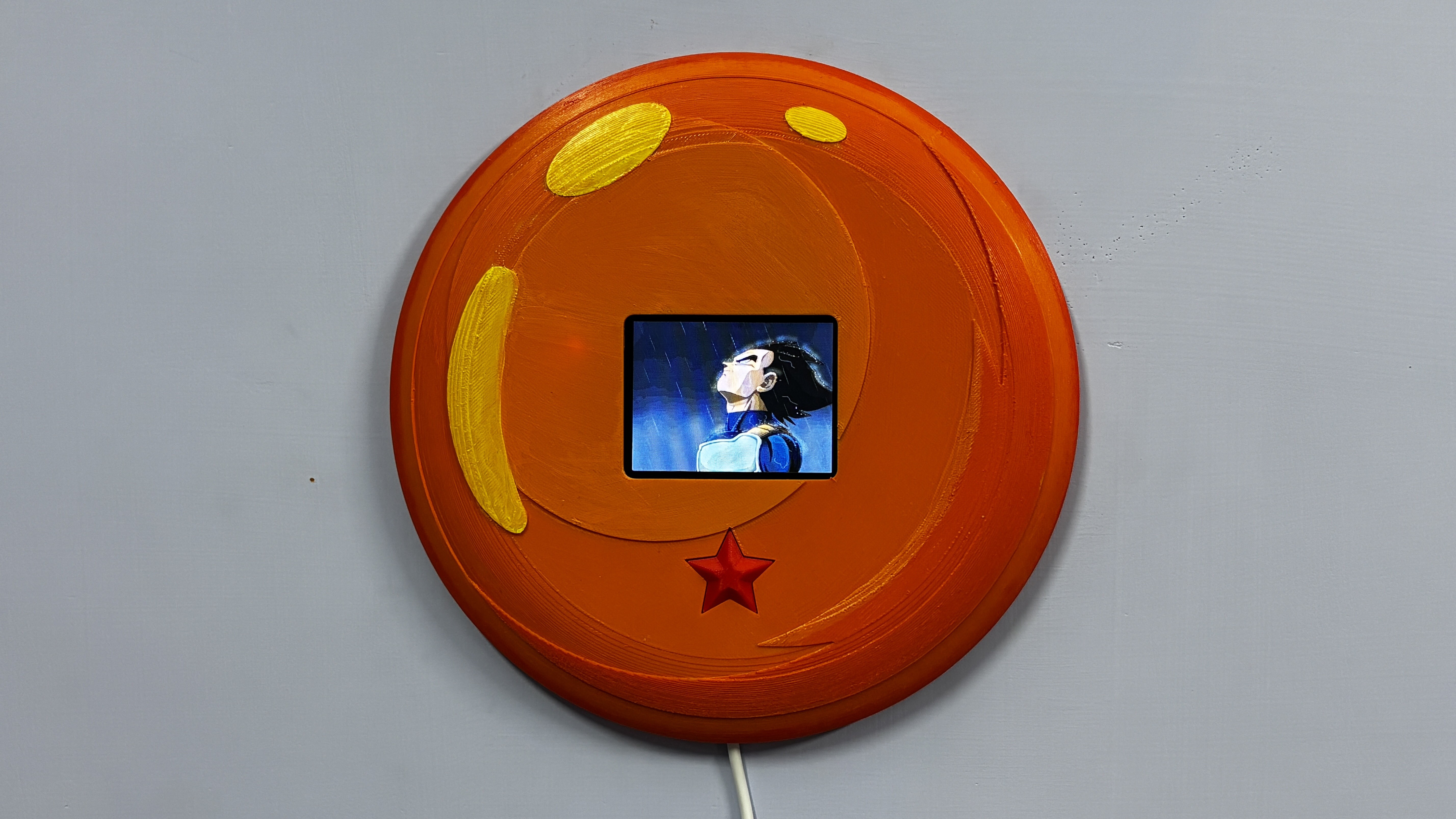
Vegeta’s entire journey is built on failure, pride, setbacks, and relentless self-improvement. He loses. He struggles. He gets outmatched. But instead of quitting, he trains harder. He confronts his weaknesses. He transforms frustration into fuel. Over time, he doesn’t just grow stronger; he grows wiser.
The Zenkai Engine consists of a full-size Dragon Ball enclosure and is powered by a UNIHIKER K10. When the external button that is shaped like a one-star Dragon Ball is pressed, the device plays a short animated sequence of Vegeta standing in rain along with a one-minute motivational speech. After inactivity, the display powers down to conserve energy, awaiting the next trigger.
About Zenkai Boost and Idea Behind Motivation

In Dragon Ball, the concept of a Zenkai Boost refers to the Saiyan ability to grow significantly stronger after recovering from near defeat. Instead of being weakened by loss, they come back more powerful. Damage becomes data. Failure becomes fuel. What makes this idea compelling is not just the ability itself, but how it is represented through characters, especially Vegeta.
Vegeta does not start as the strongest hero. In fact, he is repeatedly outmatched. He loses. He struggles. He trains alone. What defines him is not natural superiority but relentless self-improvement. He refuses to stay behind. He works harder than anyone else, including the hero. Every defeat becomes a reason to push further.
When a project fails, it feels like a setback. Hours of work may seem wasted, but in reality, every failed attempt, every wiring mistake, every blown microcontroller, and every debugging session adds experience. You may not see immediate progress, but you are improving.
The Zenkai Engine is a physical reminder of that principle.
When something doesn’t work, I press the button, listen to the speech, reset my mindset, and return to the problem.
HARDWARE—Unihiker K10
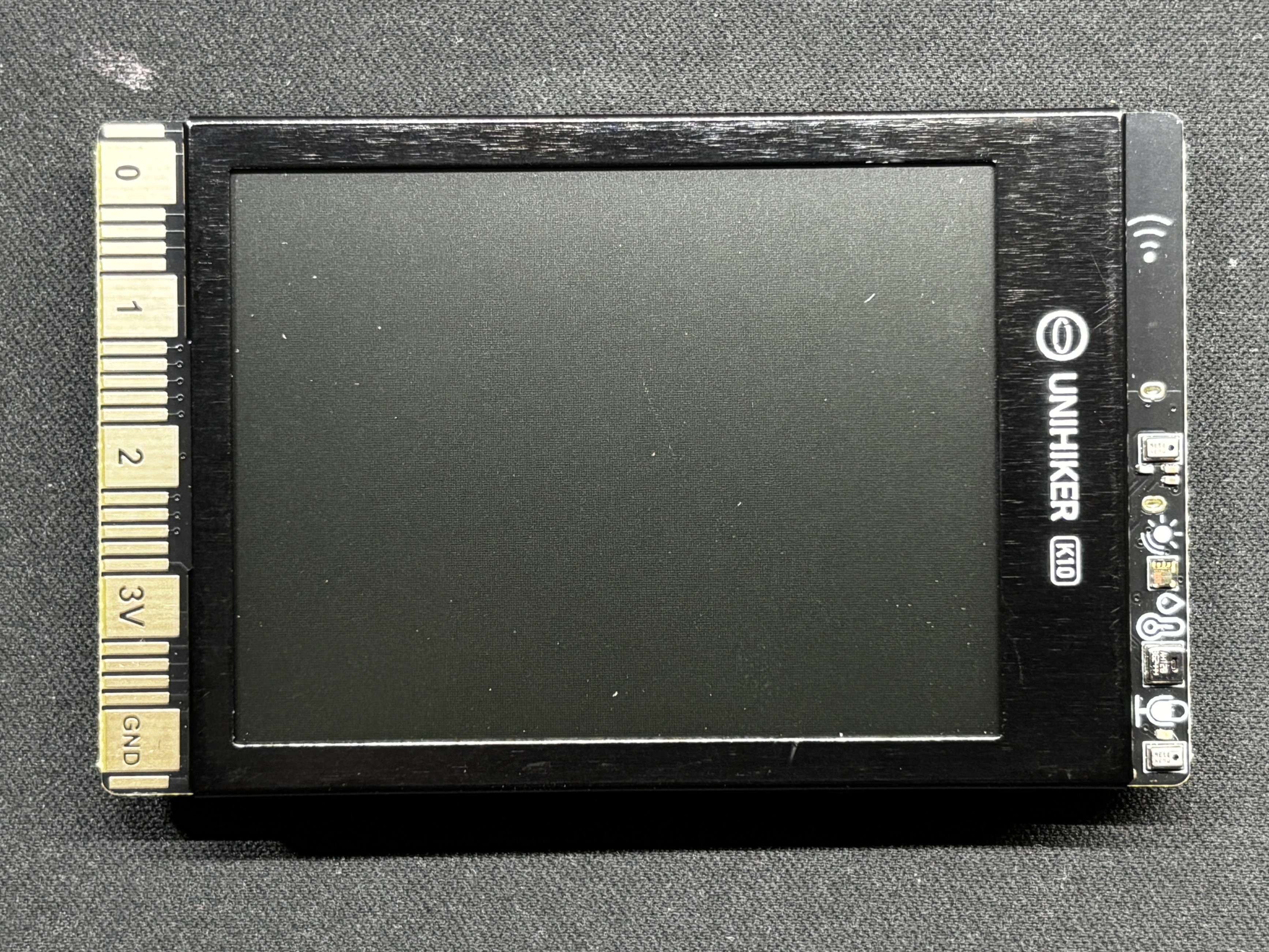
The star of this project is the UNIHIKER K10, which serves as the core controller and display unit for the entire system.
The UNIHIKER platform is available in two variants: the M10 and the K10.
The M10 is based on a Linux-capable processor, designed for higher-level applications.
The K10, on the other hand, is powered by the ESP32-S3 N16R8 module.
Key Specifications:
- Module: ESP32-S3 N16R8
- Processor: Xtensa® LX7 dual-core 32-bit CPU
- Clock Speed: Up to 240 MHz
- SRAM: 512 KB
- ROM: 384 KB
- Flash Memory: 16 MB
- PSRAM: 8 MB
- RTC SRAM: 16 KB
With its dual-core architecture and generous Flash and PSRAM, the ESP32-S3 is capable of handling image rendering, SD card file access, and audio playback simultaneously
Our primary reason for selecting the UNIHIKER K10 for this project was its built-in SD card reader and onboard speaker. These two features significantly simplified the overall design and eliminated the need for additional external modules.
All media assets used in the Zenkai Engine are stored directly on the SD card. This includes the image frames used to simulate the animated sequence, as well as the audio file that plays during activation.
The display renders JPG images read from the SD card in rapid succession to recreate the animated effect. For audio playback, the system uses a WAV format file, as this is the supported and most reliable format for playback through the onboard speaker.
By handling both image rendering and audio output internally, the UNIHIKER K10 serves as a compact, all-in-one solution for managing the interactive and multimedia aspects of the project.
Check out more about the Unihiker K10 from its wiki page.
https://www.unihiker.com/wiki/K10/
PCB BREADBOARD


For this project, I used one of my previously designed PCB breadboards, created specifically to suit my personal prototyping workflow.
The board includes an integrated USB Type-C input for power delivery, along with an M7 forward diode for reverse polarity protection. This ensures safe and reliable operation during development and testing.
To support SMD prototyping, a dedicated SOIC-8 footprint was incorporated into the design. This makes it possible to work with surface-mount ICs in SOIC-8 packages, which is particularly useful when a component is not available in a through-hole variant.
For added functionality and visual feedback, the PCB also features a footprint for a WS2812B addressable RGB LED. Additionally, a 0603 LED footprint is included for simple status indication when required.
The overall layout mirrors that of a traditional solderless breadboard, allowing for a familiar workflow. However, unlike a standard breadboard where the central columns are internally connected vertically, the middle section of this PCB consists of individual, unconnected pads. This design enables complete flexibility, allowing custom connections to be created manually rather than being constrained by fixed internal traces.
The VCC and GND rails are arranged identically to a conventional breadboard, ensuring an intuitive transition from temporary breadboard prototyping to a more permanent PCB-based implementation.
Check out more about this project from the previous article.
https://www.hackster.io/Arnov_Sharma_makes/dc-pump-driver-with-custom-pcb-breadboard-cdf568
NextPCB PCB SERVICE
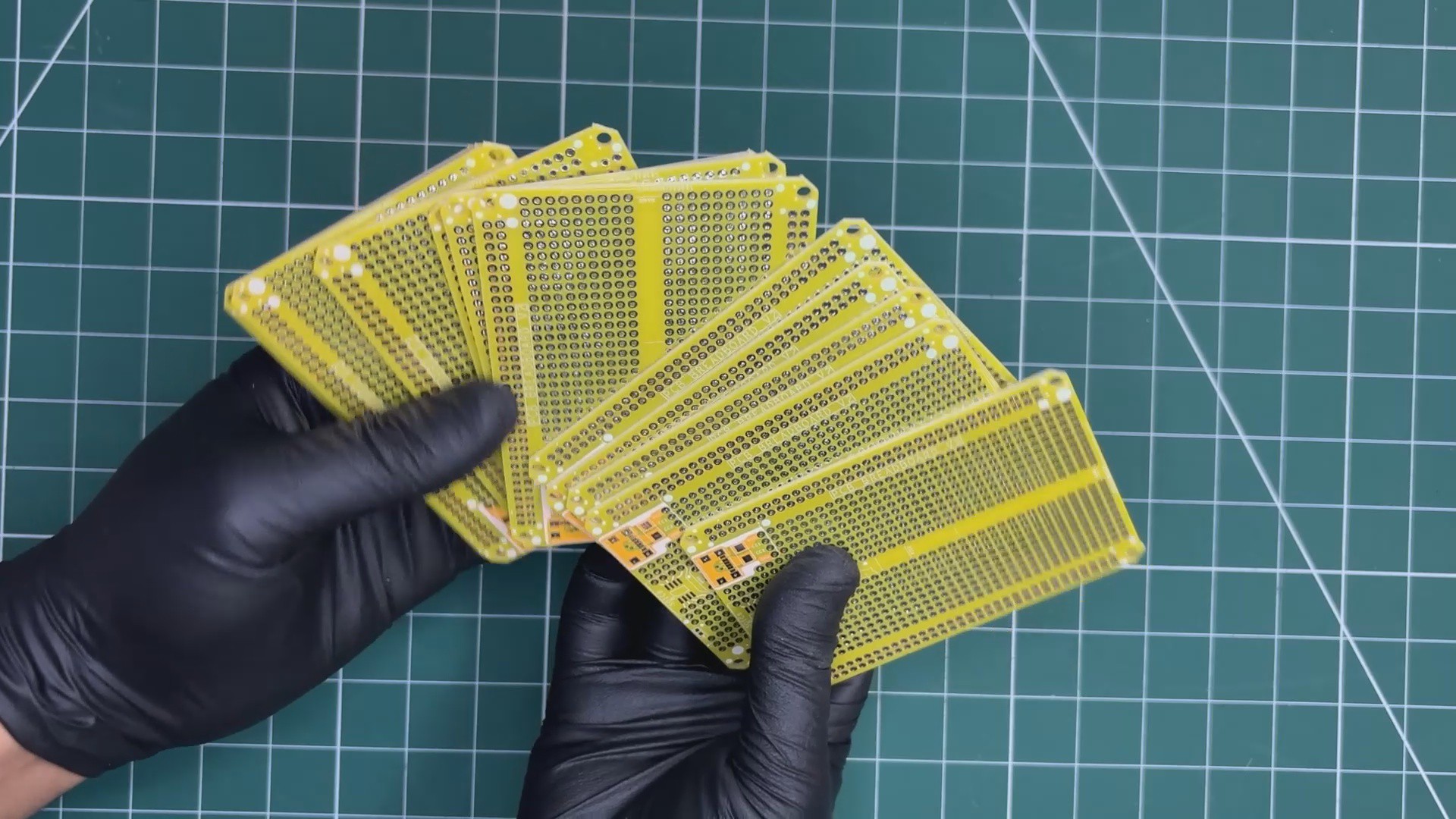
After completing the PCB design, Gerber data was sent to HQ NextPCB, and an order was placed for a yellow solder mask with white silkscreen.
After placing the order, the PCBs were received within a week, and the PCB quality was pretty great.
In addition, I have to bring in HQDFM to you, which helped me a lot through many projects. Huaqiu’s in-house engineers developed the free Design for Manufacturing software, HQDFM, revolutionizing how PCB designers visualize and verify their designs.
Take advantage of NextPCB's Accelerator campaign and get 2 free assembled RP2040-based PCBs for your innovative projects.
https://www.nextpcb.com/blog/rp2040-free-pcba-prototypes-nextpcb-accelerator
This offer covers all costs, including logistics, making it easier and more affordable to bring your ideas to life. SMT services can be expensive, but NextPCB is here to help you overcome that hurdle. Simply share your relevant project, and they'll take care of the rest. Don't miss out on this amazing opportunity to advance your tech creations!
HQDFM: Free Online Gerber Viewer and DFM Analysis Tool
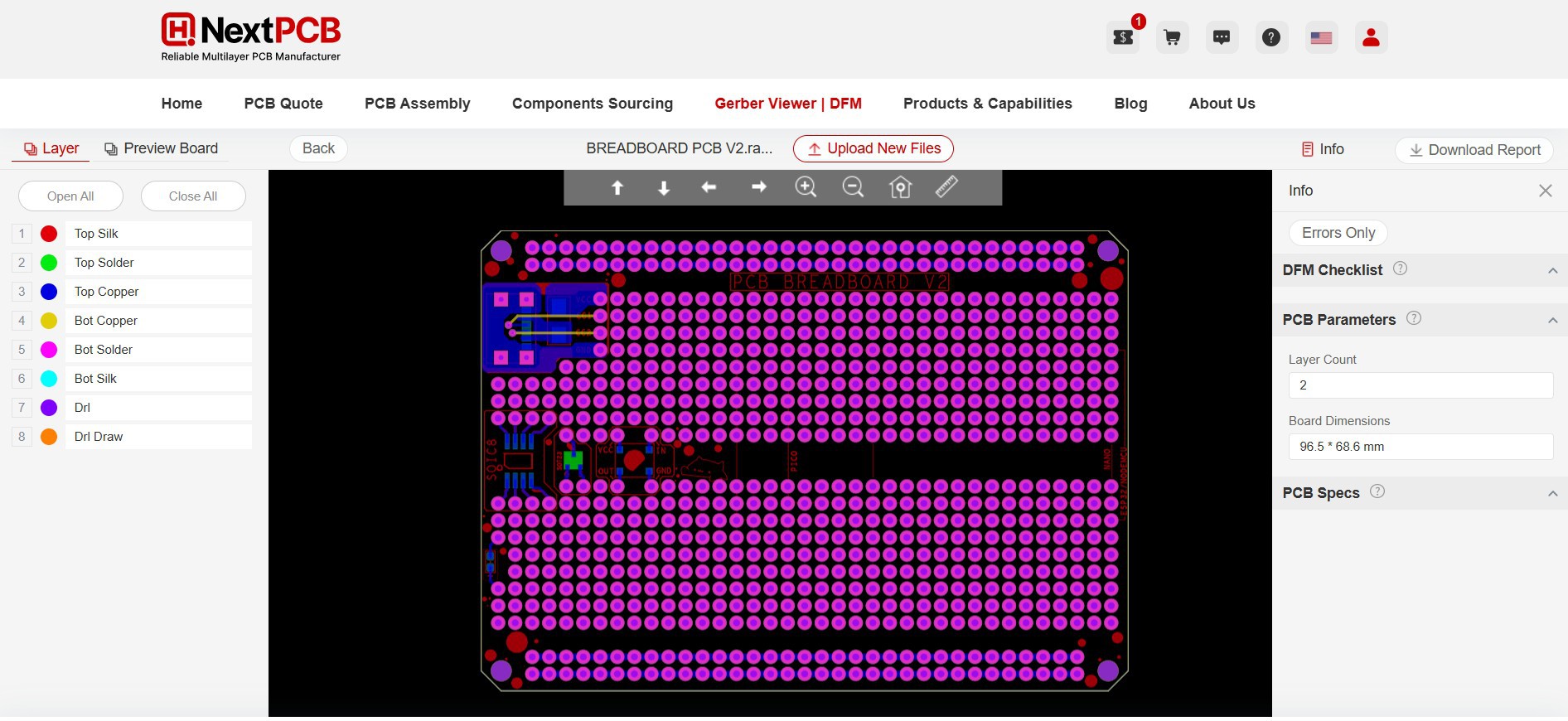
Also, NextPCB has its own Gerber Viewer and DFM analysis software.
Your designs are improved by their HQDFM software (DFM) services. Since I find it annoying to have to wait around for DFM reports from manufacturers, HQDFM is the most efficient method for performing a pre-event self-check.
This is what I see in the online Gerber Viewer. It's decent for a quick look but not entirely clear. For full functionality—like detailed DFM analysis for PCBA—you’ll need to download the desktop software. The web version only offers a basic DFM report.
With comprehensive Design for Manufacture (DFM) analysis features, HQDFM is a free, sophisticated online PCB Gerber file viewer.
With over 15 years of industry experience, it offers valuable insights into advanced manufacturing processes. If you’re looking for reliable PCB services at a budget-friendly price, HQ NextPCB is definitely worth checking out.