 ElectroScope Archive

Project Overview
This DIY IoT project shows you how to turn an Arduino Uno R4 + DHT11 sensor into a smart environmental monitor that automatically sends email alerts when the temperature exceeds a threshold. It leverages built-in Wi-Fi and the CircuitDigest Cloud Email API to deliver timely notifications straight to your inbox.
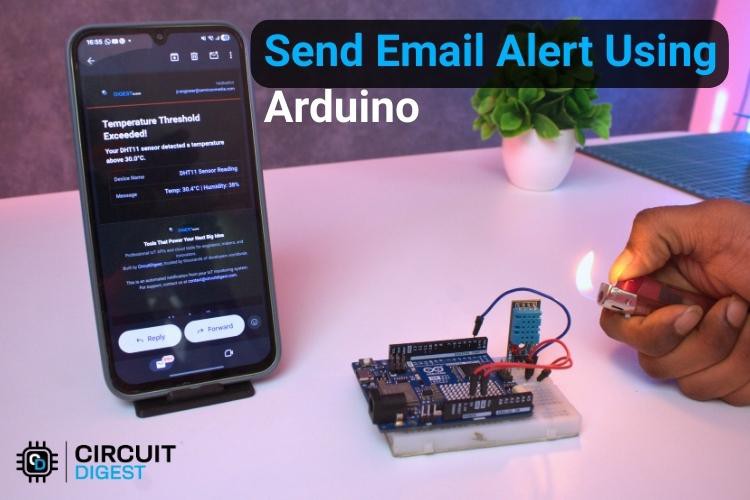
What You’ll Build
A wireless temperature alert system that:
-
Reads temperature & humidity with a DHT11 sensor.
-
Connects to the internet over Wi-Fi.
-
Sends structured alert emails when thresholds are crossed.
-
Avoids repeated alerts for the same event.Required Hardware
| Component | Qty |
|---|---|
| Arduino Uno R4 | 1 |
| DHT11 Temp & Humidity Sensor | 1 |
| Breadboard | 1 |
| Jumper Wires | As needed |
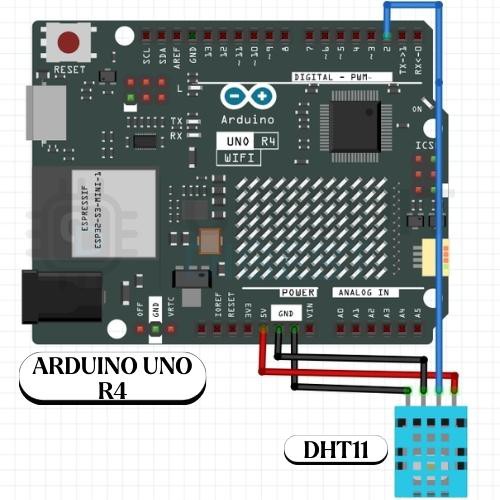
The DHT sensor’s data pin goes to digital pin 2 with the internal pull-up resistor enabled, and 5V/GND power connects to the Arduino.
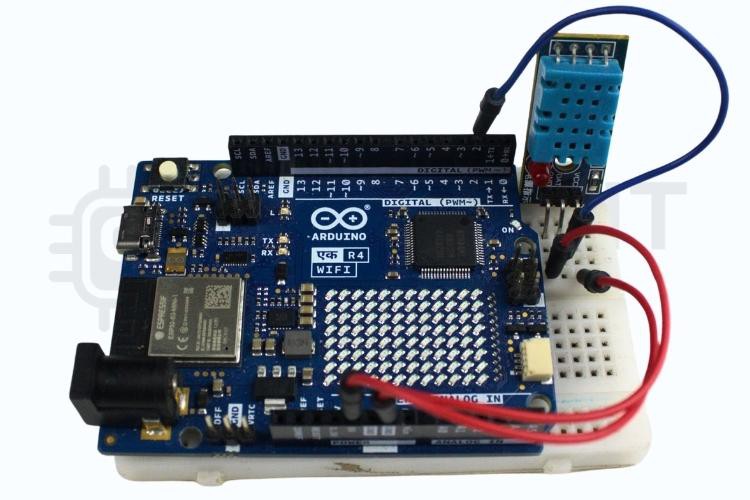
How It Works
-
Startup & Sensor Setup: The sketch initialises the DHT11 and connects the Arduino to your Wi-Fi network.
-
Continuous Monitoring: The Arduino reads temp/humidity at regular intervals.
-
Threshold Check: If the temperature goes above your defined limit, the code formats a JSON payload and sends it via HTTPS POST to the CircuitDigest Cloud email endpoint.
-
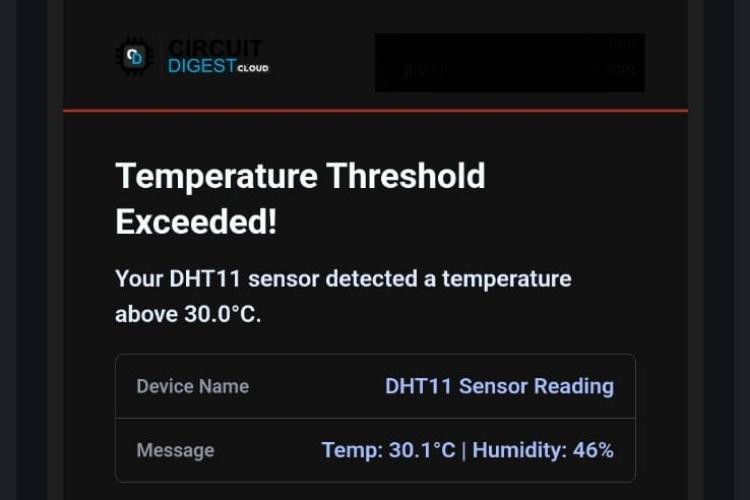
Email Alert: The cloud API takes care of delivering a formatted alert email to your address.
-
Event Control: To prevent spamming, the system blocks repeated emails until conditions return to normal.
Key Code Concepts (Simplified)
Libraries & Sensor Setup
#include <WiFiS3.h>
#include <DHT.h>

#define DHTPIN 2
#define DHTTYPE DHT11
DHT dht(DHTPIN, DHTTYPE);
-
Sets up Wi-Fi and DHT11 sensor support.
Network Credentials
const char* ssid = "yourSSID";
const char* password = "yourPassword";
const char* host = "www.circuitdigest.cloud";
const int port = 443;
-
Define your Wi-Fi and cloud API server details.
Temperature Logic
const float TEMP_THRESHOLD = 30.0;  // trigger point
...
if (temperature > TEMP_THRESHOLD) {  sendEmail(temperature, humidity);
}
-
When temp exceeds the threshold, trigger the email function.
Sending JSON Over HTTPS
The sendEmail() function builds a JSON body with current sensor values and sends it securely to the cloud API, which then handles final email delivery.
Troubleshooting Tips
-
Wi-Fi Fails: Check SSID/password and serial monitor status.
-
Sensor Returns NaN: Ensure correct wiring and stable connections.
-
No Email Received: Validate API key, template ID, and email destination. Check spam/junk folders.
-
Too Many Alerts: Ensure flags and timing logic prevent frequent repeats.
Where You Can Use It
-
Server room safety alerts
-
Home environment monitoring
-
Greenhouse climate control
-
Cold storage oversight
-
IoT learning platforms
This Arduino Send Email Notifications shows how simple sensor data can be elevated into a connected alert system using cloud services — perfect for real-world IoT applications and community showcases.
Explore 500+ Arduino Projects with code, circuits & step-by-step tutorials at CircuitDigest to spark your next DIY electronics idea.