 Markus Loeffler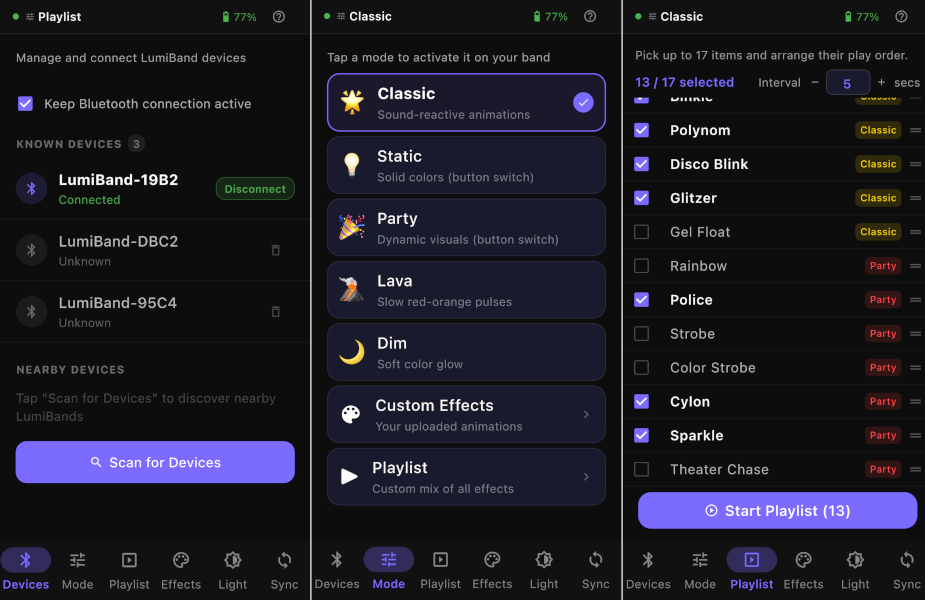
Every hardware project eventually needs an app. LumiBand is no exception, the Gen3 uses BLE for setup and control, which means someone has to write the software side. That someone was me.
What the app does The LumiBand app is built in Flutter, which was the right call for a solo developer needing iOS and Android from a single codebase. It handles four main functions:
- BLE device pairing: scanning for nearby LumiBand wristbands, connecting, and managing multiple devices simultaneously. In a festival environment you might be pairing up to 6 units before a show, so the UX needed to be fast and reliable.
- DMX addressing: assigning each wristband a DMX universe and start address directly from your phone. No laptop, no physical connector, no pulling wristbands off people's wrists. Ten seconds per unit via BLE. Once set the address persists on the device.
- Animation control: selecting and triggering pre-built animations that react to sound directly from the app over BLE.
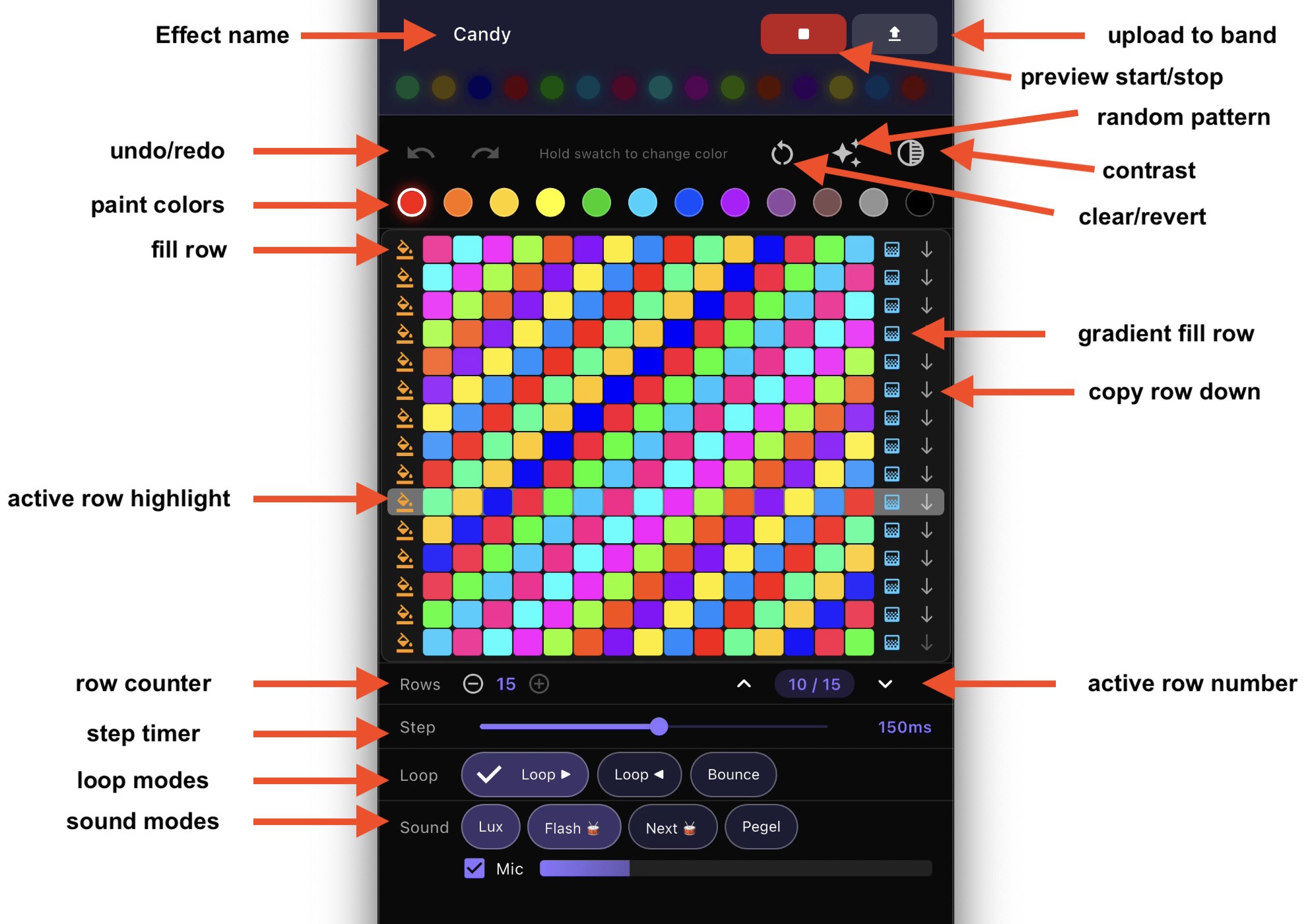
- Live color and pattern editing: building your own visual style in real time and pushing it to connected wristbands instantly.
App Store status iOS version is live on the App Store now, Apple's review process was straightforward for a BLE hardware companion app. They came back with an ask to record the app pairing with the actual wristband.
Android is a different story. Google Play requires a mandatory closed testing period of at least 14 days with a minimum of 12 active testers before granting production access. The app itself passed review - it's purely a process gate. Currently recruiting Android testers to complete the requirement.
If you have an Android device and want early access to the LumiBand app, drop a comment below :: looking for testers right now.
Screenshots in the gallery above show the device pairing flow, basic modes, playlist, and animation editor.
Discussions
Become a Hackaday.io Member
Create an account to leave a comment. Already have an account? Log In.