 Bud Bennett
I'm not a rocket enthusiast, but I belong to a radio control club which has members who are. You can purchase commercial versions of this Payload, but I think this one is smaller and lighter weight than most others and will be much less expensive (if you don't count my labor.)
Disclaimer:
I'm using Anthropic's Claude Code to aid in writing both the firmware and application software. Without Claude this project would either: be much longer, if I had the ambition, or would not exist due to my lack of knowledge on the software side of it.
Two Payload Versions:
A "STANDARD" version with less data storage (512kb EEPROM). Records the flight parameters:
- Max thrust
- Burn duration
- Maximum Altitude
- Time to apogee
- Recovery time.
- Total flight time.
Real time sensor readings (barometer, accelerometer, gyro, temperature) at user selected intervals (20ms, 40ms, 80ms, 160ms) from launch detection to 5 seconds after apogee (or up to max interval set by user), then records data during recovery at 1 second intervals until landing.
A "PRO" version that has 4Mb of EEPROM. Has storage for up to 8 flights. Records the flight parameters above and the real time sensor readings from launch detection to 5 seconds after apogee (or up to max interval set by user), then records data during recovery at 1 second intervals until landing.
What it Does:
- Uses a 1S 501010 LiPo battery -- 40mAh, 5mm x 10mm x 10mm, weight: 1g.
- Sensors: BMP384/BMP390/BMP388 for altitude (pressure), LSM6DSO32 IMU for g-force (accelerometer) and rotation (gyro)
- Payload can be inserted completely into payload section of rocket and "armed" by placing strong magnet along side of rocket.
- Payload confirms arming and beeps every 5 seconds while armed. Ready for launch 5 seconds after arming.
- Rocket launch axis automatically determined when armed. Launch is detected by exceeding user specified g-force along the launch axis. Sensors sample at user selected sample rate (50Hz max.) intervals.
- After launch is detected the Payload saves the flight parameters and the flight history to EEPROM.
- After apogee + 5 seconds (or maximum fast sample duration), sensors switch to sampling at 1 second intervals.
- Landing detected after 5 seconds of unchanging altitude.
- Upon landing, Payload goes to sleep while emitting a beep every 5 seconds.
- User recovers rocket and Payload. Then disarms payload with magnet. Payload stops beeping and enters true sleep mode -- 17μA.
- The battery can be removed at this point. The data is stored in non-volatile memory.
- Data is extracted when user connects Payload to USB interface and uploads data to application that displays the flight parameters/history.
Specifications:
- Supply Voltage Range: 4.2V - 3.3V (pretty much the useful voltage of a 1S (3.7V) LiPo battery.)
- Dimensions: 15mm x 40mm x 8-9mm, including battery and enclosure.
- Weight: around 5g, including battery and 3D printed enclosure.
- Runtime from 501010 battery: TBD, but should be greater than 1 hour in launch mode. Estimated max supply current < 10mA.
- Sleep/standby Duration: 50 days from fresh battery. 17μA.
- Acceleration Measurement: ±32g max, resolution 1mg.
- Gyro Measurement: up to 2000 dps full scale, TBD resolution.
- Pressure Measurement:
- Max altitude -- 27,000m/88.5k feet (300 Pa)
- Relative Accuracy -- ±0.75m (0.09 hPa)
- Resolution: ~ 1mm (0.016 Pa)
- Fast Data Record Length: 72 seconds maximum at 50Hz.
- Recovery Record Length: depends upon user selection of fast sample duration.
- On-board 1S battery charger: 20mA, ~ 2 hour charge time from fully depleted to fully charged. Charges when connected to USB.
- USB data transfer: 76800 baud UART, duplex.
- Cost for components and PCB: Around $30 for the STANDARD version, $33 for the PRO version.
Latest Schematic (v2) [as of 2026-05-23]:
(Using Kicad 10.0 now and loving the dark mode.)
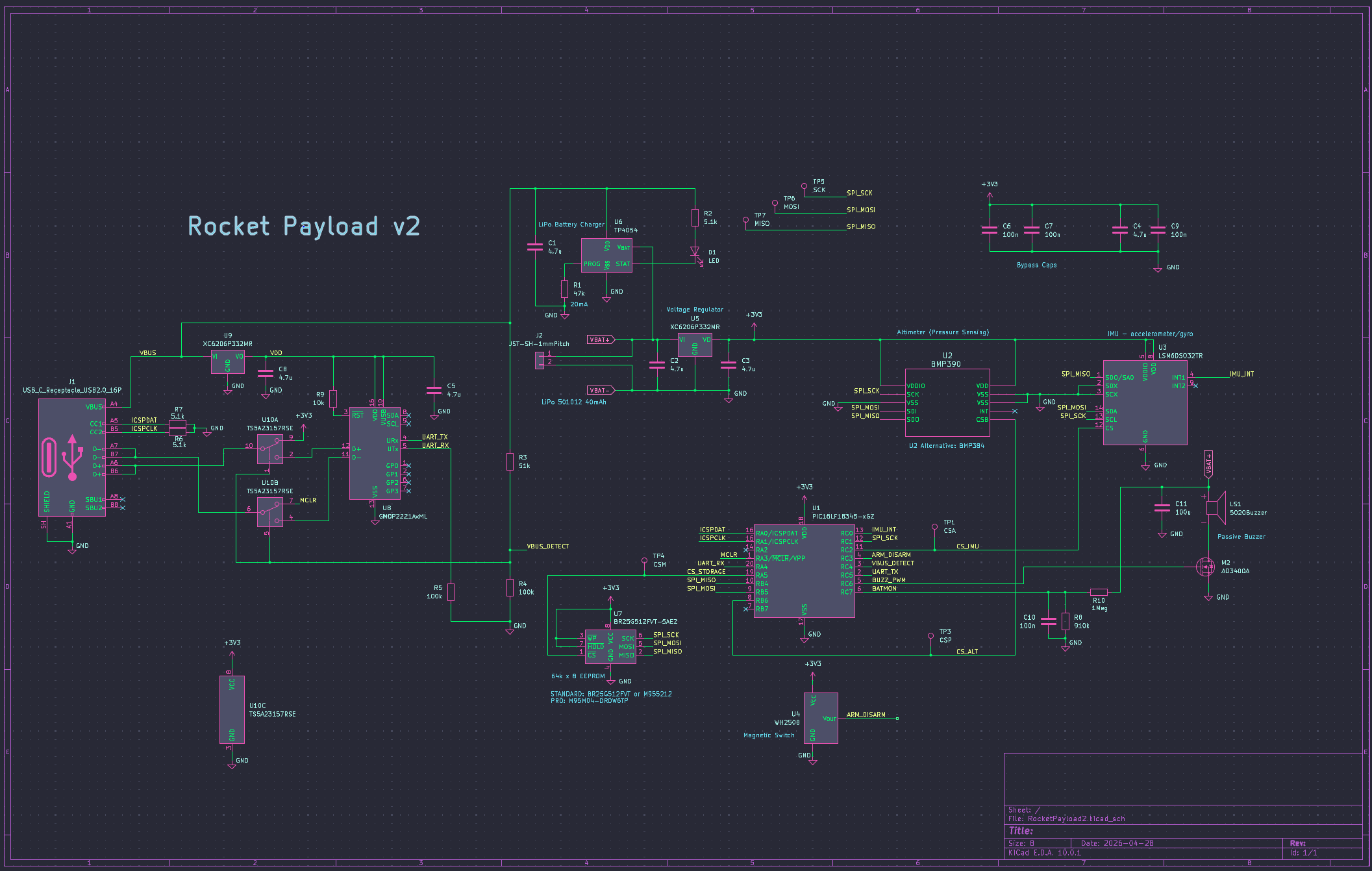
It is surprisingly simple, given the complexity of operation. Claude and I chose a PIC16LF18345 for the micro-controller. I have a PICKit4 programmer that keeps me in the Microchip camp for now. The PIC has about 80% code utilization so far, with most of the FW code written and a lot of the SPI bus and USB communication debug completed. If things get tight there is an easy upgrade path -- a PIC16F18346 for $0.10 more. The PIC runs at 8MHz, and consumes about 1mA.
There are four sources for the pressure sensor -- a BMP390, BMP384, BMP388, or a LPS22HB which requires a different interface configuration. All of the pressure sensors have identical footprints/pinouts. The LPS22HB is the better choice because it outputs temperature compensated pressure and is stocked in high quantities at JLCPCB. I really hate that 10-pin 2x2mm package, but larger alternatives would be much more difficult to accommodate in such a small PCB. JLCPCB won't populate any of these parts unless the PCB is panelized (4x2 array to meet the 70mm x 70mm minimum dimension). That makes a minimum order quantity of 40 populated PCBs.
Originally, I had just an accelerometer IC, but switched to the LSM6DSO32 IMU to allow collecting rotation data during the flight. The LSM6DSO32 offers a full scale 32g, which is an advantage for these small rockets that can generate high thrusts. All of the sensors, and the EEPROM, use a single SPI bus.
The 4Mb EEPROM is optional. It is populated for the PRO version. Cost is about $3 ($2 more than the 512kb EEPROM) and there is not many other sources available from JLCPCB or Digikey.
The magnetic switch is a WH2508 hall effect switch. It is push-pull output, active low. It consumes about 6-7μA at 3.3V. A strong 6mm dia. x 10mm neodymium magnet is required for activation. Activation range is approximately 25mm.
The PIC is programed via the USB connector. The dual DPST analog switch connects the proper signals to the PICKit4 programmer when VBUS is not present. Otherwise, the MCP2221a is connected normally to communicate with the USB interface. I had to add a second XC6206 LDO to power the MCP2221 because the UART outputs would be 5V logic without it.
The buzzer is a passive magnetic type, surface mounted 3 x 5 x 5 mm. I'm not aware of any surface mounted active buzzers, so the PIC uses a PWM module to output the gate drive for M2. M2 is necessary because the buzzer has an low impedance.
The on-board battery charger is a TP4054 from UMW, a Chinese source. It is very cheap -- only about $0.16 in low quantities, and it is identical to the MCP73832 that I have used previously.
3D Printed Enclosure:
The Payload is so light/small that it could probably be placed into the chute area and attached to the nose cone with a lanyard. I printed out a minimalistic enclosure that protects components from damage and offers a way to attach the lanyard.
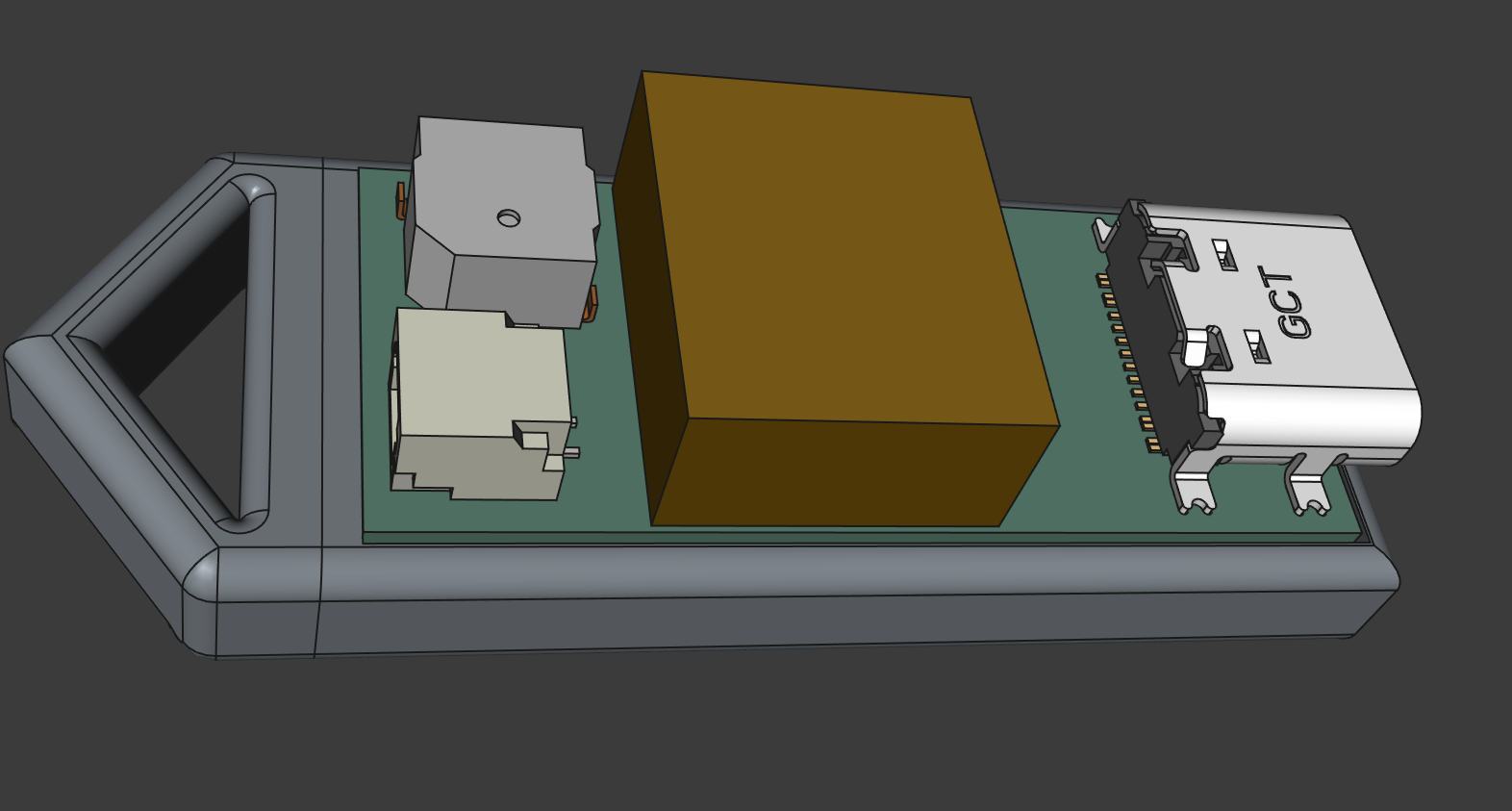
The golden block on top is the 501010 LiPo battery. I will just use heatshrink or electrical tape to secure the PCB and battery to the enclosure. There are vent holes on the bottom side to allow the barometer to sense pressure and show the charging LED. The BMP384/390 are sensitive to light interference, so this should eliminate that as well.
The App:
Claude is working on the application. I'm pretty much clueless regarding the coding required to make an application that potentially spans several operating systems. The App should function in the three major OS's (Win/Mac/Linux), and Android (allowing a phone to download/view data and reset the Payload for the next flight while still in the field.) Apple's iOS is a bit problematic because it requires Bluetooth for an interface. So far [2026-05-28], there is a stand-alone app for Windoze and Android that are producing viable results. It is fairly simple, with three tabs to choose from. You can download the Windoze and Android versions from my Github repository.
Flight Data Tab:
- Connect/Disconnect the COM port.
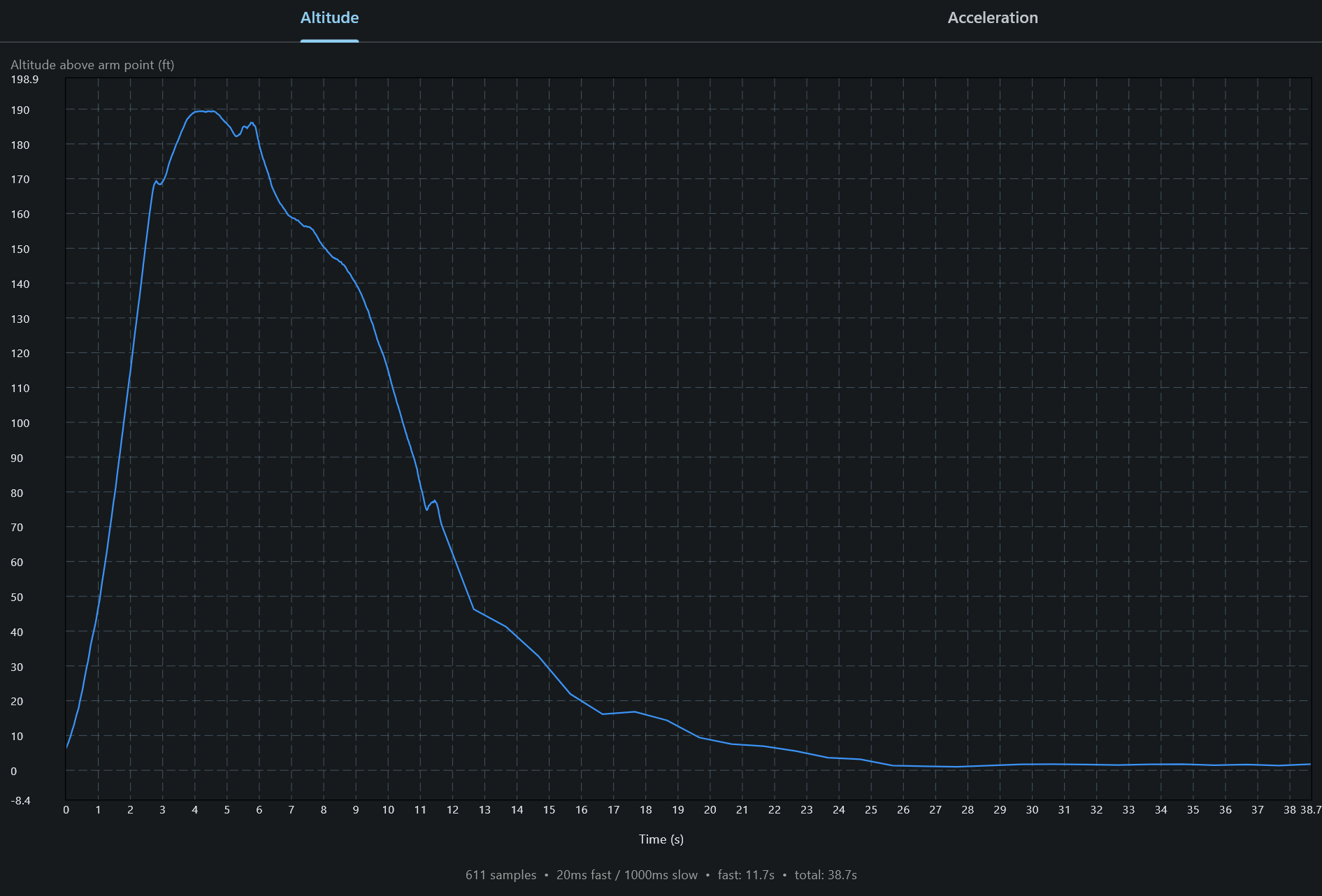
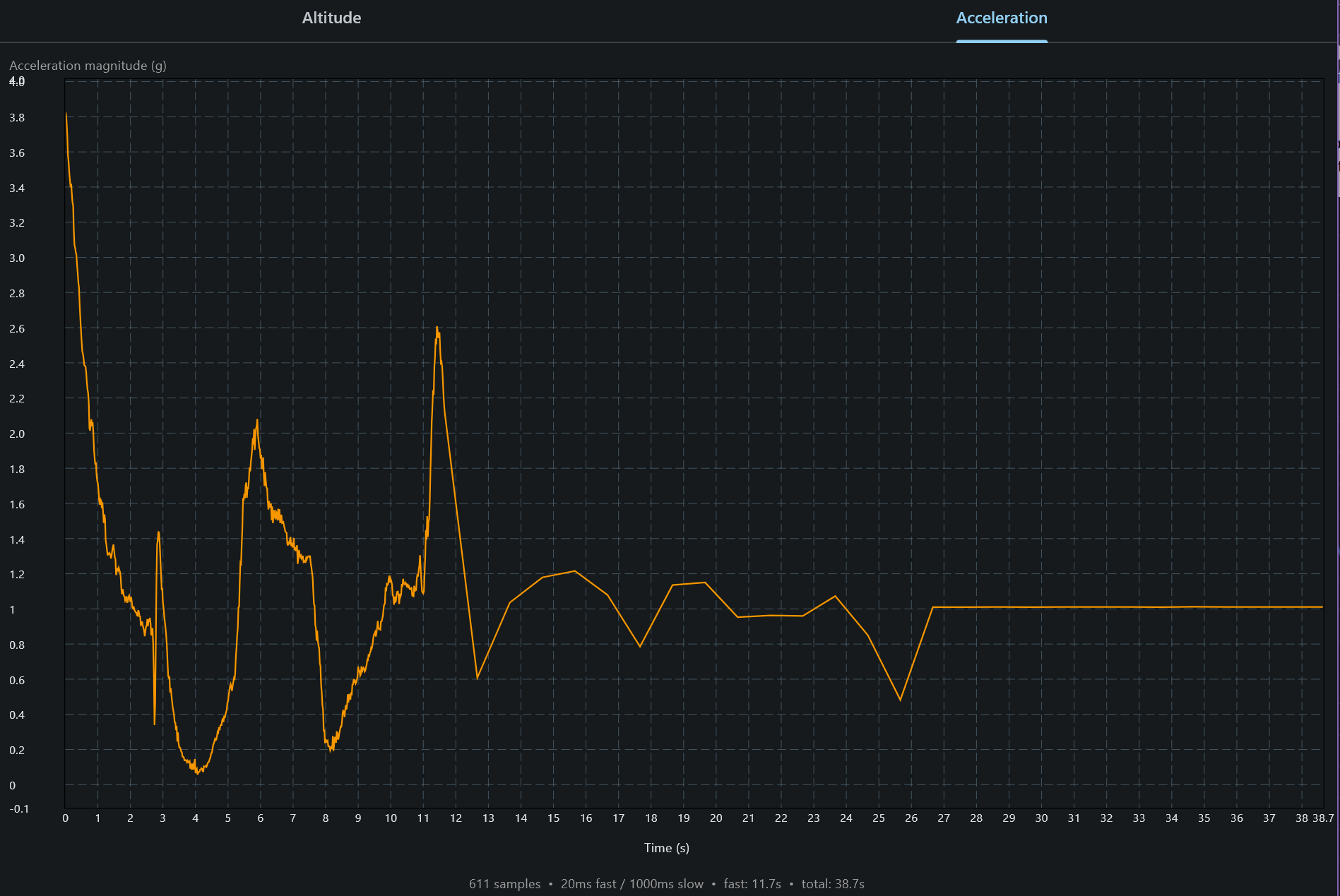
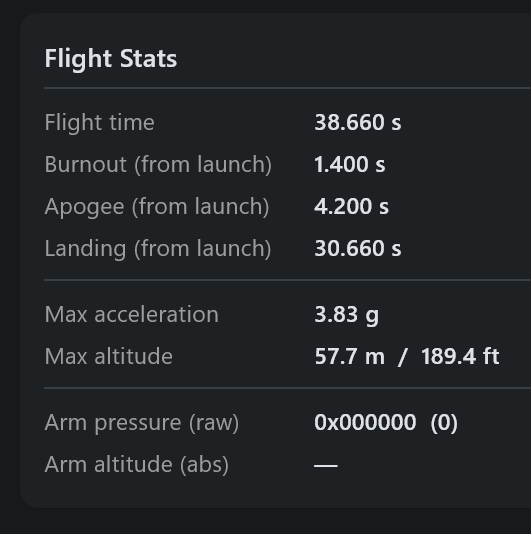
- Download all of the data stored in EEPROM and display altitude in m/ft or Acceleration. Flight Statistics are then derived from the downloaded data and presented below the plot. The plotted area can be zoomed to show more detail over a smaller section.
- Downloaded data can be saved to a CSV file as a historical record or for further analysis by other tools.
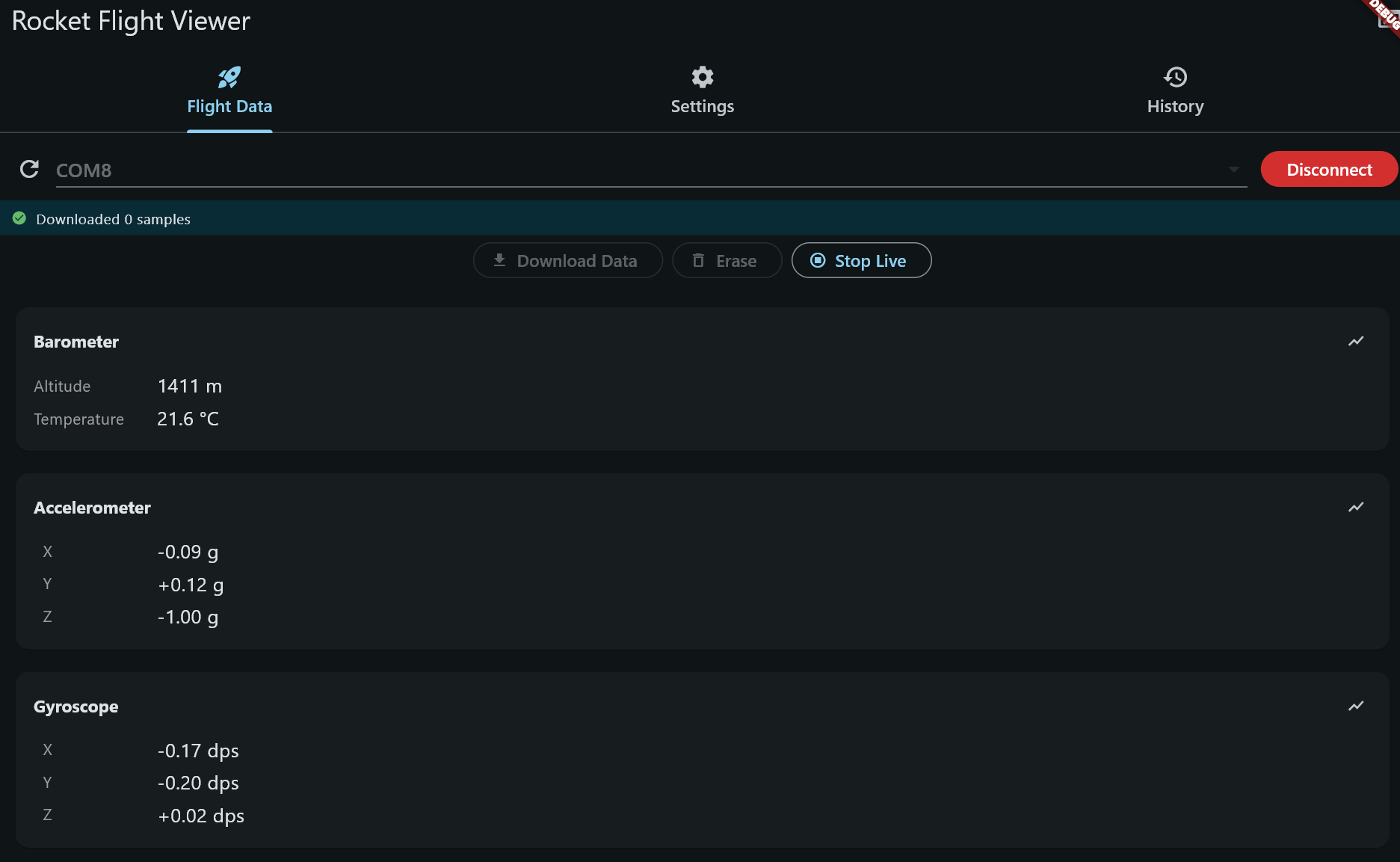
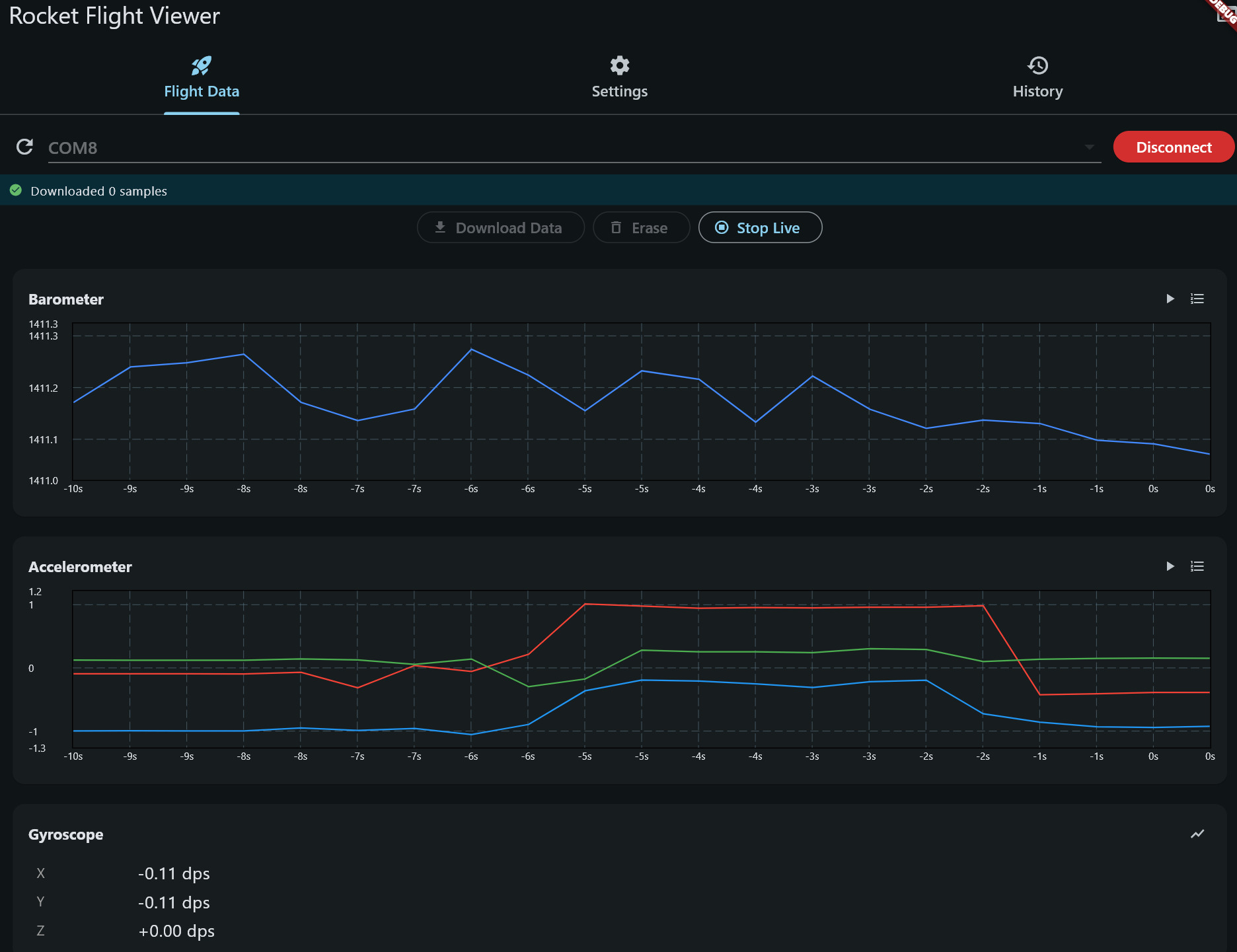
- Live data from the sensors can be displayed either as numbers or plotted in a 10 second scrolling window. Scrolling can pause/resume.
- Erase EEPROM data stored on the Payload to prepare for another flight.
(Plots below were obtained by strapping the Payload to one of my quad copters. They're not representative of a rocket flight.)
Settings Tab:
- Change the Launch Threshold
- Adjust the Accelerator filtering
- Change the duration of the fast sampling phase
- Change the Fast Sample Rate
- Change the Launch Confirmation sample count (more/less debouncing)
- Theme -- dark or light (I prefer dark.)
- Change units -- either metric or imperial
- Reset Settings to default values.
History Tab:
- Upload saved CSV files for display/analysis.
- Same plot features as the Flight Data tab.
- Compare two save flight on one plot.
Status:
[as of 2026-05-07] I have two prototypes (STANDARD) up and working. Using a quad-copter or hand toss to simulate flight. Settled on g-force to trigger launch detection, using altitude for apogee detection and landing. Application is bare bones, but useful for: downloading data, erasing data, displays flight parameters, changing settings, and saving/uploading flight histories to/from files. Application just needs a bit of polish.
[As of 2026-05-10] Payloads installed into the 3D printed enclosures.
[As of 2026-05] OSH Park is fabricating the v2.0 4-layer PCBs, which should be shipped back to me around 1, June. I ordered additional v2.0 components -- MCP2221a, dual SPDT analog switch, 4Mb EEPROM -- from Digikey.
[2026-06-05] PCBs and parts arrived. The first v2 prototype is assembled without smoke or high current draw. I forgot to contemplate what would be required to program the PIC via the USB interface -- a USB 2.0 breakout board and short USB type-C cables will arrived tomorrow.