 glgorman
Or perhaps a bookshelf.

Well, anyway. It has been a while since I started a new log entry. At least I have a catchy title for this one. Now I think it is time to get busy with some serious project integration. Elsewhere, I have suggested that this project is actually something like 20 or maybe more projects, all of which need to be brought together into a cohesive whole. So perhaps the best way to go forward is to take an inventory of all that has been accomplished so far. Make a list. Check it twice. Chase down some of the naughtier issues that need to be addressed, as well as showcasing some of the nicer things that can be done within the current framework. Then spool up another homegrown AI that will be trained, of course, on every article that I have ever written for Hackaday, so that I can have yet another conversation with it, as if to ask, "Where do we go from here?"
Just looking at the code base that went into creating an entry for the "One Hertz Challenge" reveals the magnitude of the problem.
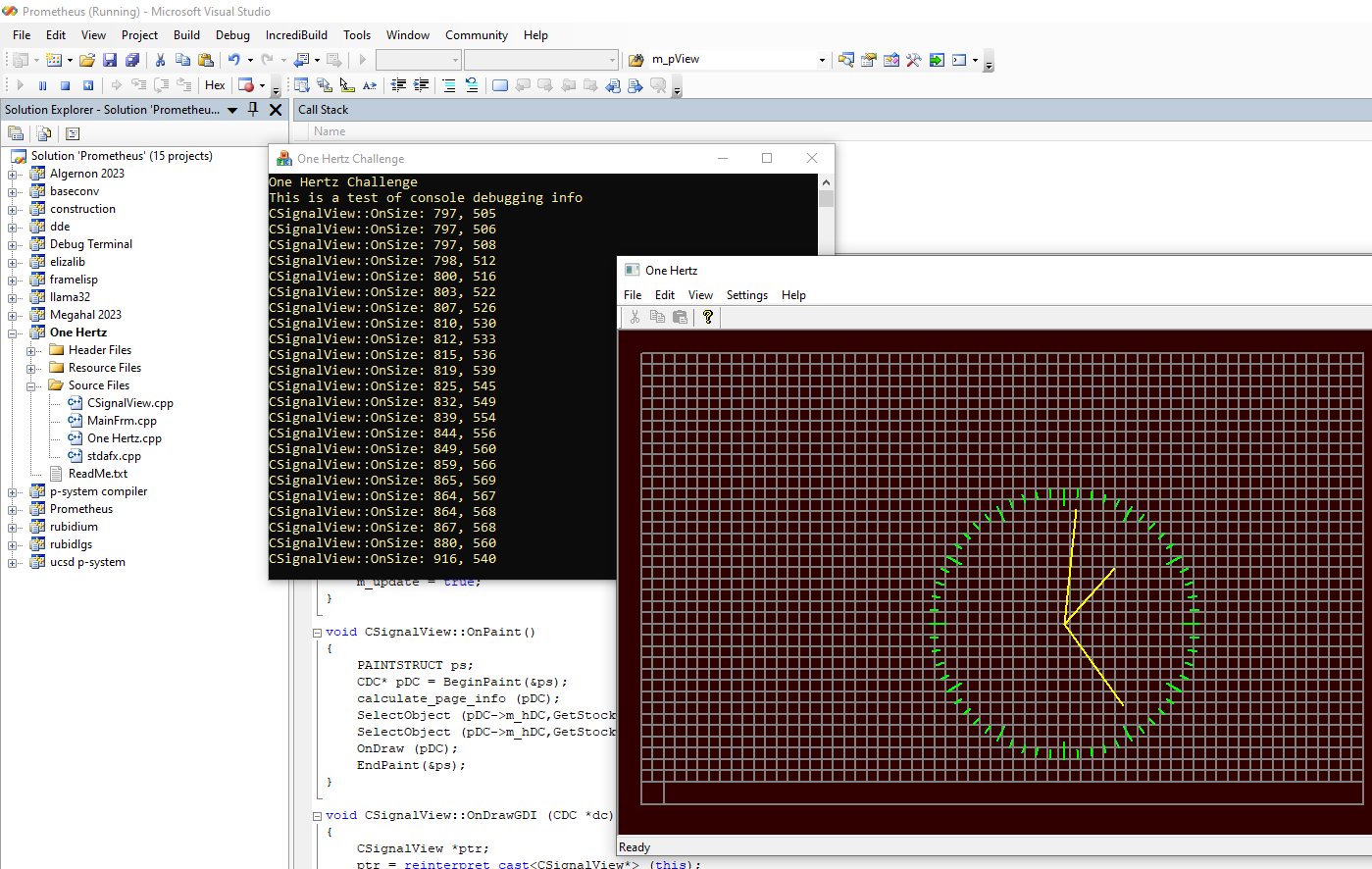
Yet, as long as vibe coding is the new meme, how hard should it be to integrate all of that, along with the "world model" stuff, into an LLM, perhaps by using some of recently available online tools to rewrite all of this? Or else, there is yet another question that needs to be addressed, and that is "whether any of the latest development tools can handle project integration?"
That is, if nearly all of the heavy lifting has been done. The next step, therefore, is simply, dead simple, so crazy simple that it will drive a whole bunch of DIY types crazy, when they realize what they have been missing out on, all of this time. Let's take the code base for the program "Lotto Pro" that I was talking about earlier, at the beginning of this project. The one that looks at pairs and pairs of pairs of numbers and their respective probabilities in Lotto-type games. Yes, that one. Let's turn that from an application that is Lotto-specific into a library that works with many different types of data. Don't worry. Eventually, source code will be provided, but for now, just enjoy the ride. Just in case you want to make your own LLM+AI aware version of DOOM, this is where you are going to start. LIke this:
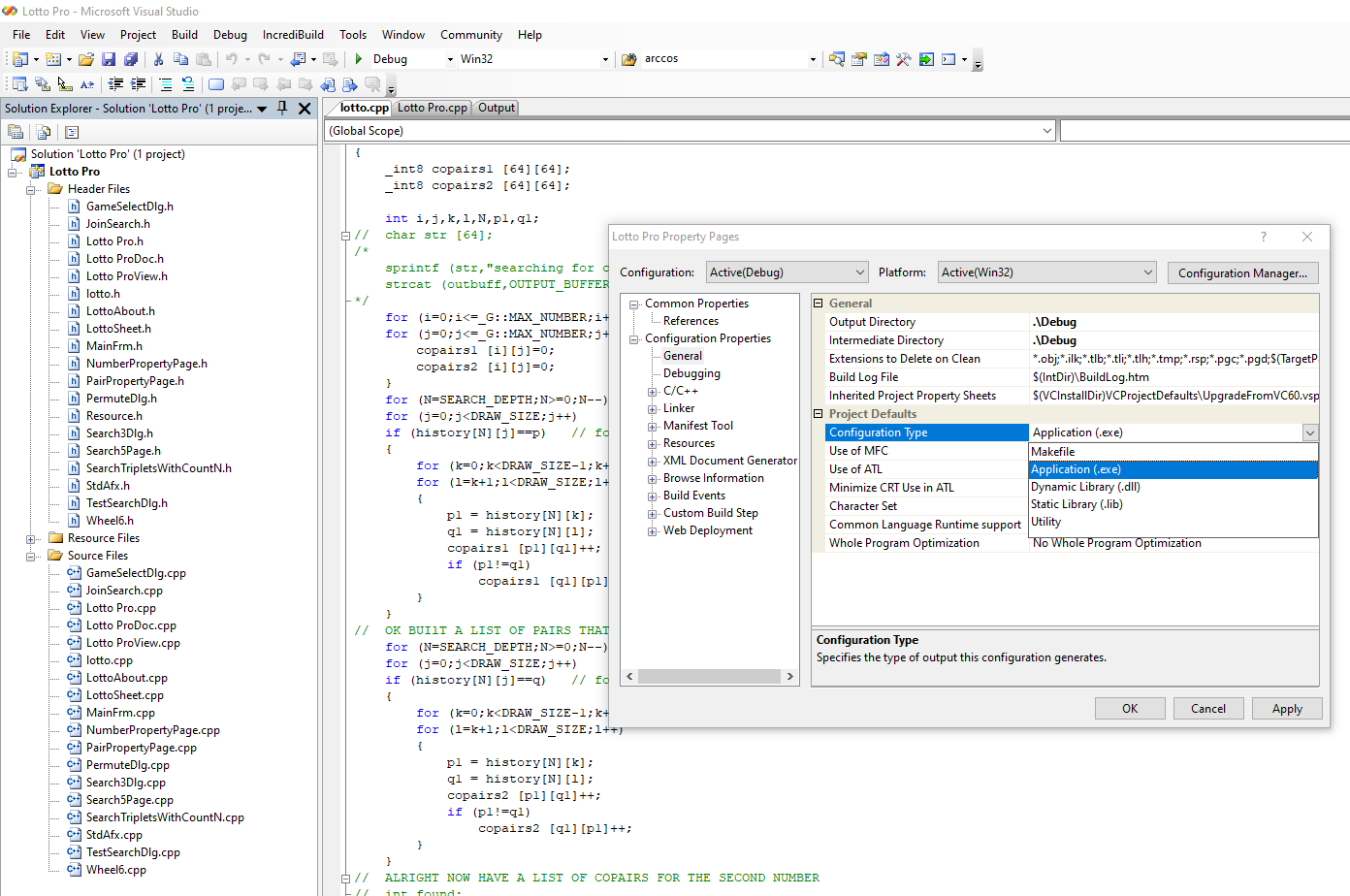
In pretty much any version of Visual Studio, you will find a project properties menu, and what you want to do is navigate from the "General Project Defaults" list to the "Configuration Type", where you will want to select whatever it is that you now want instead, whether that is an application, static library, DLL, or whatever. So, let's select "static library" for now. Then, just to see what happens, we compile it, and get something like this:
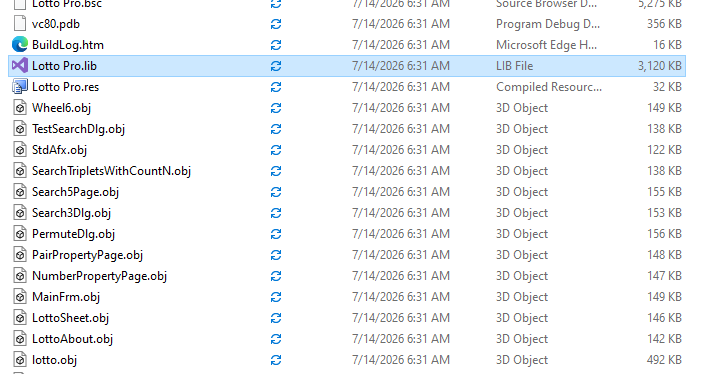
Now we have something. The same thing that we had earlier, only different. An old project that can be dropped into another larger project that allows us to build applications like the previously mentioned "One Hertz Challenge" project. It is of course, where it can get really weird, really fast. Creating workspaces that turn dozens of projects that were originally created as standalone applications into libraries, that might later be turned into ActiveX controls under Windows, or DLL's, or perhaps they might get ported to Type-Script or another language for use as browser add-ons.
Remember: A 1000-mile journey begins with a single step, and a 100,000 line project begins with a single idea and a few lines of code. But in the meantime, here is one little tidbit, to help indicate the direction that this project is headed.
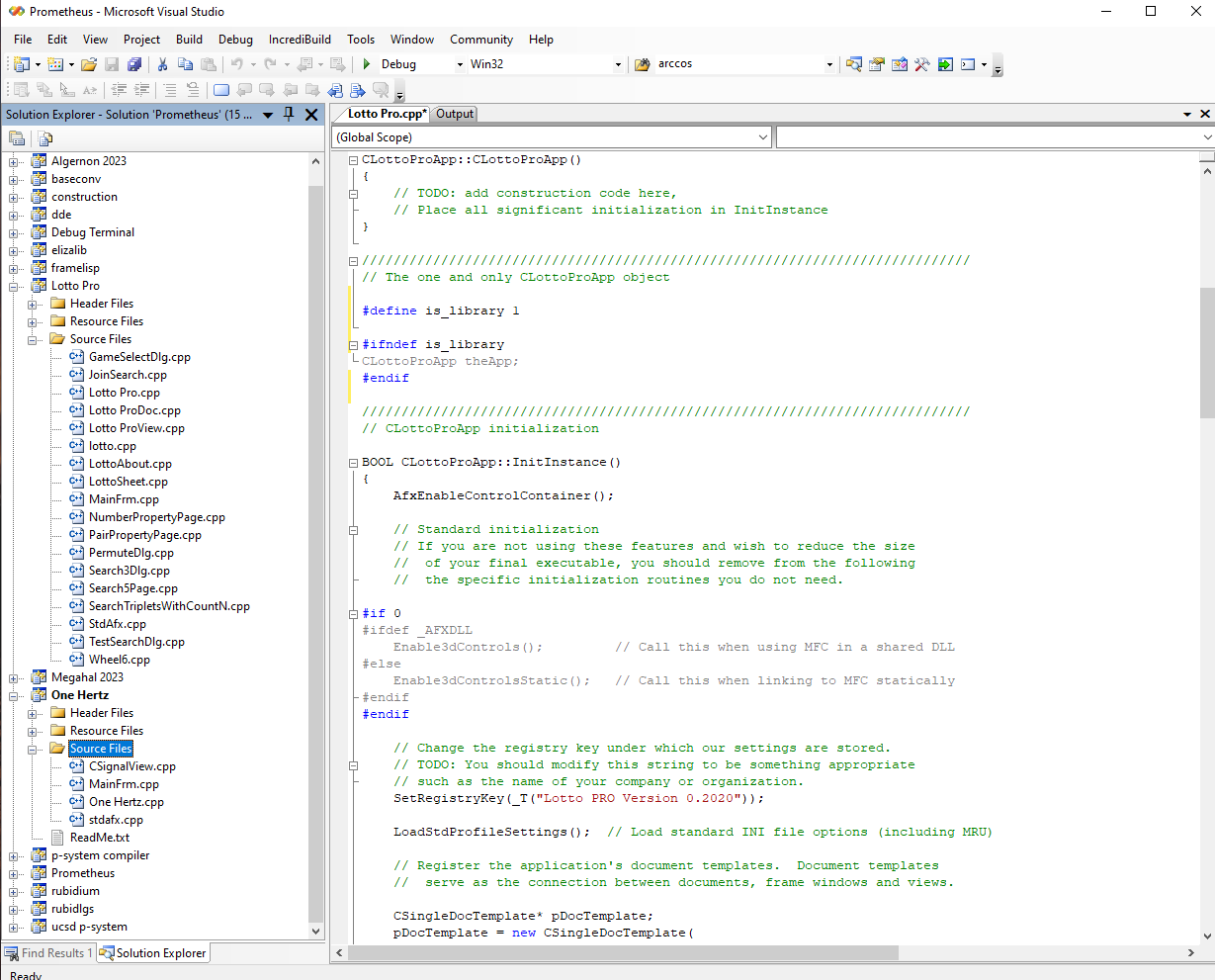
Pretty simple, at first blush. Take the old application. Change the project type from application to "static library", then add the "new" library project to the existing workspace used to develop the codebase for the "One Hertz Challenge", as previously stated. Then the fun begins. Lots of other things to do, such as remembering to comment or #ifdef out the CWinApp-derived object that the original application relied on.
In any application that actually trains an AI on user-provided content, we are going to need to have some methods for getting the training data into the model, obviously. Thus, there is a very important chore that is going to be one of the next things that needs to be done, and that will be to rewrite a bunch of stuff that looks like this:
draw::draw (char *in)
{
    char *pos;
// example
//1618 Oct 05, 2002 4 12 14 28 42 m07

    pos = in+28;
    strncpy (str,in,28);
    str [28] = 0;
    sscanf (in,"%d",&number);
    sscanf (pos,"%d%d%d%d%d%d",&x[0],&x[1],&x[2],&x[3],&x[4]
//#ifdef MEGA
    ,&x[5]
//#endif
    );
    sort ();
}
... so as to eliminate any project-level dependencies on functions like strcat, strcpy, sscanf, and so on!
Thus, I will want to revise the coding style to use the same method that I used in "One Hertz Challenge" to parse NMEA strings as they were being obtained from a GPS module connected over USB, and THAT of course, was being done with a completely rewritten version of Eliza, which in turn had be reworked to use a "tokenizer" contained within another library called "framelisp"
And that, of course, looked something like this:
bool ELIZA::detect_nmea (const char *target)
{
    char *str;
//    check for "$" as the first token
    m_process.rewind ();
    if (m_process.eof())
    return false;

    m_process.get (str);
    int test;
    test = btext::compare (str,"$");
    if (test==0)
    writeln (debug_term,"$ Token Found:  Possible NMEA message!");
    else
    return false;

    if (m_process.eof())
    return false;

    m_process.get (str);
    test = btext::compare (str,target);
    if (test==0)
    writeln (debug_term,"\"",target,"\"","token indicating NMEA message!");
    else
    return false;

    if (m_process.eof())
    return false;

    m_process.get (str);
    test = btext::compare (str,",");
    if (test!=0) {
    writeln (debug_term,"Invalid Sequence, \",\" expected");
    return false;
    }
    if (m_process.eof())
    return false;

    return true;
}
Yes, it is quite a busy, simple, arcane, and brute force way of doing things. But this tries to make good use of routines that in turn a designed to be adaptable to make use of text objects that can store data as ASCII strings, UNICODE strings, linked lists of dictionary pointers, or simulated linked lists that hide inside vectors, or else "whatever", where "whatever" might someday include Huffman coded fully searchable text objects, that support operations like insert, delete, find and replace, or whatever else might get added, without needing the full capabilities, or bloat therefore, of REGEX. Even though that would be nice to have also.
Other niceties when building using "the AI aware framework" include the easy-to-use capabilities of the library to do Pascal-style IO, using write and writeln functions, from within C++, no less.
Still, this is going to take a while.
Discussions
Become a Hackaday.io Member
Create an account to leave a comment. Already have an account? Log In.