 Rohan Barnwal
Introduction
Most alarm clocks are boring.
You either get a simple buzzer sound or some generic digital tone that your brain learns to ignore after a few days. I wanted something that actually had personality.
After seeing a car-inspired alarm clock online, I decided to build something that felt more relatable and visually interesting — an Indian truck-themed alarm clock with realistic startup sounds, blinking lights, and a full engine idle sequence.
The idea was simple: Create an alarm clock that behaves like a miniature truck every morning.
The Story Behind the Build
Indian trucks have a completely different vibe compared to sports cars.
They’re colorful, loud, dramatic, and somehow full of character. From painted bumpers to decorative lights and massive horns, they already feel mechanical and animated. So instead of copying the original Dodge-style concept directly, I redesigned the idea around a truck platform.
The goal was not just to display time.
I wanted the clock to feel alive.
That’s why I added:
- Engine startup sounds
- Idle loops
- Truck horn audio
- Flashing LEDs
- Automatic shutdown sequence
The result feels more like a tiny truck simulator than an alarm clock.
Features
Main Features
- Dual OLED displays for hours and minutes
- Real-time clock using DS3231 RTC
- Realistic truck startup audio
- Continuous engine idle + horn sequence
- Automatic engine shutdown after 5 minutes
- Blinking LEDs synchronized with alarm state
- Fully Arduino controlled
- Custom 3D printed truck enclosure
3D Printed Parts

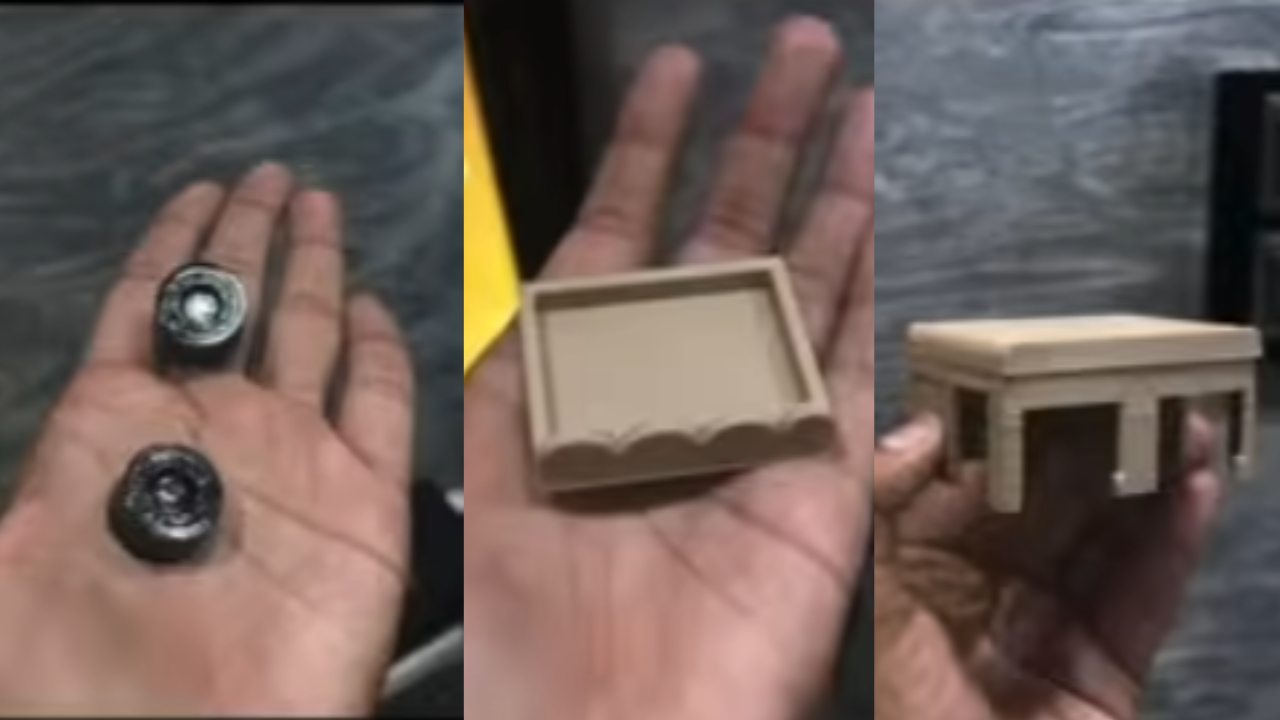
The truck body was custom designed and then 3D printed using JUSTWAY.
The reason I chose professional printing instead of printing locally was because:
- Better surface finish
- Cleaner detailing
- More accurate fitment
- Less post-processing
Since the enclosure has multiple sections for displays, LEDs, and speaker mounting, dimensional accuracy mattered a lot.
Working Principle
The system uses the DS3231 RTC module to continuously track the current time.
When the preset alarm time is reached:
- The DFPlayer Mini plays a truck startup sound
- LEDs begin blinking
- Engine idle and horn sounds loop continuously
- The alarm runs for 5 minutes
- A truck shutdown sound plays
- Everything turns off automatically
Meanwhile, the OLED displays continuously show:
- Left OLED → Hours
- Right OLED → Minutes
This split-display design makes the clock look much more futuristic and dashboard-like.
Circuit Explanation
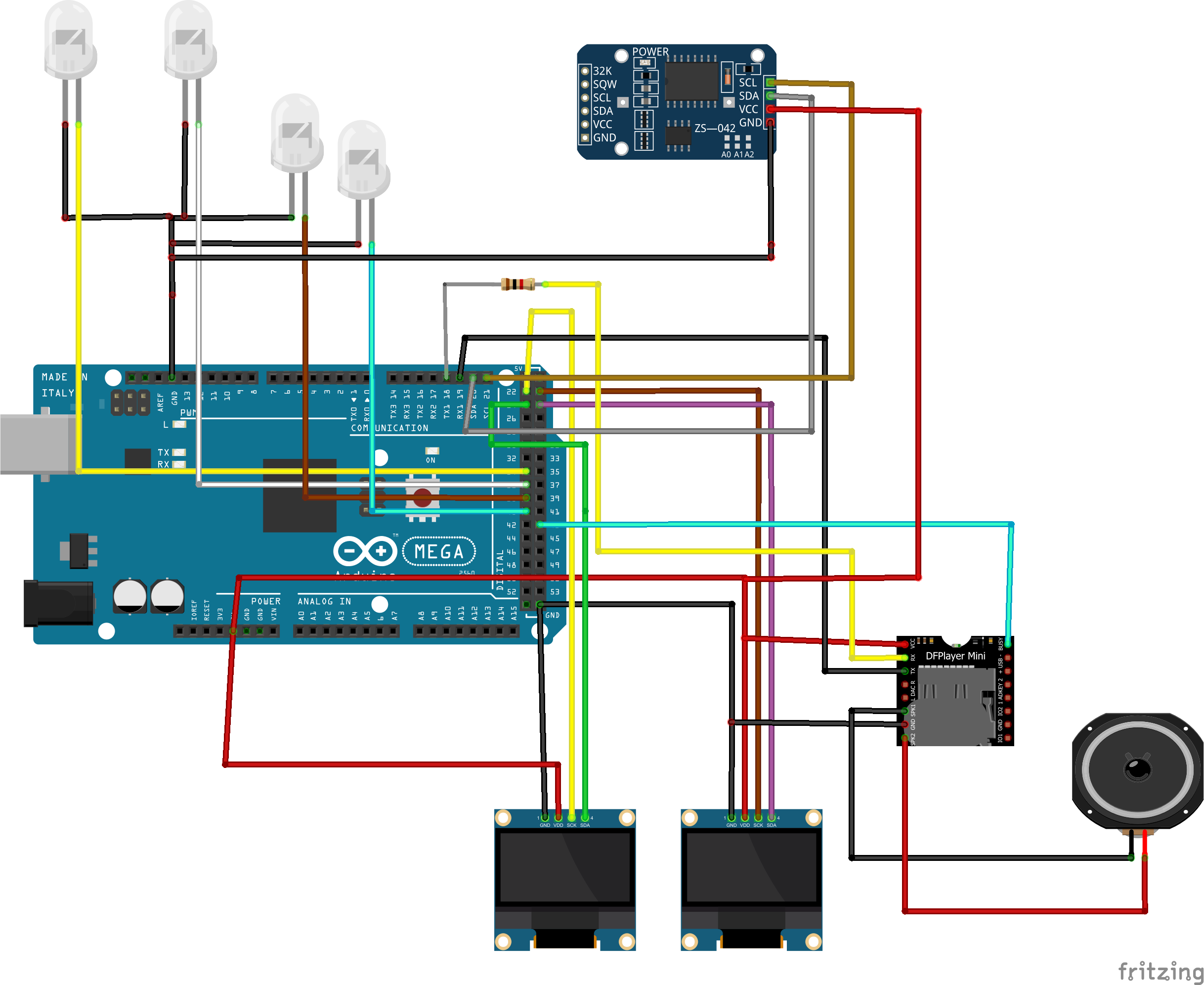
The Arduino UNO controls all modules:
- RTC provides accurate time
- DFPlayer handles audio playback
- OLEDs display the time
- LEDs simulate truck lights
The BUSY pin from the DFPlayer is used to detect when an audio track finishes playing. This allows the Arduino to automatically start the next sound file without delays or manual timing.
That small detail made the startup and looping sequence feel much smoother.
[Insert wiring diagram here]
Design Process
The enclosure design took multiple iterations.
At first, I tried making the truck shape too realistic, but it became difficult to fit:
- OLED displays
- Speaker
- Wiring
- Arduino board
So I simplified the structure while keeping the recognizable Indian truck styling.
The OLED displays were separated intentionally so the clock resembles a vehicle dashboard.
Another challenge was speaker placement because enclosed audio can sound muffled inside 3D printed bodies. I had to experiment with vent placement to improve sound clarity.
Audio Sequence Logic
The audio system works in stages.
Startup Phase
The truck ignition sound plays first.
df.play(1);
Looping Phase
After startup completes, the code continuously cycles through:
- Engine idle
- Horn sounds
Shutdown Phase
After five minutes:
df.play(3);
The truck shutdown sound plays and the LEDs turn off.
OLED Display Logic
Two separate OLED displays are used:
- One for hours
- One for minutes
This gives the project a more mechanical dashboard-style appearance instead of looking like a normal digital clock.
sprintf(hourStr, "%02d", h);
sprintf(minStr, "%02d", m);
Challenges Faced
Audio Synchronization
One of the biggest issues was making audio transitions feel natural.
Simple delay-based timing felt unreliable because audio track lengths varied slightly. Using the DFPlayer BUSY pin solved this problem cleanly.
OLED Wiring
Running two OLED displays simultaneously required careful handling of software I2C pins.
Internal Space
Fitting:
- Speaker
- Arduino
- Wiring
- DFPlayer
- LEDs
inside the truck body was honestly harder than writing the code.
Testing Process
Testing this project was hilarious.
Every time the alarm triggered, the desk suddenly sounded like a truck depot.
The first successful test where:
- LEDs blinked correctly
- Startup sound played
- Horn loop worked
- Shutdown happened automatically
felt incredibly satisfying.
[Insert testing photo here]
[Insert video/GIF here]
Final Results
The final build turned out exactly how I imagined:
- Loud
- Colorful
- Slightly ridiculous
- But extremely fun
It doesn’t just tell time anymore.
It has personality.
Future Improvements
Here are a few upgrades I may add later:
- Adjustable alarm time using buttons
- Bluetooth speaker mode
- RGB lighting
- ESP32-based WiFi synchronization
- Better amplifier for louder sound
- Animated OLED graphics
- Touch controls
Conclusion
This project started as a random Instagram inspiration and slowly turned into one of the most entertaining desk gadgets I’ve ever built.
I really liked the idea of mixing:
- electronics
- sound design
- 3D printing
- automotive aesthetics
into a single project.
And honestly, turning an everyday alarm clock into a tiny Indian truck with startup sounds made waking up way more fun.