 Himanshu Dada

Description
This project is a smart attendance system built using a Raspberry Pi and a camera module for real-time face recognition. The system automatically detects and recognizes registered users through a live camera feed and records attendance with accurate timestamps.
Traditional attendance methods such as manual registers, ID cards, or biometric scanners are often slow, expensive, or easy to manipulate. This project provides a compact, low-cost, and contactless alternative that runs entirely on local hardware without requiring cloud services.
The system uses computer vision and machine learning techniques to identify faces in real time. Once a known face is detected, attendance is automatically marked and stored in a CSV/database file for future access.
The goal of this project was to explore practical edge-AI deployment using affordable hardware while creating a useful automation tool for schools, colleges, offices, and labs.
Features
- Real-time face detection and recognition
- Automatic attendance marking
- Works completely offline
- Raspberry Pi based portable system
- Fast and contactless attendance process
- Attendance logging with date and time
- Easy registration for new users
- Low-cost implementation
- Simple and scalable architecture
Hardware Used
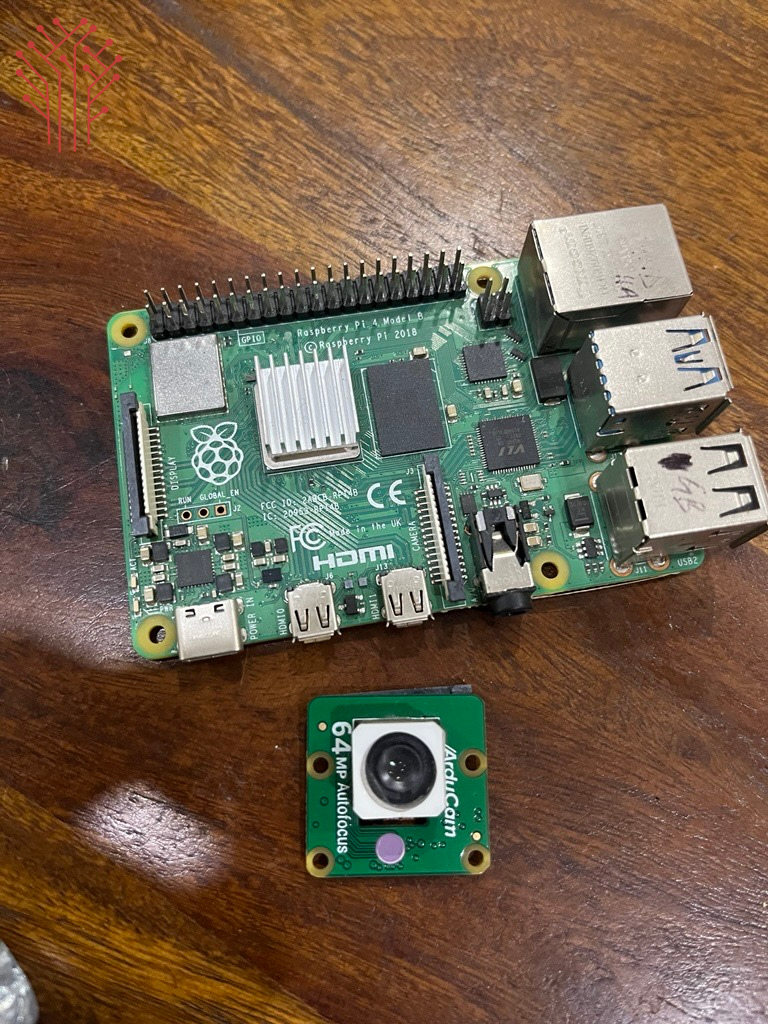
Components
- Raspberry Pi 4 Model B
- Arducam Camera Module / USB Webcam
- MicroSD Card (32GB or higher)
- Raspberry Pi Power Supply
- HDMI Display (optional)
- Keyboard & Mouse (optional for setup)
Software Requirements
- Python 3
- Raspberry Pi OS / Linux / Windows
Python Libraries
- OpenCV
- face_recognition
- NumPy
- Pandas
- datetime
- os
System Architecture
The system follows a simple workflow:
- Capture live video using the camera module
- Detect faces from each video frame
- Encode facial features
- Compare detected faces with stored datasets
- Identify authorized users
- Mark attendance automatically
- Store records with timestamps
How It Works (Step-by-Step)
Step 1 — Camera Initialization
The camera module connected to the Raspberry Pi continuously captures live video frames.
Using OpenCV, frames are processed in real time for face detection.
Step 2 — Face Detection
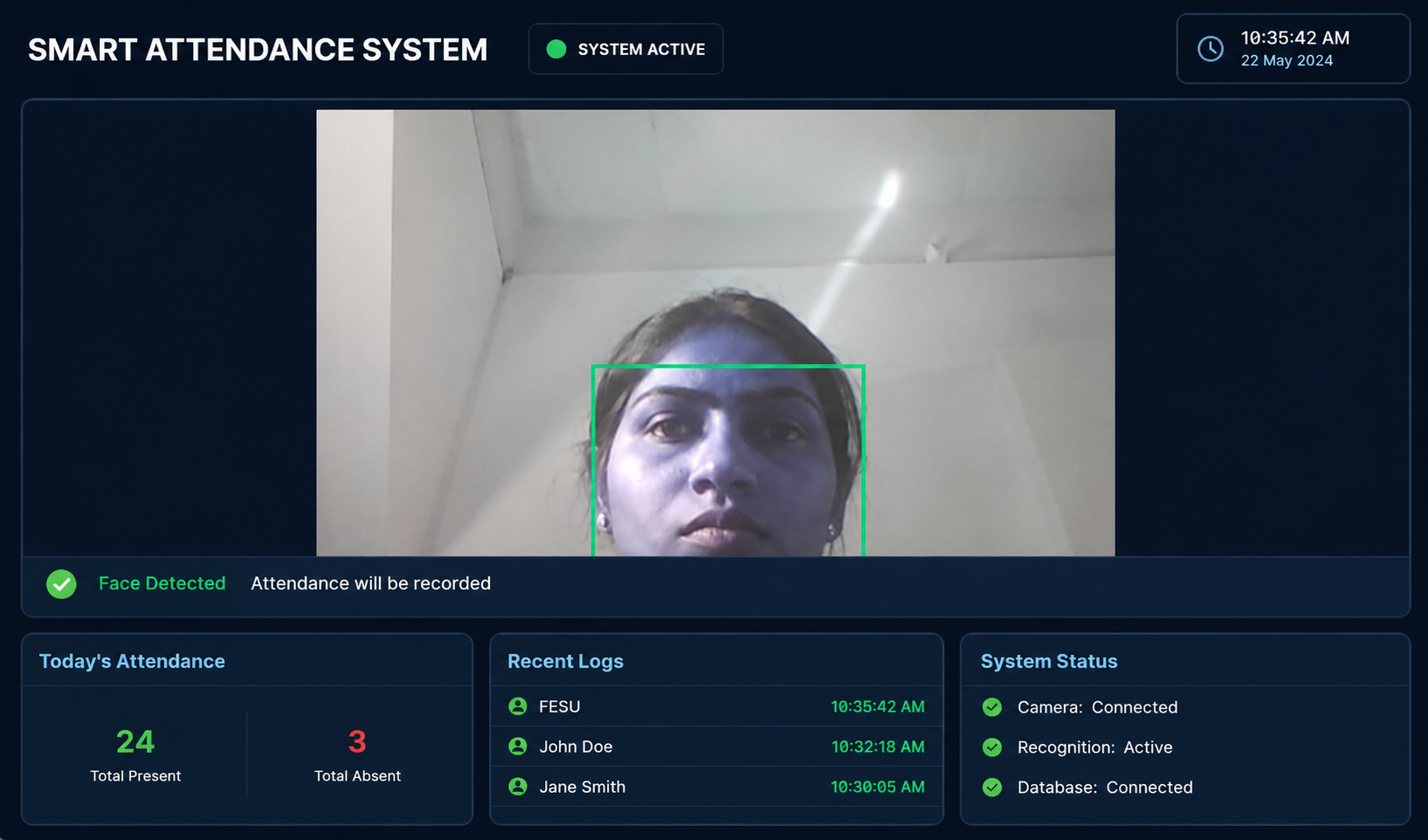
The system scans each frame and detects human faces using computer vision algorithms.
Detected faces are highlighted using bounding boxes on the screen.
Step 3 — Face Encoding
Each detected face is converted into a unique facial encoding using the face_recognition library.
This encoding acts like a digital signature for each person.
Step 4 — Face Matching
The generated encoding is compared with previously stored encodings in the dataset.
If the similarity score matches within the defined threshold, the person is identified successfully.
Step 5 — Attendance Marking
Once a valid match is found:
- User name is displayed
- Attendance is marked automatically
- Date and time are recorded
- Duplicate entries are prevented
Attendance data is stored in CSV/database format.
Step 6 — Data Storage
Attendance logs can later be accessed for:
- Daily attendance reports
- Record management
- Analysis and export
Installation & Setup
1. Install Raspberry Pi OS
Flash Raspberry Pi OS to the MicroSD card and boot the Raspberry Pi.
2. Install Required Packages
sudo apt update
sudo apt upgrade
Install Python dependencies:
pip install opencv-python
pip install face_recognition
pip install numpy
pip install pandas
3. Connect Camera Module
Attach the camera module to the CSI port or connect a USB webcam.
Enable the camera interface if required.
4. Create Face Dataset
Capture multiple images of authorized users and store them in dataset folders.
Example:
dataset/ person1/ person2/
5. Run the Program
python attendance.py
The system starts detecting faces and recording attendance automatically.
Challenges Faced
- Optimizing face recognition speed on Raspberry Pi hardware
- Handling low-light...