 ElectroScope Archive

Project Overview
The system combines an ESP32-CAM module with a trigger input such as a pushbutton, PIR motion sensor, or magnetic reed switch. When the trigger activates, the ESP32-CAM:
- Connects to your Wi-Fi network.
- Captures a JPEG image.
- Uploads the image to a web service.
- Sends a WhatsApp message containing the image link.
Instead of relying on expensive third-party hardware, the entire build can be assembled with inexpensive components and customized for almost any monitoring application.
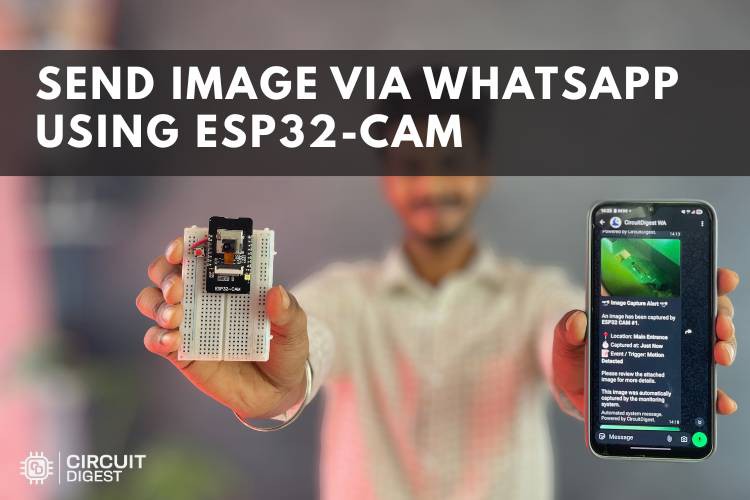
Why Use WhatsApp for Alerts?
Most DIY security projects send notifications by email or through dedicated mobile apps. WhatsApp offers a simpler and more immediate experience:
- Alerts appear in an app you already use every day.
- Images are easy to view and forward.
- Notifications are fast and reliable.
- No separate mobile application is required.
By using the WhatsApp Cloud API or a lightweight messaging service, the ESP32-CAM becomes a practical real-time monitoring device.
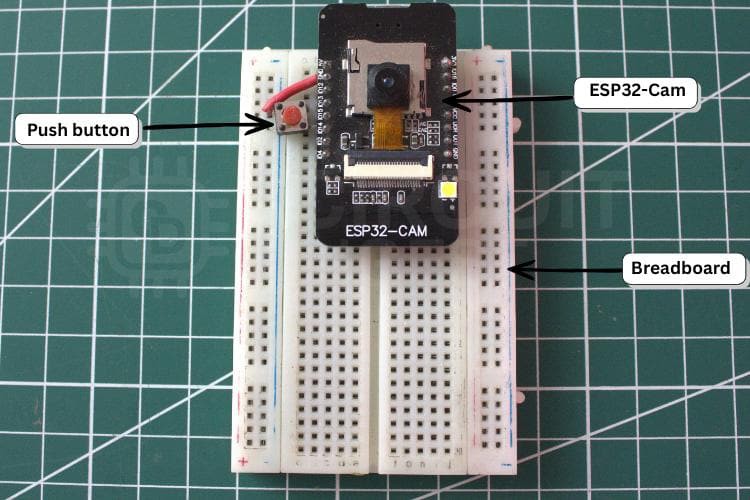
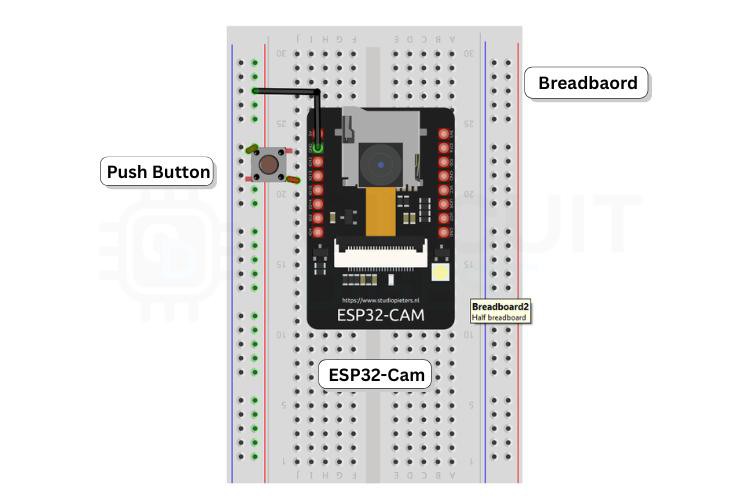
Hardware Required
- ESP32-CAM
- USB-to-Serial programmer (FTDI or CP2102)
- Pushbutton, PIR sensor, or reed switch
- 5 V power supply
- Jumper wires and breadboard
Optional additions:
- External antenna for better Wi-Fi range
- Li-ion battery and charging module
- Enclosure for outdoor use
How It Works
The ESP32-CAM includes both a dual-core ESP32 microcontroller and an OV2640 camera sensor, making it ideal for connected imaging projects.
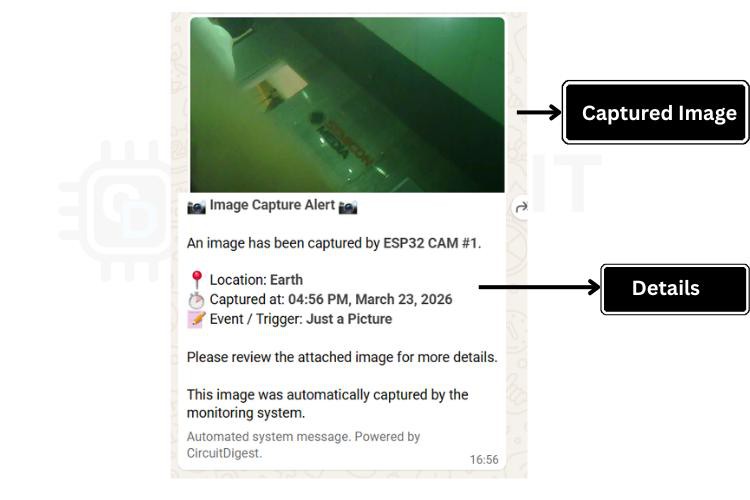
When a trigger is detected, the firmware captures a photo and sends it to a cloud endpoint. The endpoint returns a URL to the image, which is inserted into a WhatsApp message and sent to the configured recipient.
Because WhatsApp supports image previews directly in chat, the alert appears as a rich message that can be opened immediately.
Software Workflow
The code is developed in Arduino IDE and uses libraries for Wi-Fi, camera control, and HTTPS communication.
Main Steps in Firmware
// Trigger detected
capturePhoto();

// Upload image
String imageURL = uploadImage();

// Send WhatsApp message
sendWhatsApp(imageURL);
You only need to update a few configuration values:
- Wi-Fi SSID and password
- WhatsApp API token
- Destination phone number
Applications
This project is useful far beyond simple security monitoring.
Home Security
Receive a photo whenever motion is detected.
Smart Doorbell
Send a snapshot when someone presses the bell.
Mailbox Alert
Know when a package or letter arrives.
Pet Monitoring
Capture images when your pet enters a specific area.
Industrial Monitoring
Get instant visual confirmation from remote equipment.
Performance Notes
A typical 640 × 480 JPEG image is captured and delivered within a few seconds, depending on Wi-Fi signal quality and API response time.
To improve reliability:
- Use a stable 5 V power source.
- Keep image resolution moderate.
- Add retry logic for failed uploads.
- Monitor free heap memory.
Customization Ideas
Once the basic system is working, you can extend it with:
- Motion-triggered video clips
- Time-stamped images
- Multiple WhatsApp recipients
- Deep sleep for battery operation
- Integration with cloud dashboards
The ESP32-CAM provides enough processing power to support advanced features without increasing hardware cost significantly.
Challenges and Solutions
Camera Brownouts
The ESP32-CAM can draw short current spikes. A regulated power supply is essential.
Upload Timeouts
Compress images and verify HTTPS certificates.
Poor Wi-Fi Range
Use an external antenna or relocate the device.
Why This Project Matters
This build demonstrates how inexpensive hardware can deliver practical, real-world automation. By combining the ESP32-CAM with WhatsApp messaging, you get a familiar and highly effective alert channel that works on nearly every smartphone.
The project is approachable for beginners and still offers plenty of room for advanced customization. Explore...
Read more »