 Ken Yap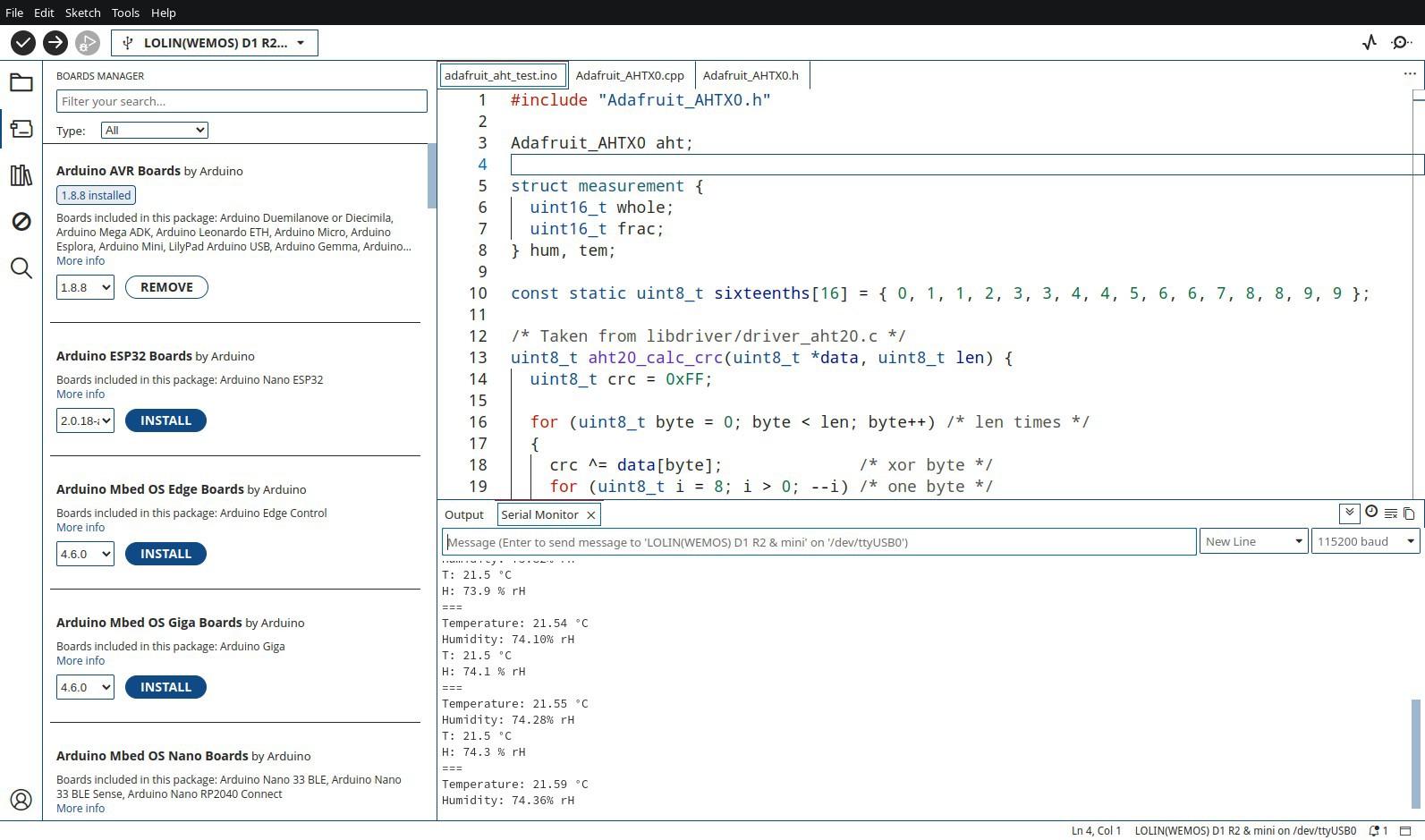
Microcontrollers need firmware and toolchains used to develop them. This is an overview and will undergo revision as I will no doubt overlook some concepts at the time of writing.
Assemblers
Unless you have one of those educational kits where you toggle switches (or the equivalent thereof) to program the hardware, it's assumed the basic requirement is an assembler which will take assembly code and turn it into bits to be loaded into the MCU.
This is the case for the 8048/8042 MCUs I have mentioned. The toolchain is the ASxxxx cross assembler and linker. The MCU is too weak to support a HLL like C. Wikipedia claims that a PL/M compiler existed for the 8048 but I am dubious because the architecture is severely limited.
Compilers
I consider the basic requirement for a MCU toolchain to be a C compiler toolchain. This true of all the MCUs I have used from the 8051 onwards, although early PIC models had very restrictive architectures like for example a two-level stack which forces one to flatten out function calls.
CLI Development Environments
The first step up from a compiler is something to automate the repeated steps of a embedded app edit and build. You could do it with scripts, but I started off with a text editor and a Makefile which is very familiar from the desktop Linux environment..
This can be elaborated with any number of improved build tools like CMake, meson + ninja, etc.
It's worthwhile retaining CLI build facilities even if one is using an IDE, to have a reproducible means of creating production artifacts.
Integrated Development Environments
A great boon of a GUI IDE is multiple views. In one window you could be editing source code, another could be a command window, and of course you could have output and debugging windows. When editing, the IDE can help the programmer by suggesting completions for library calls, sparing having to look up the programming manual.
Many of IDEs are front-ends to traditional CLI programs, simply because that's how the tools are invoked. For example, when you use the Arduino IDE, possibly the best known, you can see the compile commands launched in response to firing off a build. Some IDEs like the Microchip MPLAB X even generate Makefiles to control the build process.
IDEs can be specific to a platform, e.g. Window, or could be cross-platform. The preference these days is for cross-platform IDEs to capture a large audience. Traditionally cross-platform IDEs relied technology like Java e.g. in the form of the Eclipse platform. Many IDEs, for example Moun River are based on this. But these days cross-platform GUI toolkits are not a big deal, so an IDE like Arduino has support for the main OSes. Java GUIs these days look square and quaint.
IDEs can also be multi-target. Arduino started off supporting the AVR MCUs, but these days the Espressif, ARM, and RISC-V MCUs are transparently supported. The compiler toolchains moved from the Arduino application package to optional library packages.
But one great aid that IDEs provide is configuration for multiple models of MCUs. Unlike desktop CPUs where generations of processors can be accomodated in the kernel and runtime libraries, and it's all hidden from you, a Linux app works the same whether you are using a 10 year-old processor, or this year's, MCUs come in a huge variety of models targeted for various fields, e.g. consumer, automotive, instrumentation, with differences in peripherals. It's expensive and unnecessary to make embedded programs work on many models, so builds are configured for just the intended target. You can see this in the Arduino IDE where you have to select the board you are working with.
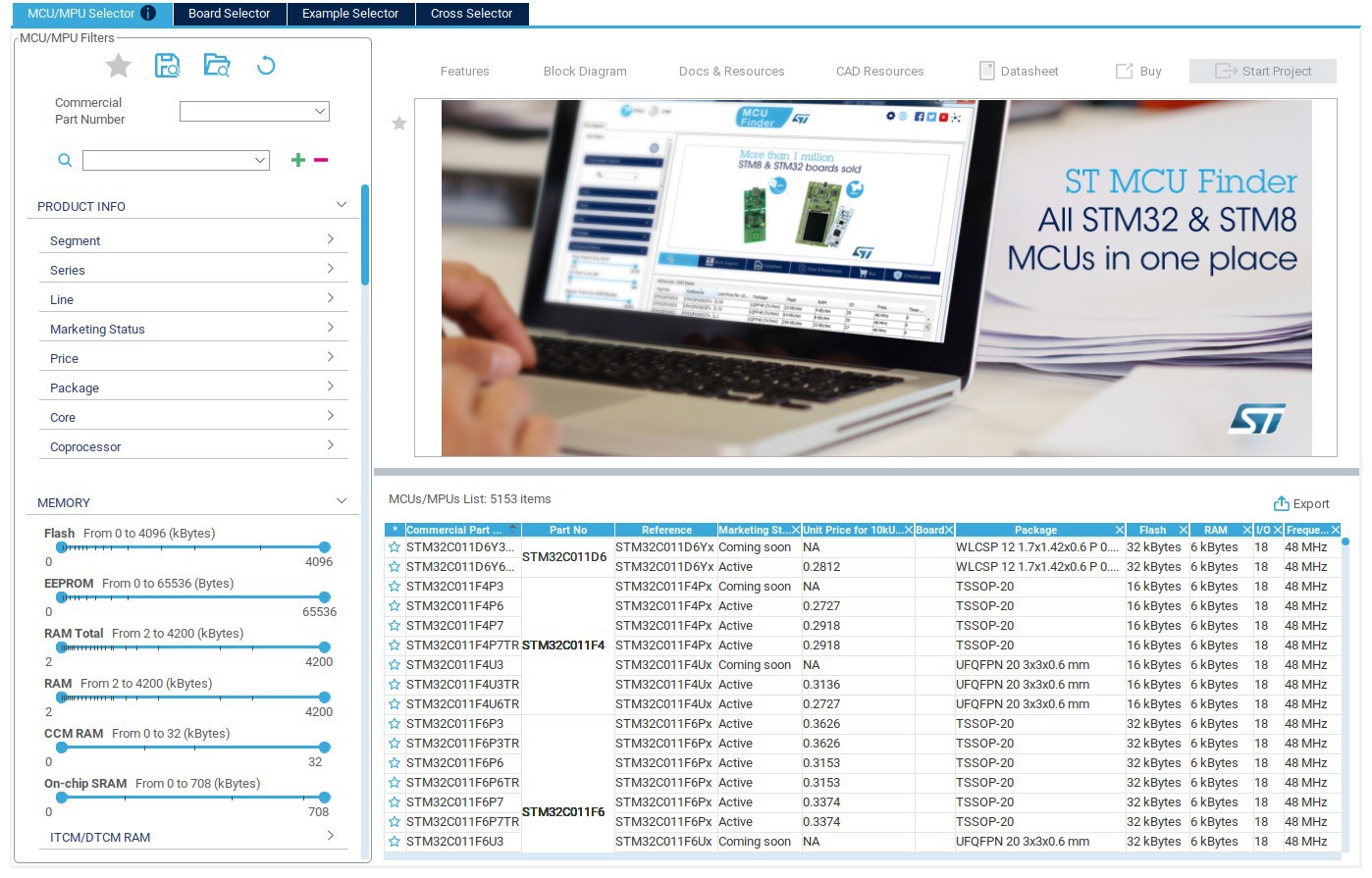
This customisation is extensive in IDEs like the ARM CubeMX IDE for STMicro's line of STM32 processors. A separate GUI program takes you through the selection of the company's MCU models and generates a configuration file which is used to influence build configuration.
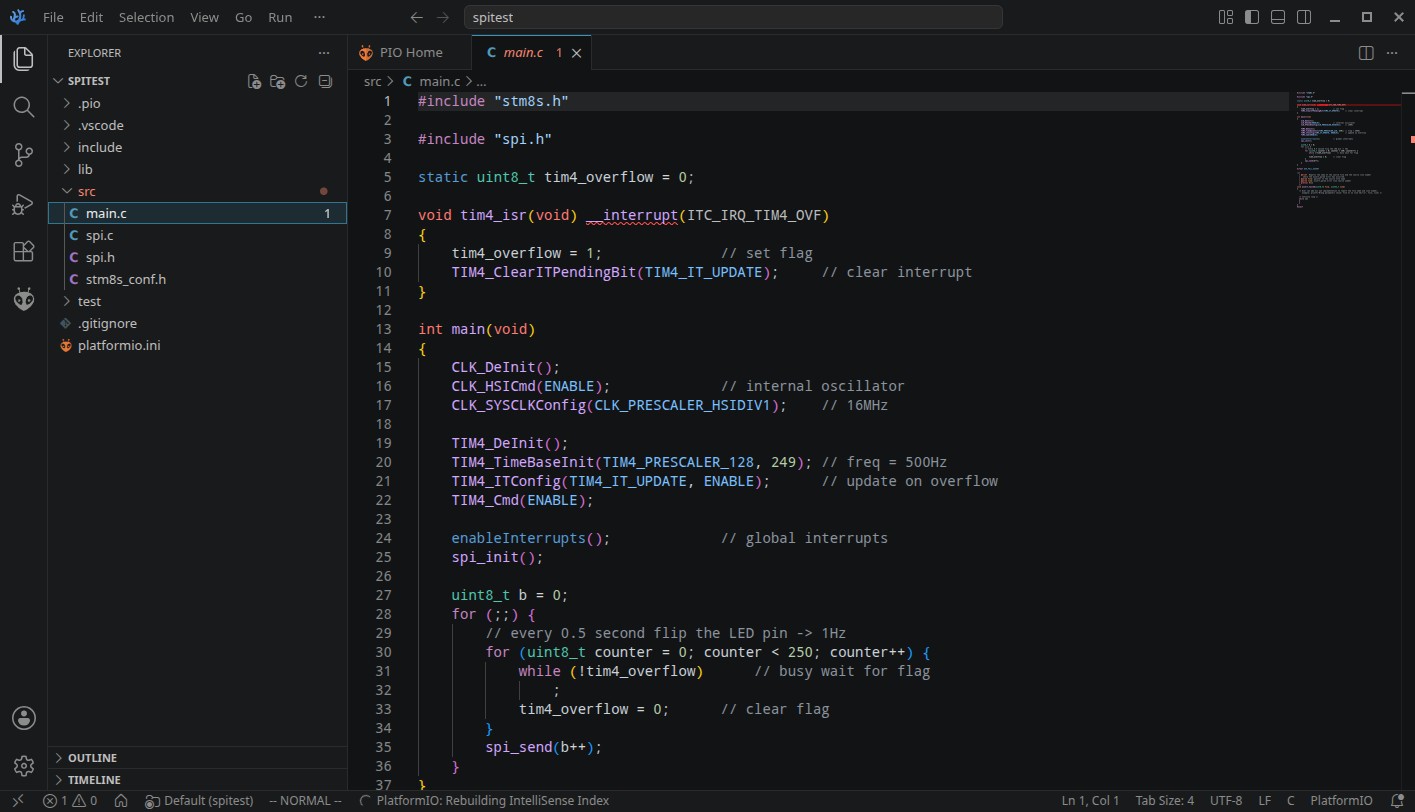
Another dimension of IDEs is proprietary vs generic. Configurable IDEs like Codium, which is a general-purpose development environment, can also support embedded development using frameworks like PlatformIO.
Other Language Environments
Some development environments are based on a particular programming language, e.g. MicroPython, Lua, Forth, Rust. These will impose their own requirements on the development tools.
Hardware Adaptation Layer
Taking things further, a toolchain can present a higher level view of a hardware peripheral to the programmer. Instead of dealing with peripheral registers, constants, bit positions and so forth, the interface provides a resource with functions = operations on it. This fits well with an object-oriented view of resources, with instances, and lifecycle, of objects representing the peripheral. For example a Real Time Clock class can be used to represent many instances of RTC chips, and expose operations such as initialisation, setting the time, reading the time, setting and reacting to alarms. This is impetus to support C++ say by using the g++ compiler in the GCC tools. This is the reason that when GCC is not supported but SDCC is for a MCU like the 8051 family, the libraries cannot support OO features.
Sometimes the HAL imposes limitations. The paradigm of a setup() routine and a loop() routine in Arduino sketches differs from the familar pattern of a C or C++ main() as the start point of a program.
Standardised file hierarchy
Often the toolchain will impose a particular hierarchy for the files and resources for a build. A typical structure might be:
root
    source
    libraries
    resources (e.g. sound files, icons)
    build
    documentation
build is where the results end up. It might be further split into debugging and production folders.
Often the structure is based on an existing layout, such as the one popularised by Ruby on Rails. There using the rails tool, one can create a project, populate it with a standard template, and then various operations are immediately available for building and testing. The Rust cargo tool works like this. Other IDEs have their preferred folder structure.
Downloading the executable to the MCU
About the only thing that can certainly be said is that there is no standardised way of doing this. Back in the days of the 8048s and 8051s you might program an UV-EPROM version of the MCU, or use an external (E)EPROM to test the executable. You usually needed an (E)EPROM programmer for this.
Then MCUs acquired flash memory, which obsoleted (E)EPROMs and shortened the develop/test cycle. Next manufacturers starting putting bootloaders in a read-only part of the flash memory. The bootloader might use serial interface pins to receive the download from a desktop computer. This was the case for the STC89C52 I used. Sometimes you needed a special dongle (in many cases containing another MCU) for the download. This was the case for the STM8 and STM32 families. These dongles could also be used for debugging, to single-step the processor through instructions, and show the state of internal registers and RAM. Some MCU families had a proprietary trap where you had to buy a specific dongle, like the Nuvoton 8051 family MCUs. It could make development expensive.
MCU development boards that could receive their programs via the USB interface started appearing. This allowed a single interface to provide power and data. And to be sure, many of the MCUs programmed by a serial port relied on a USB to serial interface chip.
The MCU can also act as a USB peripheral and respond to USB commands instead of emulating a serial interface device.
Since USB devices can also be storage devices, MCUs like the RP2040 were designed to look like a USB fiash drive to the desktop host, and you downloaded a program by coping a executable file into the storage area.
WiFi capable MCUs have not surprisingly acquired the ability of OTA (Over The Air) downloading. Very useful if the MCU is inside equipment; you don't have to open the case to connect downloading cables.
AI
Recent IDEs include support for AI assistance. I'm not going there in this overview. No doubt somebody else can.
An Abundance of Choice
All this means one is spoilt for choice where toolchains are concerned. Often constraints such as MCU model and memory will lead to particular tools.
My preference is to use whatever is most suitable and convenient for my project. I have no qualms switching to a different tool if it makes life easier.
It's very difficult to provide specific recommendation in a general overview log such as this. When I discuss the development board I'll be using, things will get more concrete.
Discussions
Become a Hackaday.io Member
Create an account to leave a comment. Already have an account? Log In.