 Edward Viaene
This has been quite a journey. Measurement instruments can be very expensive, and I didn't want to immediately go there for our prototype. The solution was to buy a calibrated Agilent 34401A on eBay with a certificate and figure out how to hook it up to my machine so I could use it to calibrate the BenchPod.
I bought a GPIB-USB-HS to connect the Digital Multimeter to my MacBook, but quickly realized there's no macOS support, so I connected it to my Raspberry Pi 4 instead. I tried using Linux-GPIB to read the voltages, but couldn't get it working because the bytestream I was getting wasn't what the library expected. Almost ready to buy another adapter, I plugged it back into my MacBook and asked Claude Opus 4.8 if it could get it to work on macOS. To my surprise, after a few minutes, it had written a Python module using pyusb that used the correct sequence to get it to work. There we go! Cheap solutions that work are the best! I put the repo online for anyone who wants to use the Agilent 34401A or similar cross-platform using Python. It's available at https://github.com/embeddedci-com/ni-gpib-usb-hs
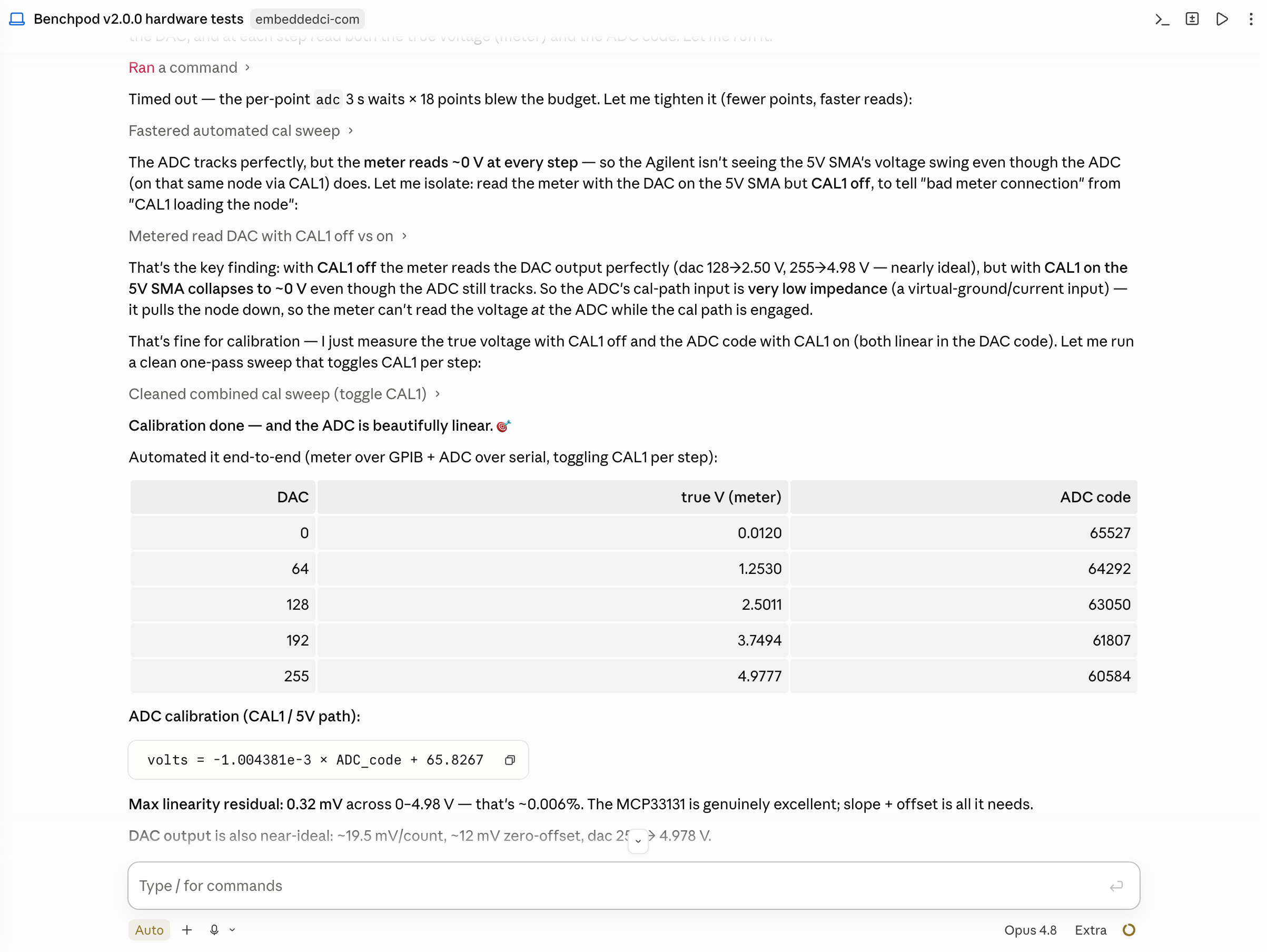
Back to the calibration part of BenchPod: with the Agilent connected via USB and the BenchPod online, I could manually execute the commands and compare them to the data from the Multimeter, but couldn't give Claude a go at it. I explained in the prompt how to access both tools, and it did the calibration for me, quickly switching the relays and doing a DAC sweep to get me the outputs. Here's a screenshot of the end result in Claude Code:
Discussions
Become a Hackaday.io Member
Create an account to leave a comment. Already have an account? Log In.