 McTechDev

I have recently been getting into Morse code, so I made myself a key using some 3D printed parts, but I needed a simple way to easily interface the key with my computer so I could (mainly) use it on morsechat. I knew this was going to be a very simple project, so I'm sharing it with you all so you can make one as well!
All I needed to do was transmit to my computer when a paddle was pressed and released on the key, which I could easily do with an Arduino. My first version was made with an Arduino, but I later switched to a Micro:bit for even better portability. I will be sharing the code for both versions though, so don't worry!
Guide
What you'll need:
- Micro:bit or Arduino
- 3.5mm headphone jack (TRS at least)
- 3 wires
- Solder & soldering iron (you can use alligator clips if you're just prototyping or you don't have a soldering iron)
- That's about it!
How to make it
Grab your three wires and solder each of them to the pins that correspond to your 3.5mm jack's tip, ring, and sleeve. If you don't know the pinout of your jack, just use a multimeter on continuity mode with a 3.5mm cable attatched.
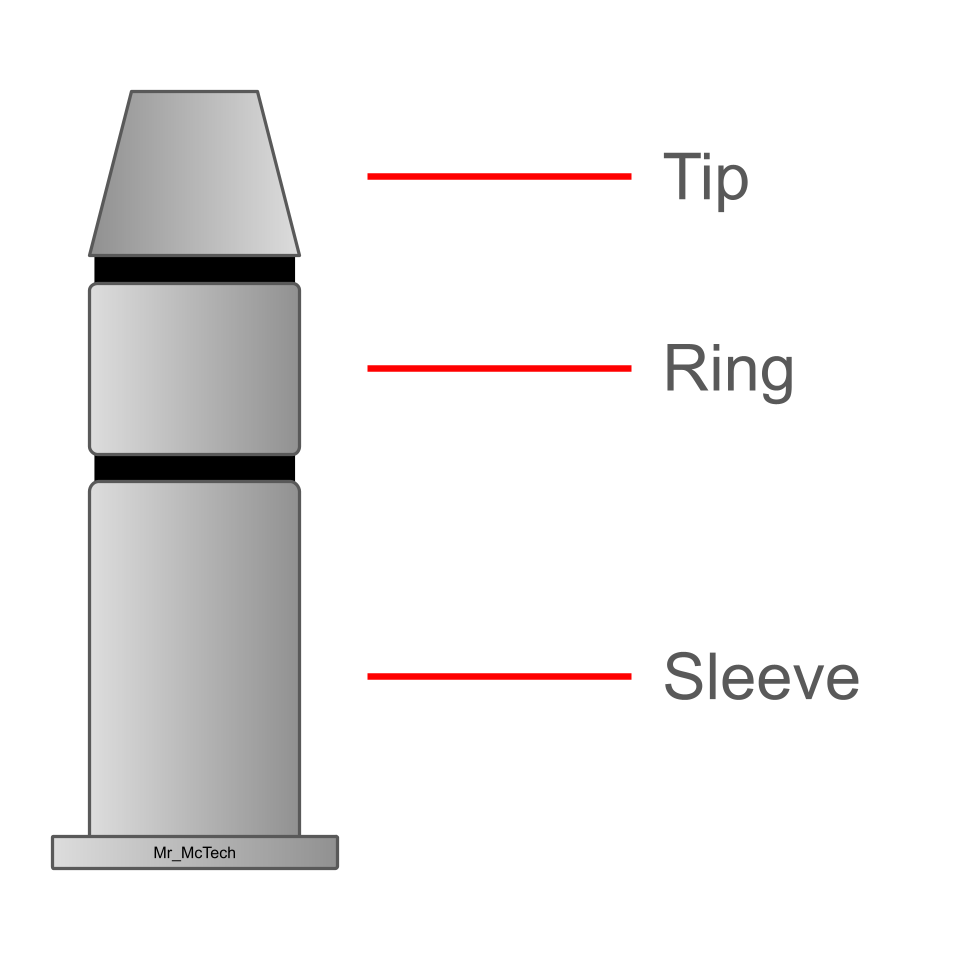
Wire the sleeve up to your microcontroller's gnd. If you are using a Micro:bit, wire the tip to pin 1, and the ring to pin 2. If you are using an Arduino, wire the tip to digital pin 2 and the ring to digital pin 3. Now is the time for me to mention that I use a reversed key where the left is dah and right is dit, so I have programmed the microcontroller accordingly. You can just reverse these in wiring.
Here's what mine looks like:
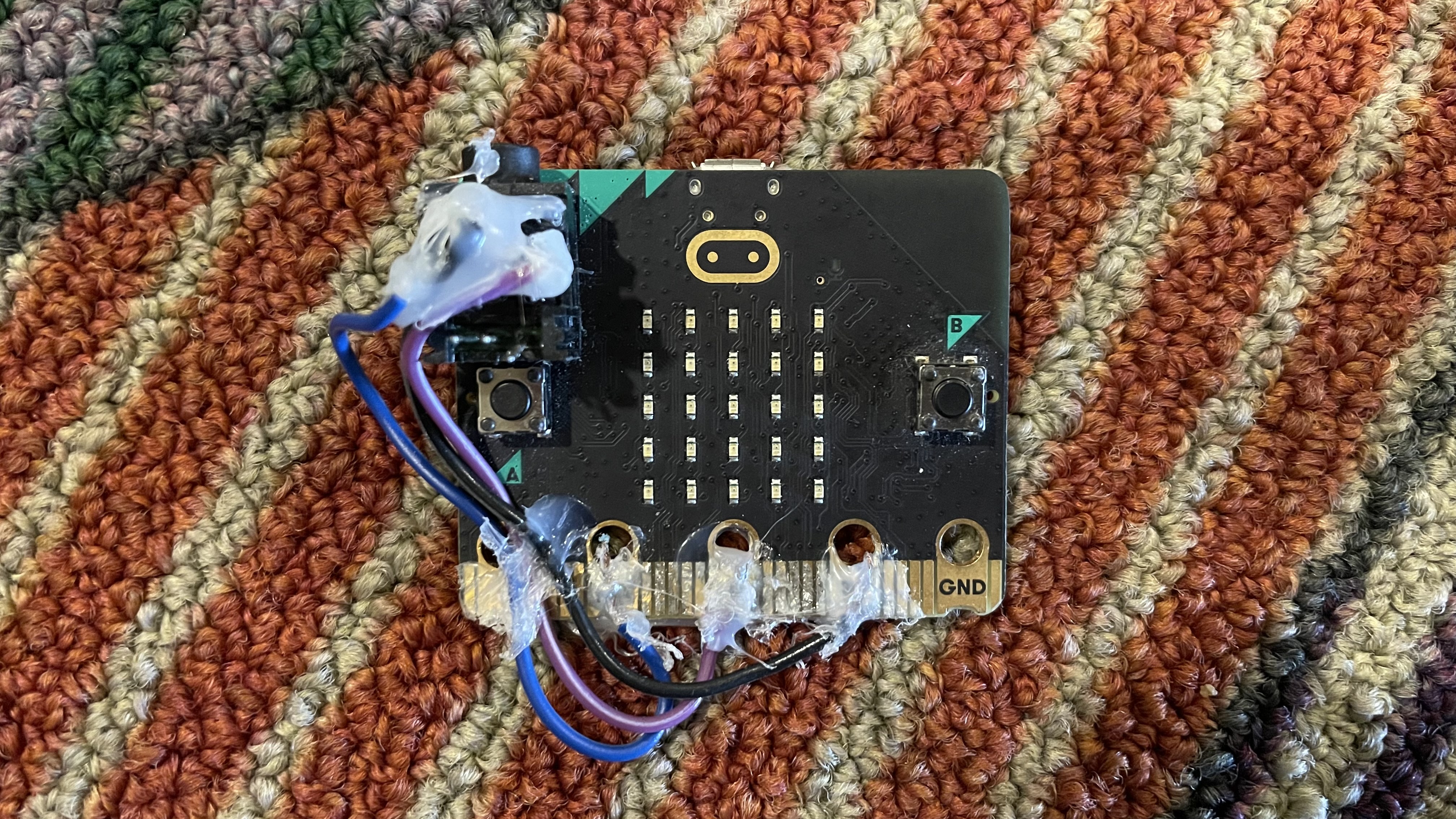
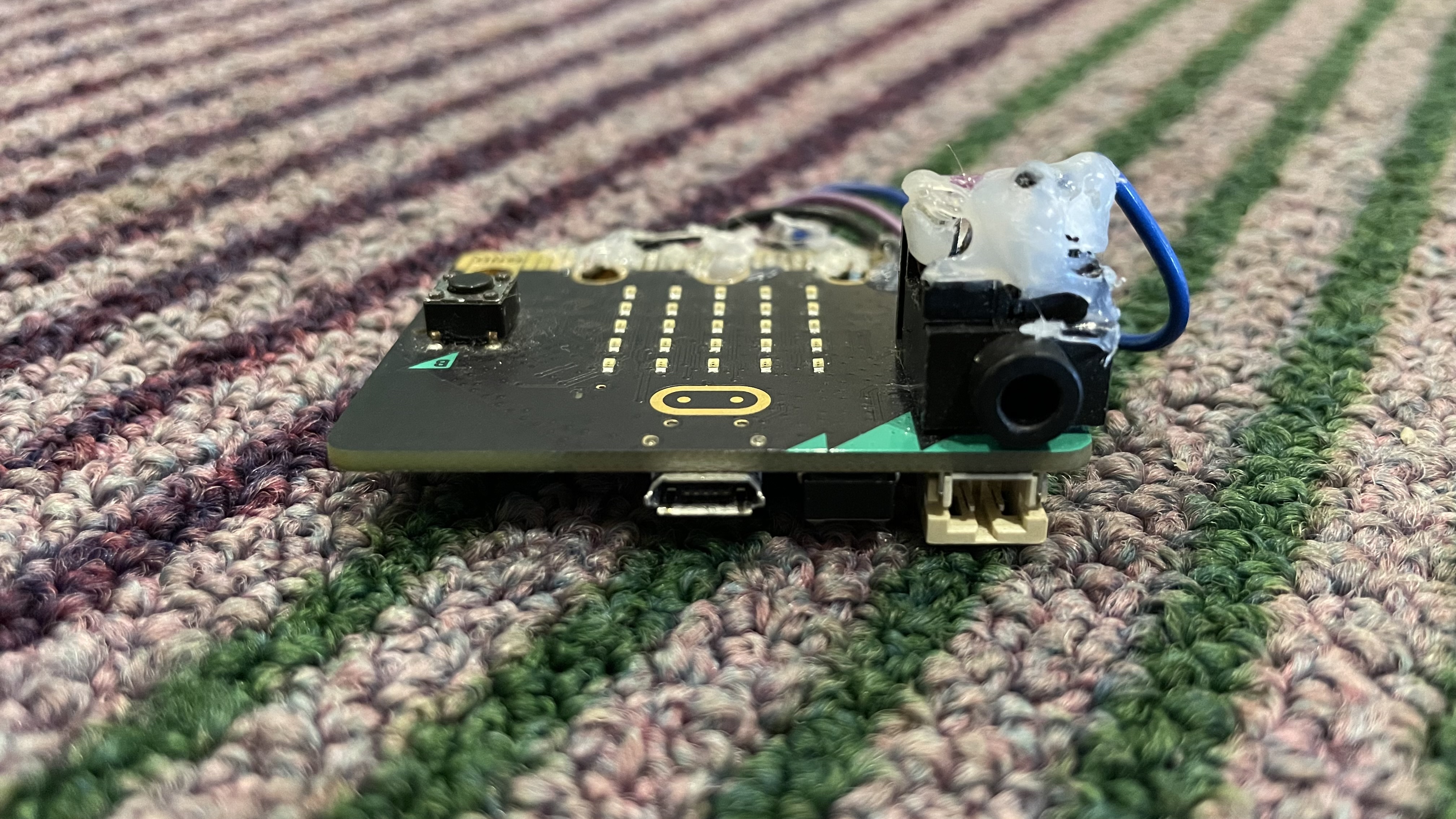
Now that you're all set, you can flash your microcontroller and start using it on your computer! To use it on your computer, you just need to download the Python script that I made. The way it works is it reads the serial monitor for the messages that say which paddle was pressed/released. It then presses the specified keyboard key that correlates to the paddle.
If you want to make the paddle, it's by KM4CFT, and the model is available on Printables.