Close
0%
0%

Polymorphic Blocks: Python PCB HDL

A Python HDL for PCB design featuring library-based subcircuit design automation and exports ready-to-route KiCad netlists

Similar projects worth following
62 views
0 followers
A Python-based hardware description language for PCBs for higher-level (block-diagram / system-architecture level) PCB design through libraries of directly reusable subcircuit generators.

Generates tstamp-stable, hierarchical KiCad netlists for integration with the KiCad PCB editor.

Many boards have been built and tested with this system, from a mechanical keyboard macropad, to battery-powered IoT devices, to a USB source-measure unit.

Interested in giving this a try? See https://github.com/BerkeleyHCI/PolymorphicBlocks/blob/master/getting-started.md

An independent, academic-origin project. Fully open-source and local capable, no VC, no monetization plan.

Why a board HDL?

I’ve designed a lot of boards over the years, a mix of for-fun and semi-professionally. Unfortunately, that involves a lot of boring repetitive work:

  • transcribing datasheet circuits into schematic capture
  • selecting jellybean parts
  • applying standard calculations listed in the datasheet or from well-known equations
  • checking the same absolute maximum ratings parameters.

These aren't things that require human creativity, but just things that schematic editors are not good at.

Code, however, is great for re-use and automation. So I built this board HDL to address those issues and provide meaningful design automation.

What can this do?

  • High-level block design: build boards at the block-diagram / system-architecture level of abstraction instead of individual parts. Worry less about lower-level details and focus more on the big picture.
  • Batteries included: built-in libraries include coverage of common microcontrollers (ESP32, STM32, and more), power converters (buck, boost, LDO), sensors, displays, analog signal chains, and more.
  • Automatic JLC parts selection: the system automatically selects jellybean (passives, discrete semiconductors) parts from a parts table and generates an assembly-ready BoM.
  • Vendor-neutral abstract parts: you can build your own parts table parser that plugs in to the entire circuits library.
  • Basic ERC: automates basic checks like voltage and current compatibility.
  • Advanced capabilities: supports multi-pack devices (like dual-pack
    opamps) and multi-board systems with managed connector-pairs.
  • KiCad layout ready: generates KiCad netlists with stable tstamps and
    hierarchical data, allowing co-iteration with layout and hierarchical layout replication plugins.
  • Tooling friendly: exports a JSON representation of the compiled design to support third-party tooling.
  • Minimal magic: deterministic compilation and deterministic subcircuit generators.

Example by Mechanical Keyboard Macropad

from edg import *

class Keyboard(SimpleBoardTop):
    def contents(self) -> None:
        super().contents()

        self.usb = self.Block(UsbCReceptacle())
        self.reg = self.Block(LinearRegulator(3.3 * Volt(tol=0.05)))
        self.connect(self.usb.gnd, self.reg.gnd)
        self.connect(self.usb.pwr, self.reg.pwr_in)

        with self.implicit_connect(
            ImplicitConnect(self.reg.pwr_out, [Power]),
            ImplicitConnect(self.reg.gnd, [Common]),
        ) as imp:
            self.mcu = imp.Block(IoController())
            self.connect(self.usb.usb, self.mcu.usb.request())

            self.sw = self.Block(SwitchMatrix(ncols=3, nrows=4))
            self.connect(self.sw.cols, self.mcu.gpio.request_vector("sw_col"))
            self.connect(self.sw.rows, self.mcu.gpio.request_vector("sw_row"))

    def refinements(self) -> Refinements:
        return super().refinements() + Refinements(
            class_refinements=[
                (IoController, Ch32v203),
                (Switch, KailhSocket),
            ])

compile_board_inplace(Keyboard)

This generates a netlist, which can be imported into the KiCad PCB editor.
The included hierarchical data allows switch cell layout replication and microcontroller layout loading.

This also generates JLC PCBA BoM data for easy factory-assembled boards.

Does this actually produce working hardware?

Since this project started ~2019, over 20 different designs of varying complexity have been produced in this system. A short list of examples is on GitHub.

Here is the bring-up of the latest device, a three-board assembly (two rigid, one FPC) of a BLE joystick / air-mouse device.
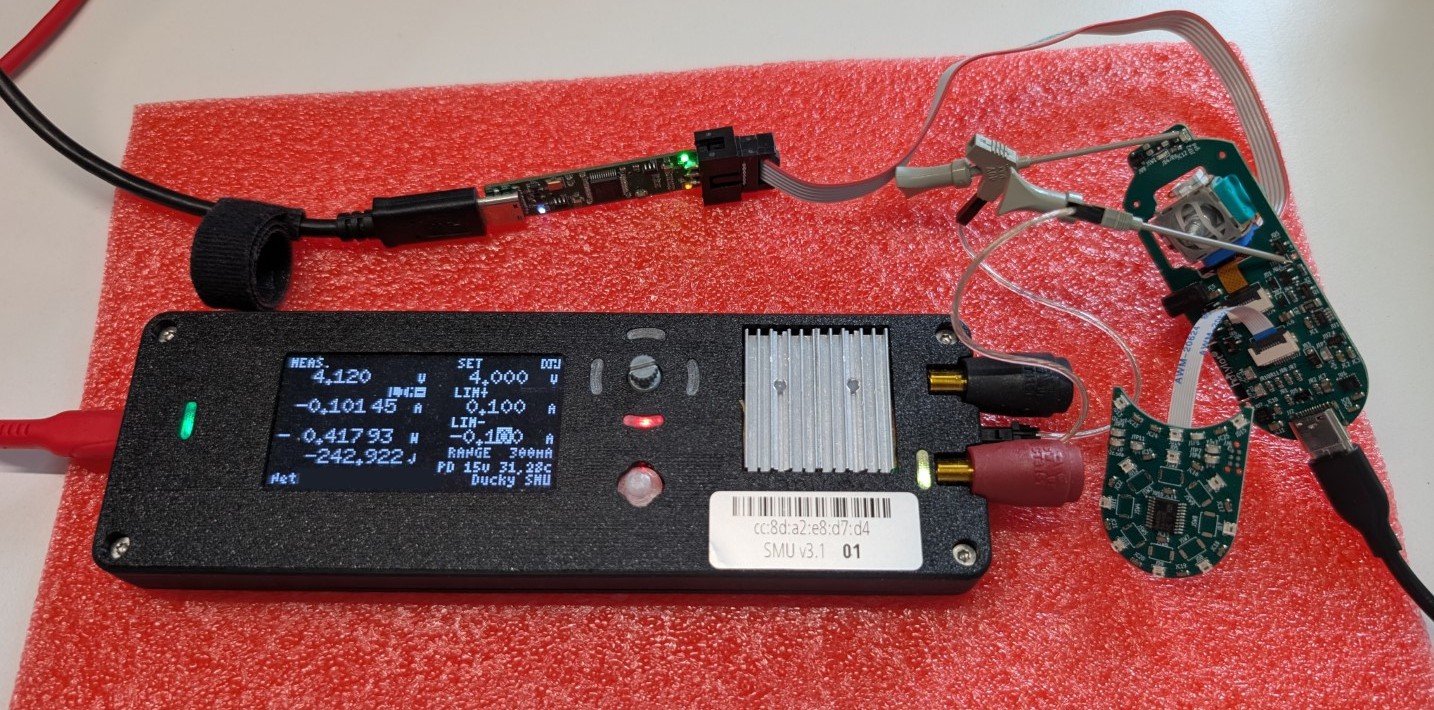
Actually, ALL the boards in the photo, including the power supply (a 2-quadrant source-measure unit), SWD probe, were designed in this HDL!

Give it a try!

Check out the getting started tutorial on GitHub, setup is just a pip install away!

Where is this going?

This continues as a personal project, in part for me to continue building boards for fun.
While the HDL is pretty battle-tested, there are still parts where things are rough around the edges. The error messages in particular need work.

I would love wider community involvement, whether you’re...

Read more »
  • BLE Joystick: yak shaving the smartleds

    Richard "Ducky" Lin2 hours ago 0 comments

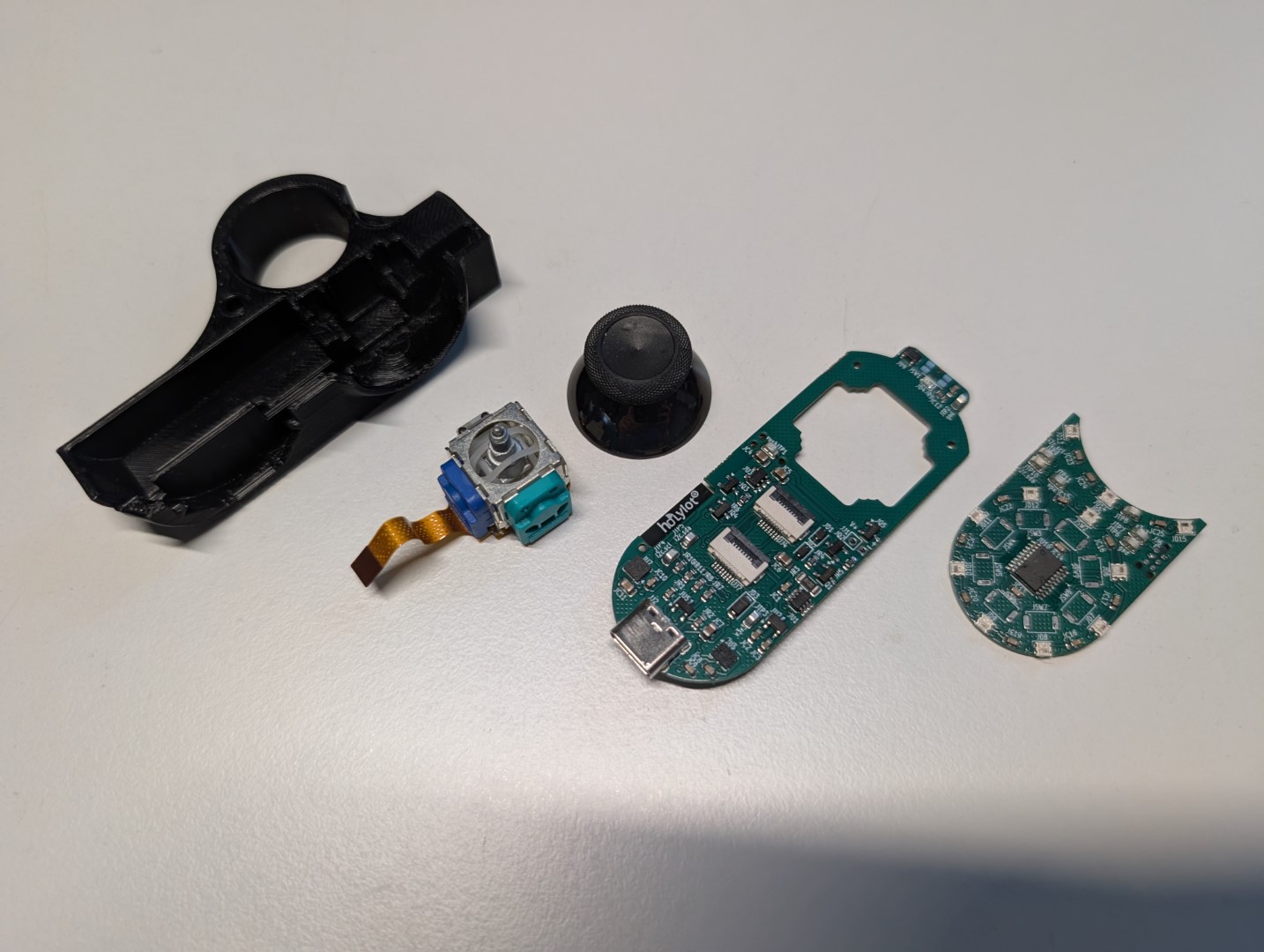
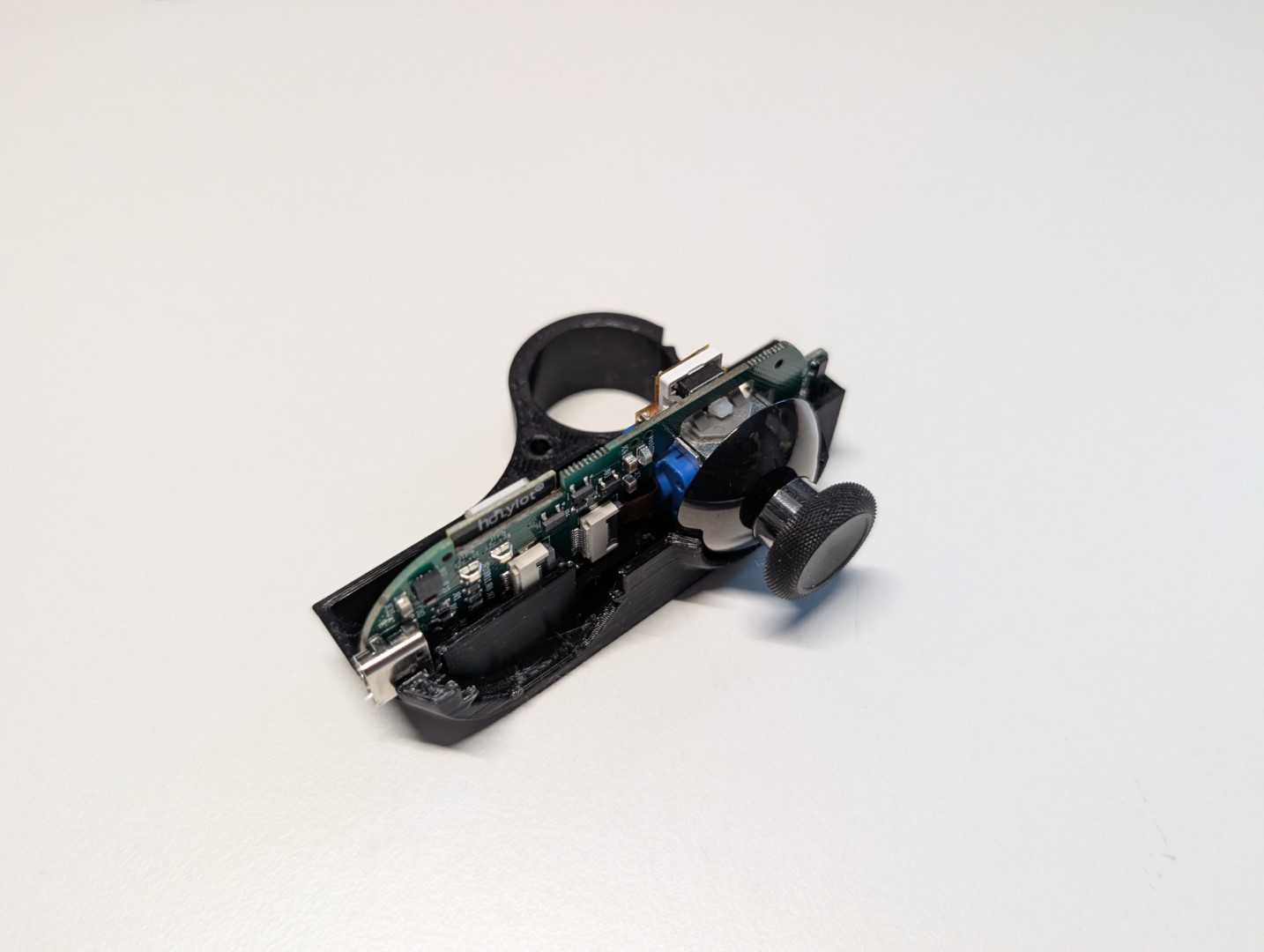
    One of the more complex projects on the mega-panel is the BLE joystick, an battery-powered BLE device with an Xbox joystick and IMU for air mouse capabilities. The idea is a configurable remote controller, such as a presentation remote or generalized gamepad but for general mouse uses.

    This device has a nRF52840 main and a CH32V003 coprocessor as the buttons board. The coprocessor allows the inter-board connection to be simple (single 8-pin FPC) by aggregating multiple IOs (including ws2812-style smartleds) over a common I2C bus. The coprocessor is also, kind of surprisingly, cheaper than a fixed-purpose I2C IO expander. Though draws way more sleep current.

    The sub-boards and managed connector pairs feature of the HDL allowed the FPCs to be correct-by-construction, and the multi-board assembly worked the first time around. This includes a custom FPC for the XBox joystick itself (so it can sit lower than the PCBs, allowing vertical space for the battery) as well as the FFC to connect the buttons sub-board. Yay!

    This board was an iteration from a prior version that used a ESP32-C3 on a single board, but ESP32 on Rust lacks advanced power management which makes it impractical for a battery device. The first revision was also mechanically more simplistic, as one rigid board with the joystick directly mounted, which is poor use of vertical space for a handheld device. Porting the firmware to this version was a bit of work, but because of vendor-neutral Rust embedded HALs, most of the existing code could be directly re-used.

    The coprocessor code had to be written from scratch, and while there isn't a standard embedded-hal I2C target API, there is an I2C target HAL for the CH32 series, which works fine.

    However, the CH32V003 SPI module, used to generate the smartled signals is ... finicky. The existing smartleds crates make a lot of assumptions, for example that the processor is fast enough to keep the SPI module fed without inter-byte delays, or that there is no glitching before the first byte. Smartleds crates also typically generate the waveforms by using 4 SPI bits per smartled bit, either 1000 or 1110. This technically violates the ws2812 timing spec (not enough low time during a high bit) at some timing configurations. The combination of these cause quite a bit of glitching on each smartleds transaction. So I built a custom smartleds SPI driver with configurable patterns: https://github.com/ducky64/smartleds-spi-lut. This seems to work robustly on the CH32V003 and is as optimized as far as reasonable with standard Rust code.

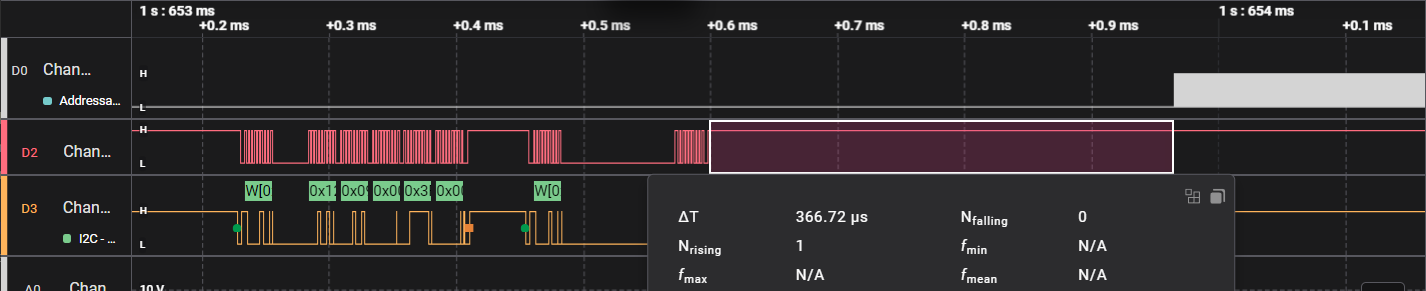
    All the processing does take some time, about 366us from the end of the I2C transaction to when the first smartleds bit gets shifted out. But it works!

    Next step is to get the accelerometer working for air mouse functionality. But before that, it needs a USB bootloader, since the case and battery obscure the debugging ports. The yak shaving continues.

    Firmware and mechanical (FreeCAD) sources are here: https://github.com/ducky64/blejoystick-rs

  • Ethernet + PoE demonstrator

    Richard "Ducky" Lin08/17/2026 at 07:04 0 comments

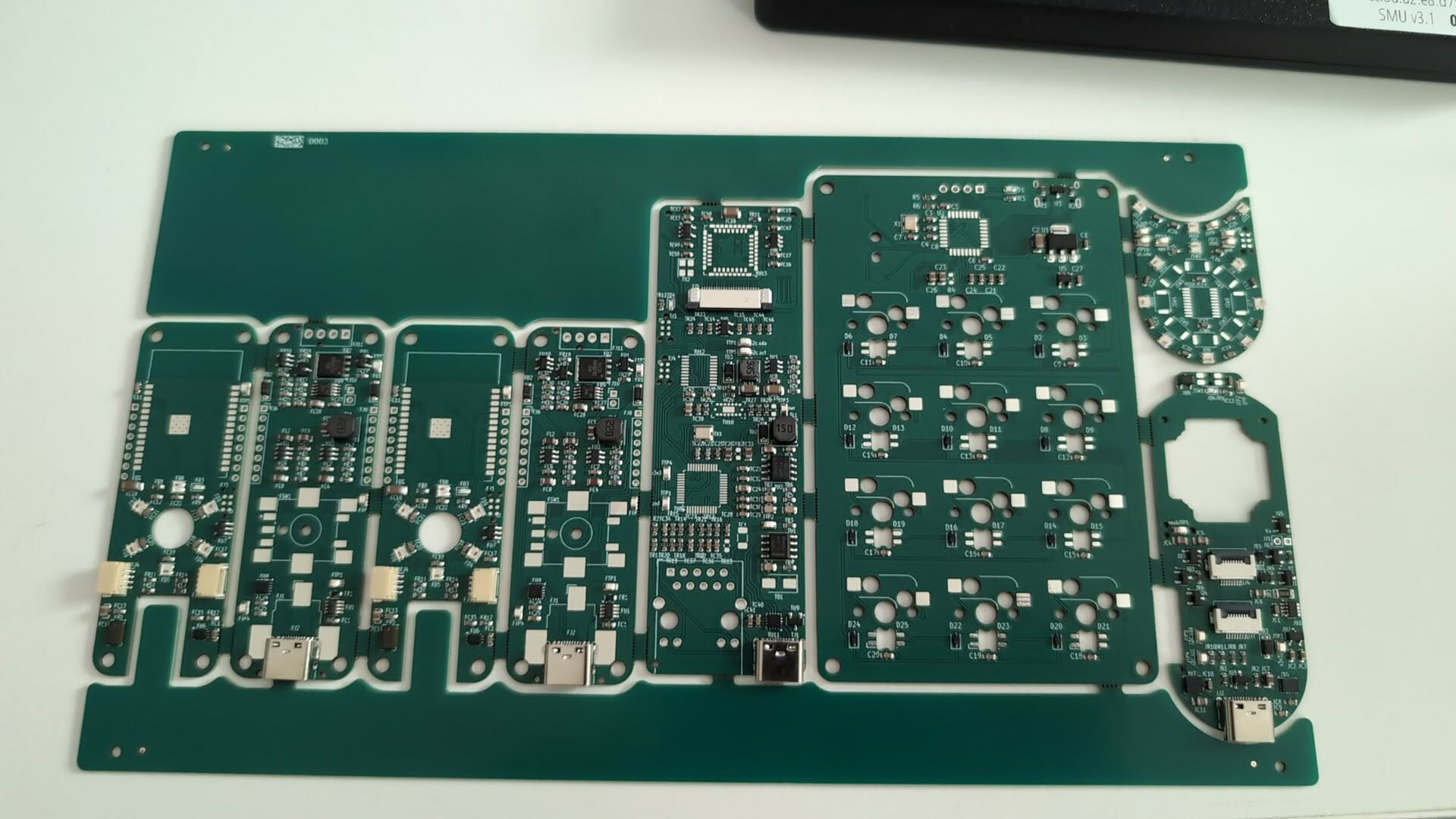
    This monster panel came back a few weeks ago and is a test of several new HDL features, notably sub-boards support and the Ethernet port / link types. It's been slow work bringing these boards up.
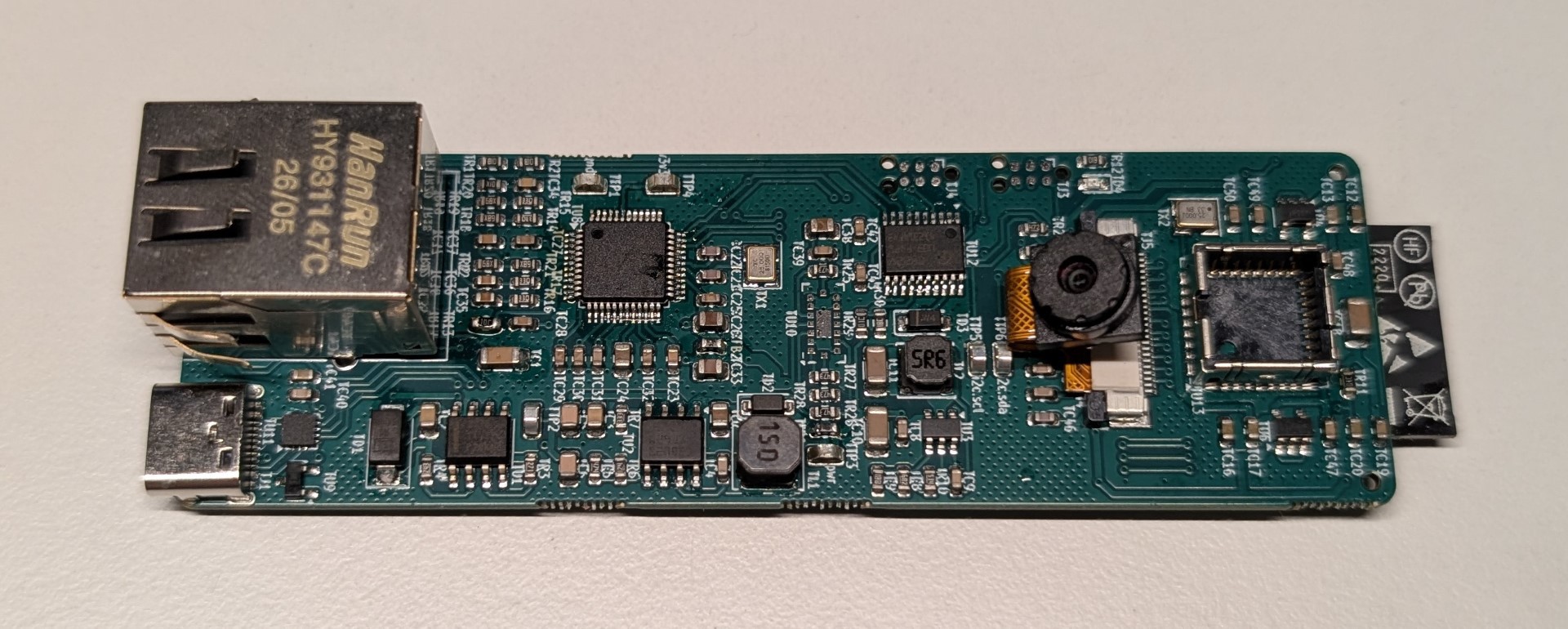
    One of the more complex designs is this Ethernet + PoE thermal / RGB camera. It has a ESP32-S3 on the back, and the FLIR Lepton and RGB camera blocks have been tested before, so the main new blocks are the W5500 SPI MAC/PHY, and non-isolated PoE interface.
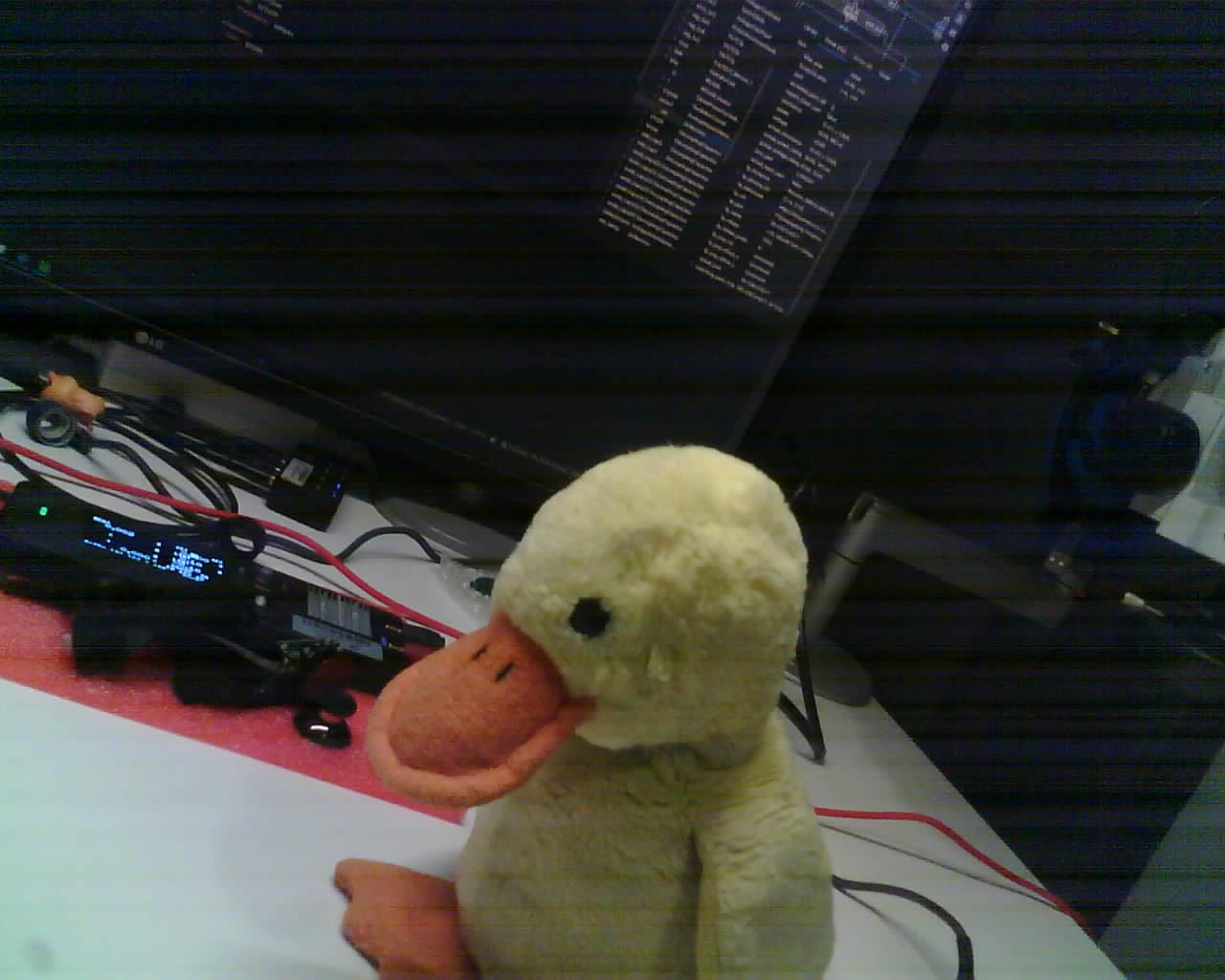
    Bringing this up was surprisingly straightforward, since wired Ethernet is just a ESPHome config away. It even does the RGB camera too, with an interface to Home Assistant! Sadly, no Lepton support in ESPHome, maybe a future project will try to get that properly integrated.

    The camera works, though its low(ish) light performance is not great. Plush duck says quack.

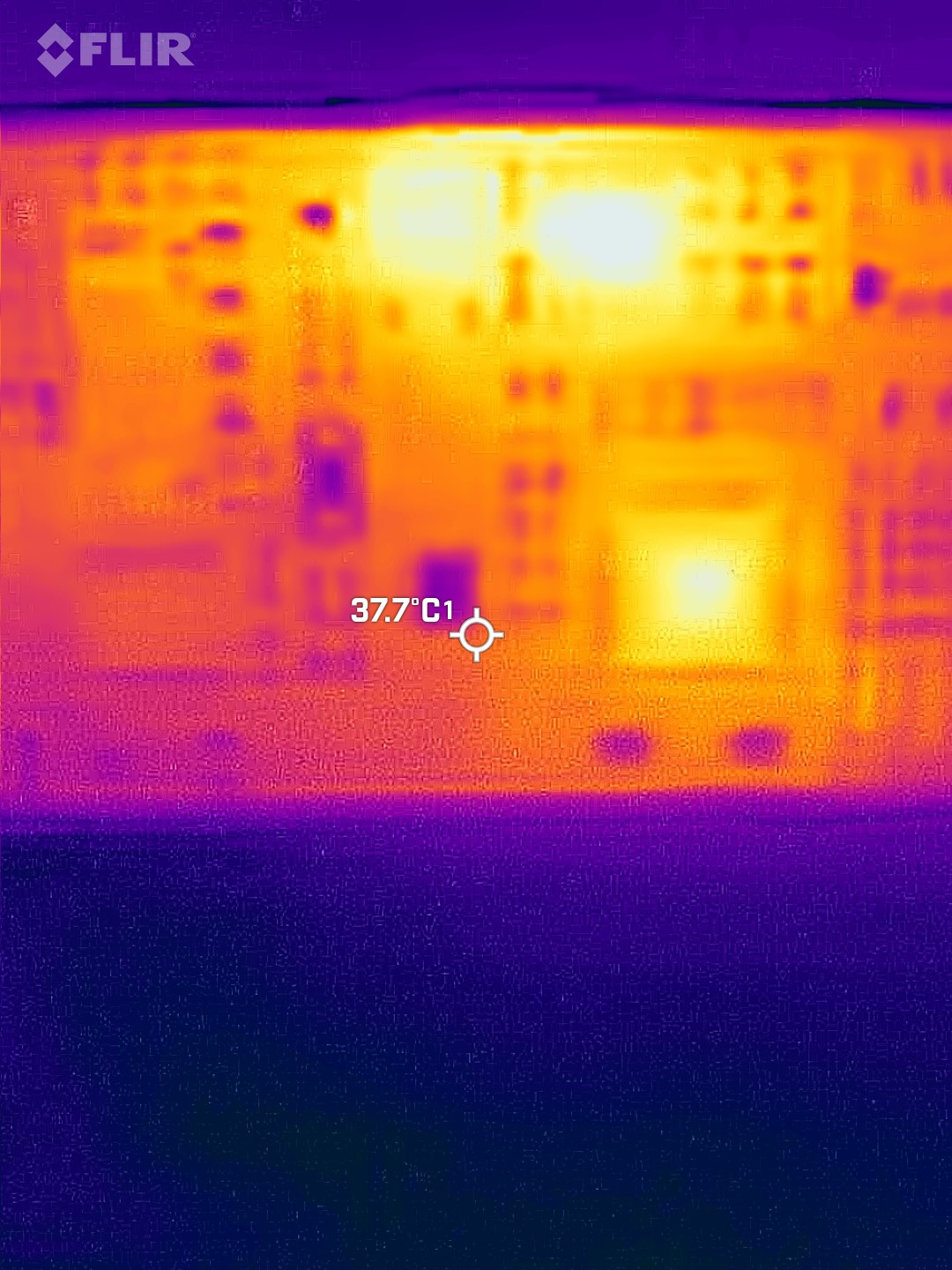
    PoE just worked once firmware was loaded, the device draws enough power with ESPHome and the camera running to keep the PoE source active. That being said, the 48v PoE -> 5v converter probably isn't too happy with the 10% buck ratio and gets a bit toasty. About 50C on the buck IC and inductor, not dangerous but would probably be nice to have a heatsink in sustained use. Such is the drawback of a simple converter without step-down provided by a transformer, but isolated topologies (typically flyback for this application) were more complexity than I wanted for this panel.

    In any case, with the blocks tested in hardware, the Ethernet ports and links, W5500, and TPS2378 blocks are now mainlined and on pypi as edg 0.5.2.

    Ongoing work is bringing up the multi-board BLE air mouse (rightmost two boards on the panel) using a Rust + Embassy + TrouBLE firmware stack, stay tuned for future updates...

View all 2 project logs

Enjoy this project?

Share

Discussions

Similar Projects

Does this project spark your interest?

Become a member to follow this project and never miss any updates