 Noman Shah

ARTIFACT X-II
Put a finger on the reel while it is spinning and the music stops under your hand. Lift it, and the song runs on.
A handheld music player where the reel is the interface. It spins while the track plays, so the song is visibly moving. Turn it and you move through the track by feel, forwards or backwards, at whatever speed your hand chooses. Let go and it picks up where you left it.
Why
Everything used to answer back. A cassette door pushed shut. The weight of a Walkman's play button giving way under your thumb. A volume knob in an old car with the click landing somewhere behind the wood. You did not look at those machines. You felt them, and they told you where you were.
Now it arrives through a flat pane of glass that feels identical whether you are playing a song, paying a bill, or watching an evening disappear. Eyes do all the work. Hands and ears sit idle.
Where it started
In 2022 I began keeping a list of everything I resented about carrying a smartphone, and everything I still needed from one. Three older devices kept appearing on it.
The Sony Walkman, for being a machine that only wanted to play music and was proud of it. The Nokia N900, for a real keyboard under real Linux, back when phones still allowed that. Teenage Engineering's TP-7, where the hardware itself is the interface rather than a shell wrapped around a screen.
The list stayed a folder of datasheets for a long time. The build started in April 2026, on weekends.
The audio path
A Raspberry Pi 4 feeds an ES9038Q2M DAC over I2S. The board is sold as the InnoMaker HiFi DAC PRO and silkscreened SkyLark DAC, same hardware.
I benchmarked around fifteen DAC chips before choosing it. At 129dB SNR and -120dB THD it sits ahead of the best onboard audio you can buy on a flagship motherboard, which lands near 120dB while sharing an electrical environment with a 300W graphics card. This board connects straight to the Pi over I2S rather than through USB, and carries its own 45.158MHz and 49.152MHz oscillators instead of borrowing the Pi's clocks.
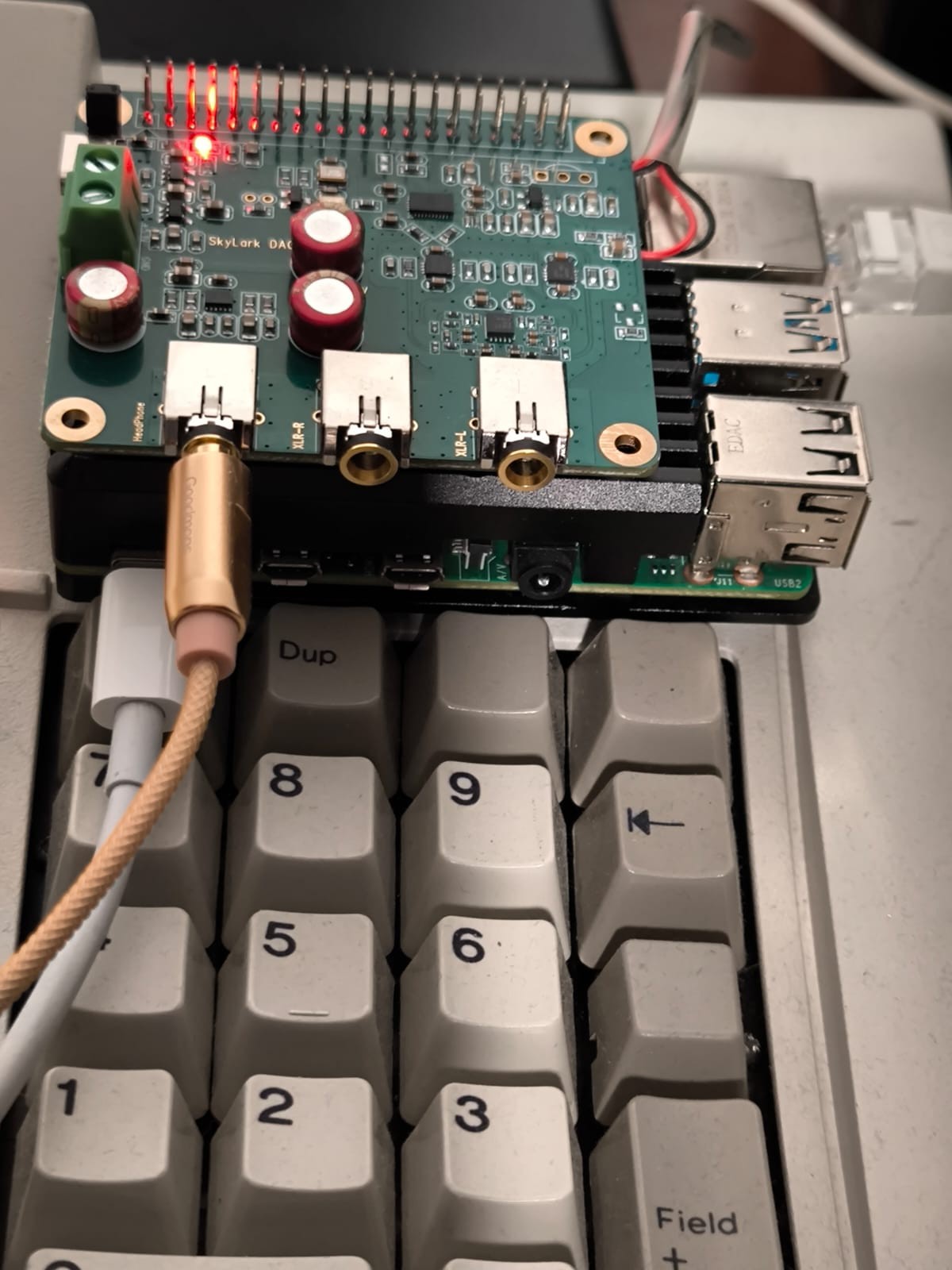
Playback is bit perfect. No resampling, no format conversion, no software mixing in the signal path.
The controls, and where each came from
The reel. Three hairline machined spokes at 120 degrees rather than finger holes. Early sketches used holes, like a tape reel or a rotary phone, and at full size they read as a toy. The reel sits recessed into the deck rather than proud of it, following a principle borrowed from conceal carry holster design: nothing standing above the surface, nothing to catch on a pocket before you mean it to.
The triggers. Straight, flat faced skeleton blades, because that is what precision rifle shooters use. A curved trigger changes your finger's leverage as pressure builds and a flat one does not, which is a solved problem in an unrelated field that maps neatly onto a control needing to feel identical every time. They are momentary and spring loaded for fast forward and rewind, running at a fixed rate for as long as you hold them, with no ramping and no guessing. They sit beside the screen rather than at the centre of the edge, because that is where an index finger rests in a one handed grip, the same place a phone puts its volume rocker.
The volume knob. On the top edge, in the corner where a walkie talkie puts its antenna. Moving it off the face makes it something you find by feel without looking, and leaves the face to the reel. Each step is a detent, aiming at the weight and sound of a mechanical latch rather than a soft plastic click, since volume gets touched more than anything else on the device.
The mode button. Same size and construction as the power button, on the edge opposite the upper trigger, marked M. One press switches between tape and vinyl. It lights warm gold while vinyl is engaged, so the device tells you which personality it is running without you reading anything.
The status light. A flat illuminated bar set into the nameplate rather...
Read more »