 Isik
Isik

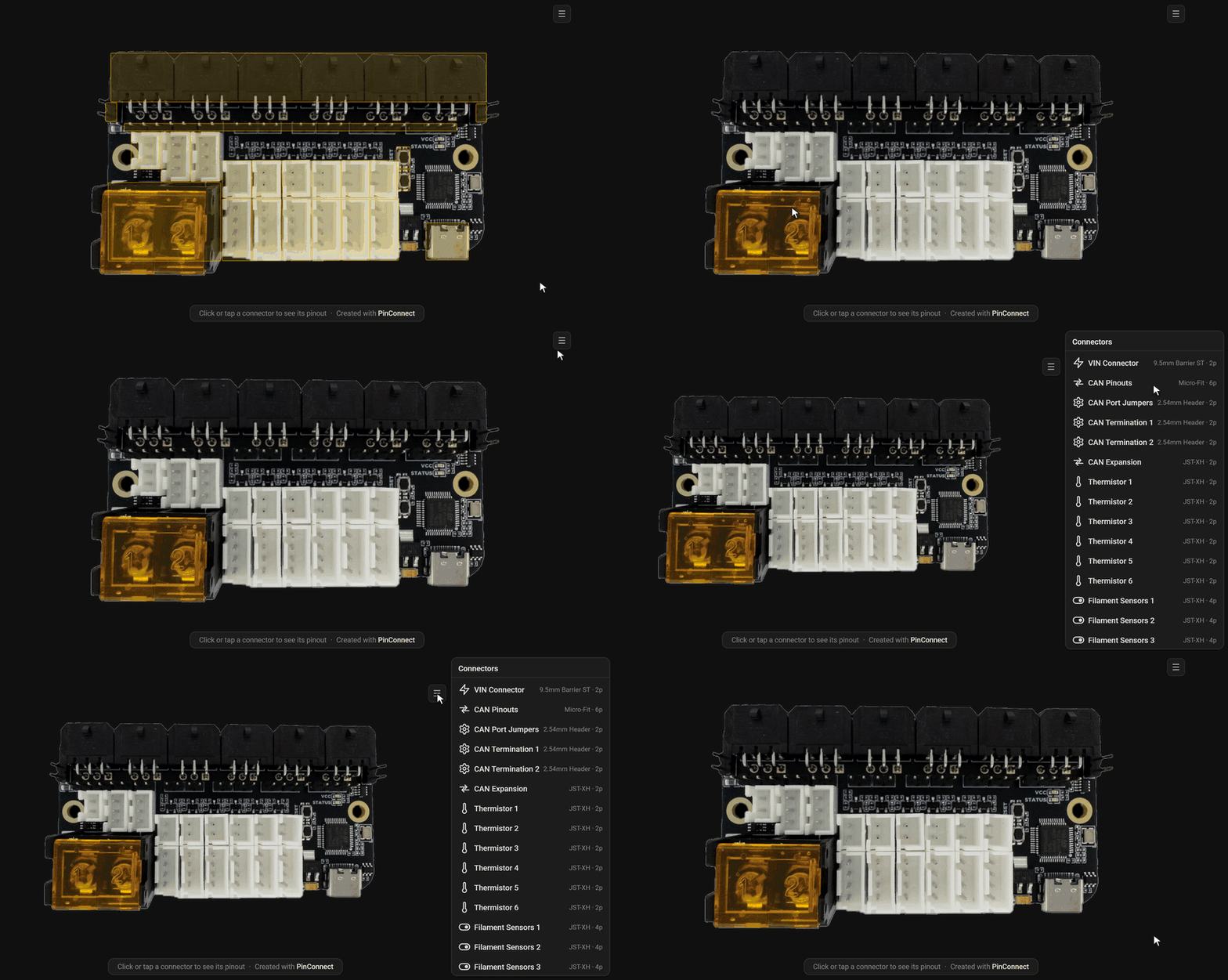
PinConnect is an interactive pinout generator for PCBs. It takes a photo/render (orthographic renders are best), and generates a HTML interactive pinout diagram where the user can hover/click/tap a connector on the image to see the pinout of the connector, type and name of connector, and a description box where you can describe how to use the connector. It integrates nicely into MkDocs / Zensical (and likely others as well) documentation websites, and can also be shared on its own with the image integrated into the HTML.
There's a graphical interface for designing the pinout as well. You open the image, and draw boxes where connectors are to add the connectors. You can customize the connector names, types, pin names and colors, and description all on the designer. Then all you need to do is download a config, run a Python script, and you have your HTML. You can keep the config and open it again on the designer (or just edit manually) if you ever need to change anything on your pinout diagram.
There's a also a theming system, with 5 bundled themes and documentation for creating your own. Themes are pretty customizable, you can edit colors, fonts, scaling and even some behaviors. Themes support dark/light modes and can switch automatically when embedded into a documentation website.
I made this because I used to do pinout diagrams manually for my PCBs. It was taking too long, and I wasn't always too happy with the end result. I found some other pinout tools but they either didn't work for my products/designs, took incompatible files, or were missing features I wanted. So I decided to make my own. It quickly got bigger and bigger due to scope creep, and I think I ended up making a tool others might find useful too, so decided to open source it.
If you want to see a live demo of this, you can find some on my docs site: https://docs.isiks.tech/pinouts/bnc/bnc.pinout.html
GitHub repo: https://github.com/xbst/PinConnect
- JST-XH
- JST-PH
- Sherlock
- Micro-Fit
- XT30(2+2)
- Pin Header
- Screw terminal (barrier and regular)
- USB-C
- Button
- Slide Switch