 Mr.50mm

Increasing readability
Increasing readability of the meter is very simple you can do what I did and use a label maker and just stick a blank label on the back side of the C100 and that will provide a constant background for the text to show up above. I find this makes using the C100 more consistent across might lighting and framing scenarios, but it does technically cover up part of the finder in the photo/video mode.
Silencing the C100
Tools required:
1x Pry Tool
I used this one https://www.amazon.ca/LYECUN-Upgrade-Removal-Battery-Replacement/dp/B08RD8LVHQ but any one part of a electronics repair kit should be fine.
1x Philips Head Screw Driver (small)
How to:
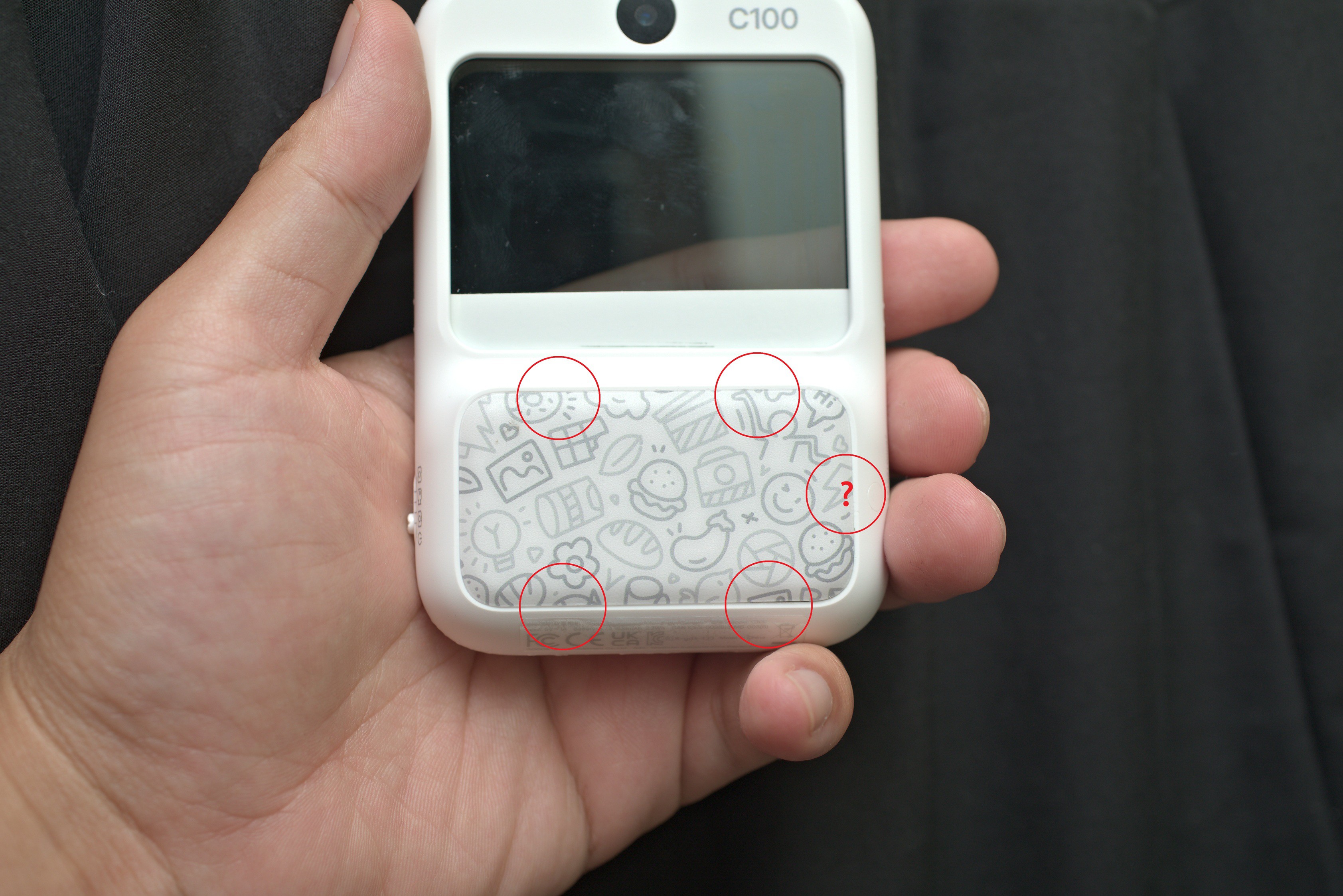
First Step, we are going to pry open the rear grip section, the Lithium battery is stored here. There are 4 tabs located where I marked the red circles. The one with a question mark appears to be another but I couldn't get it to release so I popped the back partially off with it still on.
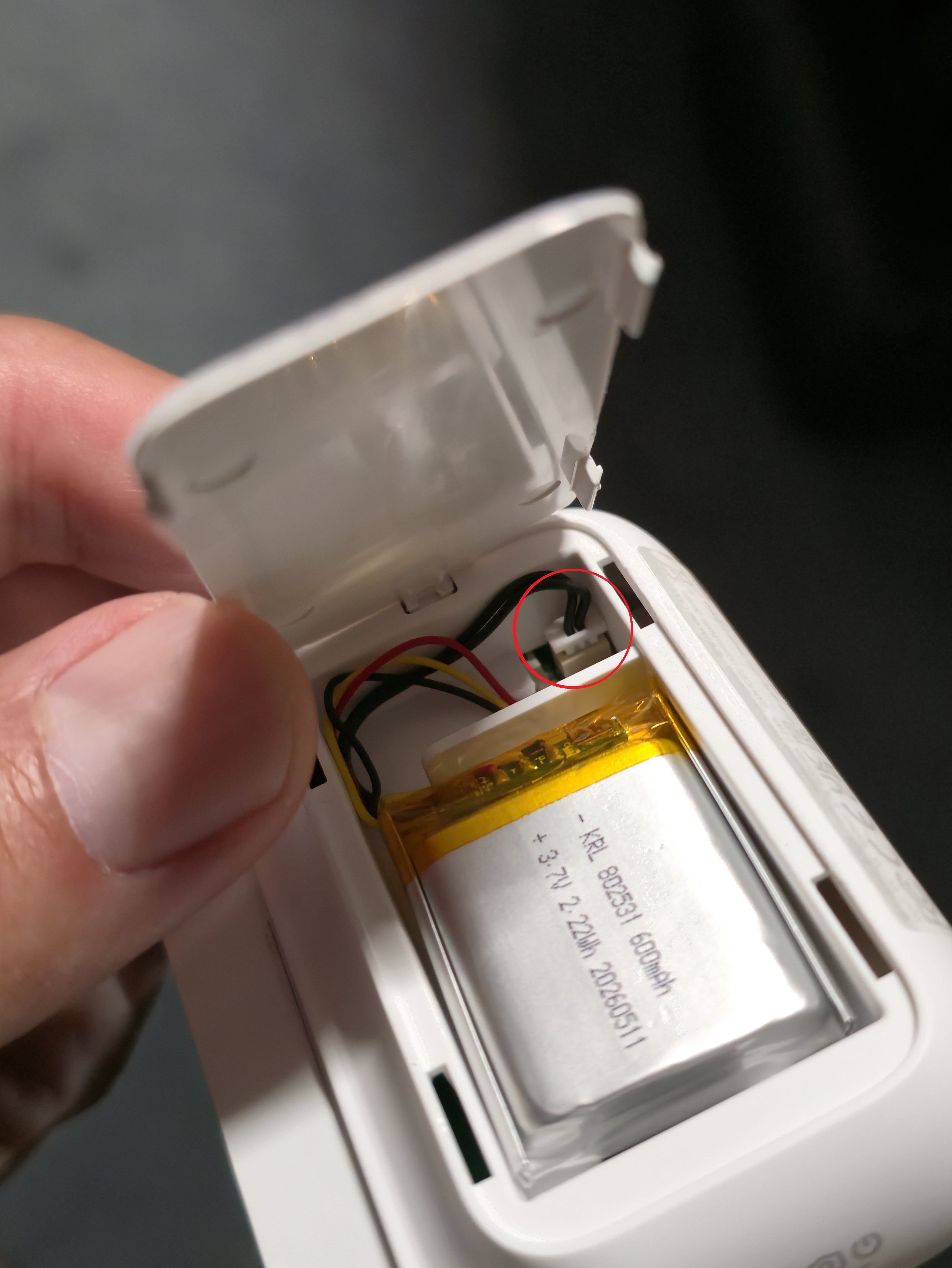
From there you can unplug the battery. Indicated by the red Circle.
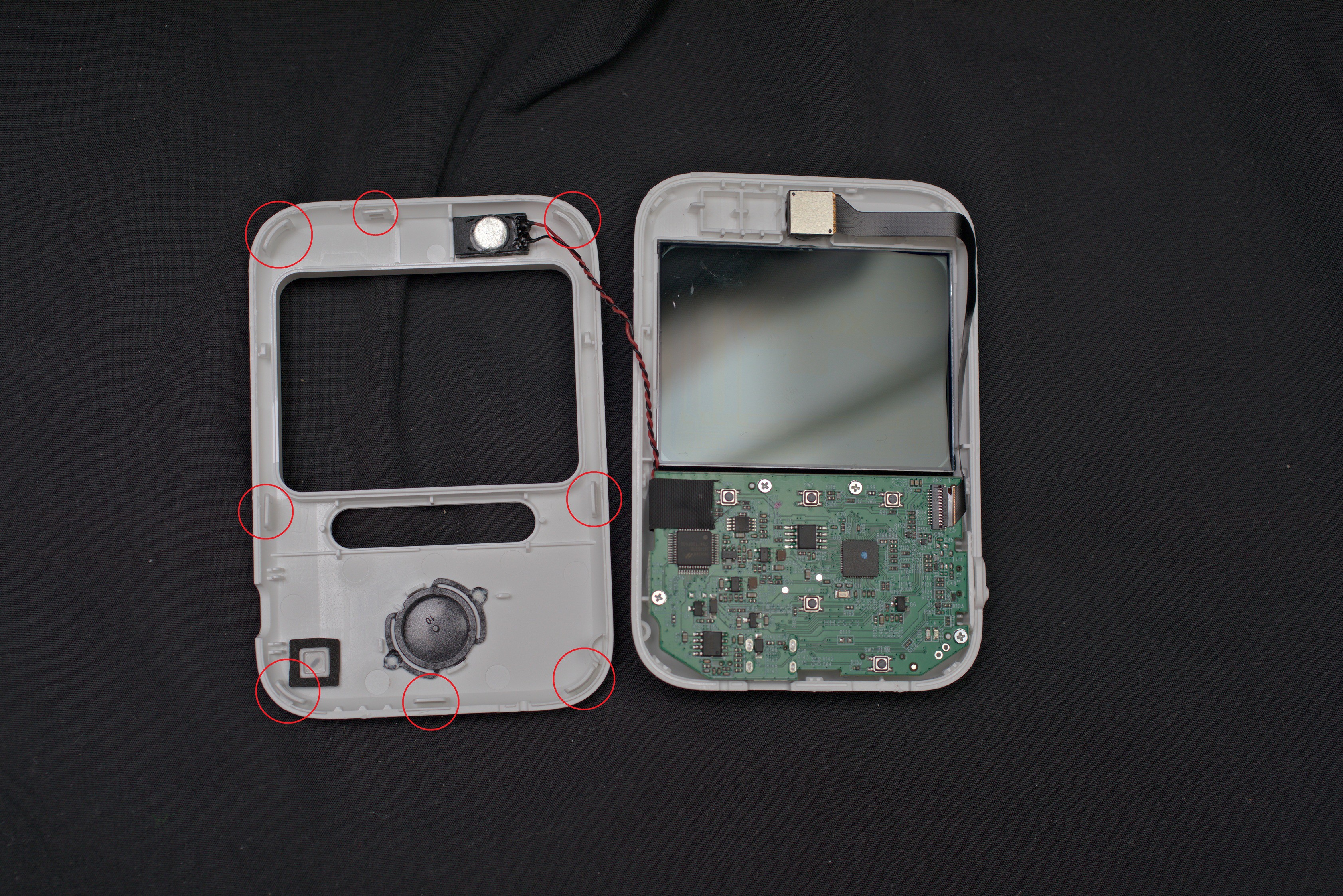
Next you must separate the the 2x 1/2s of the shell. This is entirely done by clips, I've parked the position of the clips with the red circles. BE careful, slipping up can end up with your tool damaging the PCB / Connections or if you watched the video, the transparent screen. Once all the clips are done it should pull apart, be careful the little speaker is attached on the other side of the case to the mainboard, it is just held in by double sided tape so it's unlikely to damage the mainboard but still be cautious.
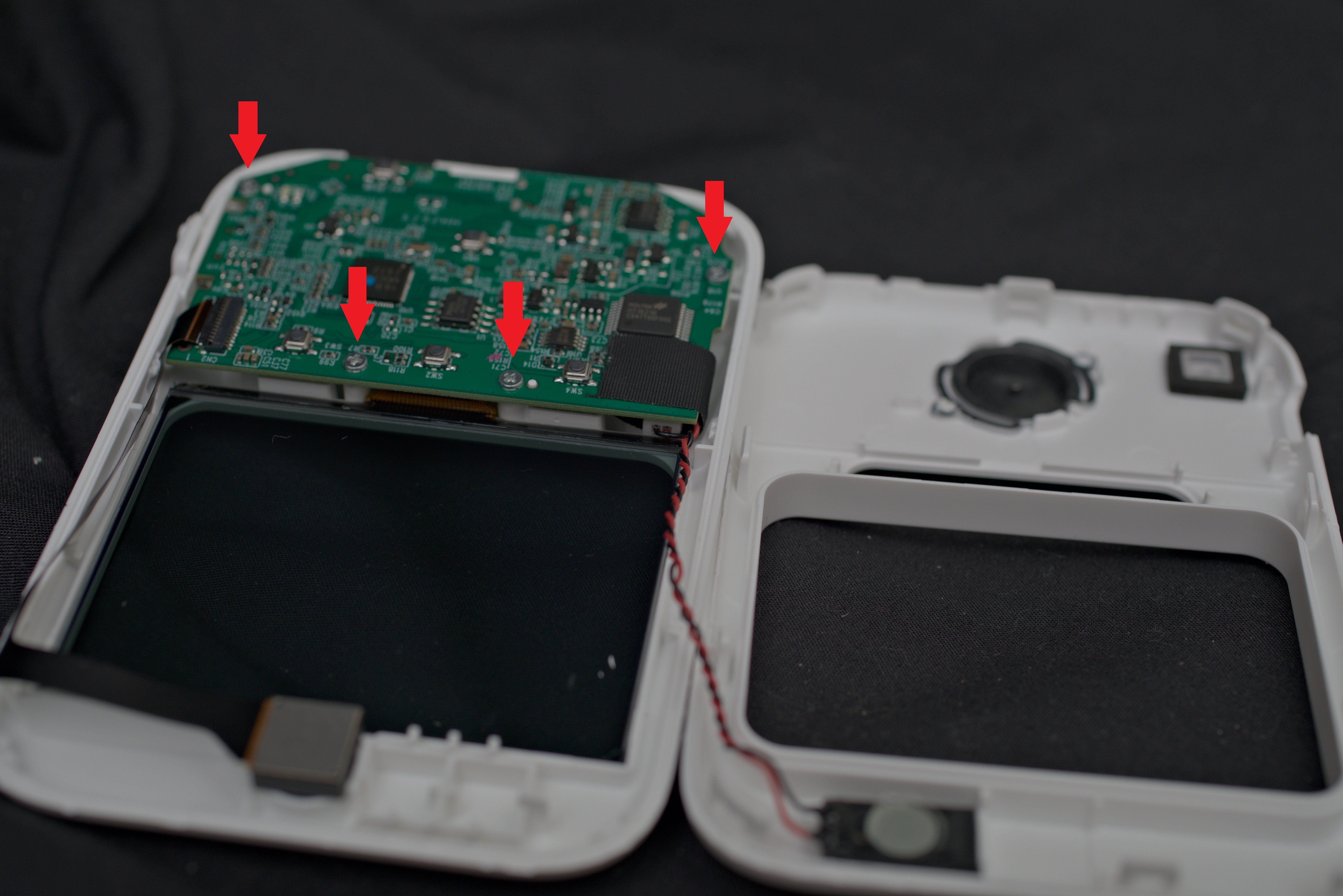
Next to make space to unplug the speaker unscrew the mainboard, there are 4 screws.
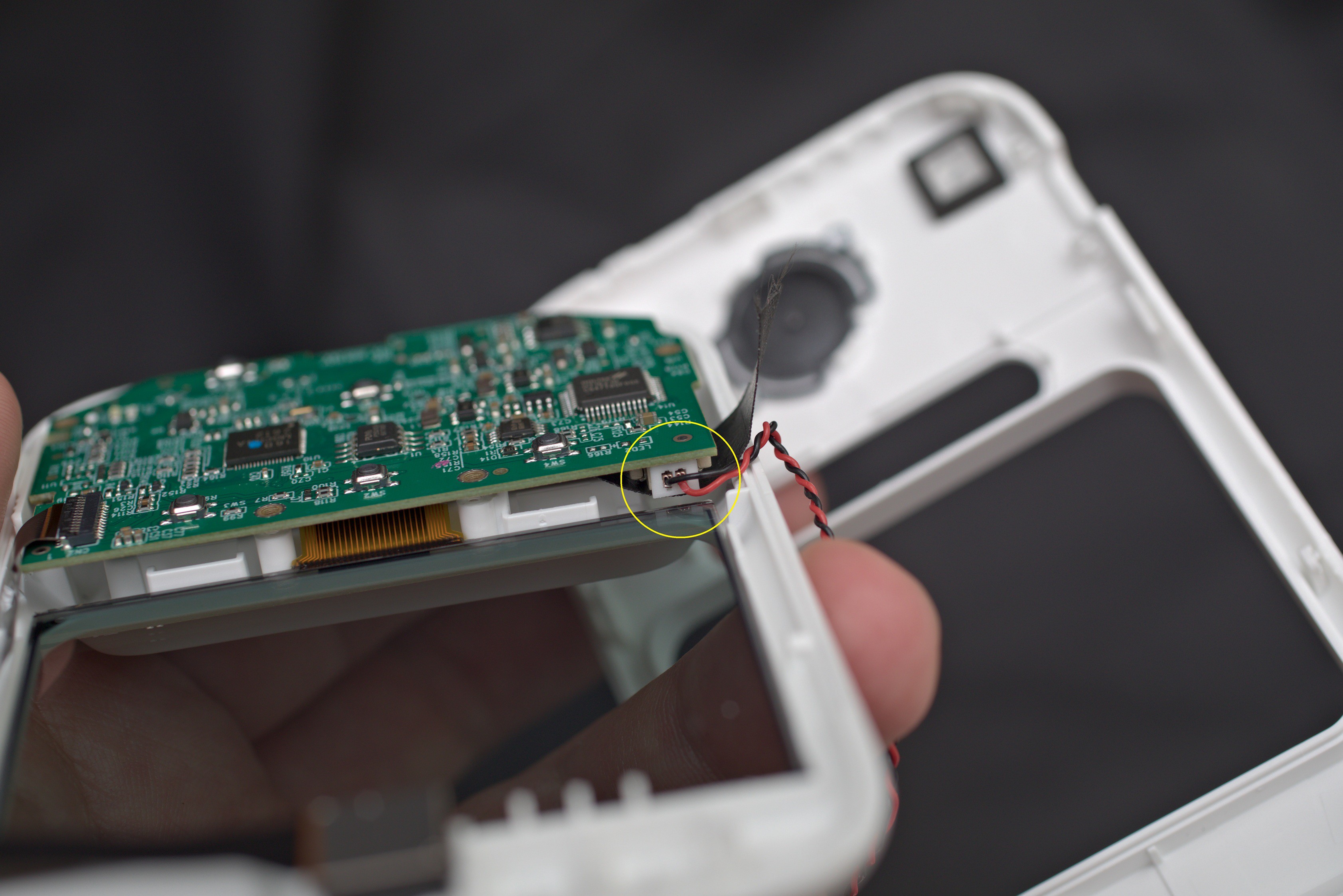
Gently lift the board a bit and unplug the speaker, remove it from the case and discard.
Reassemble the C100 by doing the process in reverse.
Cheers.