ststephen510

Audio Lab
• Live microphone status and a one-click recalibration of the three mics (five seconds, quiet room).
• Pipeline layers, each with an on/off switch and a question mark: energy gate with a floor that follows the room, classifier (always on, 521 classes), confusion clusters, class grouping, background subtraction, background calibration, per-class thresholds, multi-frame voting, cooldown.
• Per-layer settings behind each row: thresholds per class, votes needed and window, cooldown per class, grouping and cluster definitions.
• Config profiles: save the whole pipeline setup under a name, load one, return to default.
• Raw stream: every classified window with its top five classes, scores, level in dB and inference time, and the reason a window was stopped (gate, cooldown, threshold, voting) or passed.
• Filtered stream: what survived every layer, plus learned-sound and scene matches as they happen.
• Replay of the board's own history into both streams on page load, so the page never opens empty.
• Pause for the live streams.
Learning
• Learned sounds: teach up to five sounds of your own (doorbell, garage door, a particular alarm) from a 3 to 30 second recording; rename, delete, set the match threshold per sound; live matches shown as they happen.
• Learned scenes: record the sound character of a place over 30 seconds to 5 minutes (quiet night, dog park, busy street); the board recognises the scene later and keeps it as a state; rename, delete, see the live similarity.
• Learned motion: with presence sensing on, record a movement (car leaving, gate opening, hallway walk) as a radio-signal shape and match it later; up to eight.
• Learned sounds and motions become labels you can route on the Broadcast page.
Broadcast
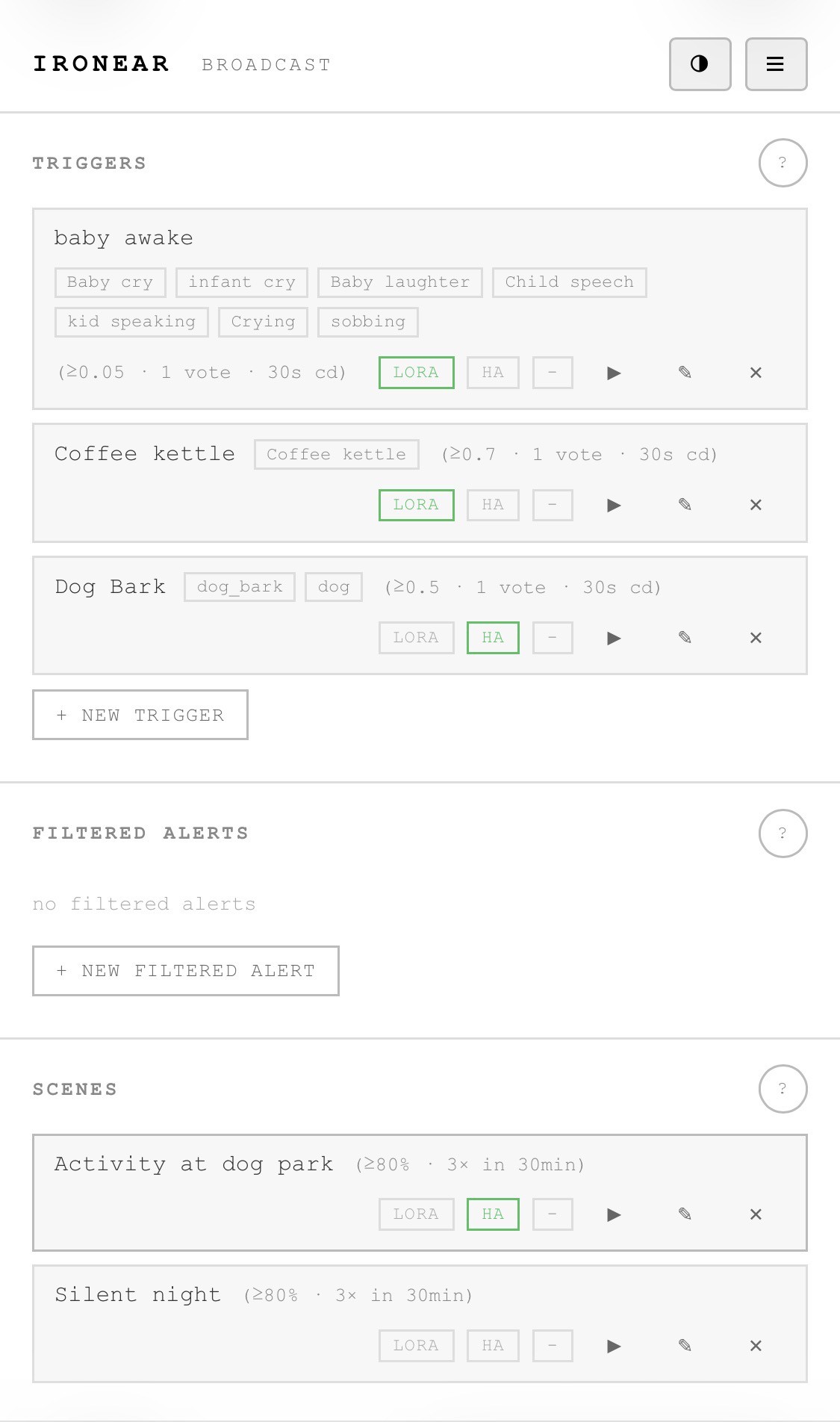
• Triggers: a name, one or more labels (built-in classes, learned sounds, motion), minimum score, votes, cooldown, optional "only with motion"; routes to LoRa and Home Assistant with optional position.
• Filtered alerts: route whatever survives the full pipeline, by class, for the most accurate alerts.
• Scenes: route a learned scene as a state with similarity threshold, number of matches and window.
• Test button on every trigger, filtered alert and scene: a synthetic event through the real routing.
• Rate caps per minute for LoRa and Home Assistant; fleet merge so one LoRa line per event names the node that heard it loudest.
• Live broadcasts: what leaves the box, from this node and from linked nodes.
• Log of the last ten broadcasts with the outcome per transport (sent, capped, locked, off, failed).
Mesh and fleet
• Map with this node and every fleet node that has a position.
• GPS: fix state, position, altitude, satellites in use and in view, the surveyed position the node keeps across reboots, re-survey, and placing a node by hand on the map.
• Compass: heading, one-button calibration with a rotation check.
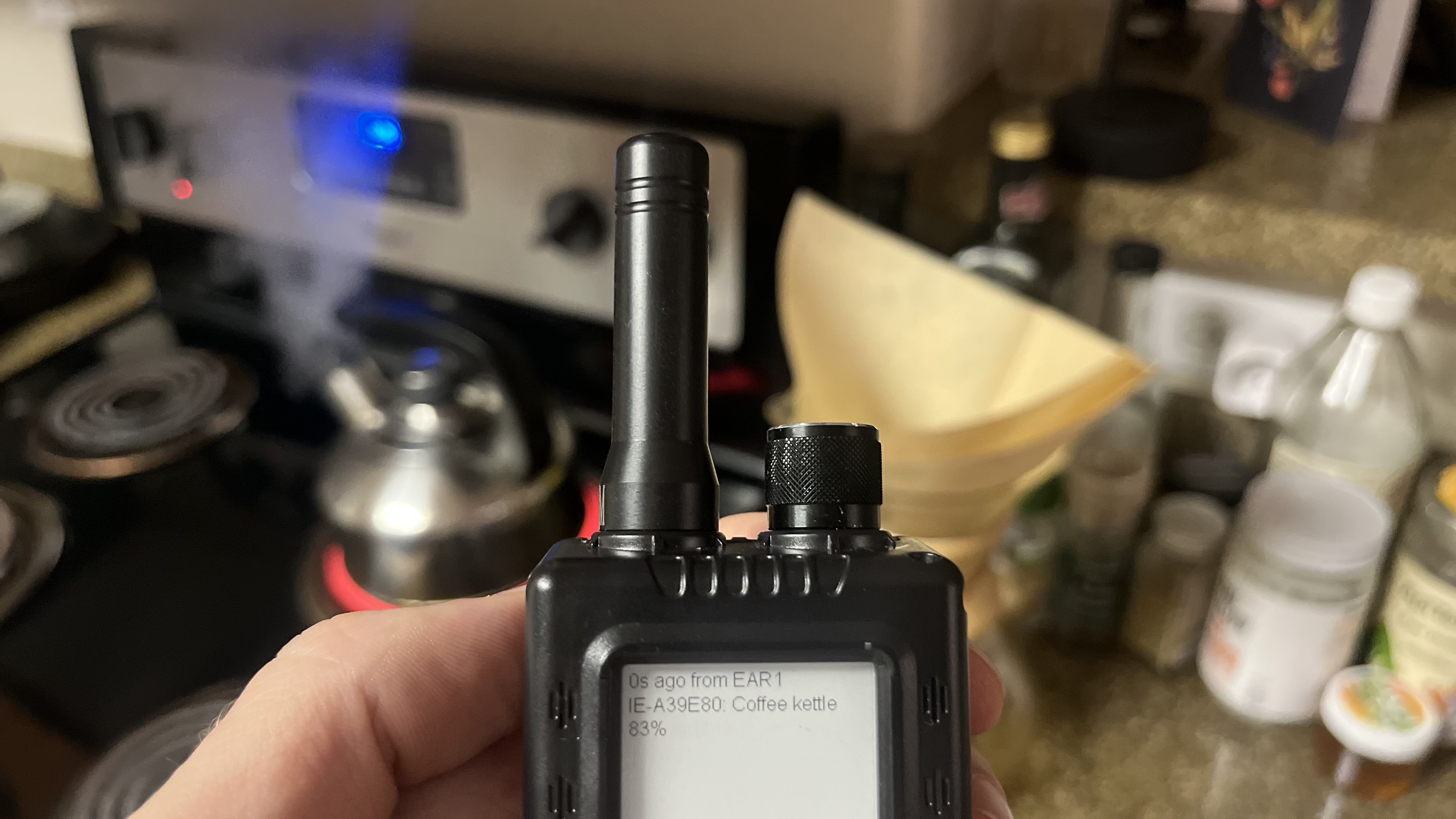
• LoRa: on/off, protocol choice between Meshtastic and MeshCore, region and frequency as fixed by the firmware, transmit and receive counters, channel create, join from a link or key, share as a Meshtastic link or a MeshCore key, radio test.
• House link: nodes on the same channel link over Wi-Fi at home or off-grid, relay each other's alerts to LoRa or Home Assistant, and share time.
• Presence sensing: off, slow or fast, using the Wi-Fi signal between linked nodes as a motion sensor, with the live motion index.
• Fleet table: every node heard, how it is linked (house, LoRa, both), battery, signal, last heartbeat, whether its settings match, copy settings from this node, place a node on the map.
• Texts received on the channel, from a phone or another board, shown as events.
Device (Settings)
• Board connection: Wi-Fi status, scan and join a network, the board's address with a pinned fixed address or release to DHCP, raise the setup access point for ten minutes, uptime, GPS summary, WebSocket address.
• Firmware update...
Read more »