 CiferTech
🥚 What TamaFi Actually Is
TamaFi is a pocket pet on a custom ESP32-S3 board. It tracks six stats, hunger, energy, happiness, health, curiosity, and comfort, and it reads WiFi and Bluetooth activity around it as its sensor input. In this build, that's read-only. No transmitting, no saved SSIDs or MAC addresses.
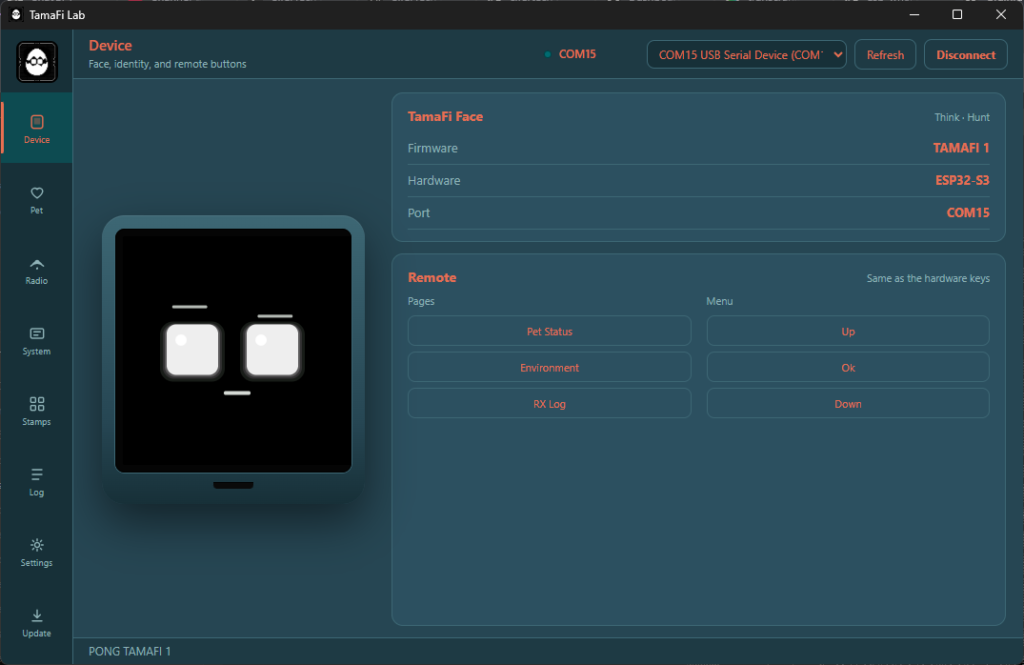
It runs fully standalone, no app required. There's also a desktop companion app now, TamaFi Lab, which I'll get into further down, including the USB issues that came with building it.
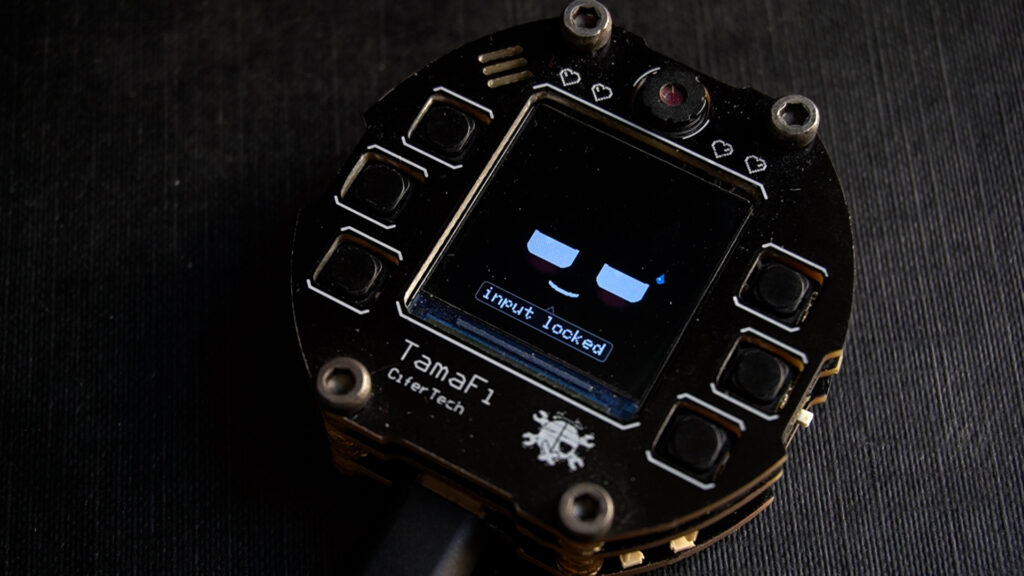
🔩 The Hardware
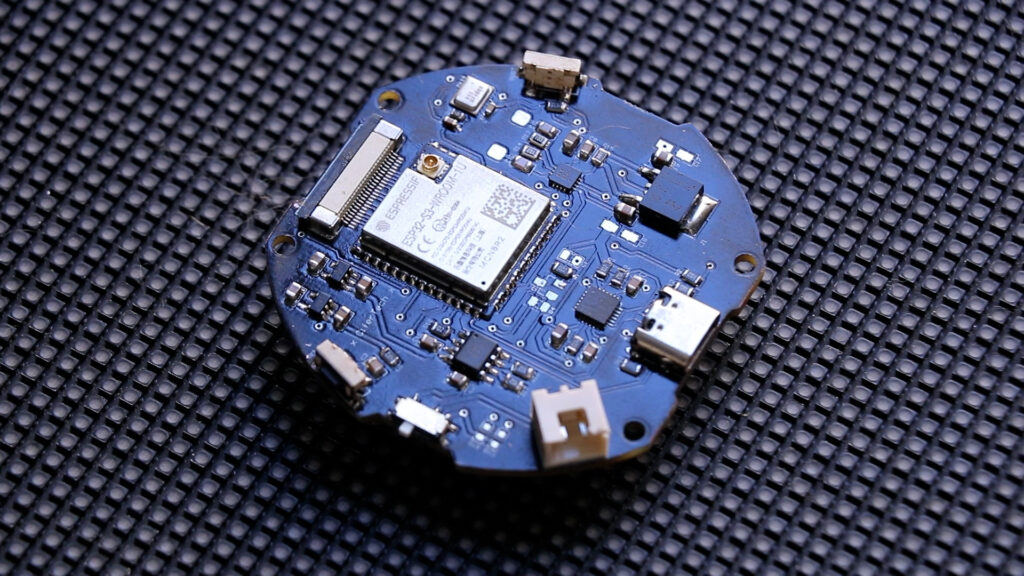
The board runs on an ESP32-S3-WROOM-1. Dual core, WiFi and Bluetooth built in, native USB.
The single most important constraint on this board is memory. It has no working PSRAM. That limits the display to one memory buffer for the entire face, 240 by 240 pixels. A second buffer fails to allocate, full stop.
The original TamaFi used a sprite sheet for its face, pre-made bitmaps swapped in and out. That needs more memory than this board has room for. So this version builds the face directly from code instead, drawing it fresh every frame rather than loading stored bitmaps. That one memory limit is the reason the entire face system had to be rewritten.
The rest of the board:
- Display: ST7789, 240 by 240, SPI
- Microphone: INMP441, listens for nearby speech
- Speaker: MAX98357A amplifier driving a real speaker, replacing the old basic buzzer. If free memory drops too low, sound disables itself automatically
- Motion: MPU6050 accelerometer and gyroscope, tilt and gestures, shake, tap, flip
- LEDs: four WS2812 addressable RGB LEDs for status feedback
- Buttons: six total, three for menus, three for direct shortcuts to pet status, environment, and a short activity log
- Power: single-cell lithium battery through a TP4056 charge controller, stepped down to 3.3V by an LF33 regulator
- Backlight control: SI2302 MOSFET, switched under firmware control
- Connectivity: USB-C for charging and flashing
There's also an OV2640 camera connector on the board, wired through a 24-pin FPC connector, the same camera used on ESP32-CAM boards. It doesn't work right now, and not because the firmware skips it. After building the library setup in Altium and following the camera's documentation, it wouldn't respond. Hours of debugging the actual hardware later, a closer look at the schematic against the real OV2640 module showed the connector's pin arrangement is reversed. That's a board-level mistake, not something firmware can fix, so it stays unused until a future revision corrects the connector layout. Several of its signal lines also share GPIOs with three of the buttons, so even once the pinout is fixed, the camera and those buttons still can't run at the same time.
An LDR light sensor and capacitive touch pins are planned for a future revision. Neither is on the current board.
🧠 The Brain Behind the Face
The original TamaFi reacted directly to input. WiFi count goes up, hunger goes down. Simple, and honestly, a little flat.
This version thinks first.
Age is tracked in minutes and determines life stage, baby, teen, adult, elder. A stage change triggers a stat bump and a specific animation. Stats decay on their own over time, and periodically, the device picks between four activities, hunting, discovering, resting, or idle behavior, using weighted odds instead of a fixed rule. It avoids repeating the same activity twice in a row, and there's roughly a 1-in-5 chance it changes its mind mid-decision instead of following through immediately.
Hunting checks nearby WiFi and Bluetooth activity and adjusts hunger and mood based on what's found. Discovering specifically hunts for hidden or open networks. Resting is a timed nap where stats recover and the face stays fully asleep.
👁️ The Face
On first power-on, the device runs a hatch animation, then the face becomes active. Every boot after that skips straight to a short intro.
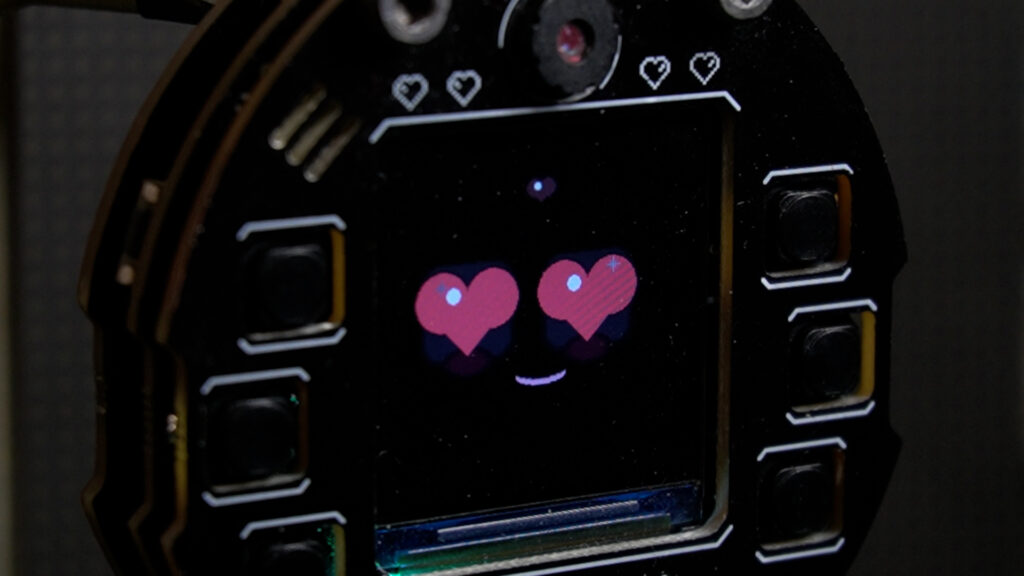
The face is drawn fresh from code every frame, nothing loaded from stored bitmaps. Each mood plays out in stages: an initial movement, the main expression, a hold, then a return to that mood's resting state. This wasn't practical with the old sprite-based system, since it would have needed a separate image for every stage of every mood.
Three moods are tied specifically to radio activity. A deauth event triggers a glitch-style reaction. A burst of probe requests triggers a more alert, darting expression. Proximity to open networks triggers a distinct wary look. Movement throughout, eyelids, transitions, reactions, runs on spring-based motion rather than fixed animation timing.
📡 Reading the Room
The original version used one number, WiFi count, as its whole environmental input. This version sorts the radio activity around it into one of five states: calm, busy, open, noisy, or hostile, based on scans from both WiFi and Bluetooth, which take turns to keep memory usage in check.
Hostile is triggered by deauth or disassociation activity above a threshold. Once triggered, it sticks around for a while, comfort and happiness drop, the face switches to its glitch reaction, and this state jumps ahead of whatever activity was already running.
All of this stays read-only in the current firmware.
🏆 What's New Since the Original
Two systems didn't exist in the original TamaFi at all.
- Achievements: eleven milestones tracked, first connection, first hunt, first rest, stage changes, surviving hostile conditions, being detected by the mic, reaching certain age thresholds
- Event log: a rolling log running continuously in the background, recording activity, hunts, rests, and notable radio events with timestamps
💻 TamaFi Lab
A desktop companion app was planned for the original version but never got built. This version has one.
TamaFi Lab connects over USB and mirrors the device live, face, stats, radio readings, achievements, log, settings, and it can flash new firmware directly.
Getting that USB connection stable took real work. The ESP32-S3's USB implementation on Windows had several issues during development:
- Blocking serial writes caused timeouts
- Toggling certain control lines during connection could drop the board into download mode by accident
- Opening the COM port can reset the chip on its own, so retrying the connection on a short interval kept the device from ever finishing its boot sequence
- USB CDC On Boot defaults to disabled, and missing that setting silently routes Serial output somewhere else
- Other serial ports on the same system, including Bluetooth ones, could interfere with device discovery
- Running more than one instance of Lab at the same time could lock the port entirely
Most of this got fixed: non-blocking writes, avoiding certain control line toggles, checking the correct hardware port first, and restricting Lab to a single instance.
One issue is still open. After a successful connection, status requests can still time out sometimes, which can cause the app to drop the connection and try to reconnect. Known issue, not resolved yet.
🛠️ Troubleshooting
Device won't respond over USB: confirm USB CDC On Boot is enabled and PSRAM is disabled, then re-upload, and make sure nothing else has the port open.
Crashes or display issues: check for PSRAM left enabled, or firmware trying to create a second face buffer, which this board can't support.
Buttons acting strange: if you've modified the firmware to power up the camera connector, remember three buttons share GPIOs with camera signal lines by design, on top of the connector's existing pinout issue.
🔮 What's Next
The camera connector will get fixed in a future board revision, once the pinout issue is corrected. That opens a real question for where the firmware goes next.
A working camera is enough to turn this into a small AI agent platform, calling out to cloud models for whatever it sees. It's also enough to run small models directly on the chip, no API, no internet.
The plan is the second one. Local, on-device behavior, not another project that hands a camera feed to someone else's server.
💻 Code & PCB
Everything is open source. Code, schematic, and firmware are all on GitHub.
GitHub repository: github.com/cifertech/TamaFi
🧡 Sponsored by NextPCB
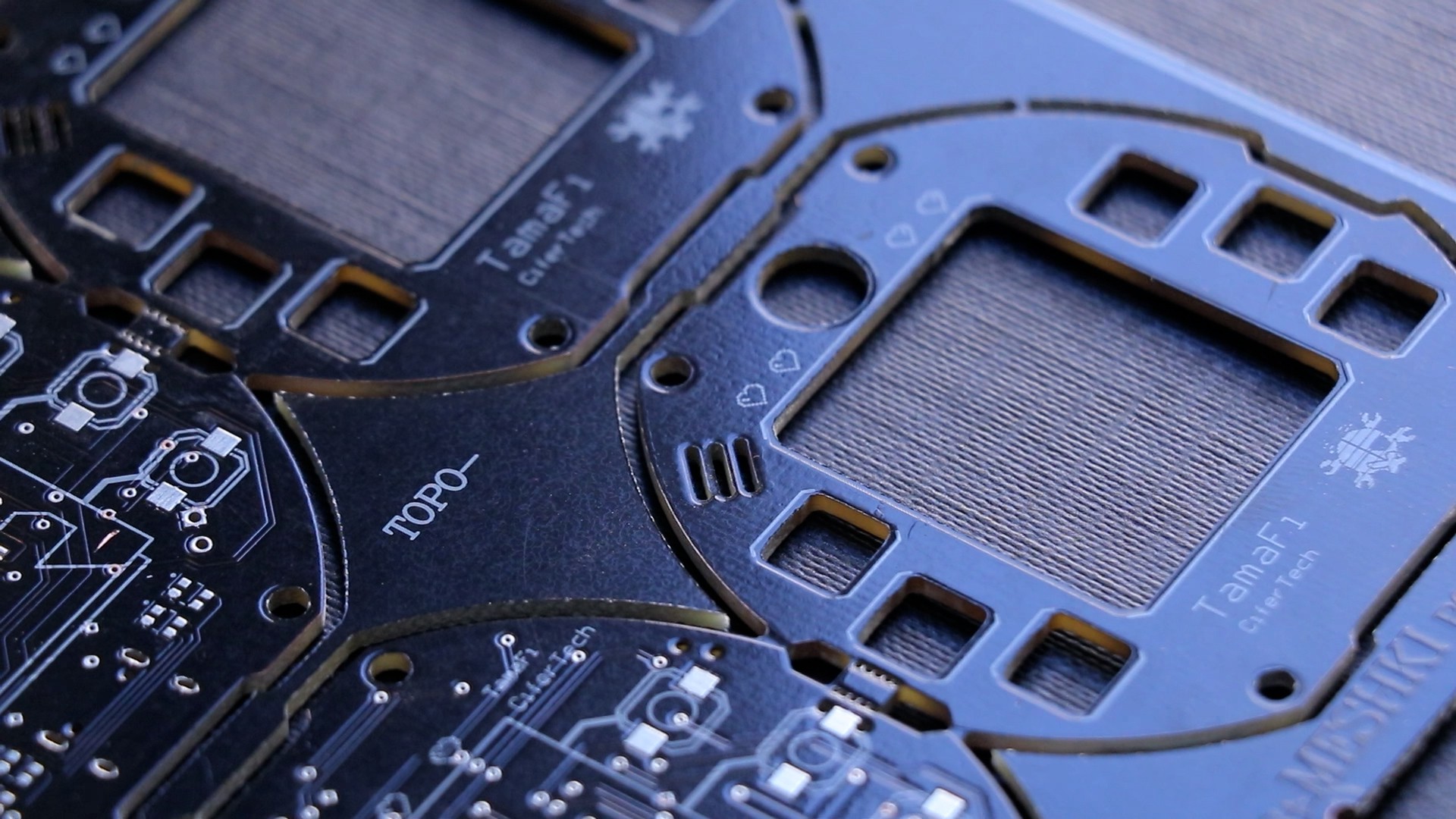
Thanks to NextPCB for supporting this build. If you're making your own TamaFi, the Gerbers are in the GitHub repo, upload the zip, default settings work fine. www.nextpcb.com
🚀 Final Thoughts
TamaFi V2 is the version that actually feels like a pet instead of a stat counter. A face rebuilt from nothing, a brain that thinks before it reacts, and a companion app that took real USB debugging to get right.
The camera's still broken, and I'm not hiding that. It'll get fixed in a future revision.