 Spawn
Spawn

To get this working you just need the latest version of the Bliss-Box Adapter firmware and padforge, the rest is sample.
1) Get the firmware from https://bliss-box.com/pages/downloads at the time of this write up 4.86
2) Get padForge https://github.com/hifihedgehog/PadForge grab the latest, as it was promised to be pushed on the next release. If you found this too early just get the latest dev.
3) Test your PS@ in the API tool or Device buddy. Those will show that pressure is being read. OR simple open padforge and skip to step (4)
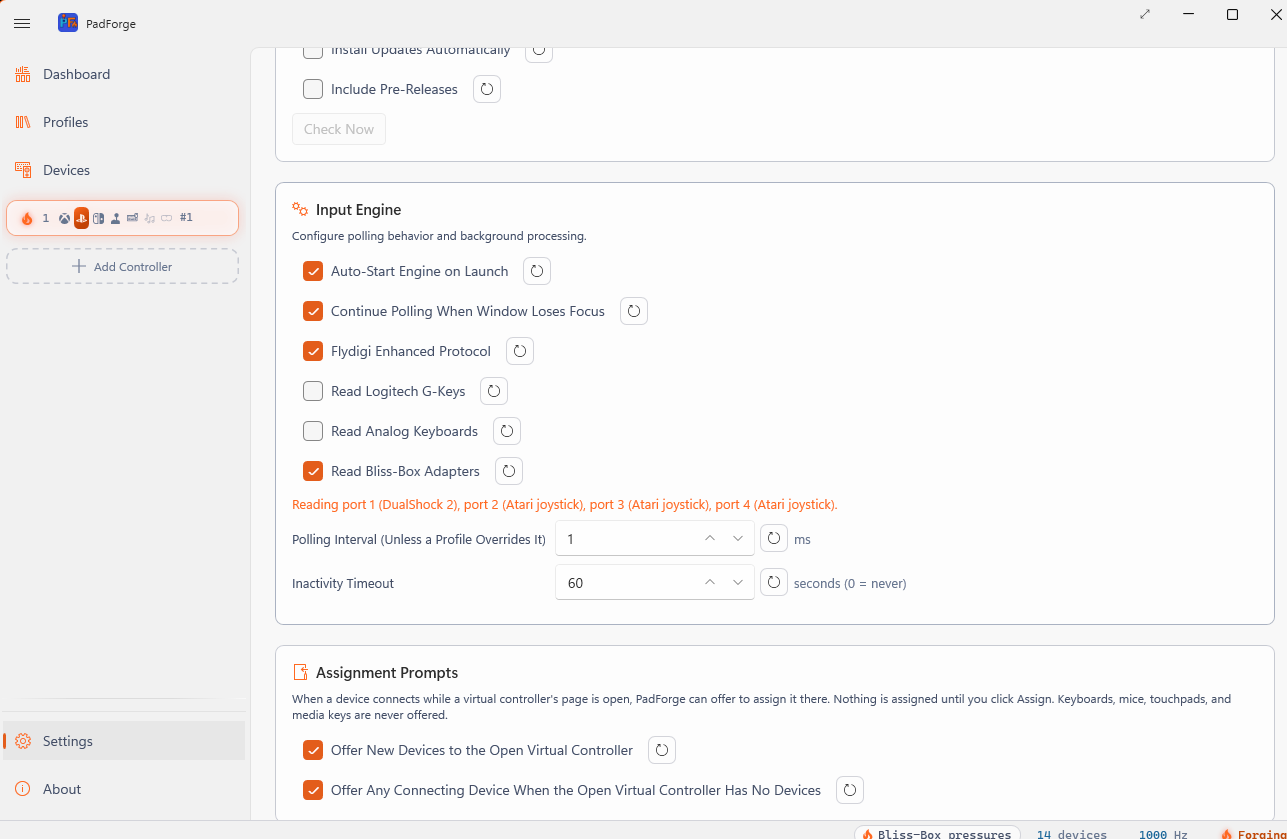
4) Go to setting and scroll down to input engine and check Bliss-Box
5) go to the devise section and click on the Device, here you can test the pressures.
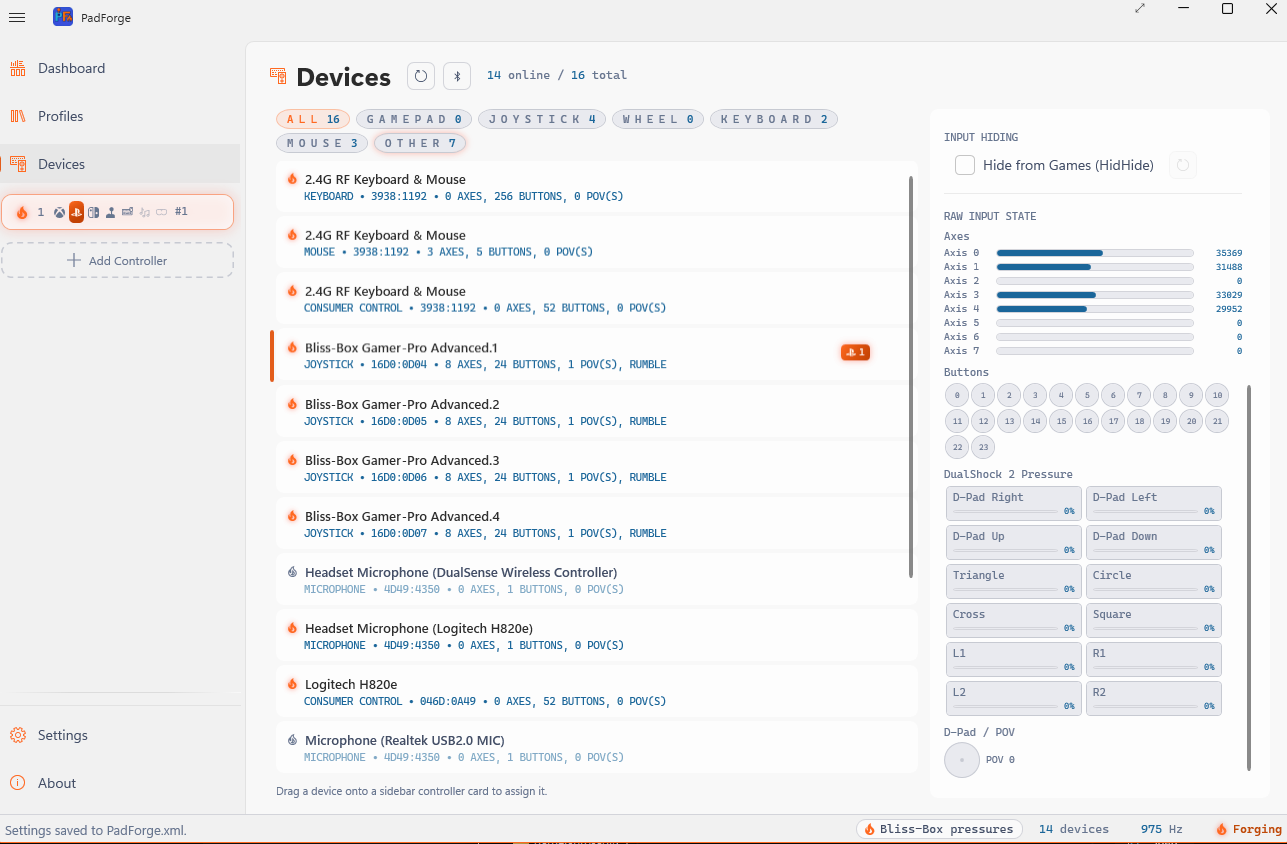 Make sure to add virtual device.
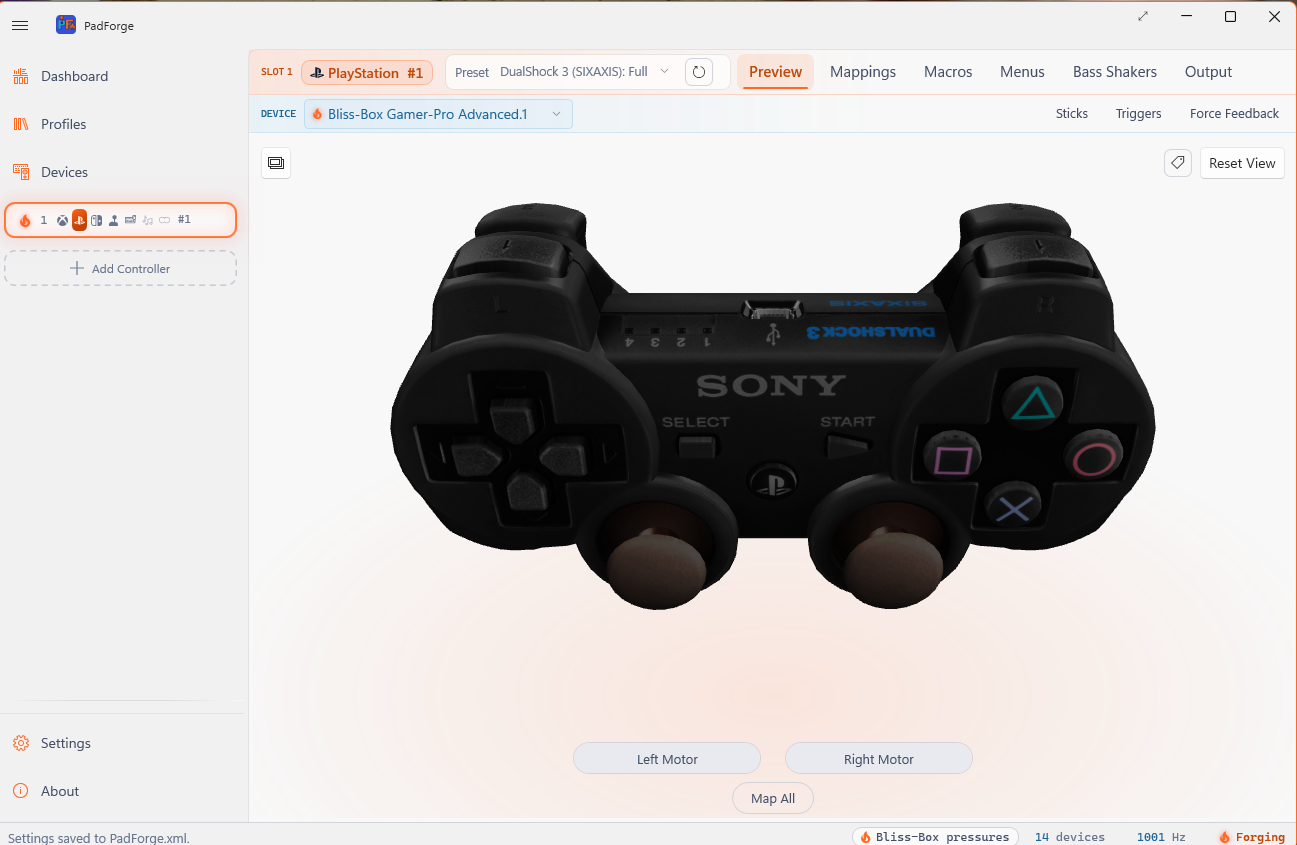
 6) go to dash board and double click the virtual slot you made, in there go to preview and select ps3 full
7) Go to mapping and use one of the various way to map each button do not for get the pressures at the bottom.
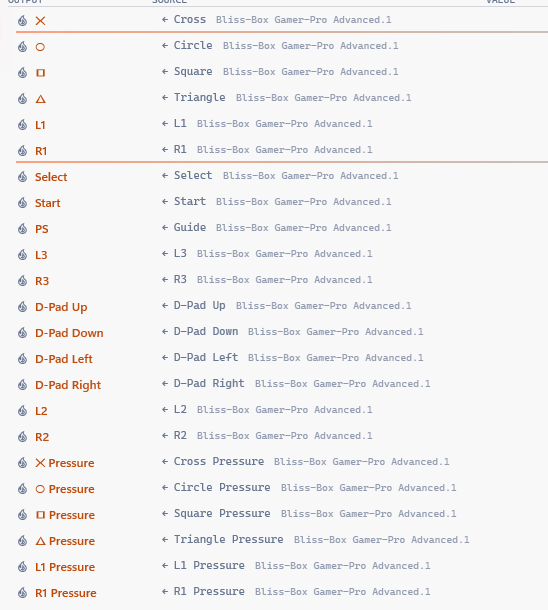
Once finished you can test the basics mappings in the preview. Make sure to leave pad forge running and close any other application using Bliss-Box. Pad forge runs in the back ground to simulate a ps3.
8) open PCSX2 and go to the controller config.
9) Clea all mappings and click the automatic mapping button, then select the ps3 controller. That is all. you now have a ps2 pad with pressure. Do not try to manually map anything.