 voidrane Splicer

DIVINER // Inside the Machine
Engineering an Occult Computing Environment for the M5Stack Cardputer ADV
The Cardputer ADV has an interesting problem: it's capable of doing considerably more than its dimensions suggest, but most embedded software still treats devices like this as collections of isolated functions.
Open an application. Perform a task. Exit. Repeat.
DIVINER takes a different approach.
Instead of treating each function as an independent tool, the firmware establishes a complete interaction environment. Sixteen applications share the same visual language, input conventions, audio feedback, hardware services, and underlying architectural structure.
The goal wasn't to reproduce a desktop operating system on an ESP32-S3. It was to investigate how much of an actual computing environment could exist inside a tiny embedded device, without relying on a conventional graphical desktop or heavyweight application framework.
This log documents how the project is organized, what happens underneath the interface, and where the more experimental parts of the firmware begin.
01 // SYSTEM ARCHITECTURE
DIVINER is developed primarily in C++ using PlatformIO and the M5Stack ecosystem.
At a high level, the firmware consists of five interconnected subsystems:
- Hardware abstraction and device management
- Interface rendering, typography, and navigation
- Audio synthesis and signal processing
- Wireless connectivity and network services
- Independent application modules known as rites
The important distinction is that an application's logic doesn't need to be completely entangled with the physical hardware.
A dedicated hardware abstraction layer separates the firmware's behavior from the implementation details of the device.
The relevant files include:
src/
├── hal.h
├── hal_device.cpp
├── hal_native.cpp
├── net.h
├── net_device.cpp
├── net_native.cpp
├── theme.cpp
├── daedric_glyphs.h
├── dsp.h
├── uisfx.h
├── rite.h
└── apps/    └── [individual rite implementations]
The device implementation handles the Cardputer's display, keyboard, audio hardware, and other physical interfaces.
The native implementation provides equivalent functionality through a desktop environment.
Similarly, network functionality is divided between actual ESP32 hardware operations and simulated data for desktop development.
This structure reduces dependencies between application behavior and specific hardware components.
It also makes development considerably less painful.
02 // THE DISPLAY AND GRAPHICS PIPELINE
The Cardputer ADV provides a display resolution of 240 × 135 pixels.
That is 32,400 pixels.
Not an enormous canvas, especially once text, menus, status information, and interactive elements start fighting for space.
DIVINER deliberately avoids treating this resolution as an excuse to implement a conventional smartphone-style interface at miniature scale.
Instead, the rendering system emphasizes high-contrast typography, minimal ornamentation, procedural geometry, and controlled animation.
The visual design is based around a limited blood-and-ember palette, with dark backgrounds and bright details used to establish hierarchy.
Rather than storing every visual as a bitmap, several applications generate their imagery mathematically.
This includes:
- Rotating wireframe geometry
- ASCII-based three-dimensional objects
- Plasma effects
- Animated glyph fields
- Kaleidoscopic patterns
- Tunnel and perspective effects
Procedural graphics are particularly appropriate for constrained embedded hardware because they allow visual variety without requiring large collections of stored image assets.
The challenge moves from image storage to computation and rendering efficiency.
The Daedric Typography System
One of DIVINER's central visual features is a custom rasterized Daedric font.
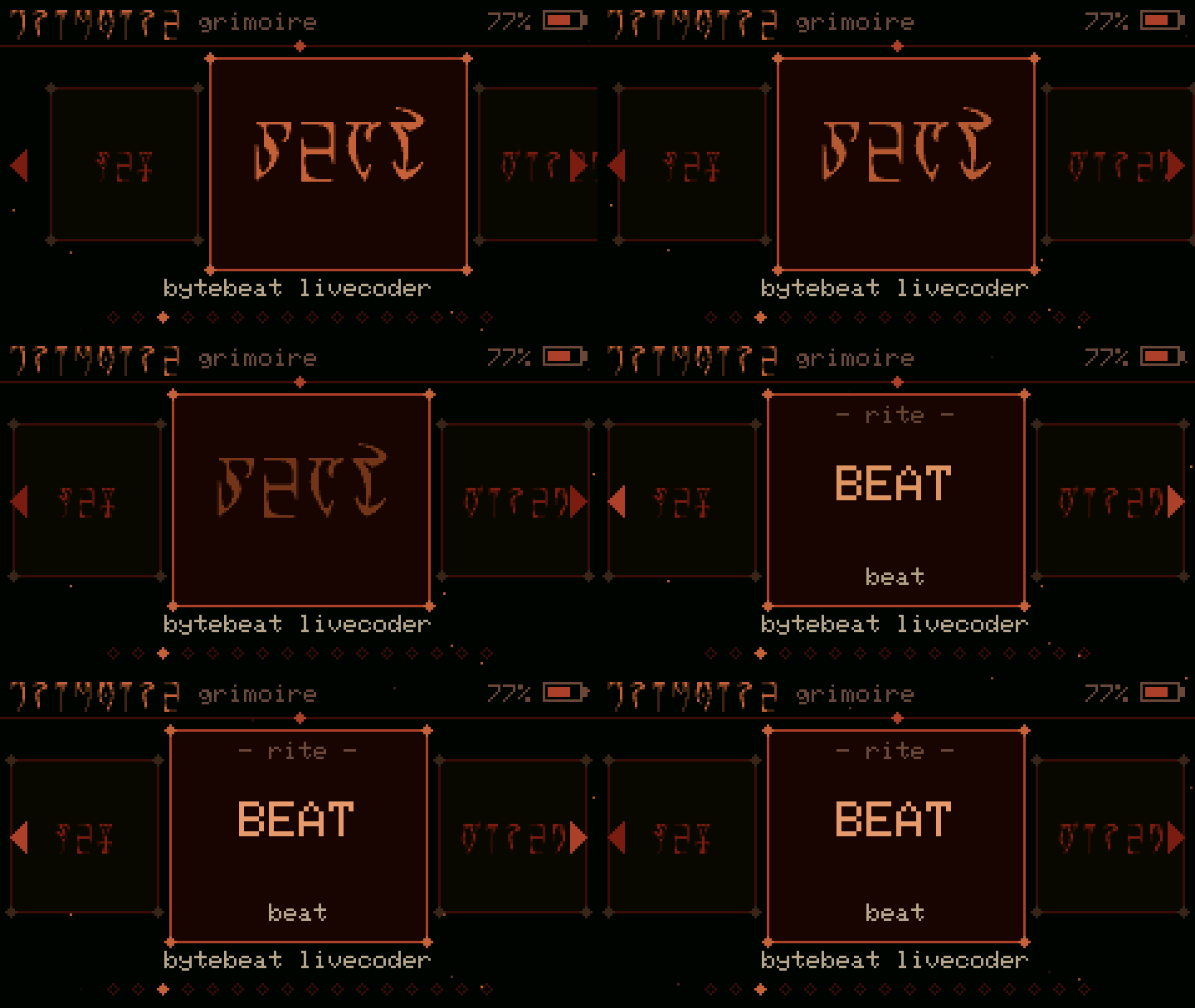
The glyph system is integrated into the interface rather than used exclusively for decoration.
Application...
Read more »