Andrey Demenev


A controller that follows your workflow
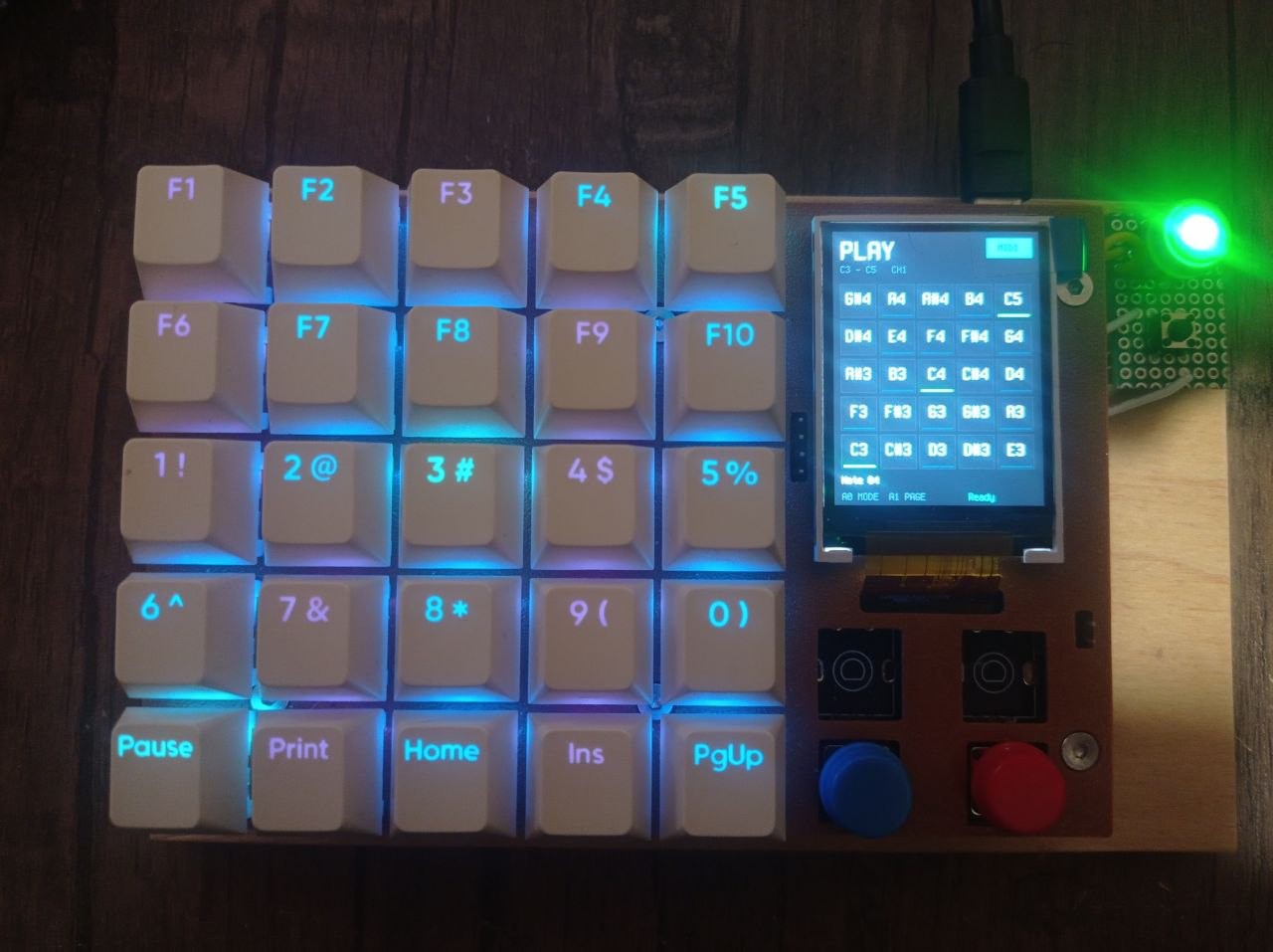
Pad25 combines physical controls with a display and programmable lighting. Its 25-key grid provides direct access to actions, while two rotary encoders with push switches support adjustments, navigation, and selection. Two auxiliary buttons provide additional inputs.
The 240 × 320 color LCD can show labels, settings, menus, status information, and graphics. Individually controlled RGB LEDs help identify actions and provide immediate feedback.
A companion application for your computer
A desktop companion application is planned as a central part of the project. It will provide an easy way to configure Pad25 and connect its controls to actions on the computer.
The application is intended to support:
- Application-aware controls: change assignments, labels, and lighting when the active application or window changes.
- Commands and scripts: launch programs and execute commands on the computer from a key press or encoder action.
- Desktop integration: connect device actions to computer-side functions beyond keyboard shortcuts.
- Two-way feedback: send information back to Pad25 so its display and LEDs can reflect what is happening on the computer.
For example, switching from a text editor to a music application could automatically replace editing shortcuts with music controls. A key could run a script on the computer, with the result shown on the device.
The companion application is planned; these computer-side integrations are development goals.
Direct Python programming
For behavior beyond the configuration app, Pad25 can be programmed directly in Python using MicroPython.
Scripts running on the device can read keys and encoders, control the LEDs, draw on the LCD, and send USB keyboard or MIDI messages. This gives you control over both the actions and the interface: how inputs behave, what appears on the screen, and how the device communicates its state.
Device-side Python also supports standalone behavior that does not depend on the companion application, such as a MIDI controller or a keyboard shortcut layout.
Keyboard, MIDI, and custom interfaces
USB keyboard output lets Pad25 send keys and combinations to desktop software. USB MIDI support makes it suitable for musical input and controls.
The display supports text, bitmap images, and drawing primitives including lines, circles, ellipses, arcs, and filled shapes. These building blocks can form anything from a simple labeled key layout to menus, visual indicators, and interactive graphics.
Hardware and development
Pad25 is built around the RP2040. Native firmware modules handle hardware access and USB communication, exposing these capabilities through Python APIs.
The device presents its filesystem as a USB drive, allowing Python files to be copied onto it without rebuilding the firmware. A USB serial interface provides access to the MicroPython REPL for development and debugging.