 trramanuj

Complete Tutorial
Step 1: Download Unity3D

Step 2: Create new Project

Step 3: Register in Vuforia

Step 4: Download SDK for Unity


Step 6: Create licence Key

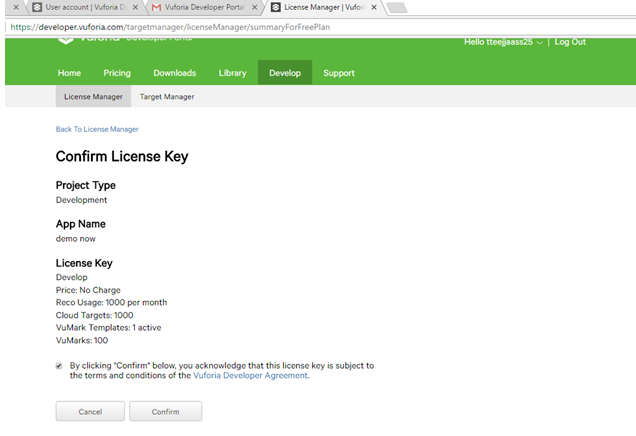
Step 7: Conform Licence Key

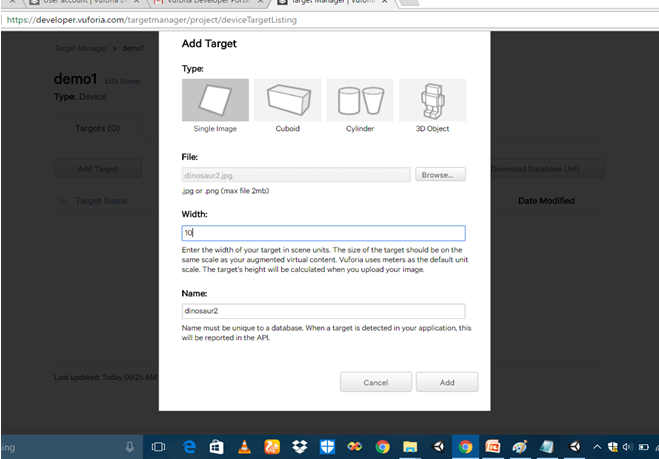
Step 9: Add target form Target Manager Tab add any image
Step 10: Download Database

Step 11: Import Database

Step 12: Drag ARCamera and ImageTarget From Prefab Folder Drop into Hierarchy penal

Step 13: Select Database and Image Target
 Step 14: Copy licence Key from Vuforia

Step 15 : Paste Licence Key into ARCamera

Step 16: Create 3D object Cube
 Step 17: Run Project

 Jerry Isdale
 paul.spriet
 Jeremy g.
 Bruce Land