 SwiftyTheFox001
ITS DONE!
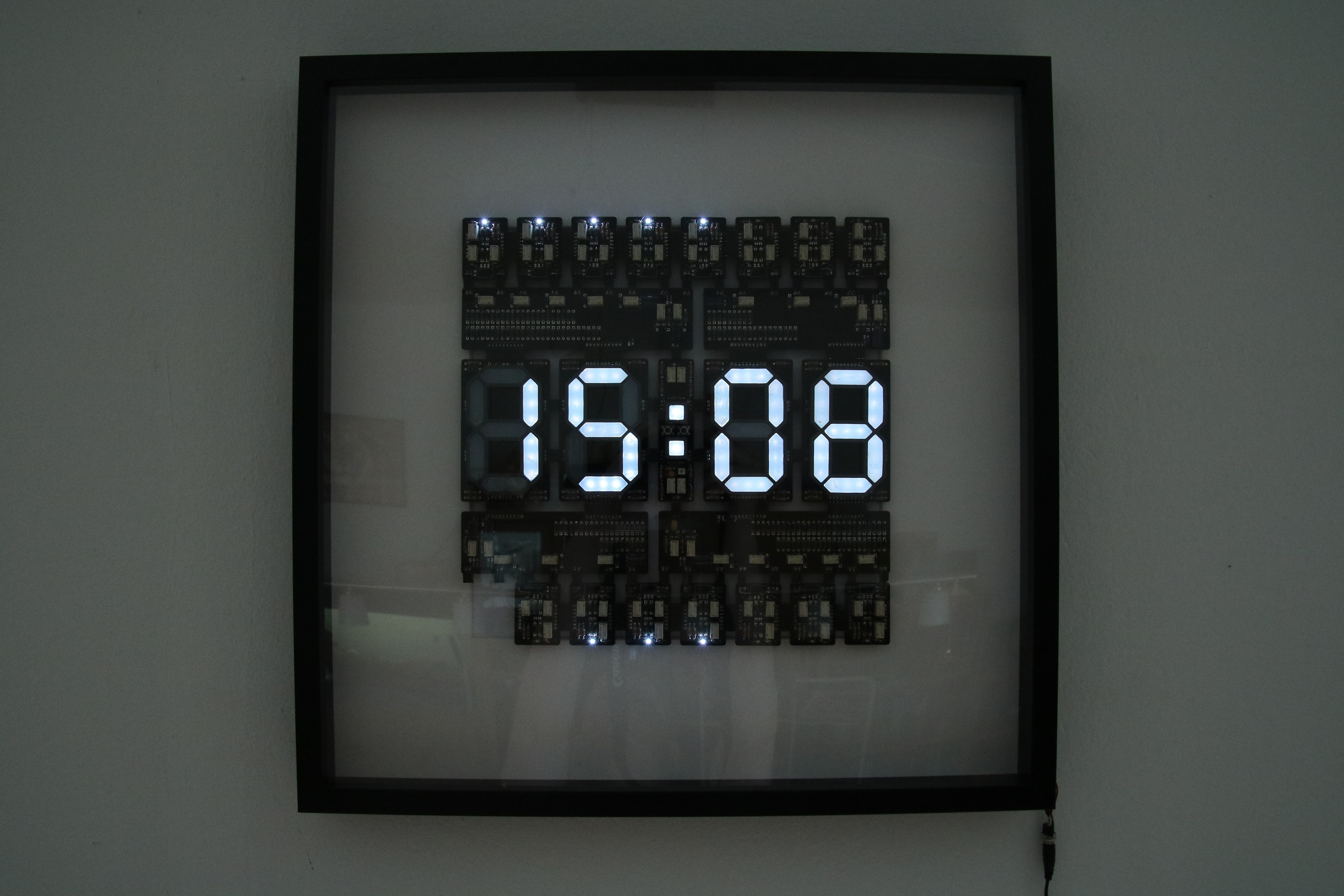
The ESP is sitting on the back doing its job getting the time for several days now. I slightly altered the NTP protocol example within Nodemcu's arduino library. The dots are only blinking after a reset to indicate WIFI and NTP status.
I even added a last minute feature: A daylight saving time jumper that chooses the right UTC offset after resetting the clock. Yes, I could have written a smarter code that checks if it is time to switch, but I was too lazy. I don't want to poll any sites regularly as well for parsing this information, so resetting should do it for the moment until I come up for a better idea.
Stuff that is still on the todo list for when I am bored by other stuff:
- Printing a PSU barrel plug holder for the frame - it just looks ugly at the moment.
- Writing a better program that is going into deep sleep for most of the time to save power.
- Using even higher serial resistors for the FlipFlop-LEDs. They are way too bright :)
- Finding a good use for the empty FF slot.
The promised video is missing as well and I might post more about the way I did the diffusors for the seven segment displays. They did not end up as smooth or easy as I intended, but I am still happy with the outcome.
Discussions
Become a Hackaday.io Member
Create an account to leave a comment. Already have an account? Log In.
Can you share your code? I also made a clock project and I'm not completely satisfied on how the NTP time synchronizes with my clock time on the ESP. Maybe your code can help me? Thanks! https://mylifeasa.tinkerer.us/unix-time-clock-57b17d05442e
Are you sure? yes | no
Sure! I was basically using the ESP example code with a trick. I'll post a log on how things are done with the time keeping with a small video. The code is still power hungry since I do not use any sleep function yet, but I guess you know how it is when stuff works and other projects need also attention :)
Are you sure? yes | no
Oh yes, I know that feeling exactly. Thanks in advance!
Are you sure? yes | no