 mit41301
This document includes the programming specifications for the following devices:
• PIC10F200
• PIC10F202
• PIC10F204
• PIC10F206
MEMORY MAPPING
User Program Memory Map
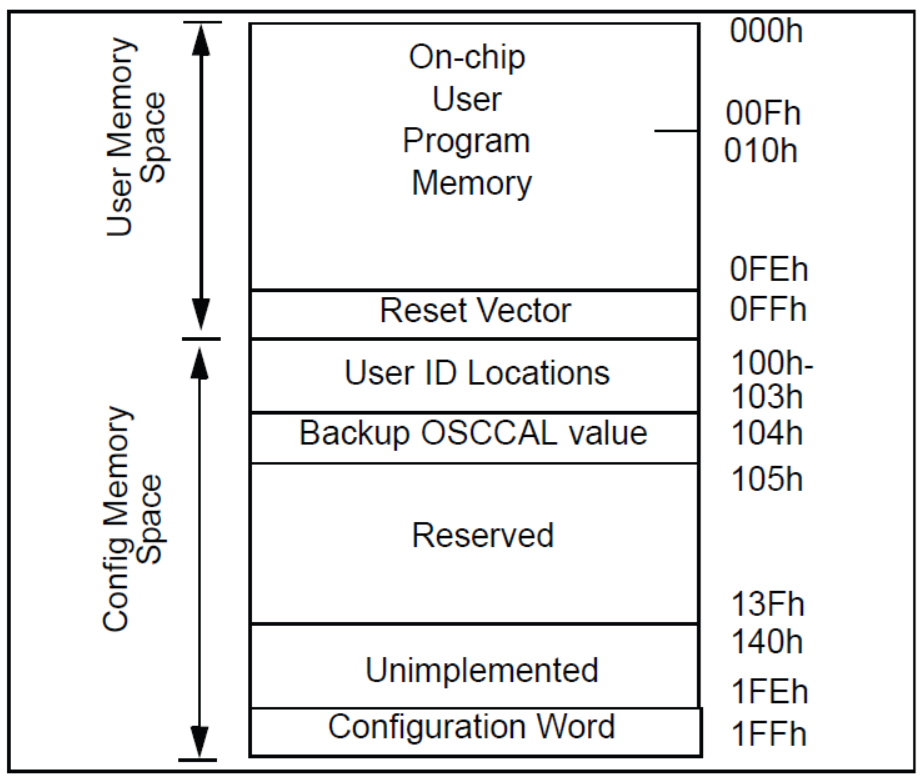
The user memory space extends from (0x000-0x0FF) on the PIC10F200/204 and (0x000-0x1FF) on the PIC10F202/206. In Program/Verify mode, the program memory space extends from (0x000-0x1FF) for the PIC10F200/204 and (0x000-0x3FF) for the PIC10F202/206. The first half, (0x000-0x0FF) and (0x000-0x1FF) respectively, is user program memory. The second half, (0x100-0x1FF) and (0x200-0x3FF) respectively, is configuration memory. The PC will
increment from (0x000-0x0FF) and (0x000-0x1FF) respectively, then to 0x100 and 0x200, respectively (not to 0x000).
In the configuration memory space, 0x100-0x13F for the PIC10F200/204, and 0x200-0x23F for the PIC10F202/206, are physically implemented. However, only locations 0x100-0x103 and 0x200-0x203 are available. Other locations are reserved.
HOW TO VIEW THE BACKUP OSCCAL?
The memory locations 0x0100-0x103 are used for User ID Locations. The backup value of the OSCCAL value is located at 0x0104.
Take any fresh PIC10F200 and read the content normally.
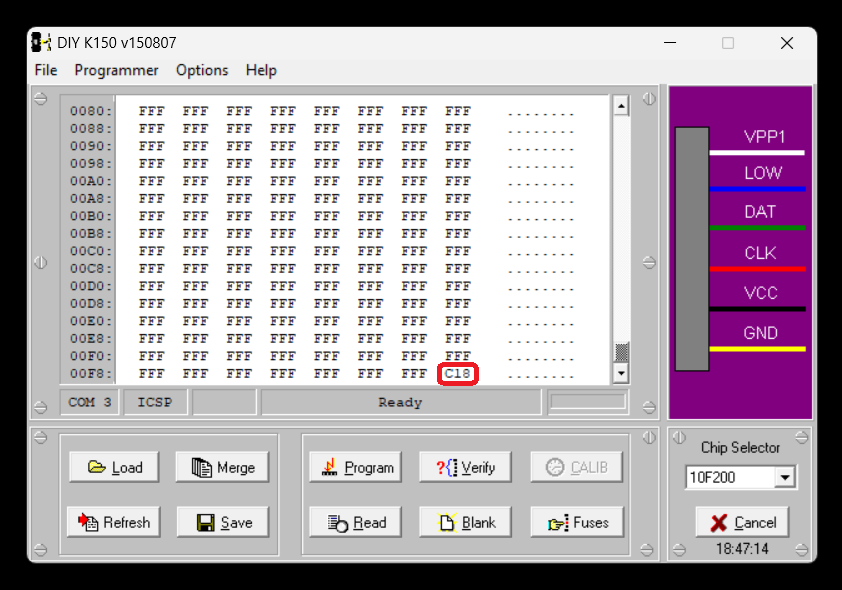
We can see the final location of the FLASH memory contains the OSCCAL value of 0xC18
Now set the device as PIC10F202. By this way the programmer able to access the higher memory locations.
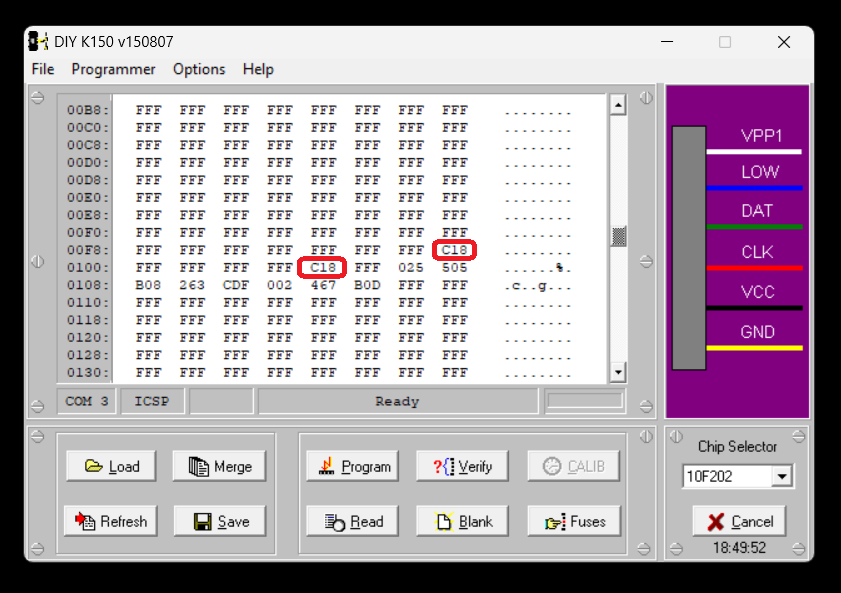
In the above view please note the selected chip is PIC10F202. But the actual chip we used is PIC10F200. At the memory location 0x0104 we can see the same OSCCAL value which in this chip is 0xC18.
Below is the screen view for one more PIC10F200 chip
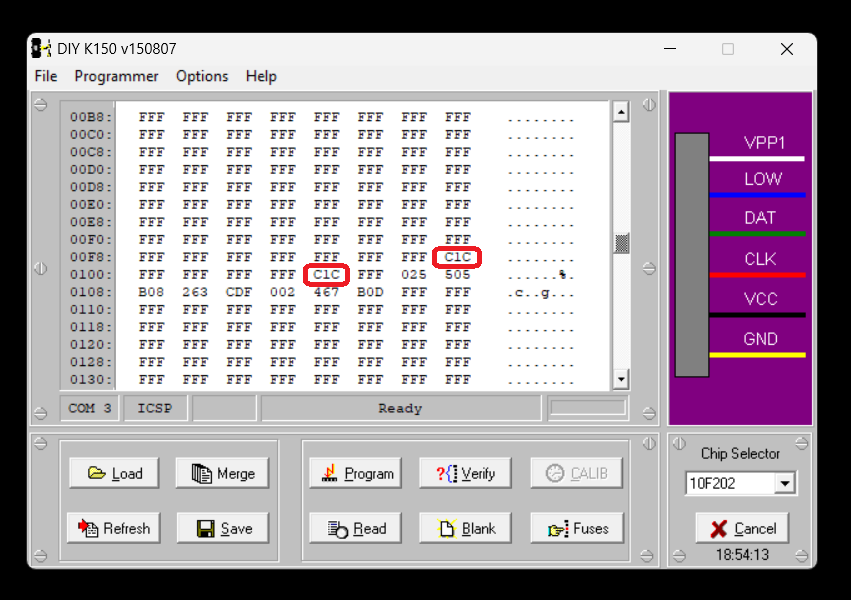
In the above case the different PIC10F200 which is having the OSCCAL of 0xC1C. The same value of 0xC1C can be seen at the location 0x0104.
Other values are RESERVED as per Microchip and needs further investigation.
Discussions
Become a Hackaday.io Member
Create an account to leave a comment. Already have an account? Log In.