 Allan Binder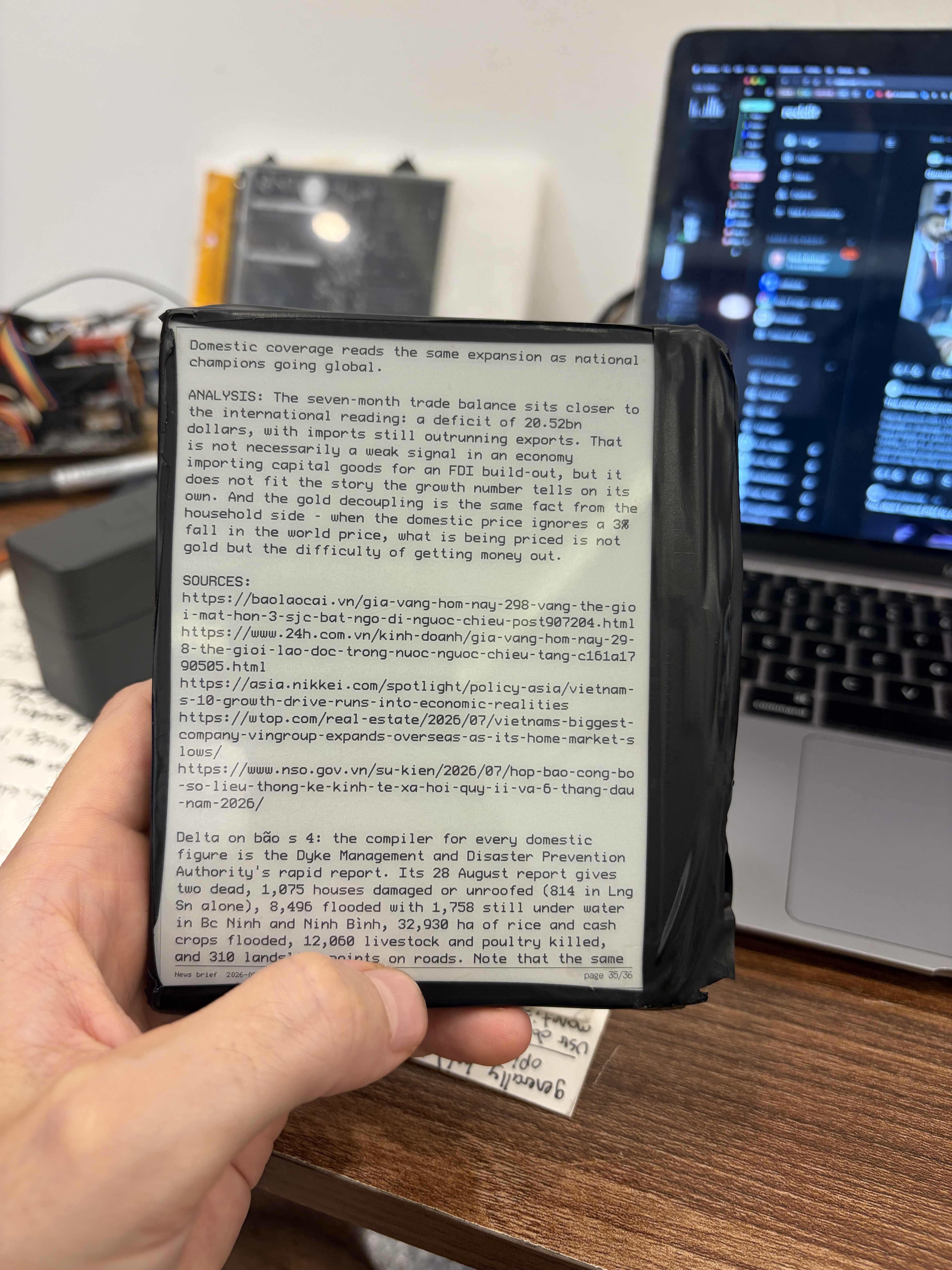
Part 1: The hardware
You need four things: an ESP32-S3 dev board, an e-paper panel with its adapter board, a five-way button module, and a way to power it. Total cost lands between $35 and $60 depending on the panel you pick. The ESP32-S3 is the right microcontroller for this because it has WiFi built in, enough flash to store a few books, and a hardware SPI bus that drives the panel at full speed. Buy a board with 8 MB or 16 MB of flash if you can; the 4 MB boards work but leave little room for text. For the buttons, any five-way navigation module (up, down, left, right, center click) from the usual hobby suppliers will do, wired with one common leg to ground and five signal legs to free GPIO pins. Add a BME280 breakout if you want temperature and humidity on the status line; it is optional and costs a couple of dollars.
Ordering the display is where people get lost, so here are the variables that matter. Go to waveshare.com (or good-display.com, whose panels Waveshare resells) and filter on these: **size** (5.7 to 7.5 inches reads like a paperback; 4.2 inches is pocketable but cramped), **resolution** (aim for 800x480 or better, text below that looks jagged), **color** (plain black and white refreshes fastest; the three and four color panels take 10 to 20 seconds per page and are a poor fit for reading), **interface** (you want SPI, which every hobby panel uses), and **partial refresh support** (this is the one that decides whether page turns flash white for two seconds or update quietly in a few hundred milliseconds; check the product page for "partial refresh" or "fast refresh"). The panel ships as a bare glass with a flat ribbon cable, so you also need the matching adapter board (Waveshare calls it a driver HAT, Good Display calls it DESPI). Buy the panel and adapter together as a kit and confirm the adapter runs at 3.3 V. The panel I used is a Good Display GDEH0576T81, 5.76 inch, 920x680, black and white, on a DESPI-C02 adapter, and it has fast partial refresh.
Power is flexible because e-paper holds its image with no power at all, and the position in the book gets saved to flash on every page turn. That means the simplest build has no battery: plug a USB cable in, read, unplug, and the last page stays on the glass. If you want it portable, three AA cells in series (4.5 V) fed through a Schottky diode into the board's 5 V pin works well; the diode drops about 0.3 V and stops the board's USB supply from pushing current back into the cells when you plug in to reflash. A small lithium cell (500 to 1000 mAh) with a $2 charger and protection board is the tidier option and gives weeks of use per charge. Whatever you pick, solder the panel adapter's power wires directly instead of using Dupont jumper crimps, and put a 470 uF capacitor plus a 100 nF capacitor across the adapter's VCC and GND. E-paper pulls short bursts of current during a refresh, resistive jumpers let the rail sag, and a sagging rail will eventually corrupt or kill the panel controller. That lesson cost me a panel.
For the firmware, ask Claude to design it. Give it the exact panel part number, the adapter model, your board, and the pin map, and ask for a PlatformIO project using the GxEPD2 library with partial refresh, a five-button menu, a text paginator that runs on your computer and uploads pre-wrapped pages to the board's filesystem, and a WiFi sync step that downloads a text file from a URL. Ask for soldering instructions in the same conversation and it will walk you through the pin map one wire at a time. The case can be as simple as two pieces of cardboard with a window cut for the panel and a hole for the buttons, which is what mine is. A 3D printed shell is an evening of work if you have a printer, and if you do not, a two-piece design ordered from a cheap online CNC or print service runs about $15.
Part 2: The automated news brief
The reader gets interesting once it fetches content on its own. The setup has three pieces: a scheduled agent that writes the brief, a small server that stores the latest copy, and the device pulling it over WiFi. Claude Code routines handle the first piece. A routine is a Claude Code session that runs on a schedule in the cloud; you give it a prompt such as "research these six topics, write a 1500 word brief in plain text with short paragraphs, no markdown, and upload it to this endpoint," pick a cron schedule (mine runs three mornings a week), and give it network access plus an upload token stored as an environment variable. It runs unattended and posts the finished text.
The server can be almost anything that accepts an HTTP POST and serves a GET. I used a Cloudflare Worker, which is free at this volume and has no machine to maintain: one route accepts the upload behind a bearer token and writes the text to KV storage, the other serves the latest file behind a read token. A Raspberry Pi running a twenty-line Flask app on your home network does the same job if you would rather keep everything local. The device side is a single function: on boot or on a button press, join WiFi, GET the URL, write the text to flash, paginate, and show page one. Ask Claude to write both halves and to keep the brief format fixed at plain text with a known column width so the device never has to do layout work.
Once the pipeline exists, the "news brief" is only one product. The same routine can produce a daily weather and tide sheet for your area, a summary of a subreddit or a set of RSS feeds, a digest of your own project notes, a language lesson, or a chapter a day of a public domain book. Each is a prompt change and nothing more. The device does not care what the text is about.
Part 3: Where this could go
The part I keep thinking about is multiplayer. An ESP32 can run as a WiFi access point, so the reader can broadcast its own network and serve a web page to anyone who joins. Nobody installs an app: players scan a QR code on the e-paper, their phone opens a page served by the device, and the panel becomes a shared board on the table that everyone can see while phones hold the private hands. That covers a whole class of tabletop games (trivia, drafting, hidden role, bidding, word games) and the panel is a perfect scoreboard because it stays readable in daylight and holds the last state if someone knocks the power out. The same hardware could host a shared reading group where the device shows one page and each phone gets a vote on what happens next, or a quiz night where the question is on the glass and answers arrive over the local network.
I would like this to be an open source platform rather than one person's project. If you build a reader from this guide, or if you want to help define a small game API (device serves the board, phones post moves over HTTP, everything stays on the local network), post in the comments or open an issue on the repo. Ideas for games, case designs, panel choices, and power setups are all welcome. Pictures of your build are the best contribution of all.
Discussions
Become a Hackaday.io Member
Create an account to leave a comment. Already have an account? Log In.